20250506
1. New branch submission and approval function
【Background】Standardize the registration and update process of the branches.
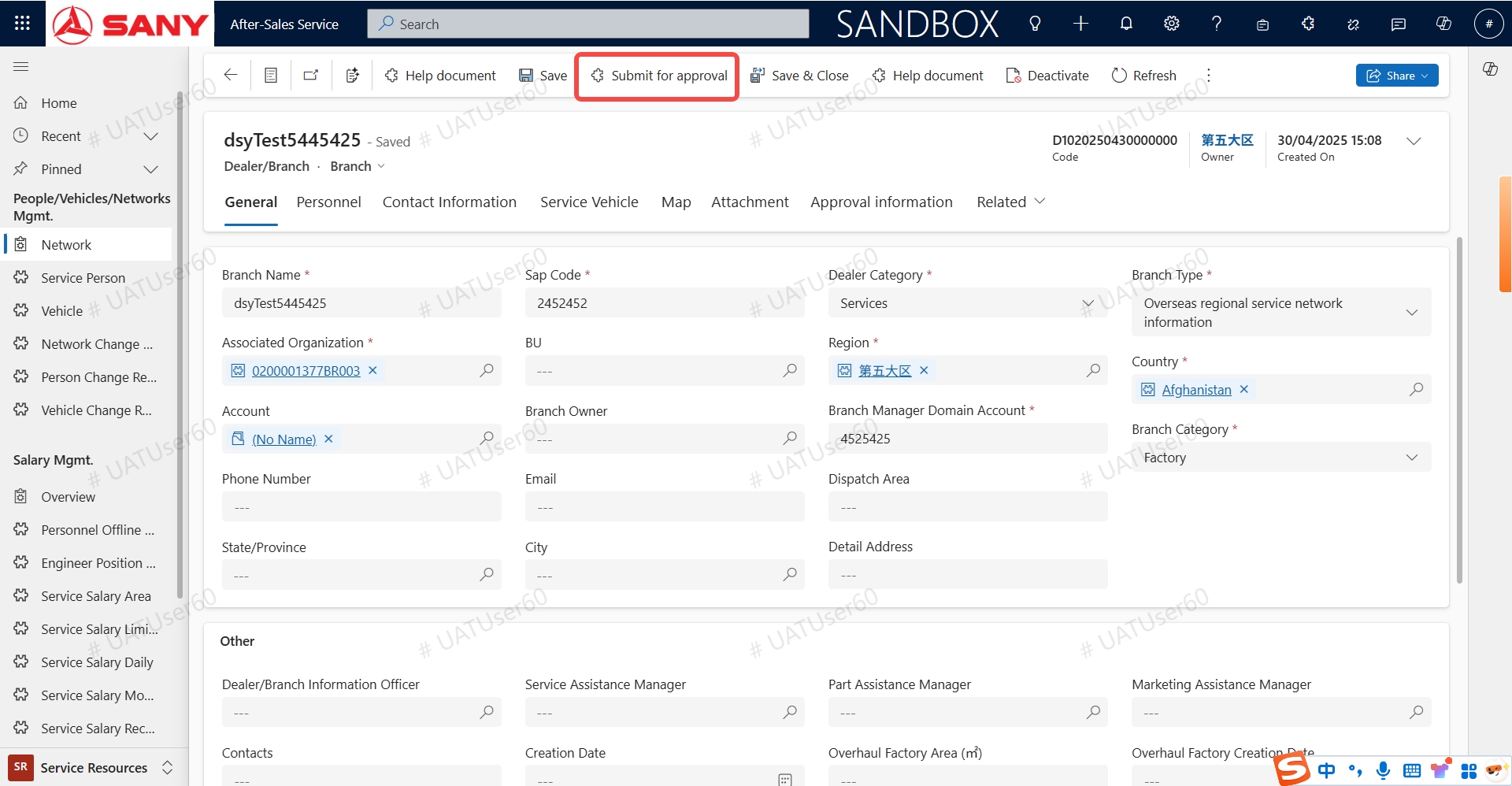
【Function Description】When a new branch is created, it is necessary to go through the approval process.
When a new branch is created manually or imported, its status is "Newly Created", and it is necessary to perform the operation of submitting for approval. Only after the approval is passed can the branch be selected in the section of the branch to which personnel/vehicles/equipment belong.
【Process】 Enter the branch list - click [create] - enter relevant information - click [Save] - click [Submit for Approval] above - approval passed - completion.
2. Automatically create pending items for pre-acceptance/handover order when the machine is delivered.
【Background】The frontline fails to finish pre-acceptance/handover order in a timely manner according to regulations.
【Proposer】Headquarters Service Department
【Function Description】Corresponding pending tasks will be generated according to the following scenarios after the equipment is delivered.
-
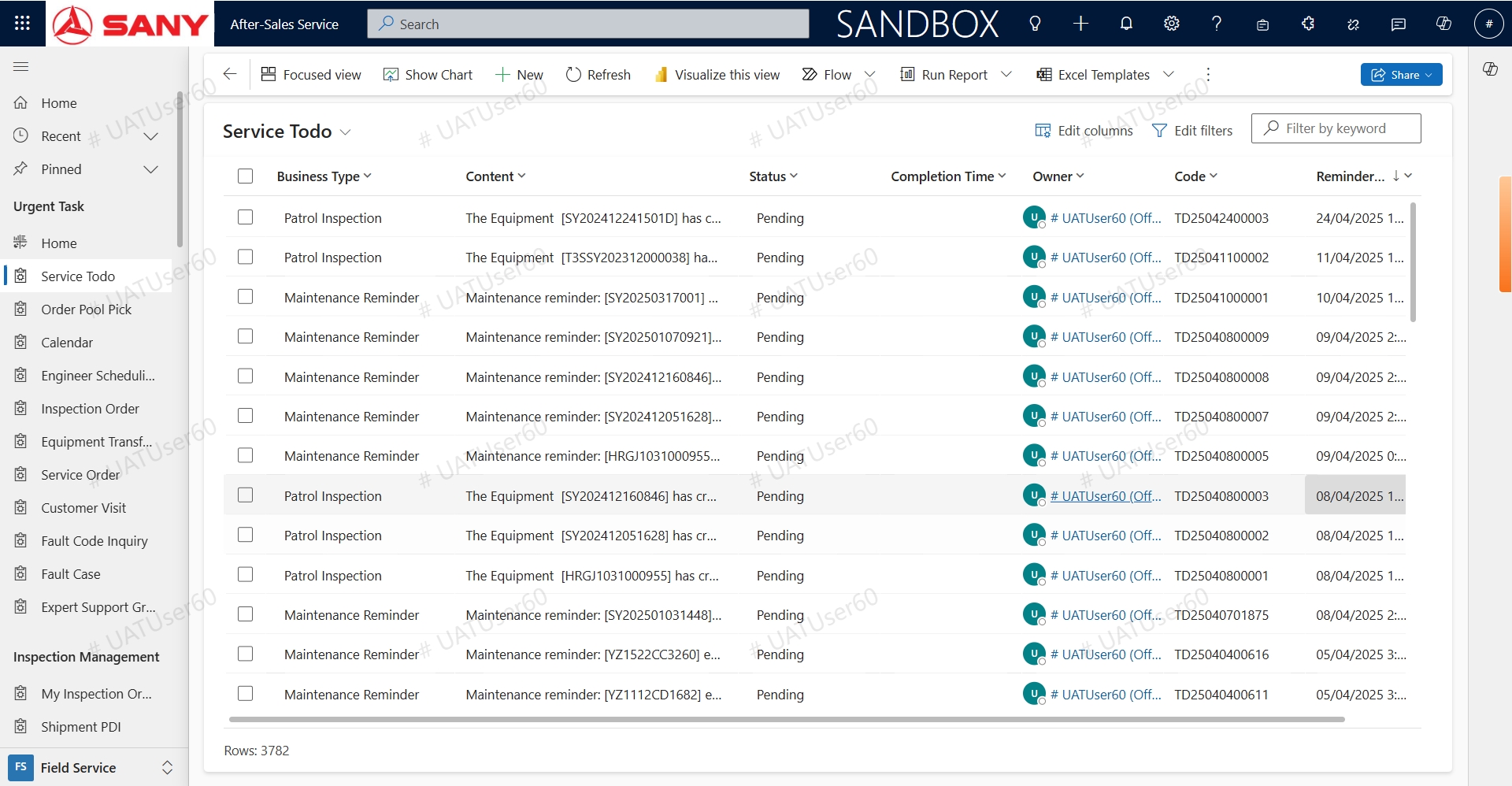
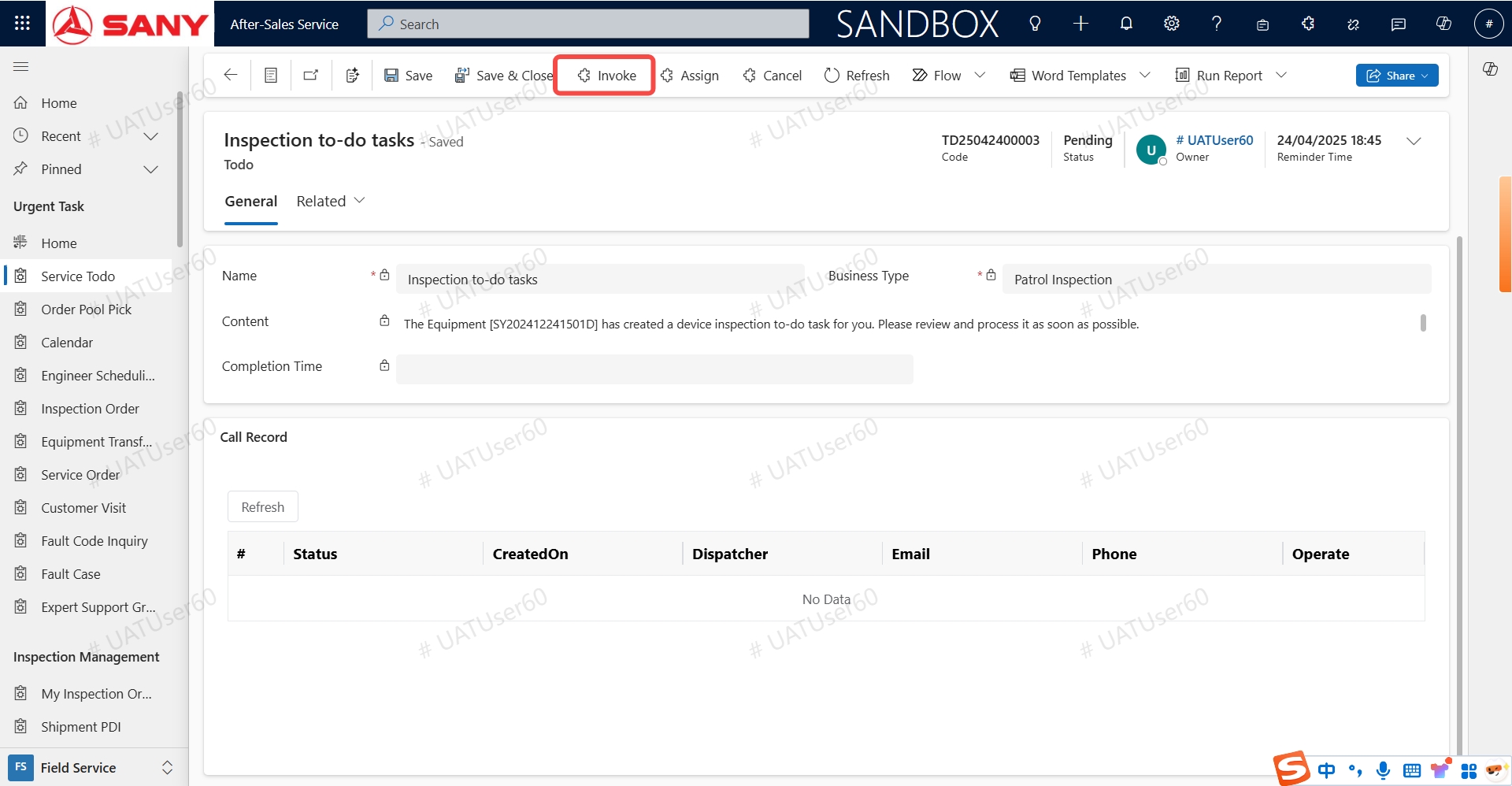
If the seller of the delivery order is a subsidiary and the actual purchaser is an end customer, a pending task for the handover will be automatically created, and the object is the service department head. The service department head can make an invoke, and the handover will be directly generated.
Process: Enter the details of [Inspection to-do tasks], click the [Invoke] button above, and the handover order can be generated.
-
If the seller of the delivery order is a subsidiary and the actual purchaser is an dealer, a pending task for pre-acceptance will be automatically created, and the pre-acceptance type is the pre-acceptance for the dealer's warehousing. The object is the dealer (corresponding to the dealer's account). The dealer can invoke it to directly generate the pre-acceptance upon arrival, and the type is the pre-acceptance for the dealer's warehousing. Process: Enter the details of [to-do tasks for Pre-acceptance upon Arrival], click the [Invoke] button above, and the handover order can be generated. (Refer to the picture above.)
3. Function of Stopping Services for Overdue Customers
According to the company's process regulations, when overdue customers submit maintenance applications, they will enter the specific processing flow of overdue services based on different overdue situations. This function is launched on May 6th . (Note: Currently, it is only applicable to direct-sales equipment.)
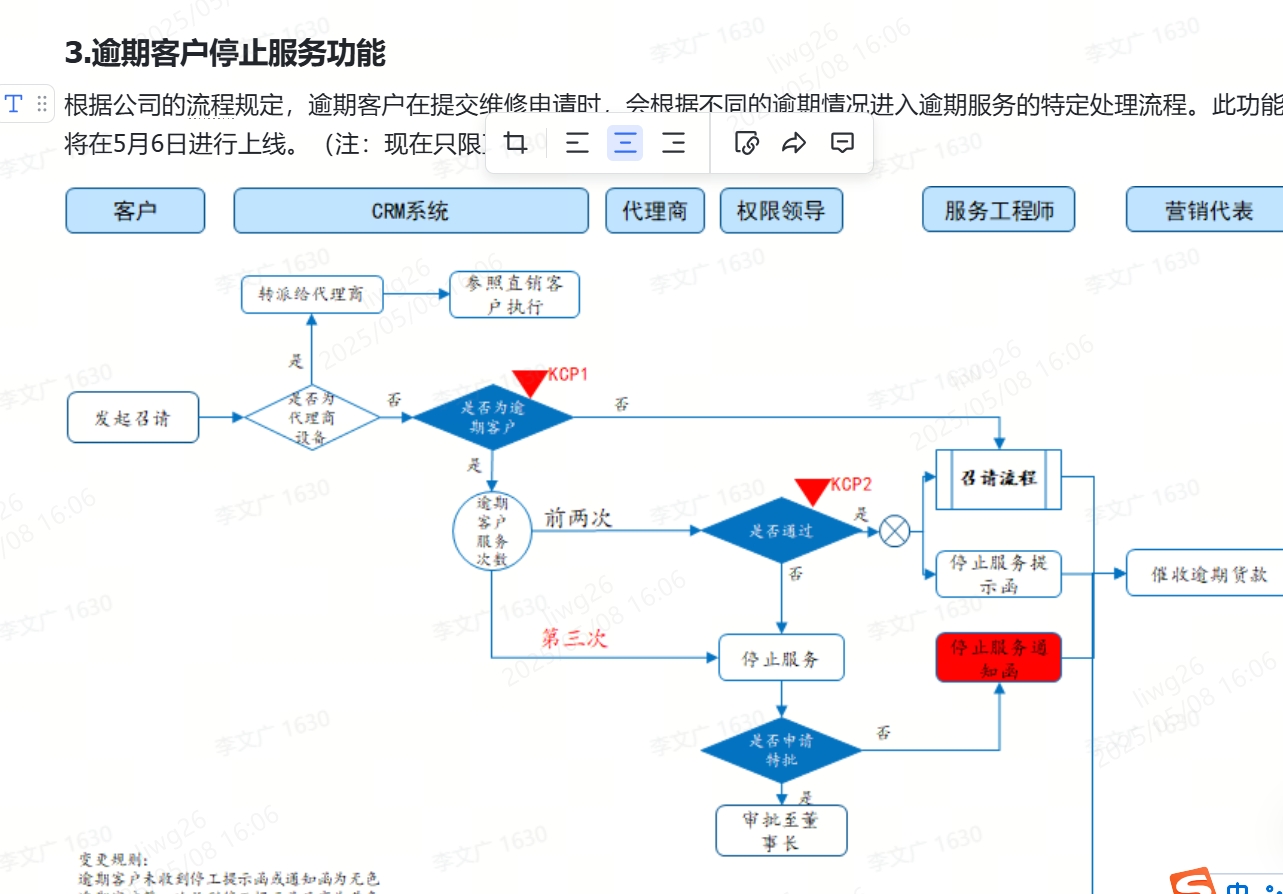
(The color of the customer will not be marked temporarily.)
1. Instructions for the Process of Stopping Services for Overdue Customers
When establishing a service order (for maintenance), if the customer is judged to be overdue (there is overdue payment for the machine of the outstanding payment), the overdue service document will be processed according to the following scenarios.
Scenario 1: If the customer is overdue and the number of historical overdue service application documents is less than 3 (not equal to 3), it will enter the overdue concession approval process, and the marketing representative and the head of the national region/the head of self-operated company/the head of direct sales company, as well as the national region director, need to approve it.
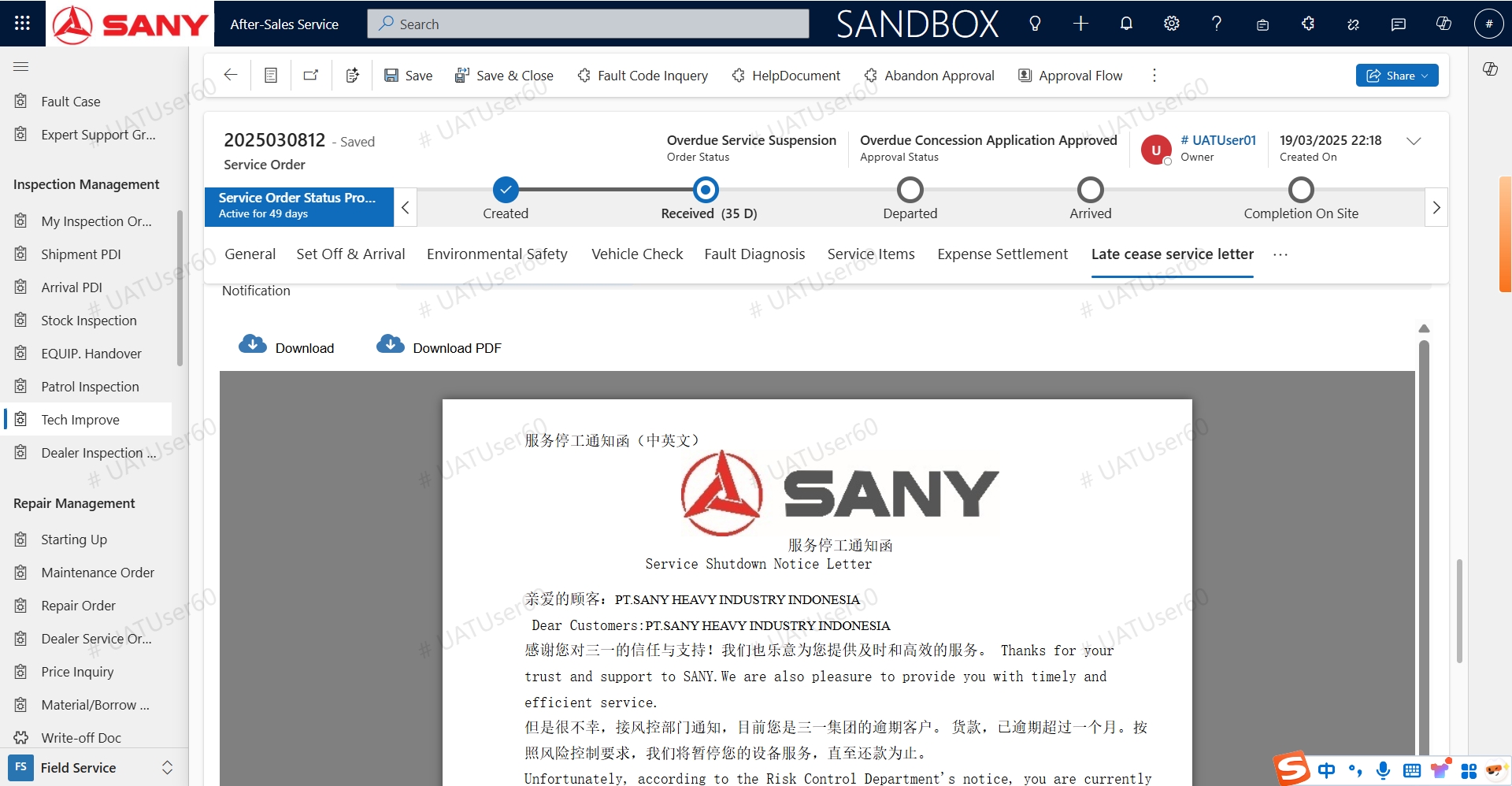
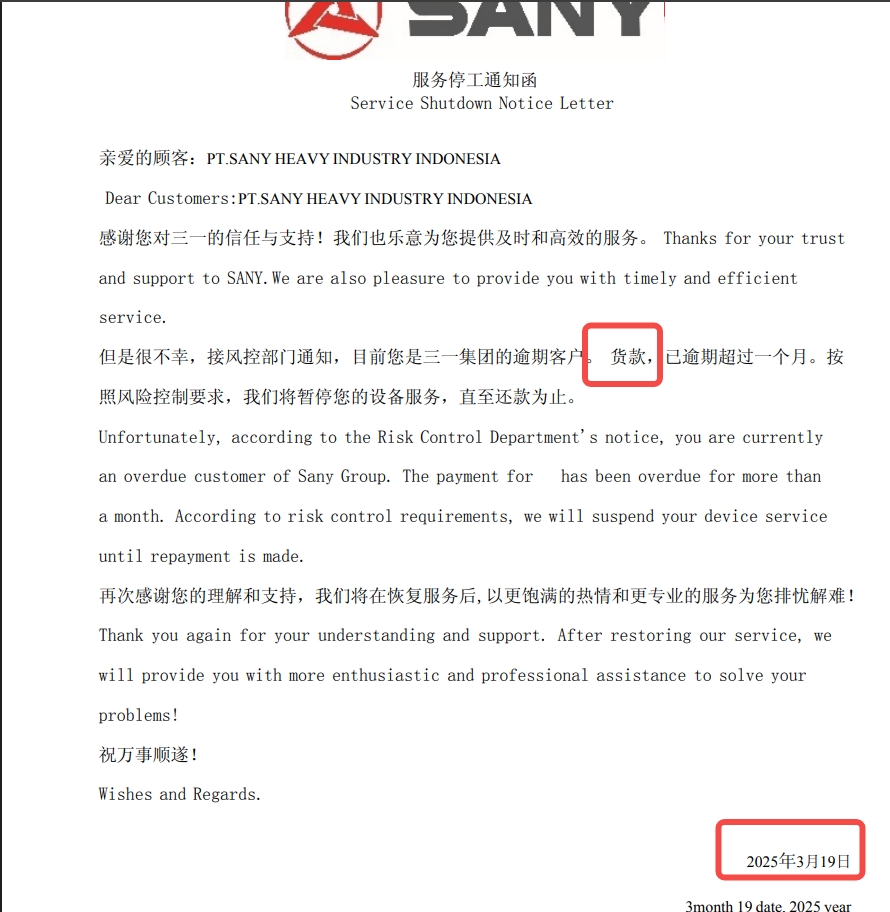
A: If approved: Continue to provide services, and at the same time, generate a reminder letter for stopping services due to overdue payment, which can be downloaded in the corresponding column of the service order details.
B: If rejected: The service status will be set to stop due to overdue payment, and no operation can be carried out. Services can only be resumed according to the following restoration process.
Scenario 2: If the customer is overdue and the number of historical overdue service application times is greater than or equal to 3, the service order will directly enter the status of stopping services due to overdue payment, and a notice letter for stopping services due to overdue payment will be generated (which can be downloaded in the corresponding column of the service order details). It can only be restored by handling it according to the corresponding method of restoring overdue services in the following point 2.
2. Methods for Restoring Overdue Services
Method 1 - Pay off the overdue payment: When the outstanding overdue payment is settled, the documents that are overdue and have their services stopped will be automatically restored to the normal status every day.
Method 2 - Apply for special approval of overdue services: When it is necessary to restore the services that have been stopped due to overdue payment, it can also be restored by applying for special approval of overdue services.
Specifically, refer to the following operation process for the special approval application of overdue situations.
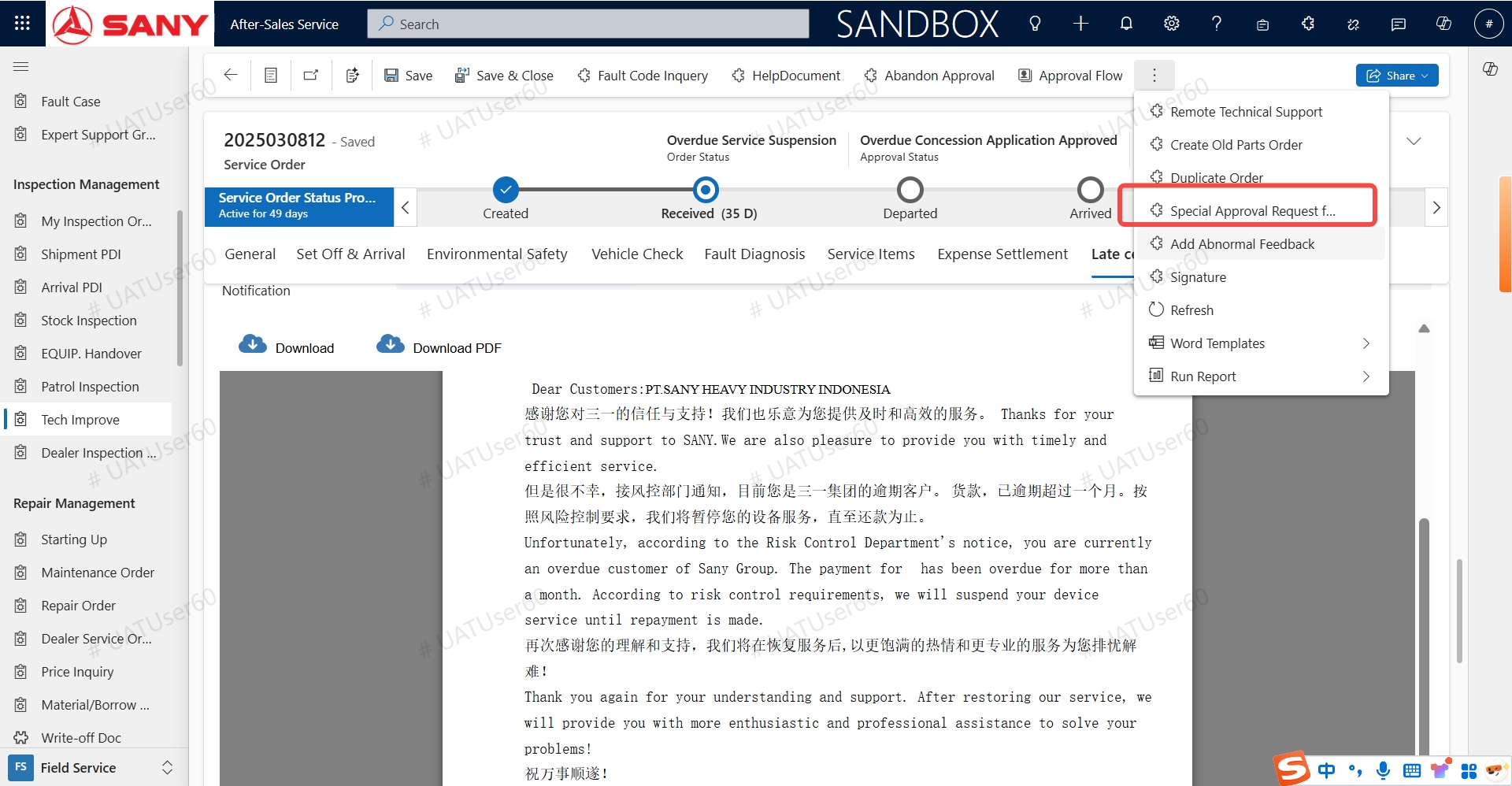
Menu: [Field Service] - [Tech Improve] - [Order Details]
Operation Process:
A. Enter the repair list, click on the order with suspended service due to overdue payment, and enter the details.
B. Click the [Special Approval Request for Service] button above, enter the application reason, and submit it.
C. After submission, a BPP approval will be automatically initiated. After the approval is passed, the status of the order will be automatically restored, and the subsequent repair process can be carried out.