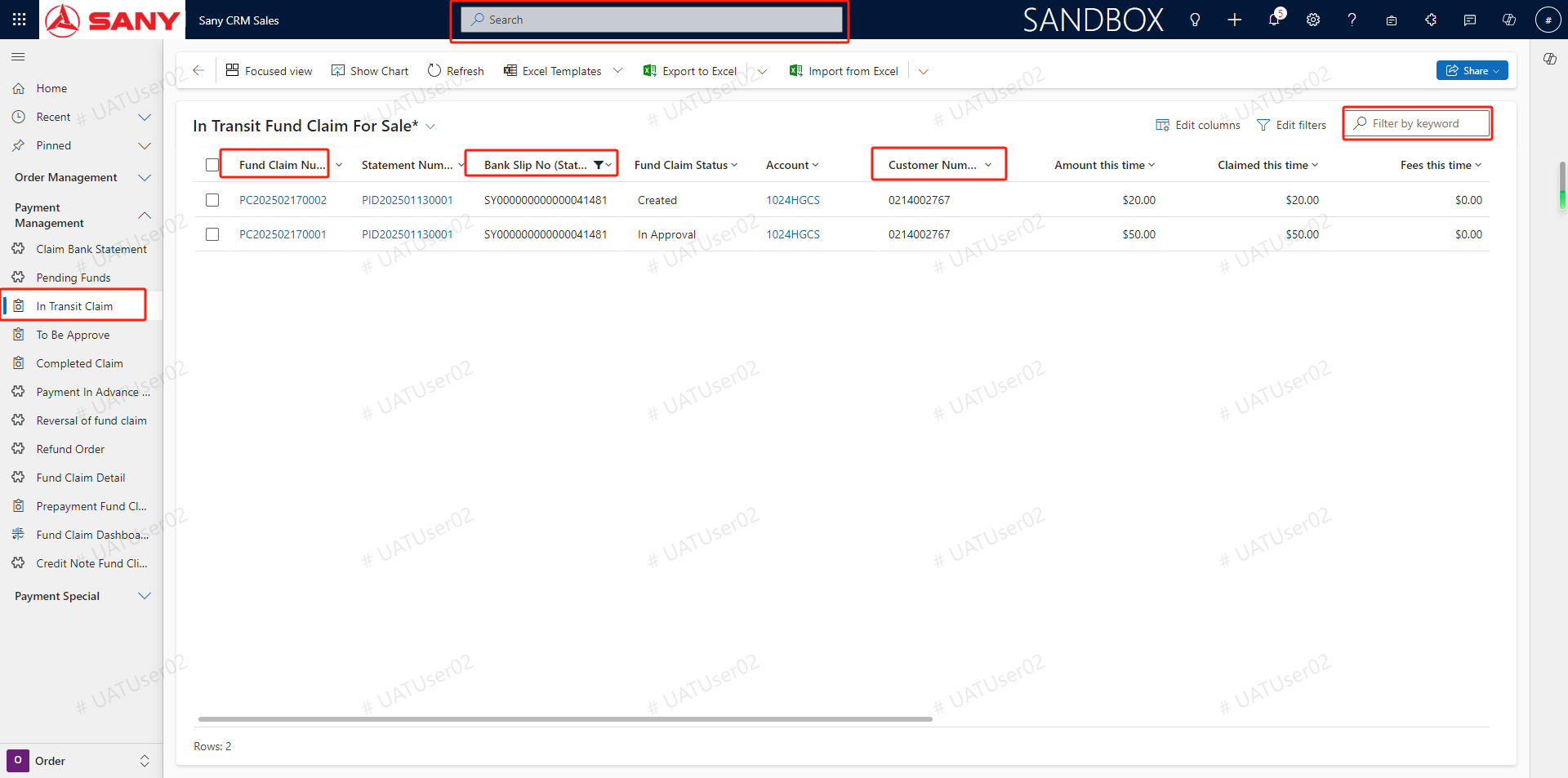
In Transit Claim
In Transit Claim
Entry Path: Sany CRM Sales - -> Order - -> PaymentManagement- -> In Transit Claim or Spare Parts Management --> Sales --> Payment Management --> In Transit Claim or After-Sales Service --> Field Service --> Payment Management --> In Transit Claim
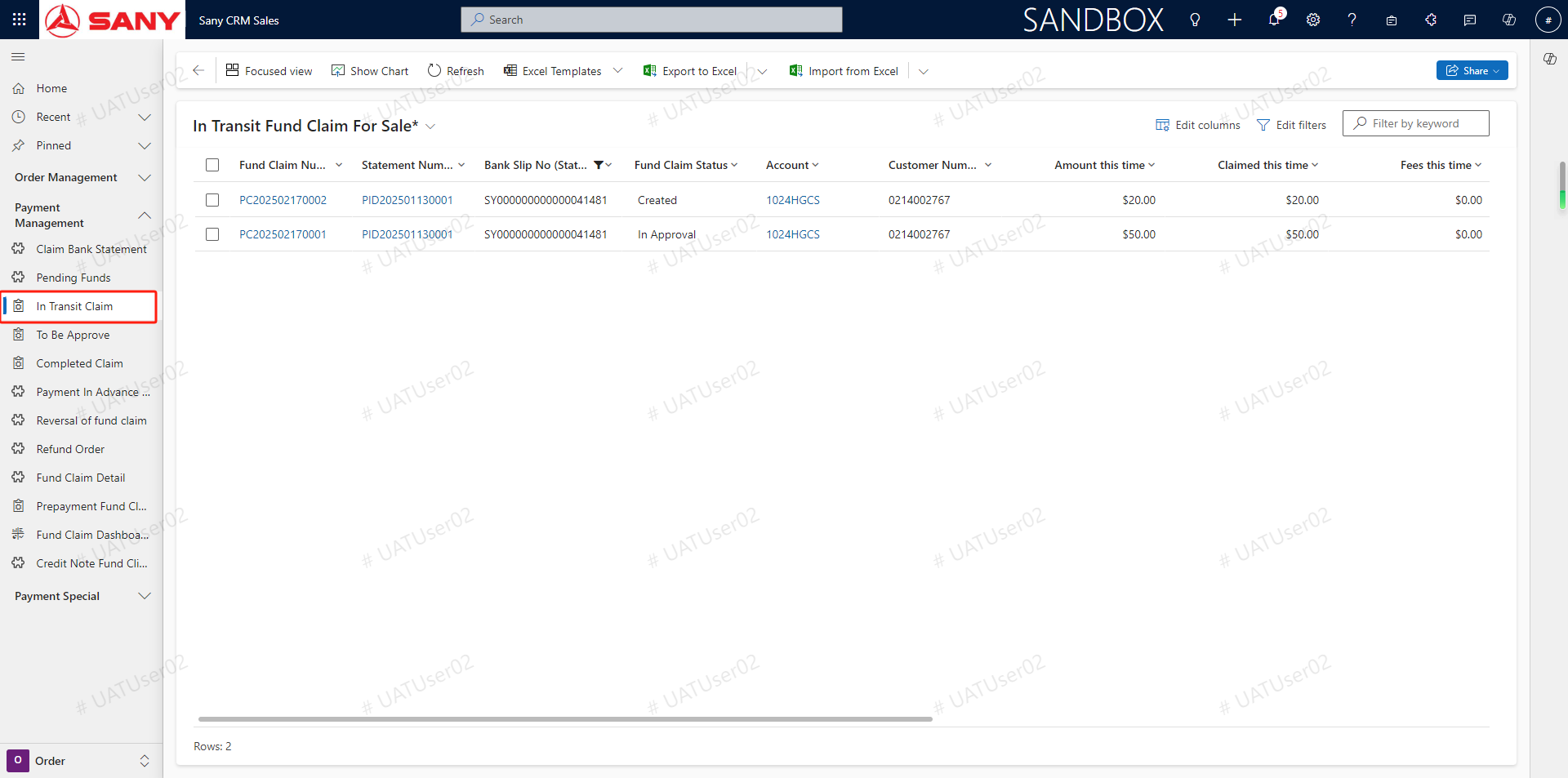
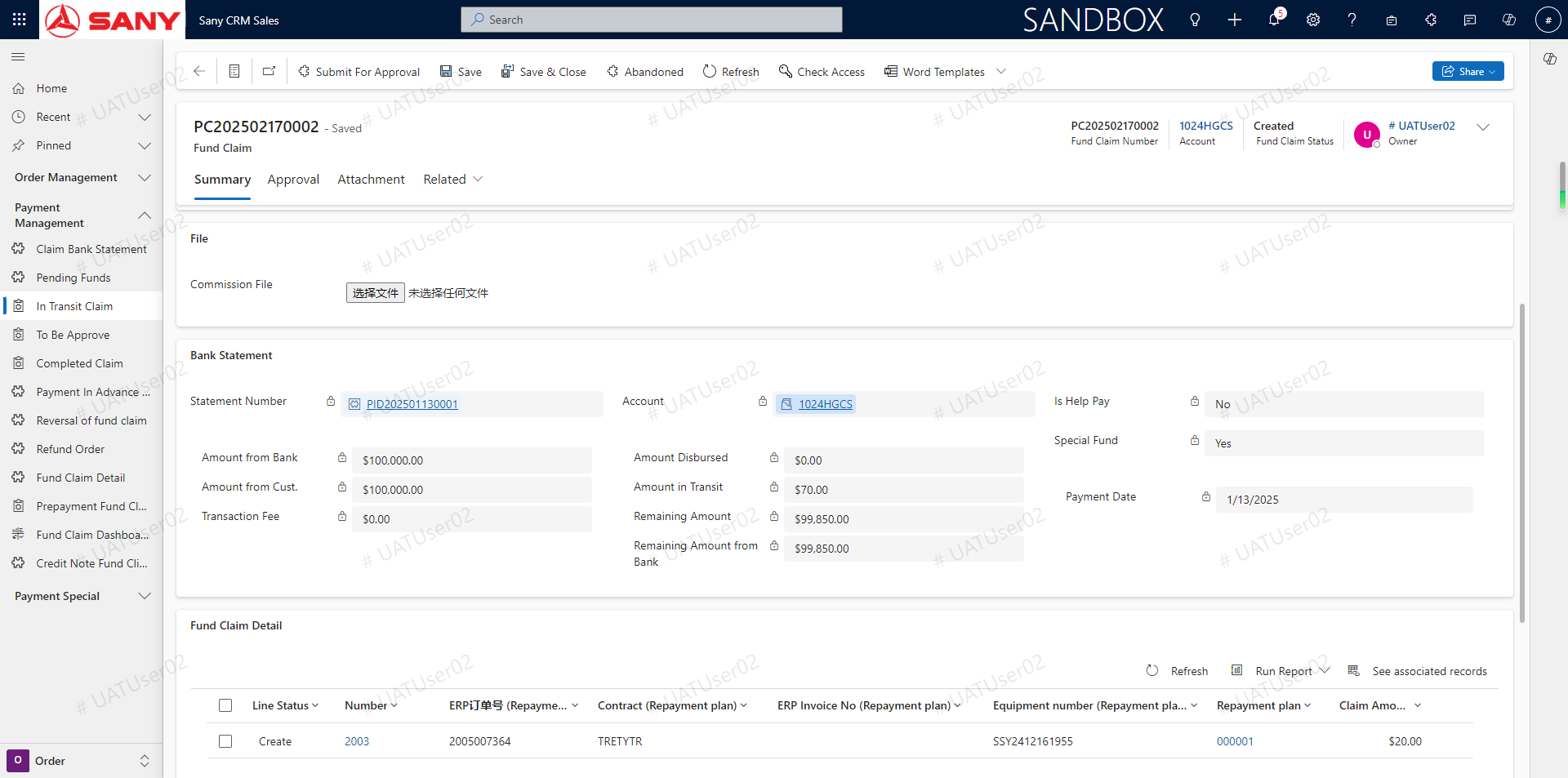
Click the In Transit Claim menu - -> screening with the solution order number, bank serial number, customer number - -> Double-click on the solution order to view the solution order details (PS: query the solution order can view the customer through the customer number)