Fund Claim
Fund Claim
Entry Path: Sany CRM Sales - -> Order - -> PaymentManagement- -> Pending Funds or Spare Parts Management --> Sales --> Payment Management --> Pending Funds 或 After-Sales Service --> Field Service --> Payment Management --> Pending Funds
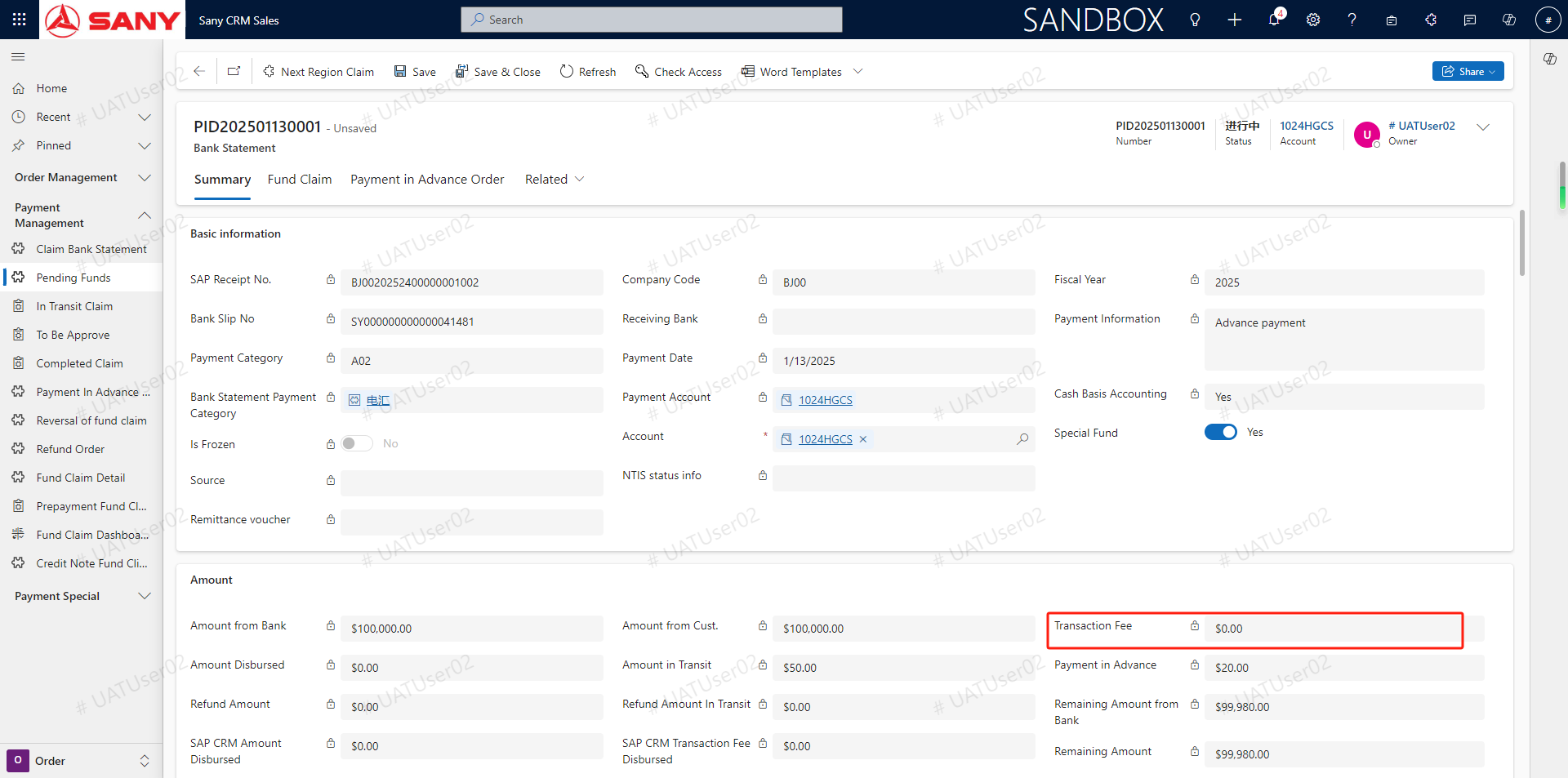
Click the menu to Pending Funds- -> screen the bank serial number / search bank serial number in the search box - -> double-click into the operation interface- -> fill in the fee- -> click the save button
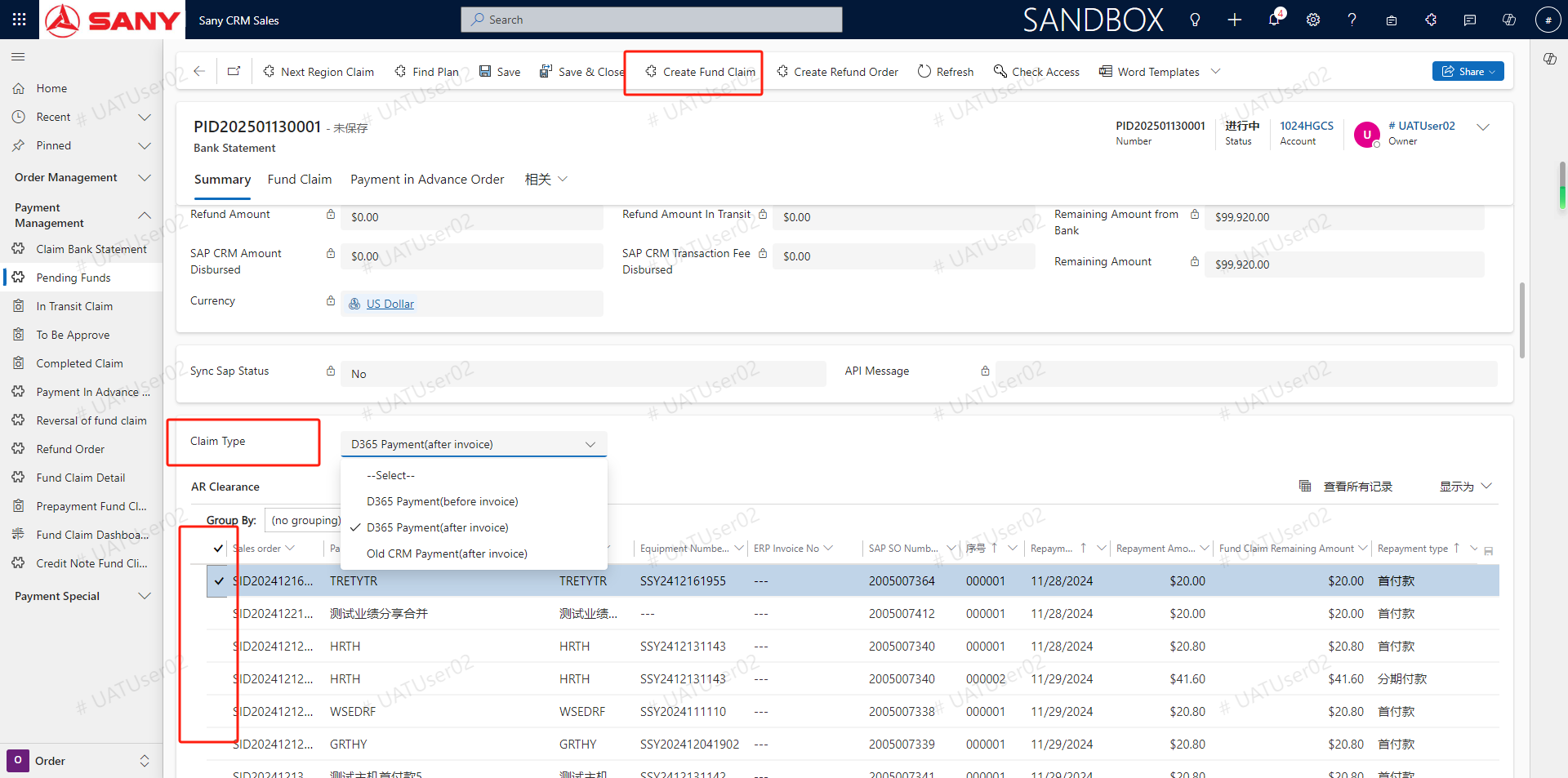
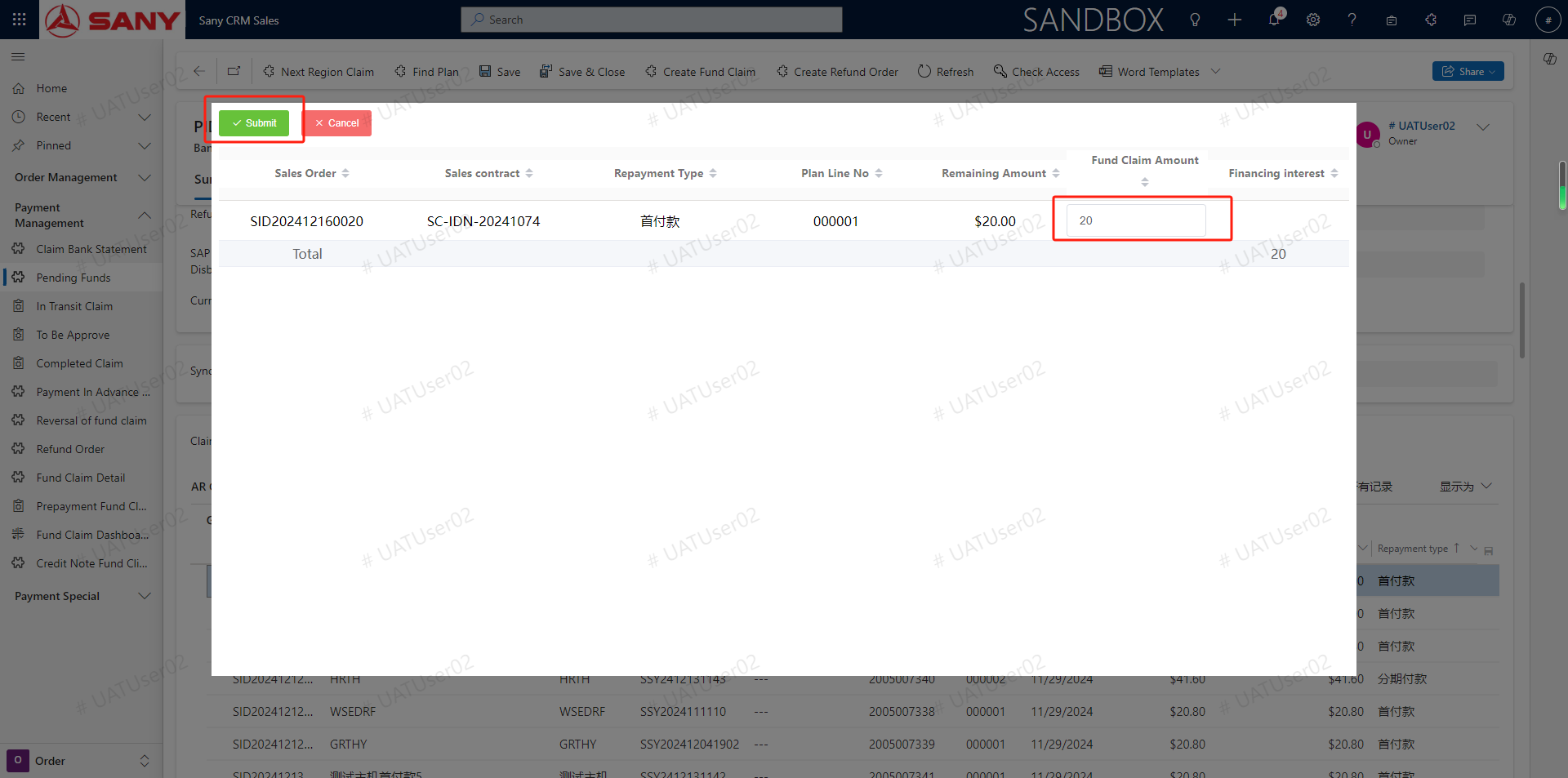
Slide down and select claim type-> select repayment plan line-> click the Create Fund Claim button-> click the Submit button (PS: Claim type--before invoice / after invoice / old CRM(after invoice), before invoice is to create prepaid ticket, before the order is not shipped to confirm income operation, after invoice is directly after order delivery confirmed income create solution list, old CRM invoice is need to choose old system payment for goods. If the flow of the business division needs resolution, the flow of needs to be pushed to the old system operation solution)
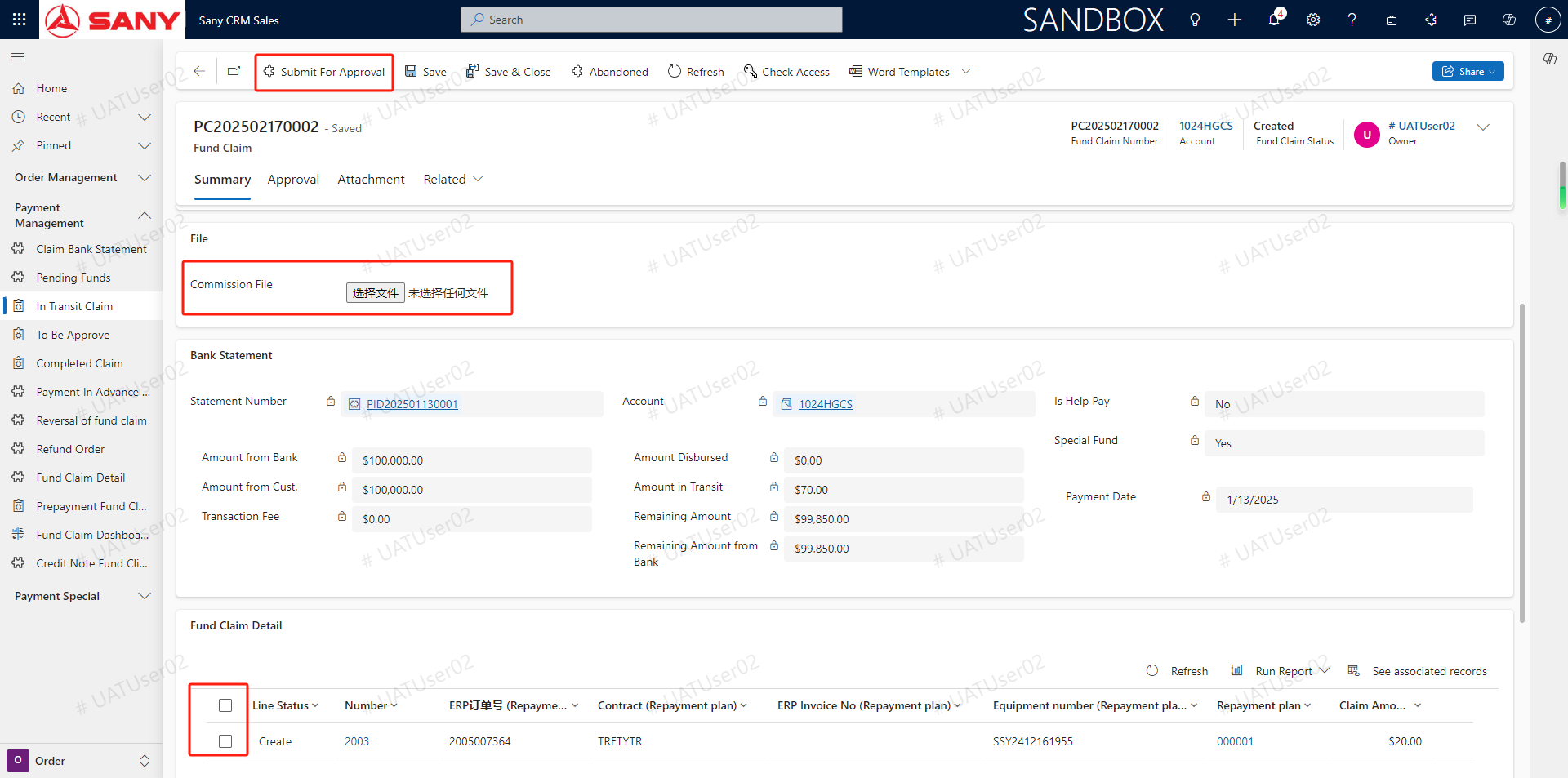
 Upload the payment voucher file in the withdrawal sheet interface- -> Select the details of the withdrawal sheet- -> Click the submit approval button (PS: if the approval settlement is not submitted, the resolution will not be completed)
Video Demo
Advance payment application
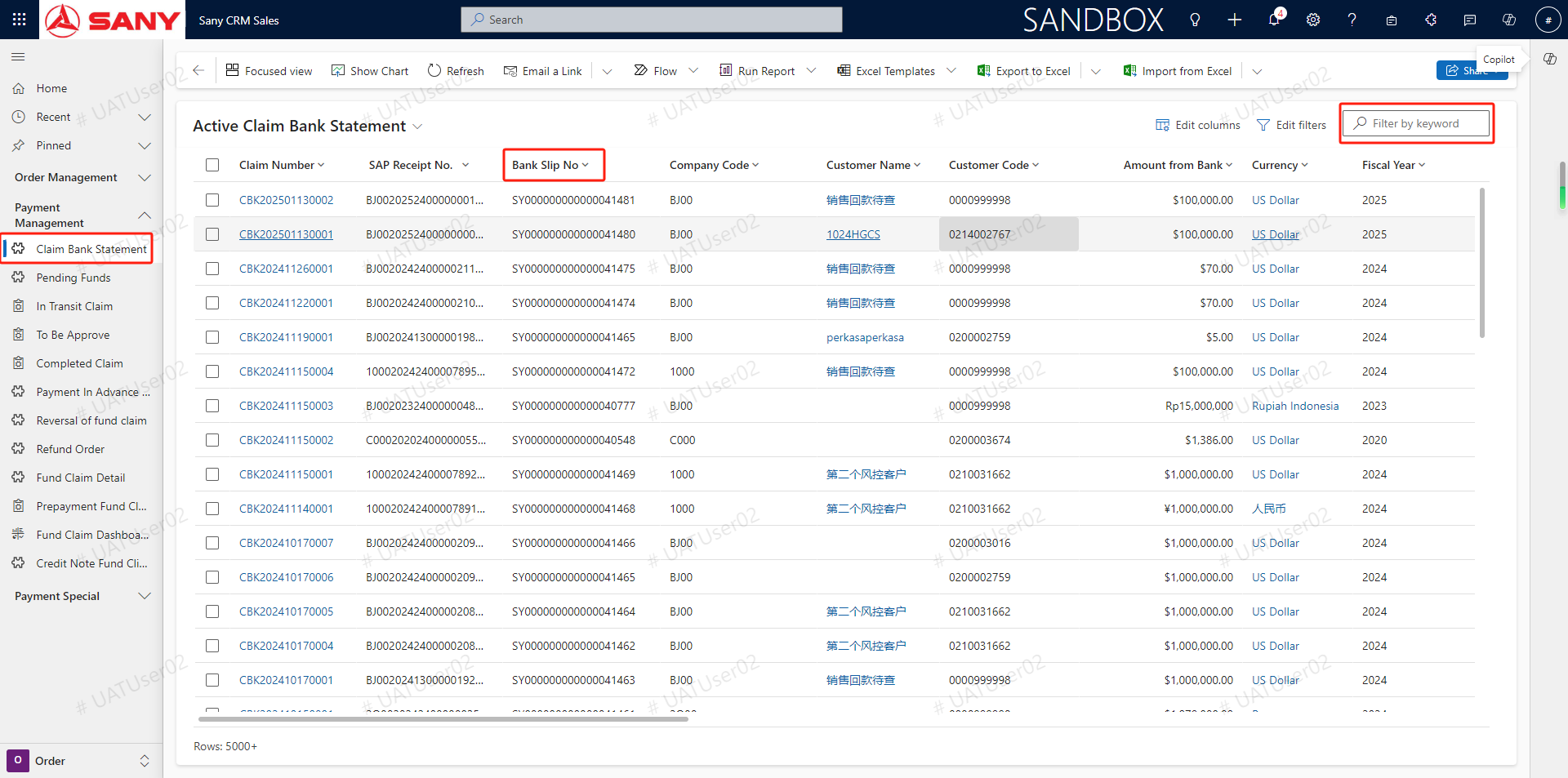
Click the menu to claim bank statement- -> screen the bank serial number / search box search bank serial number- -> double-double-click on the point into the operation interface- -> fill in the number fee- -> click the save button
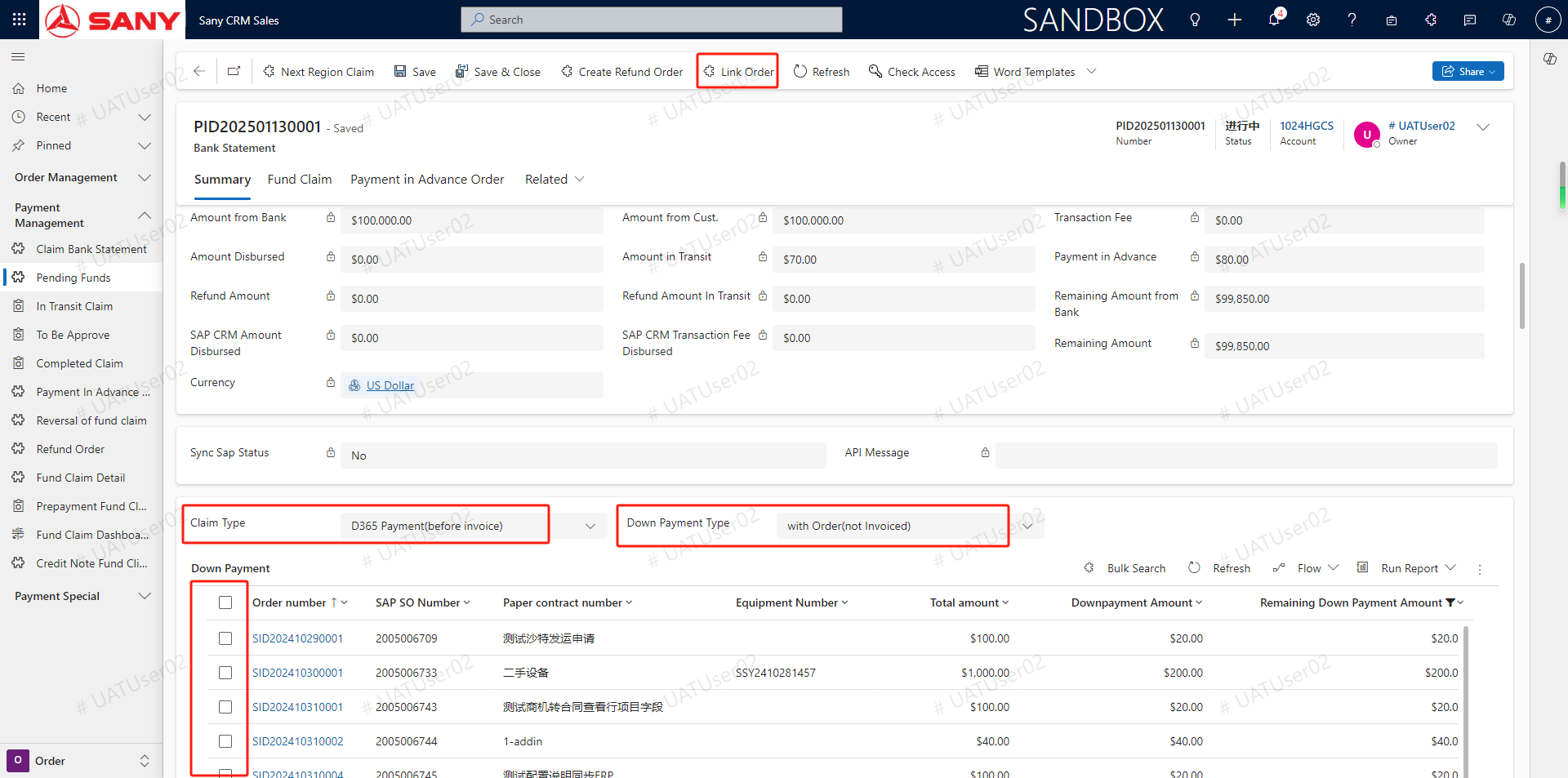
Slide down and select solution type befor invoice-> select prepaid payment type-> select need payment repayment plan line-> click the associated order button to create prepaid order (PS: advance payment type points related orders, related contract, related customers, the default is related orders, related order refers to the existing contract and generated orders, but has not been shipped make out an invoice order. Associated contract means a contract but no order has been generated. Related customer means that neither contract nor order, but the customer has paid the payment)
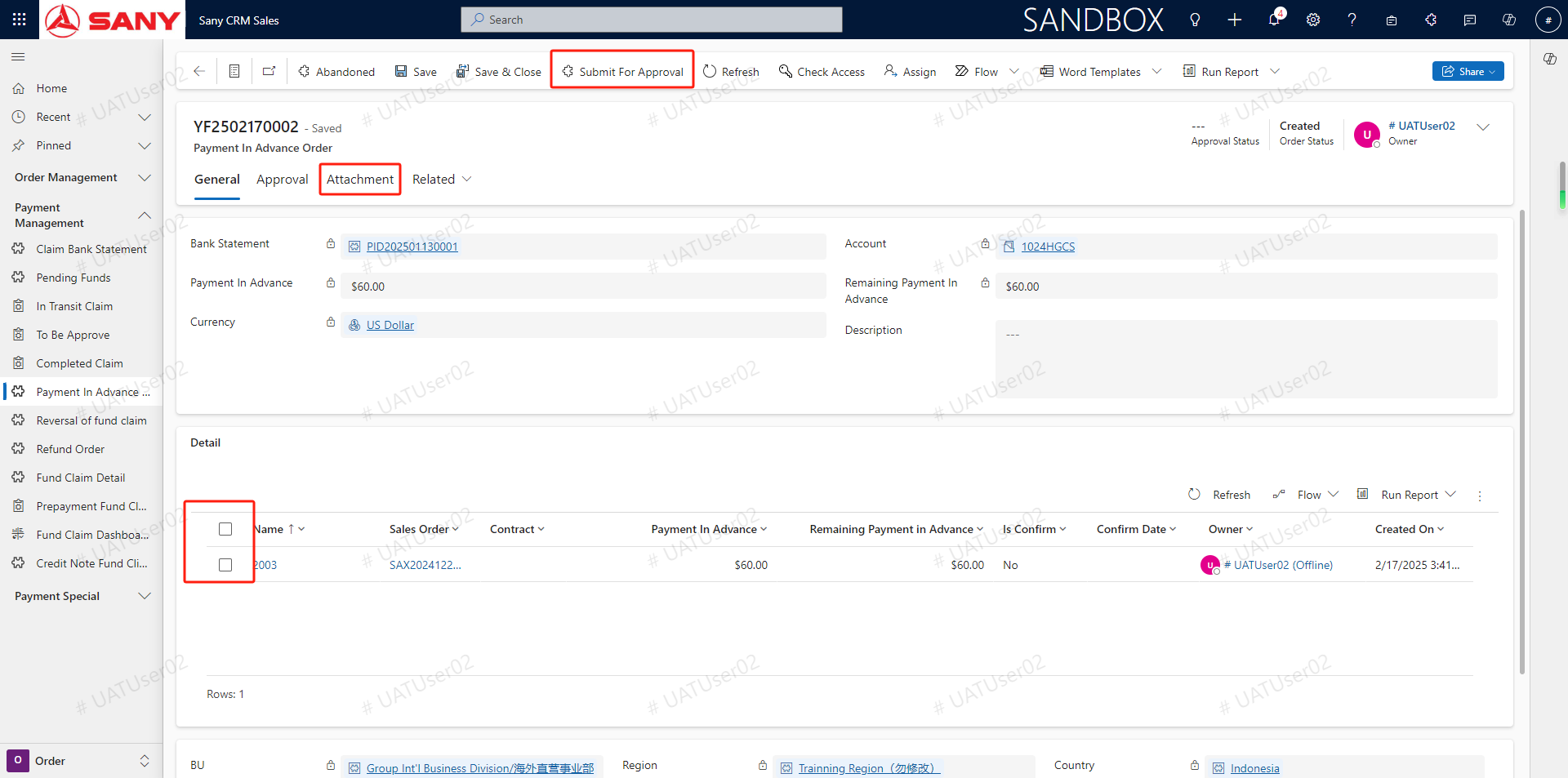
In the advance payment order interface- -> click the attachment to upload the payment voucher file- -> Select the details line- -> click the submit approval button (PS: After submitting the approval, the financial approval does not mean the completion of the settlement. If you want to complete the settlement, the financial department can complete the corresponding settlement in SAP. The business only needs to create a prepaid order and submit it to the finance. After the delivery is confirmed, the prepaid order will automatically turn to the settlement order for financial operation settlement)