Batch Updates
Batch Updates
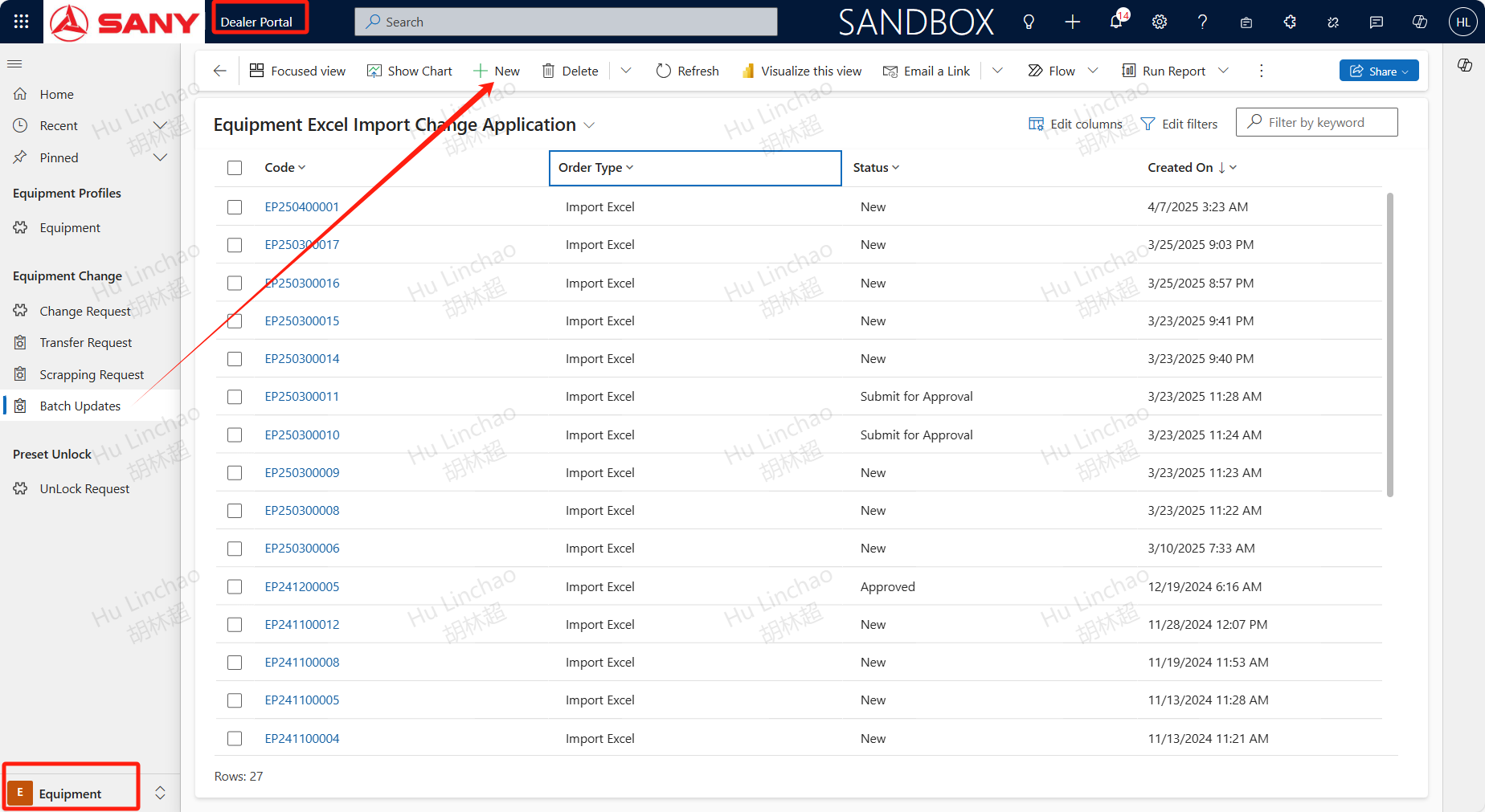
Path: Dealer Portal --> Equipment --> Equipment Change -> Batch Updates
For equipments that need to be updated batch,open Batch Updates menu and click +NEW
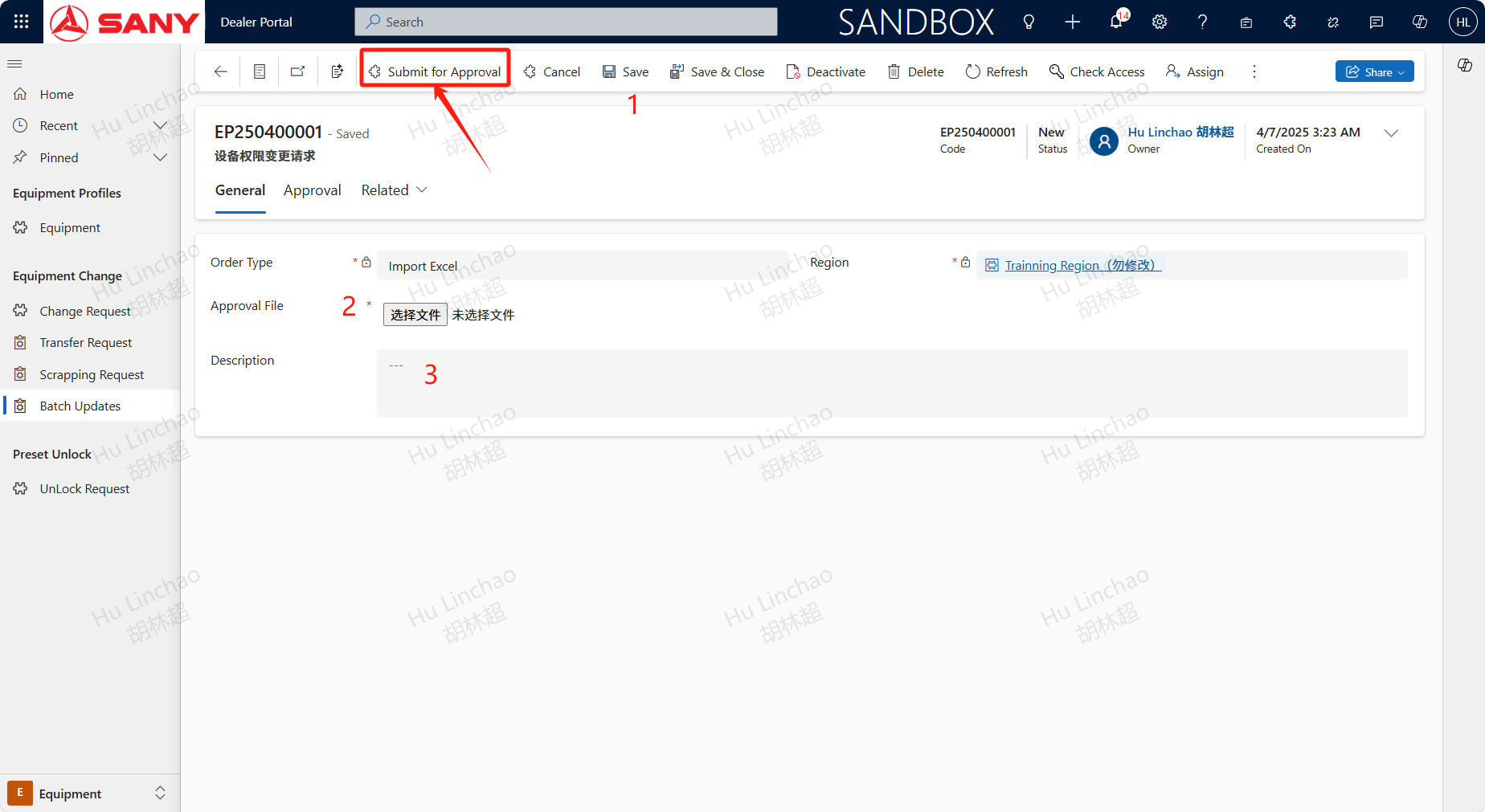
Save first then upload attachment by clicking choose file,we suggest using Excel to list the device codes that need to be changed, the fields that need to be changed, and the updated content. Finally click submit for approval.