Change Request
Change Request
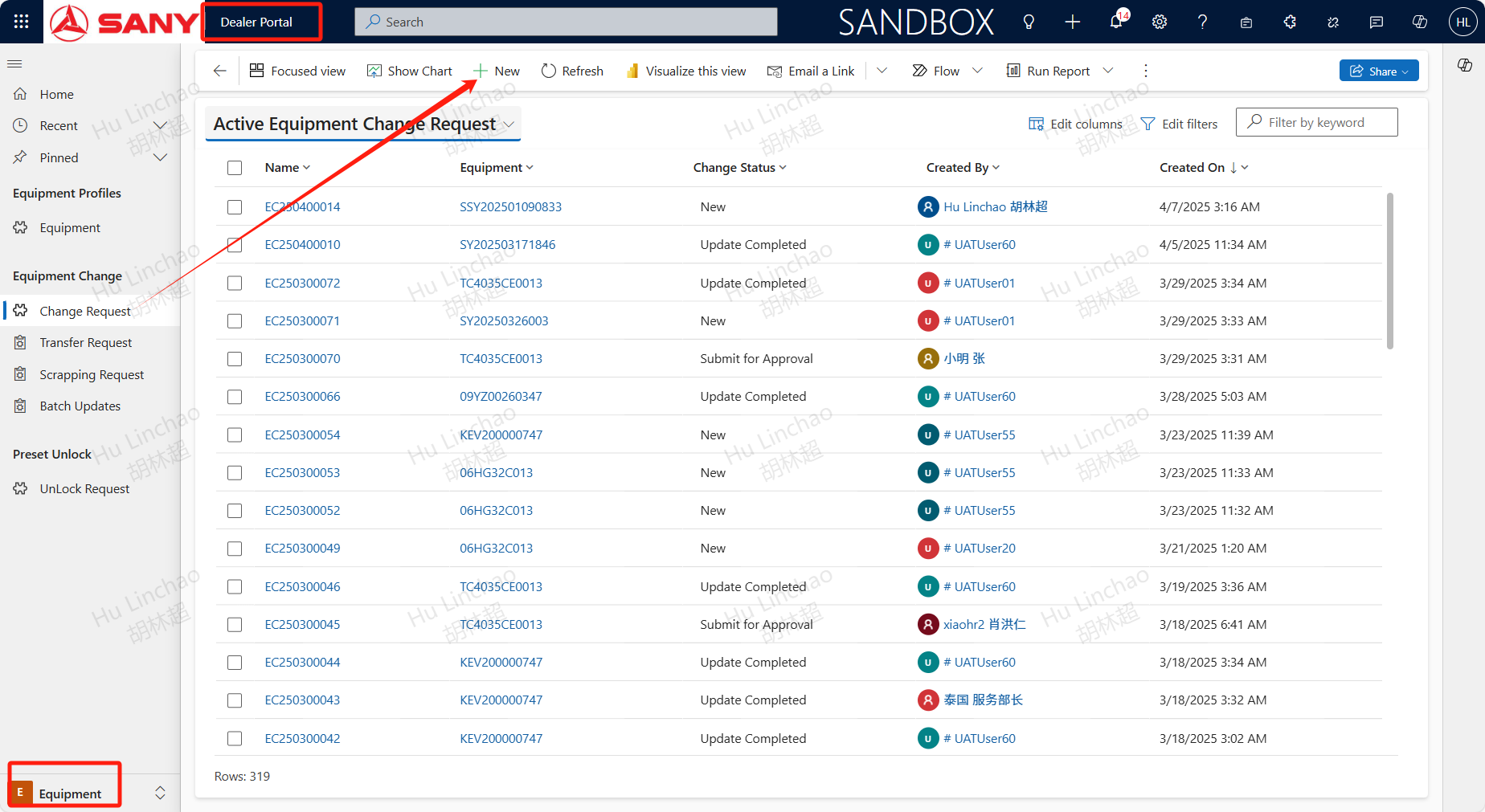
Path: Dealer Portal --> Equipment --> Equipment Change --> Change Request
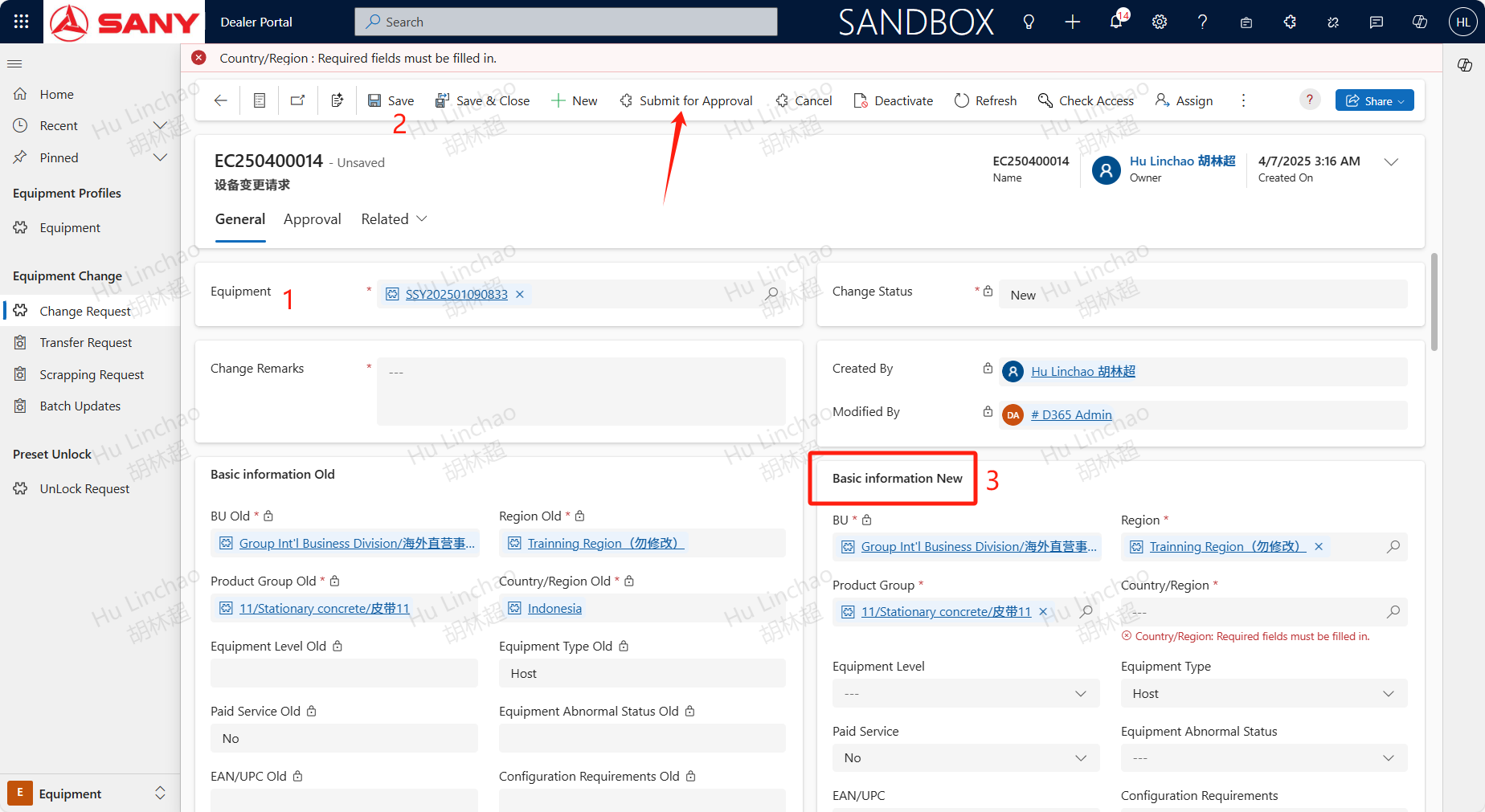
If the info of equipment is wrong and need to be updated, it can be changed through a this process. Open Change Request menu and click +NEW button. Enter the Equipment code then save it. The device information will be automatically pulled. Enter the information that needs to be changed on the right, fill in the information, and click Submit for Approval.