National Price Maintenance
National Price Maintenance
Path:Dealer Portal -->Spare Parts Service --> Price Management --> National Price Maintenance
Create
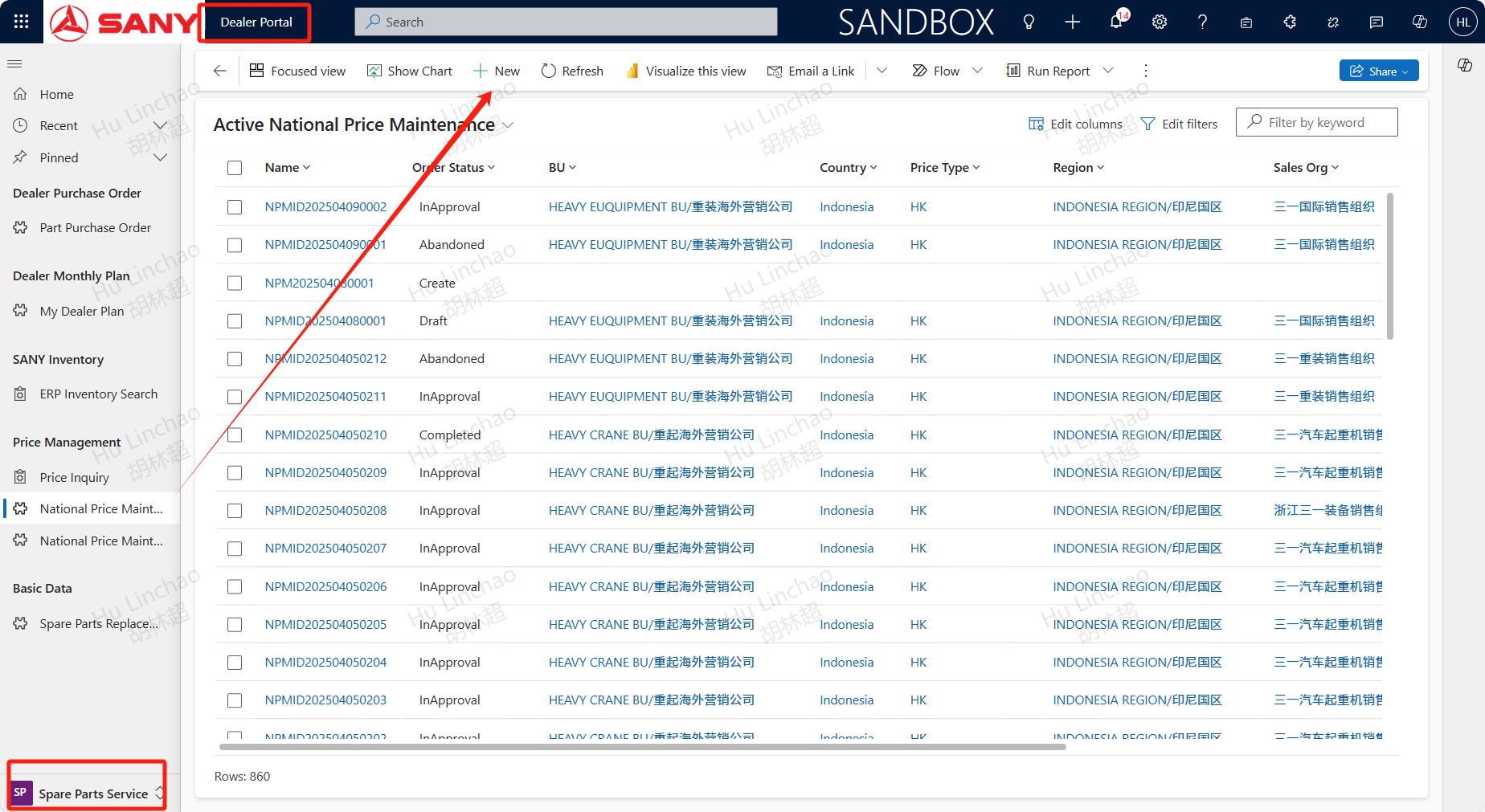
In the part procurement process, if some materials do not have national price , a national price maintenance application can be initiated through this process. Open the National Price Maintenance menu, click +New button, and open the page.
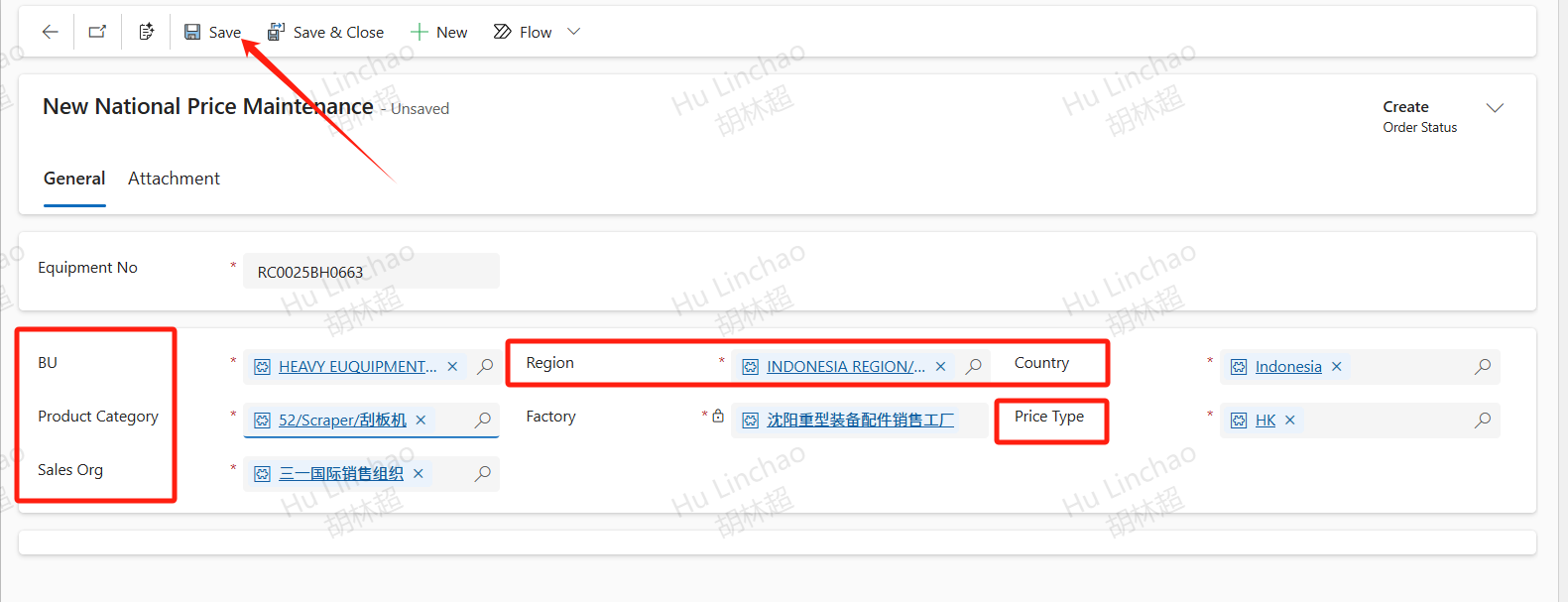
Enter the Equipment No,BU,Region,Country,Product Category,Price Type and Sales Org,the Factory will be filled in automatically. Then click Save.
Add Parts
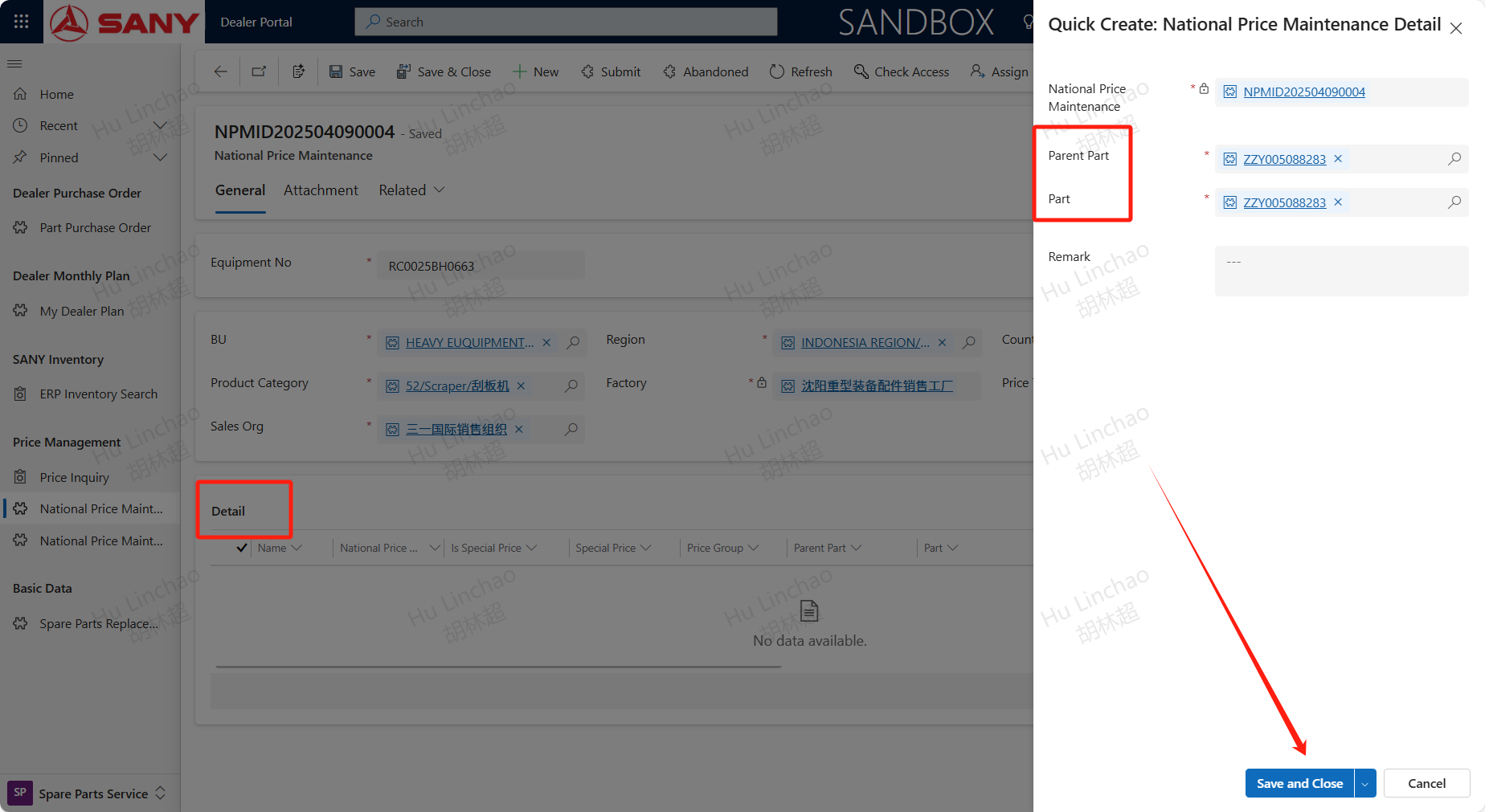
After saving, details will appear. In the details bar, click the+New National Price Maintenance Detail button to add details. Enter the Parent Part and Part, save and close to complete the addition of accessory details. Repeat this step to add all accessories that require price maintenance. In addition, batch import function can also be used, but up to 20 at a time.
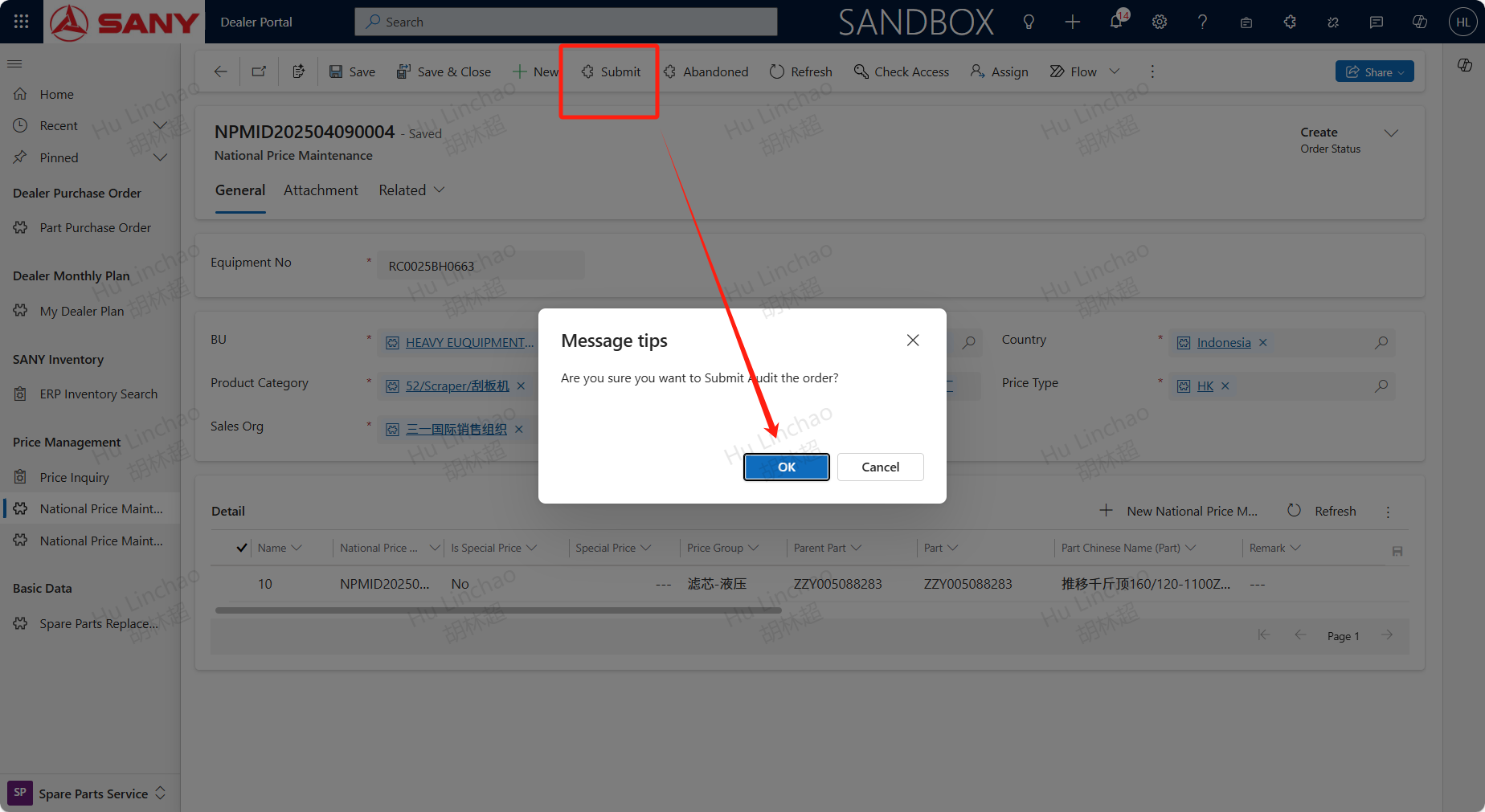
After adding the part details, click the submit button to submit for approval.
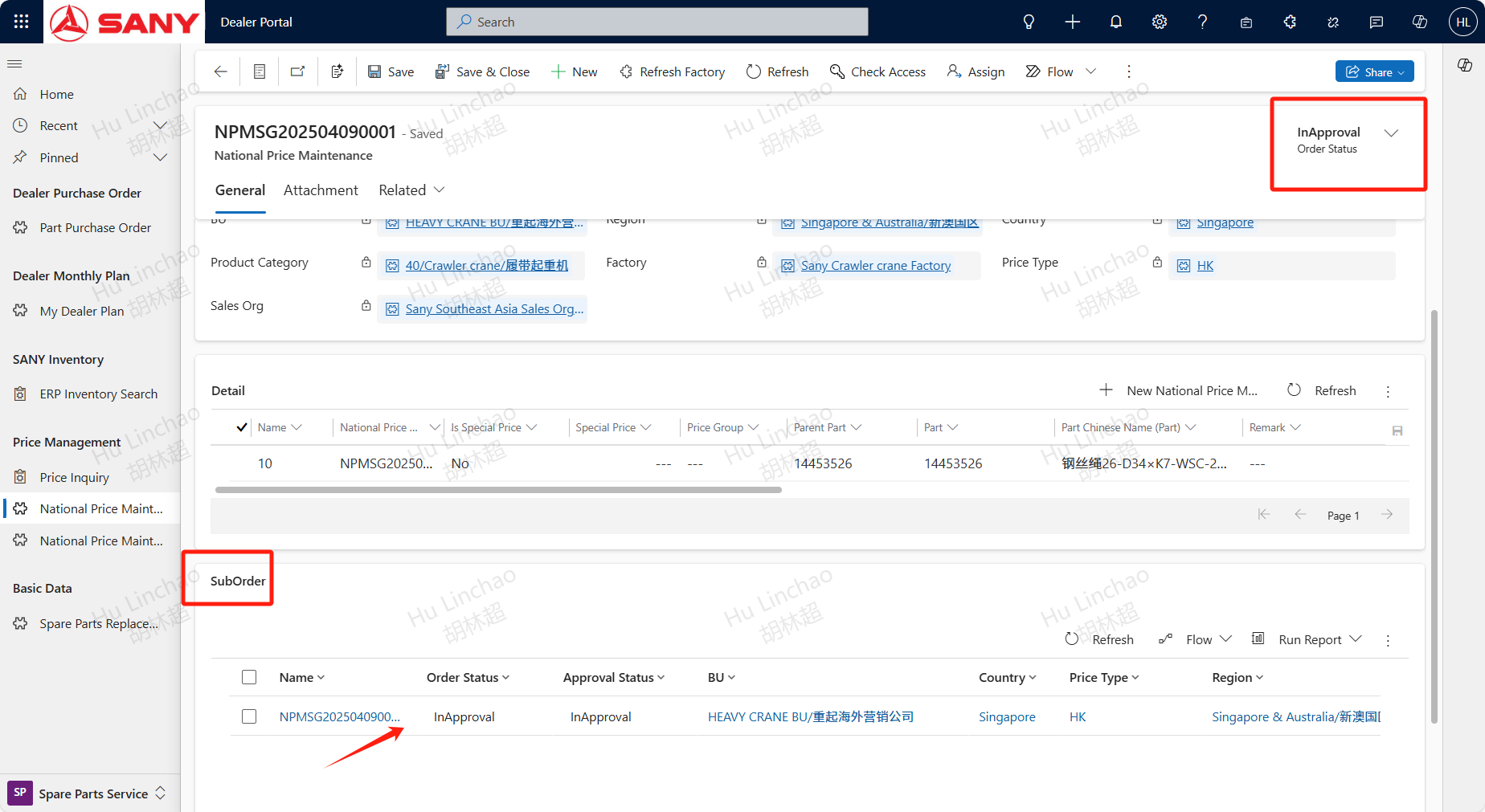
After submission, the data will be automatically expanded. Once the expansion is complete, the order status will be updated to 'under approval', and the system will generate sub orders. After clicking on the sub order, you can view the approval information in the approval tab or by clicking on the approval process button
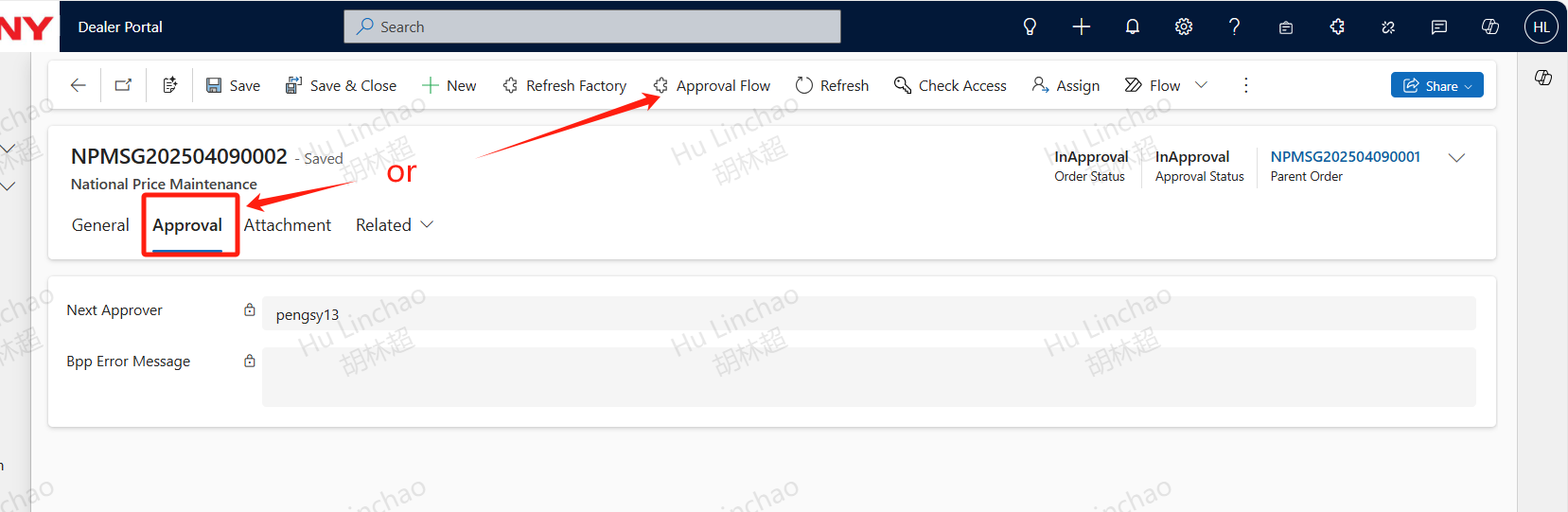
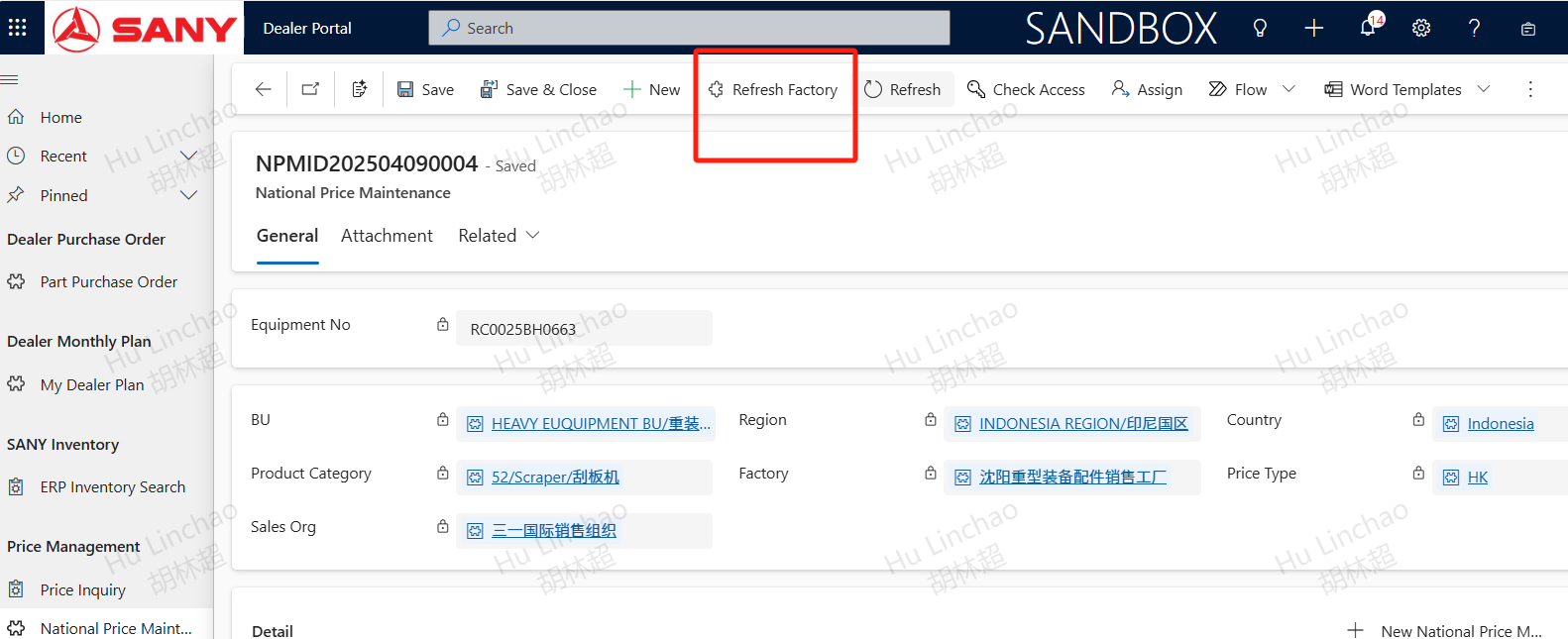
After submitting for approval, if the expansion is not successful, you can click the 'Refresh Factory' button to expand the factory to ensure that the price data can be updated normally.