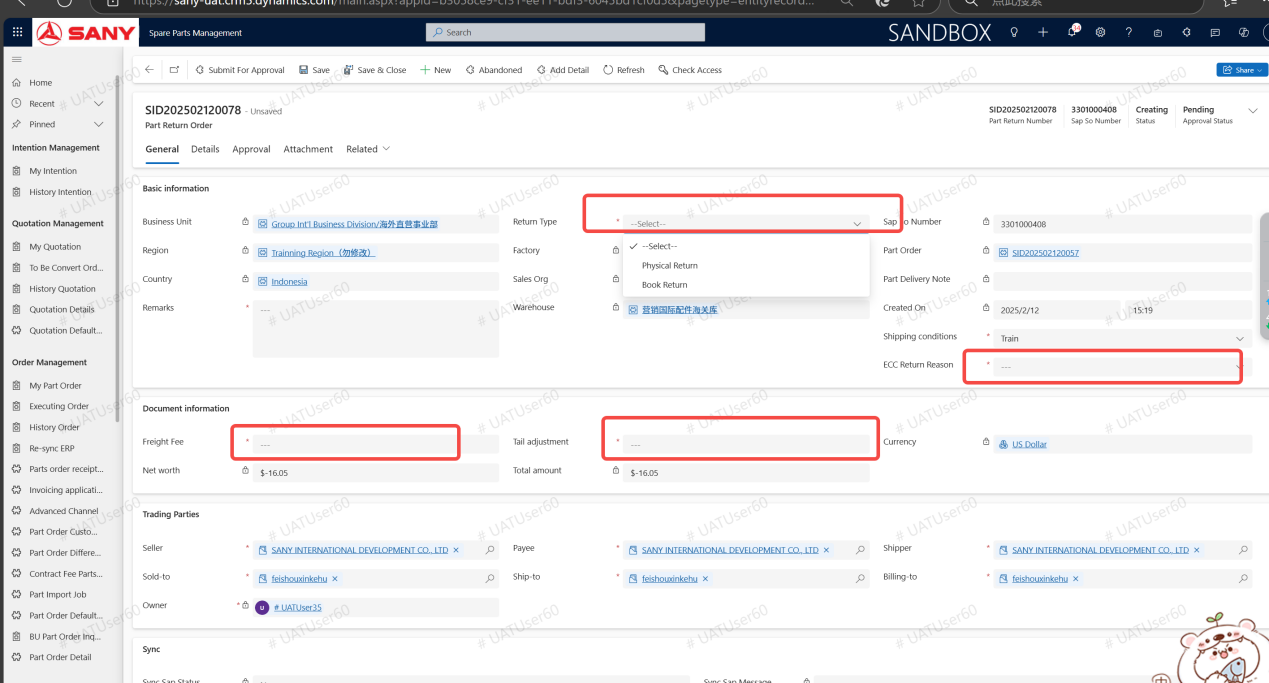
PartReturn
Input path: The person in charge of Spare Parts can input in the system: Spare Parts Management --> Sales --> My Spare Parts Order --> Create return order
Create a part return order
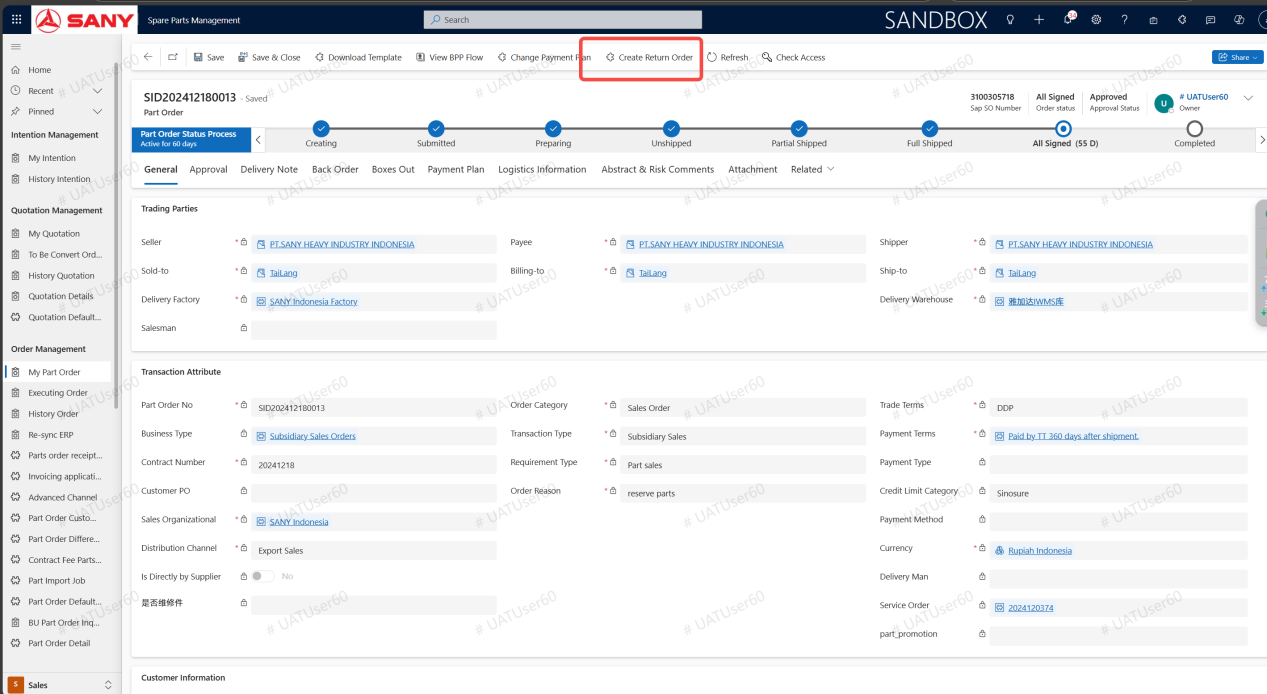
On the original parts order form, click the Create Return Form button
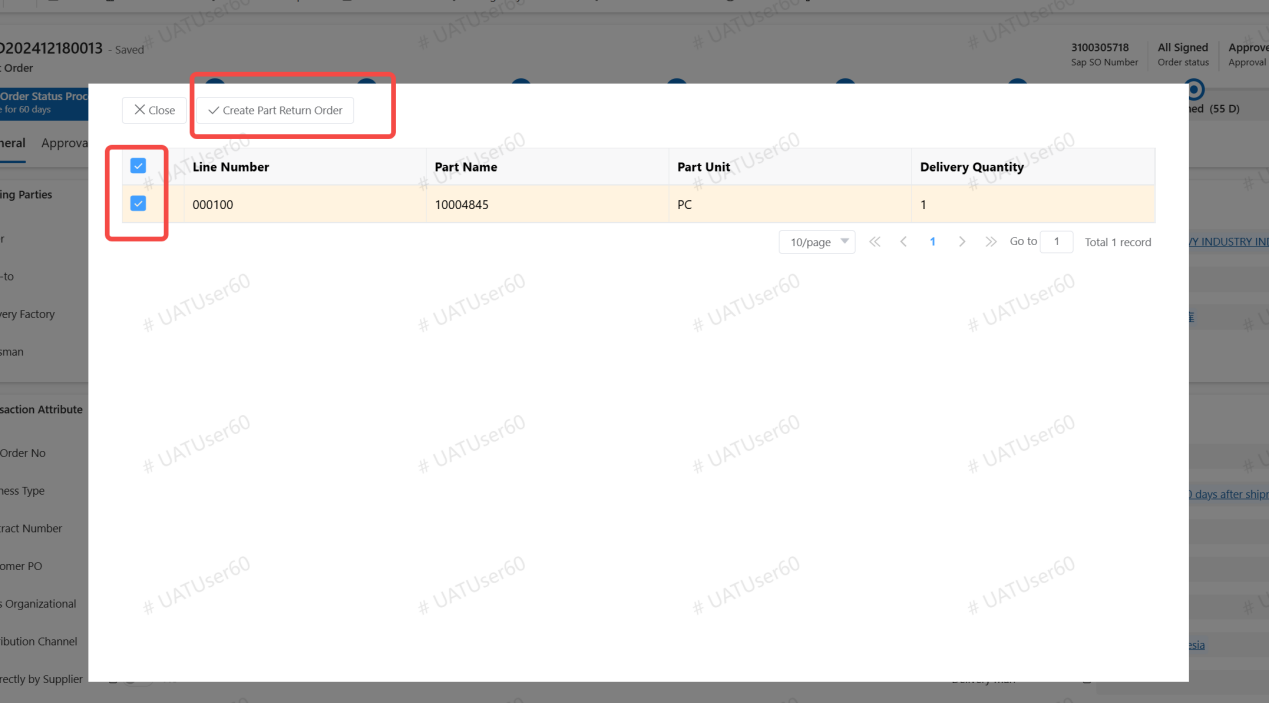
Select the parts that need to be returned and click Create Spare Parts Return Form
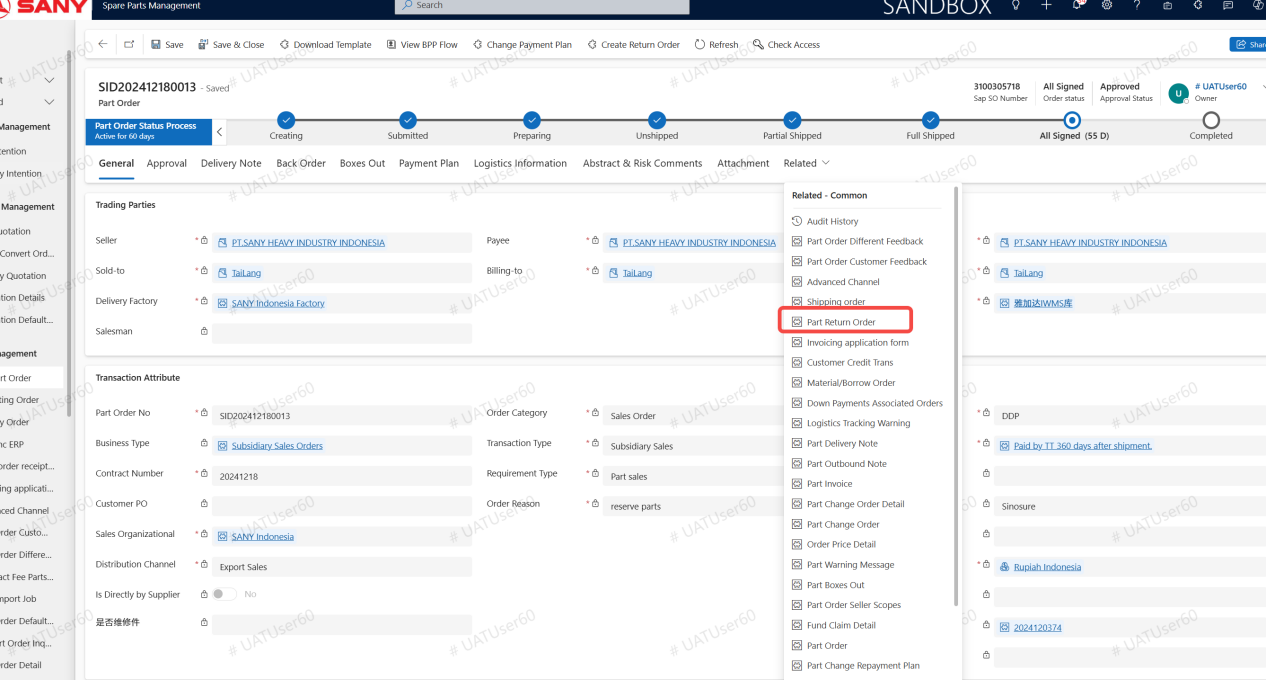
View the system notification on the upper right, or view the generated parts return form on the Related TAB.
Go to the Parts return form, fill in the required fields and click Submit