Application for price maintenance
Input path: Spare Parts Management --> Price --> Price Maintenance query --> New
Application for price maintenance
In the parts quotation, parts order process, if some parts do not have a valid price, then through this process to initiate the national price maintenance application
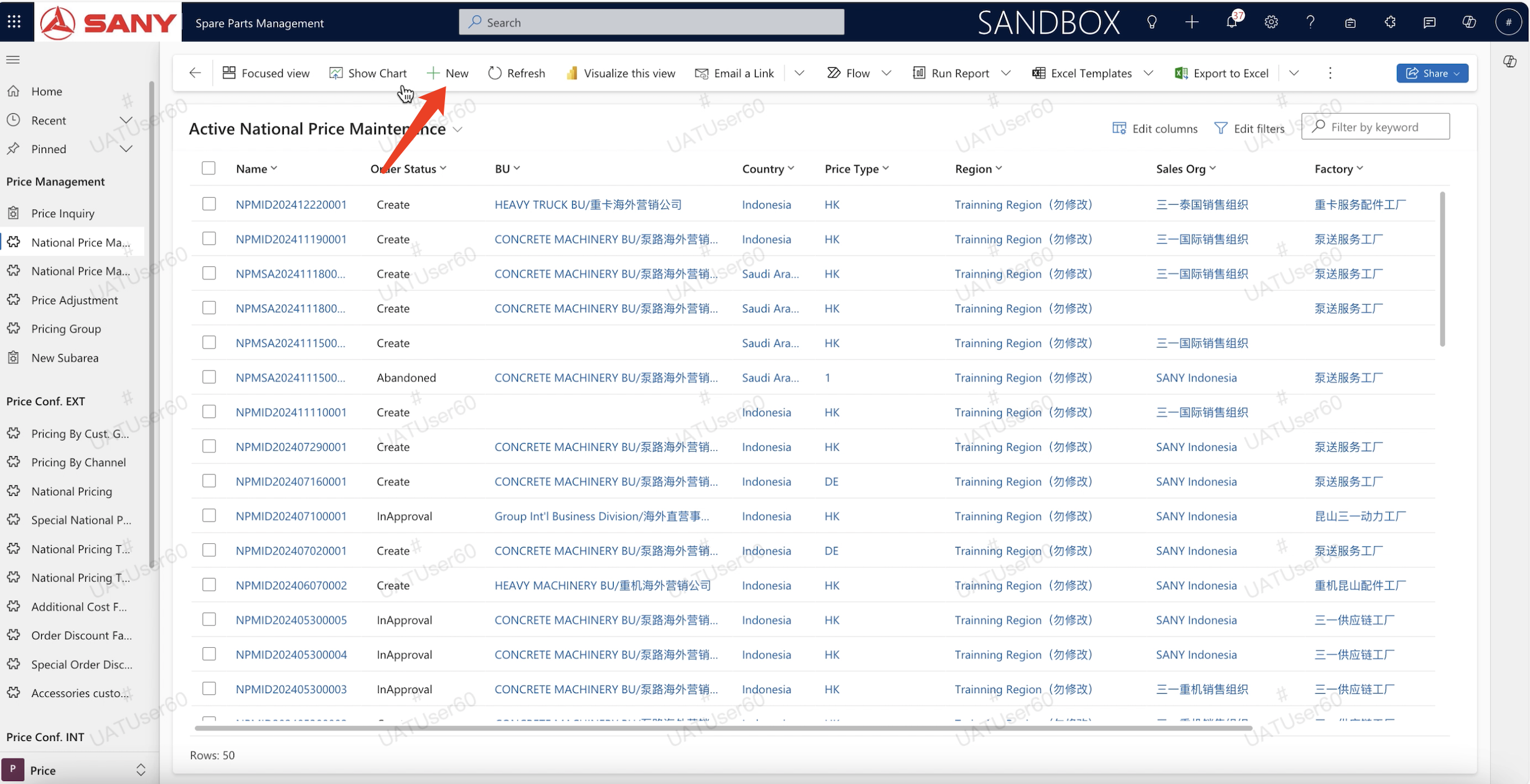
Click the menu of "Price" and "Price Maintenance Application", then click the button of "New";
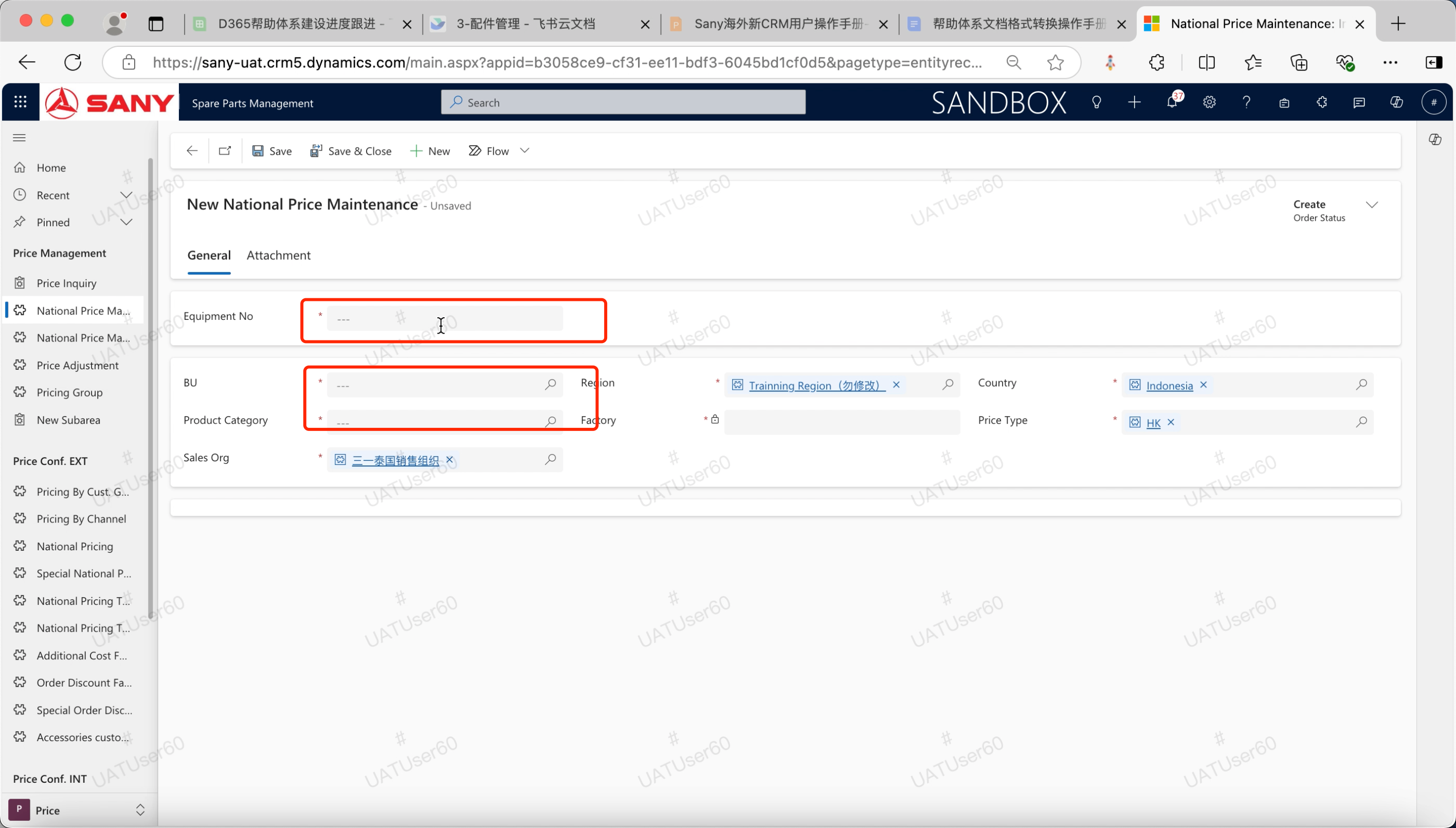
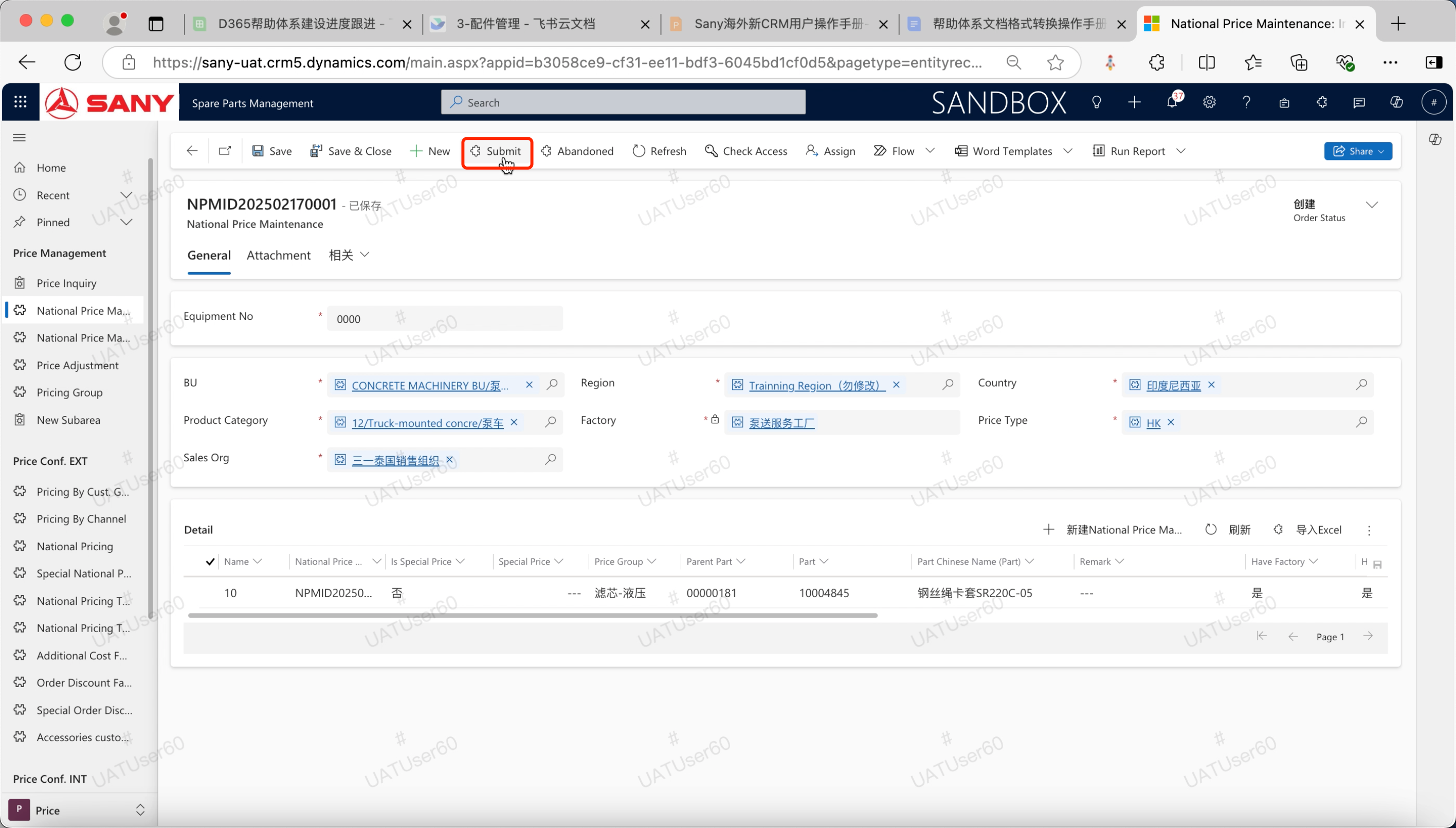
Fill in the required information as prompted
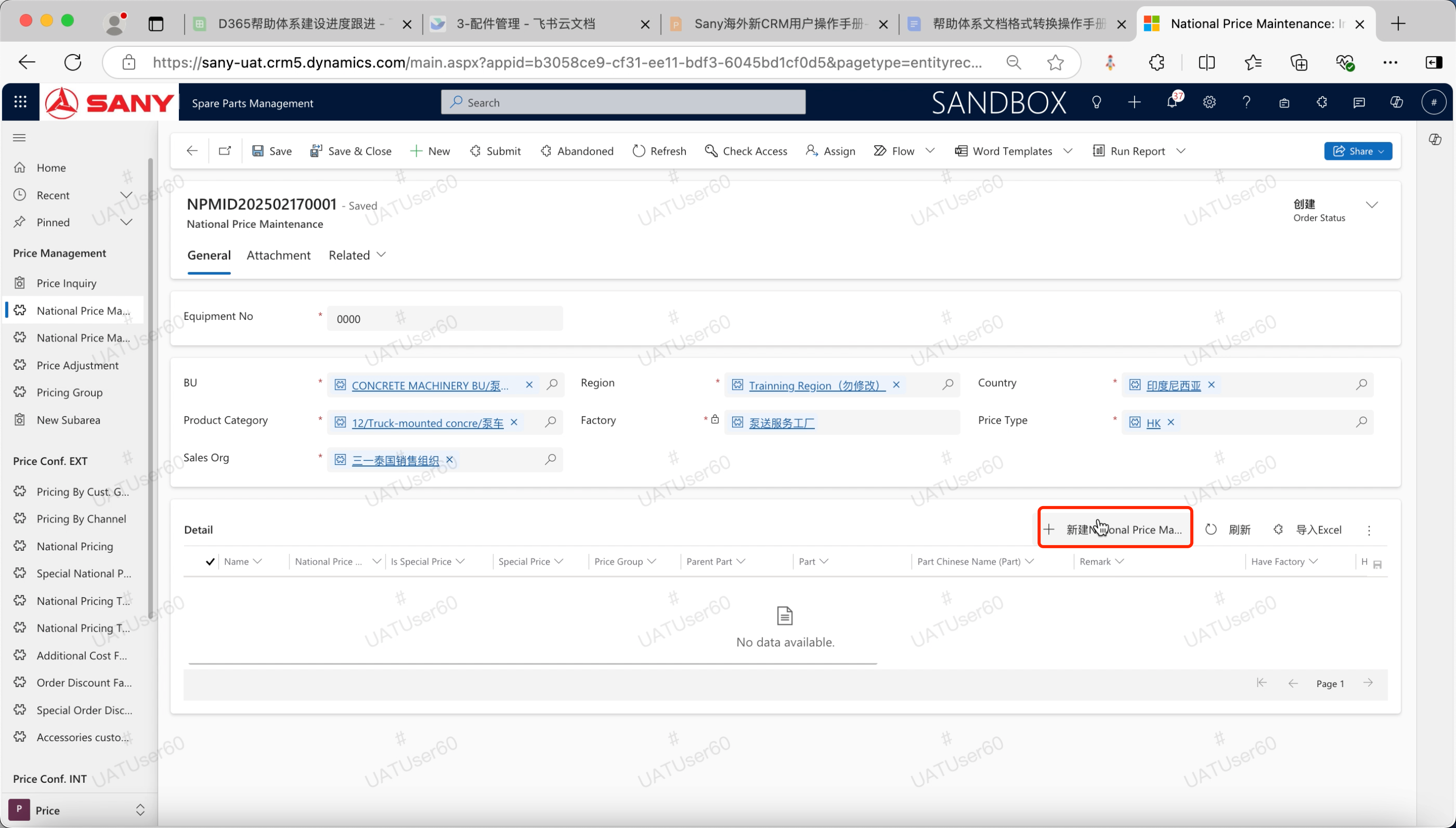
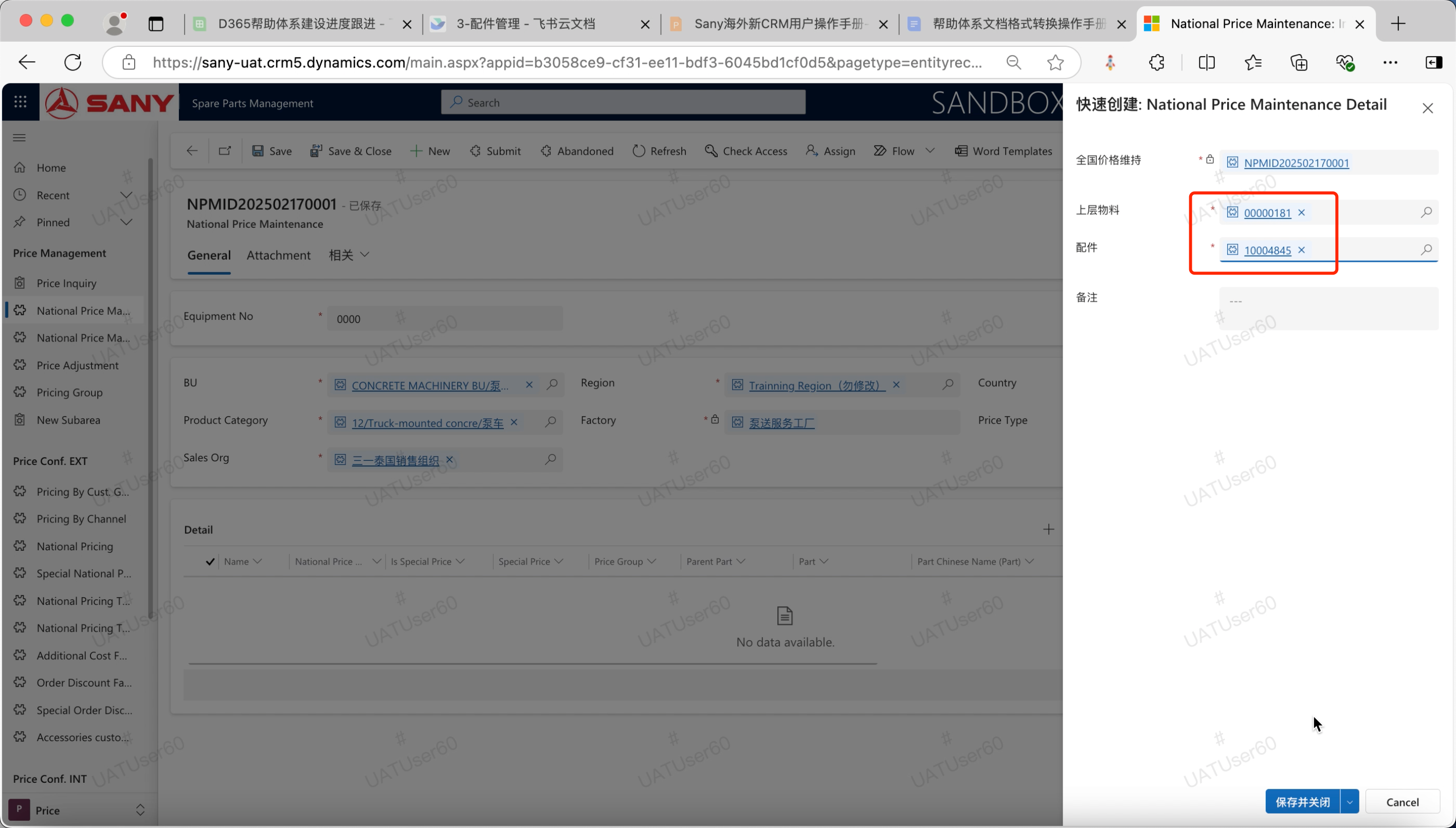
In the price maintenance application interface, [New price maintenance details] input relevant information, click the "Save and close" button to save and close the details page. Repeat this step to add multiple details.
Click the "Submit" button to initiate the approval;
The relevant personnel receive the maintenance application, conduct the relevant approval, and maintain the national price. The parts specialist refreshes the latest price on the interface of "Parts Quotation" and "Parts Order"
After submission for approval, there is a scenario that if there is no factory and no automatic expansion is successful, you can click the "manual expansion factory" button to expand the factory to ensure that the price data can be updated normally.