Change Payment Plan
Entry path: The person in charge of Parts shall enter in the system: Spare Parts Management --> Sales --> My parts Order --> Change the repayment plan
Create Change Payment Plan
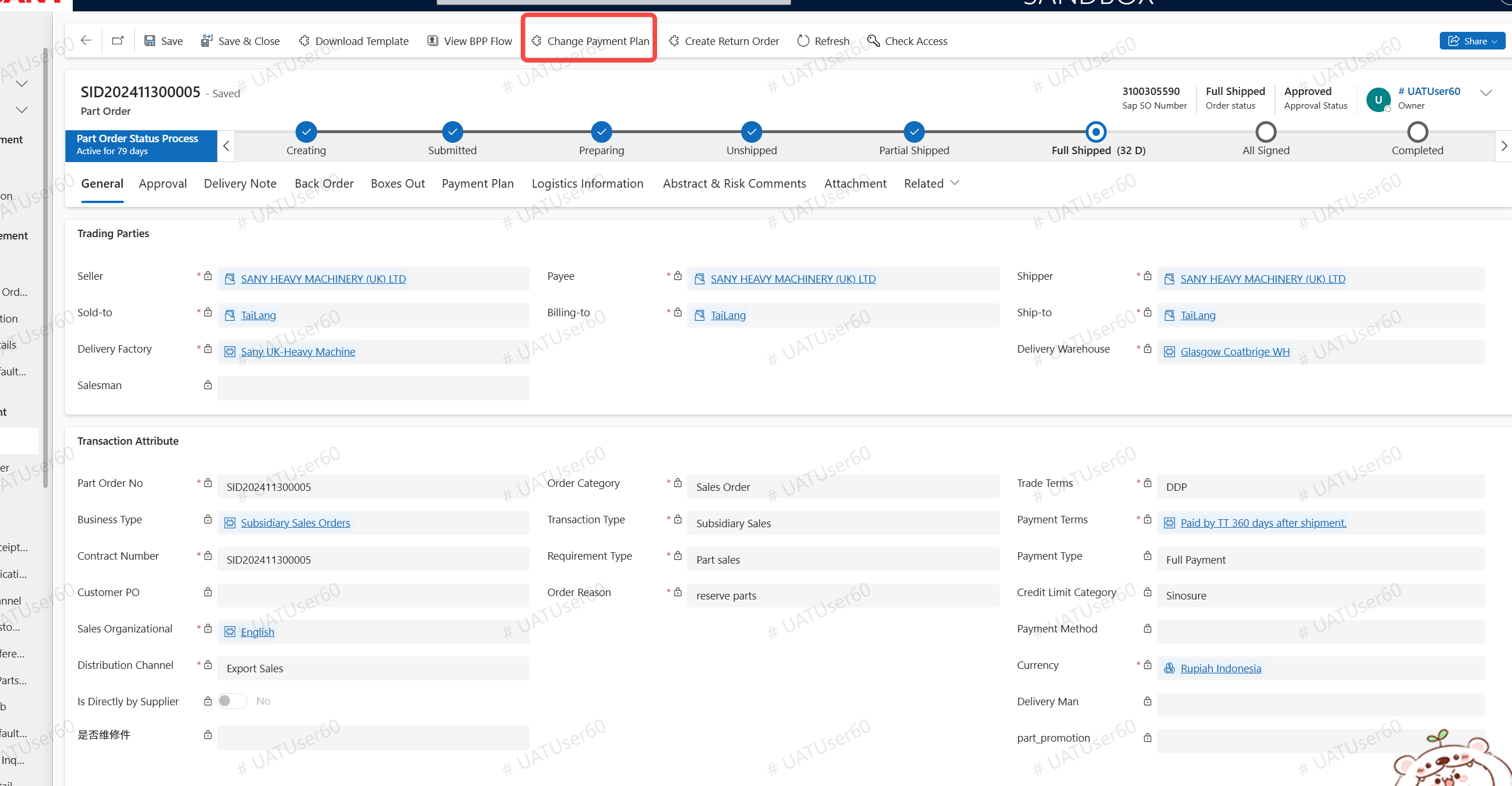
On the original parts order form, click the [Change repayment plan] button
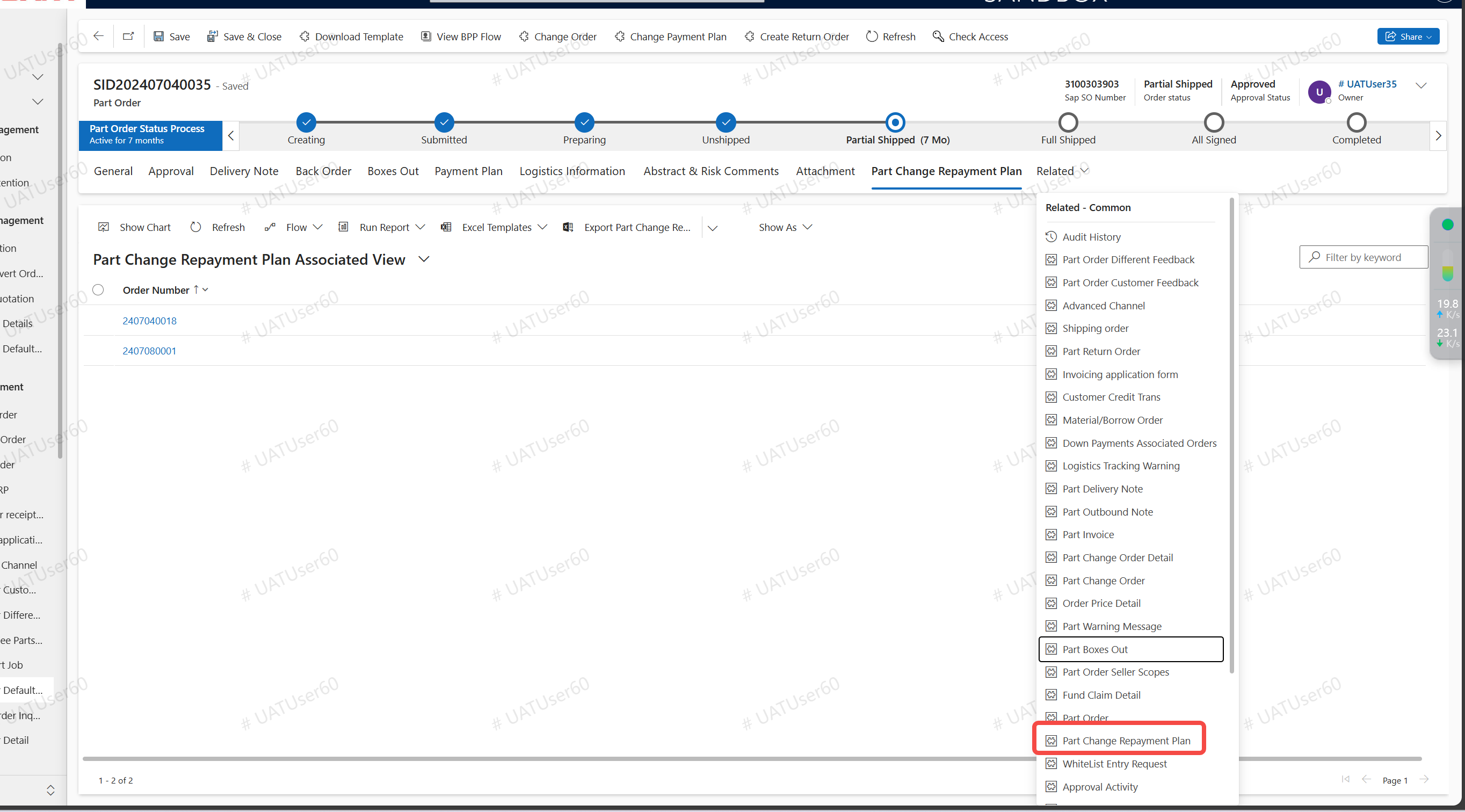
View the system notification on the upper right, or view the generated Parts repayment plan change order on the Related TAB. Double-click to open the change order
You need to fill in the change description and upload the file on the parts repayment plan change form. On the repayment plan line, fill in the new "Repayment Change time".
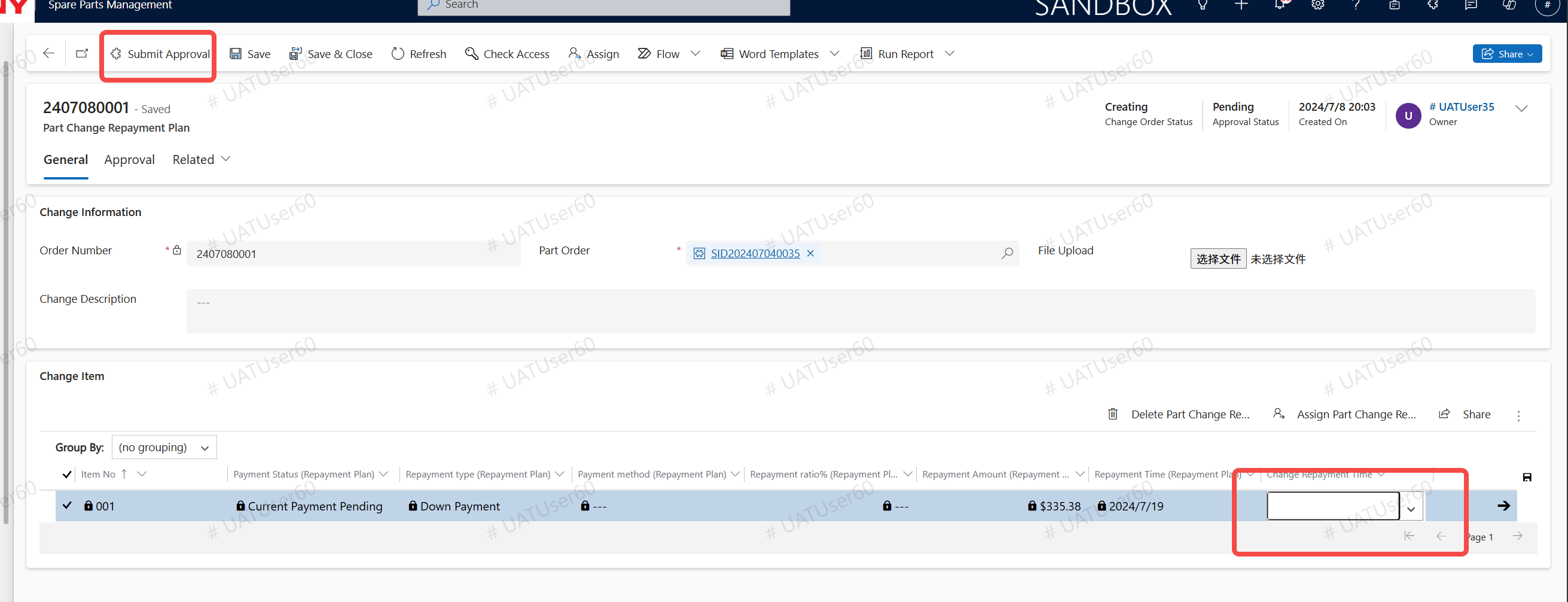
After approval, the change information of the repayment plan of the parts order will be synchronized with ERP, and the repayment date of the repayment plan will be updated