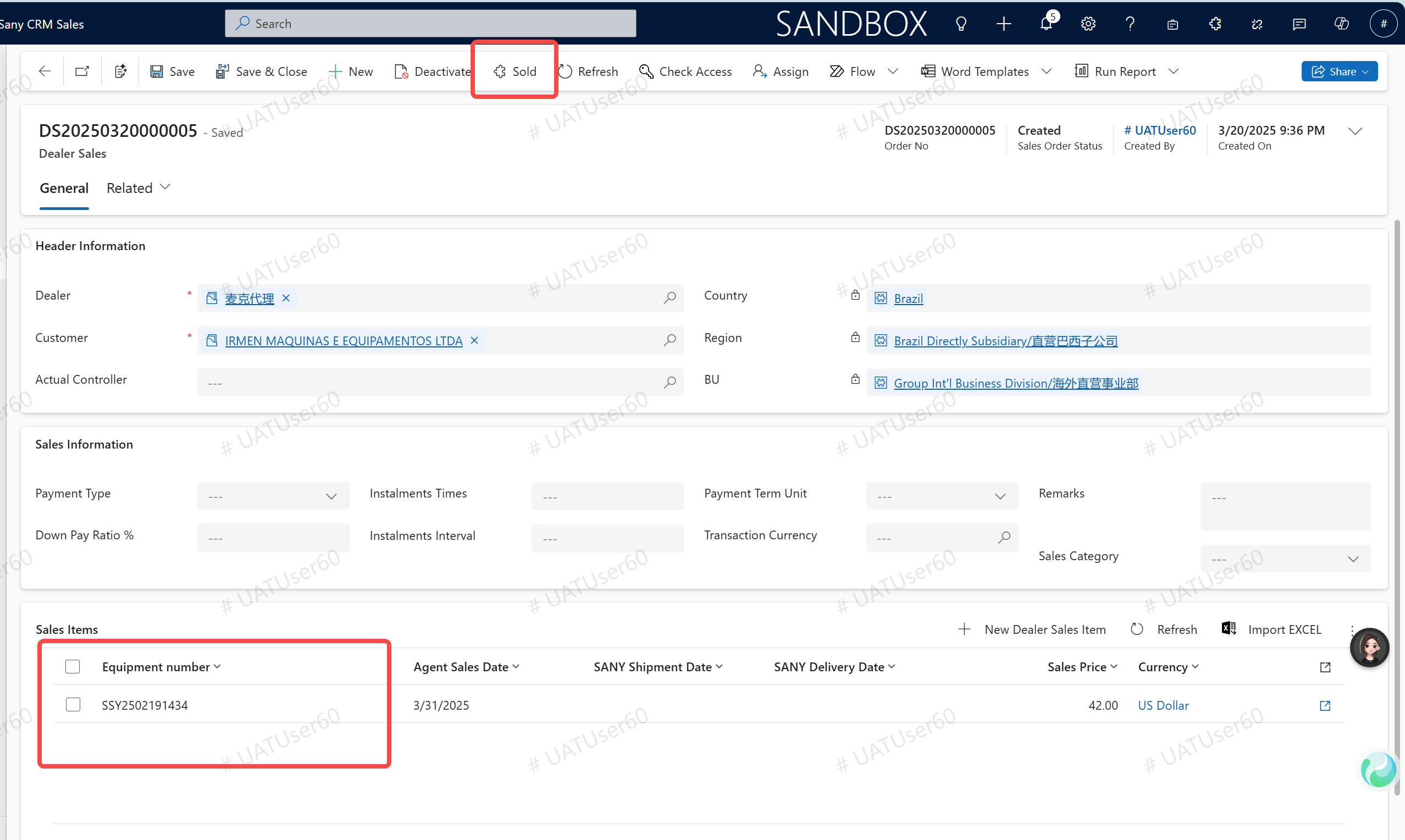
Dealer Sales
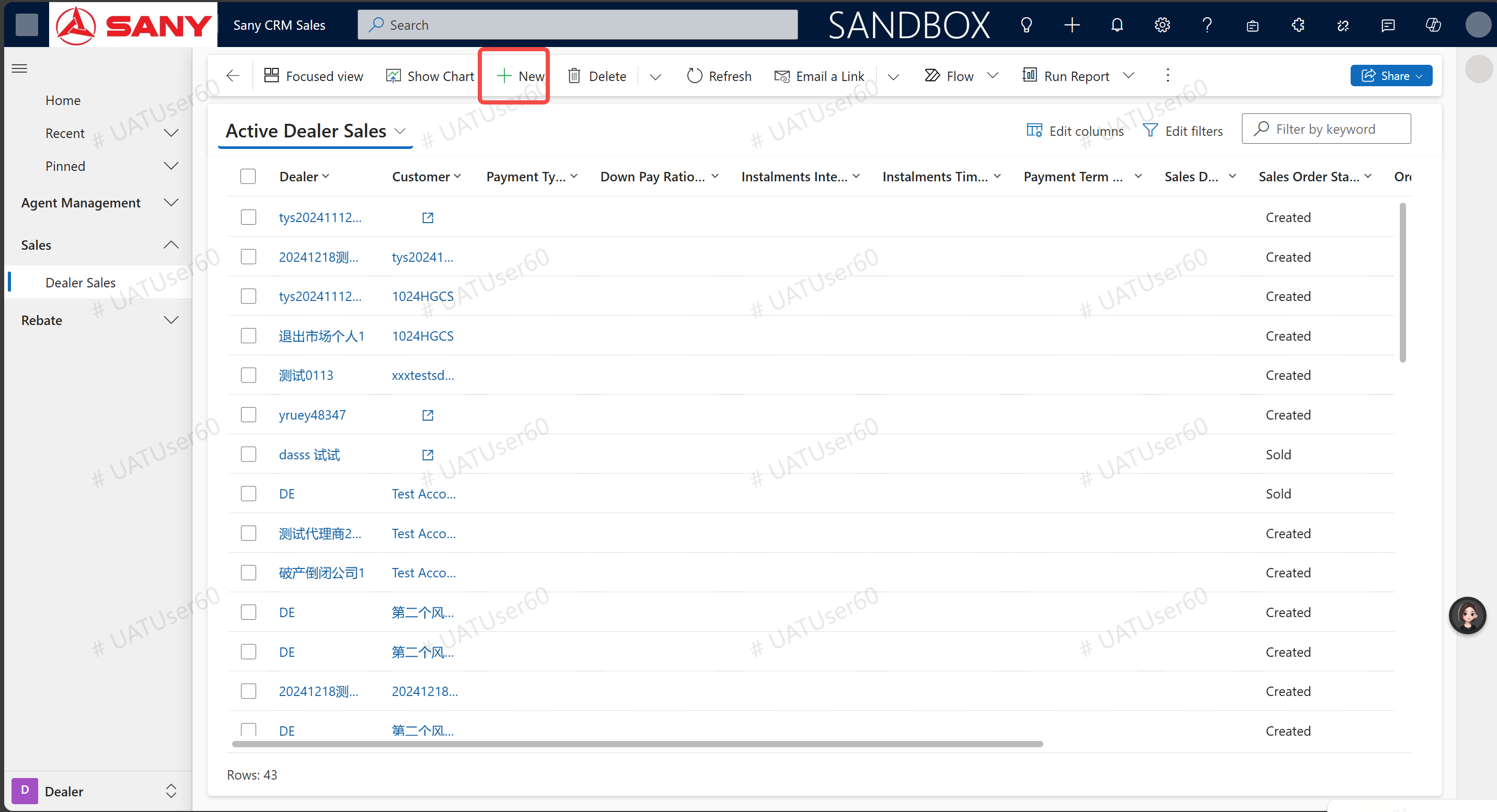
Enter path: Sany CRM Sales - > Agents - > Sales - > Dealer Sales - > + New
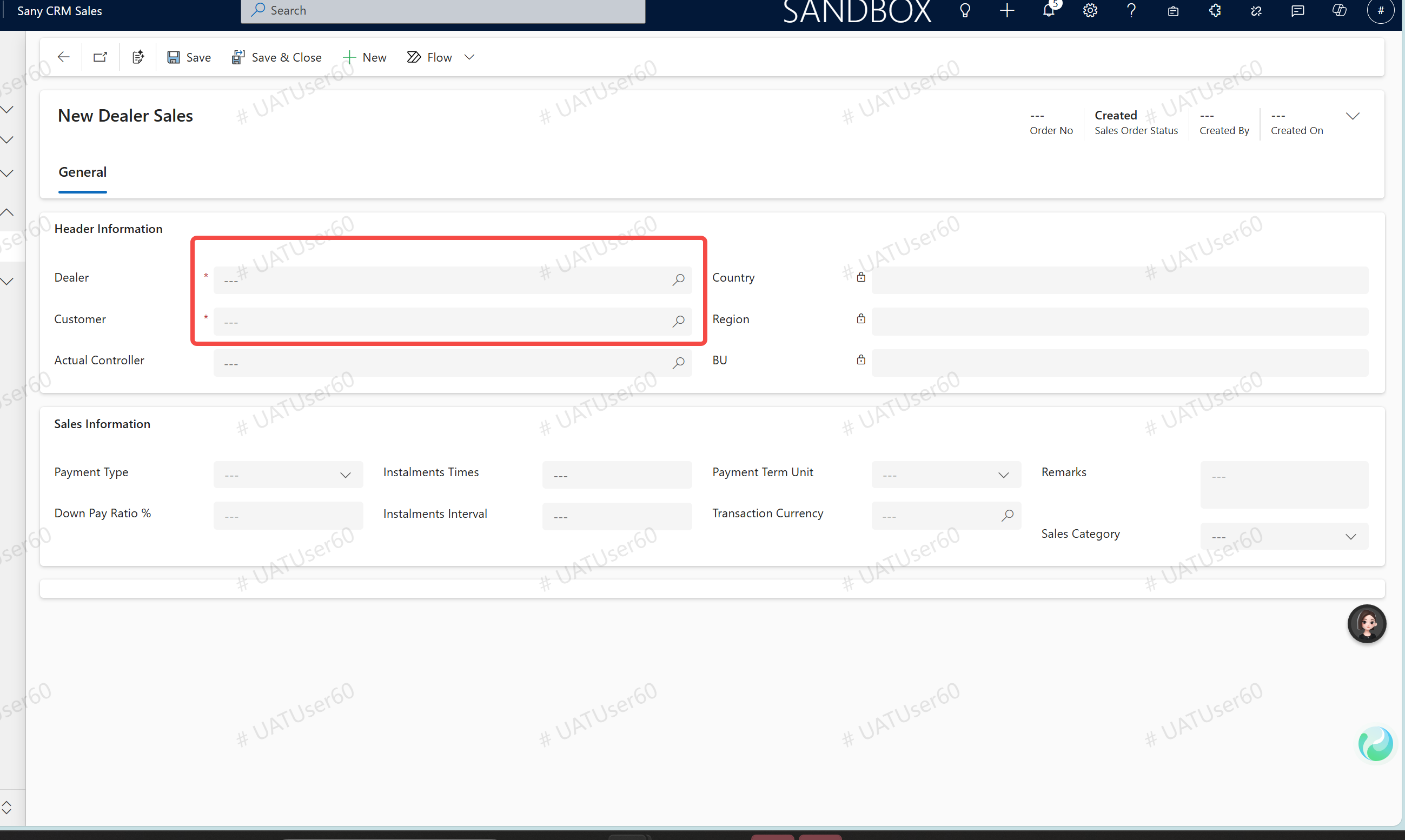
New Dealer Sales
New agent sales, enter "agent", "customer", click "save", the system will generate sales items
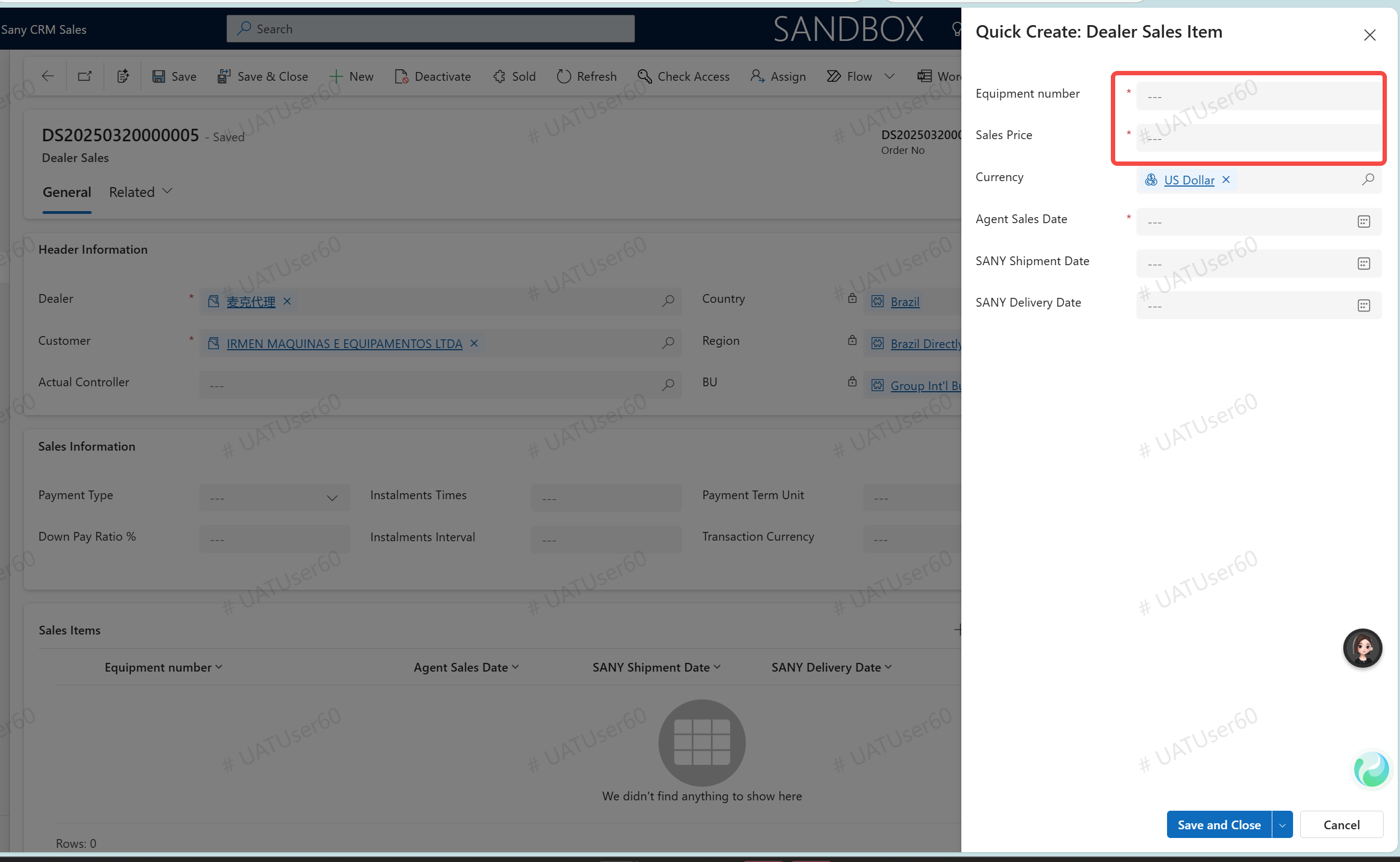
Click on "Create a New Agent Sales Project Entry" and fill in the corresponding required fields.
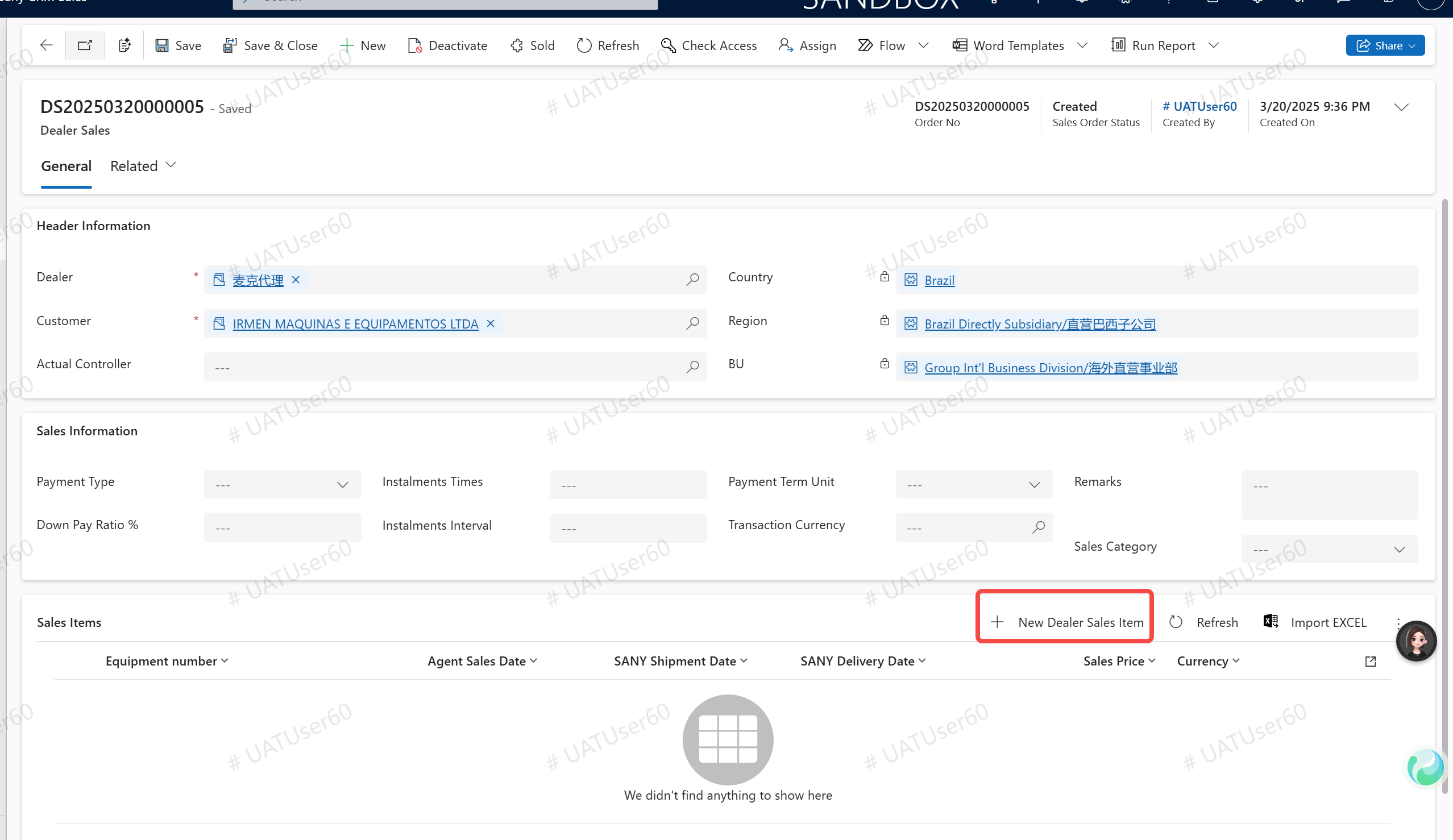
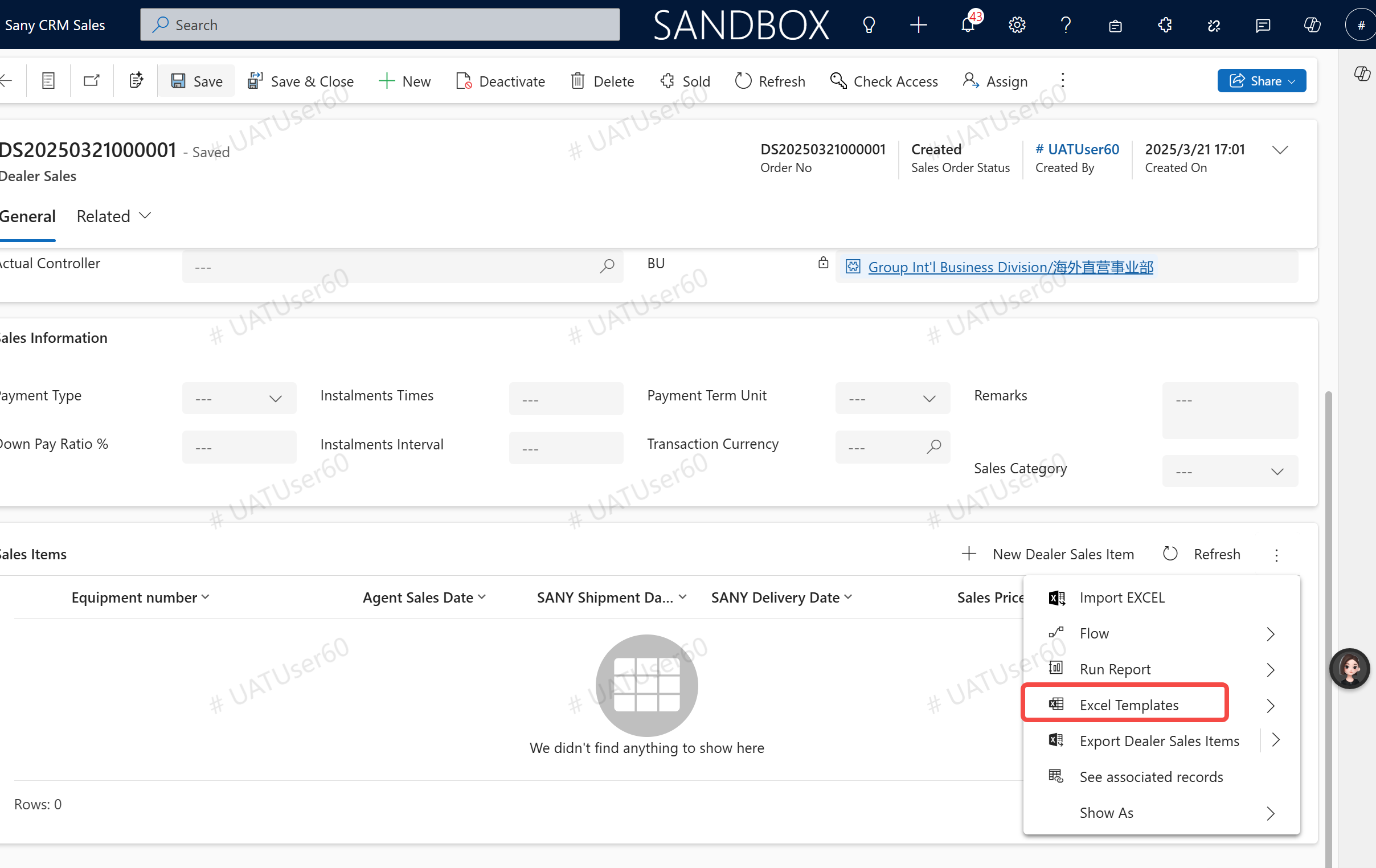
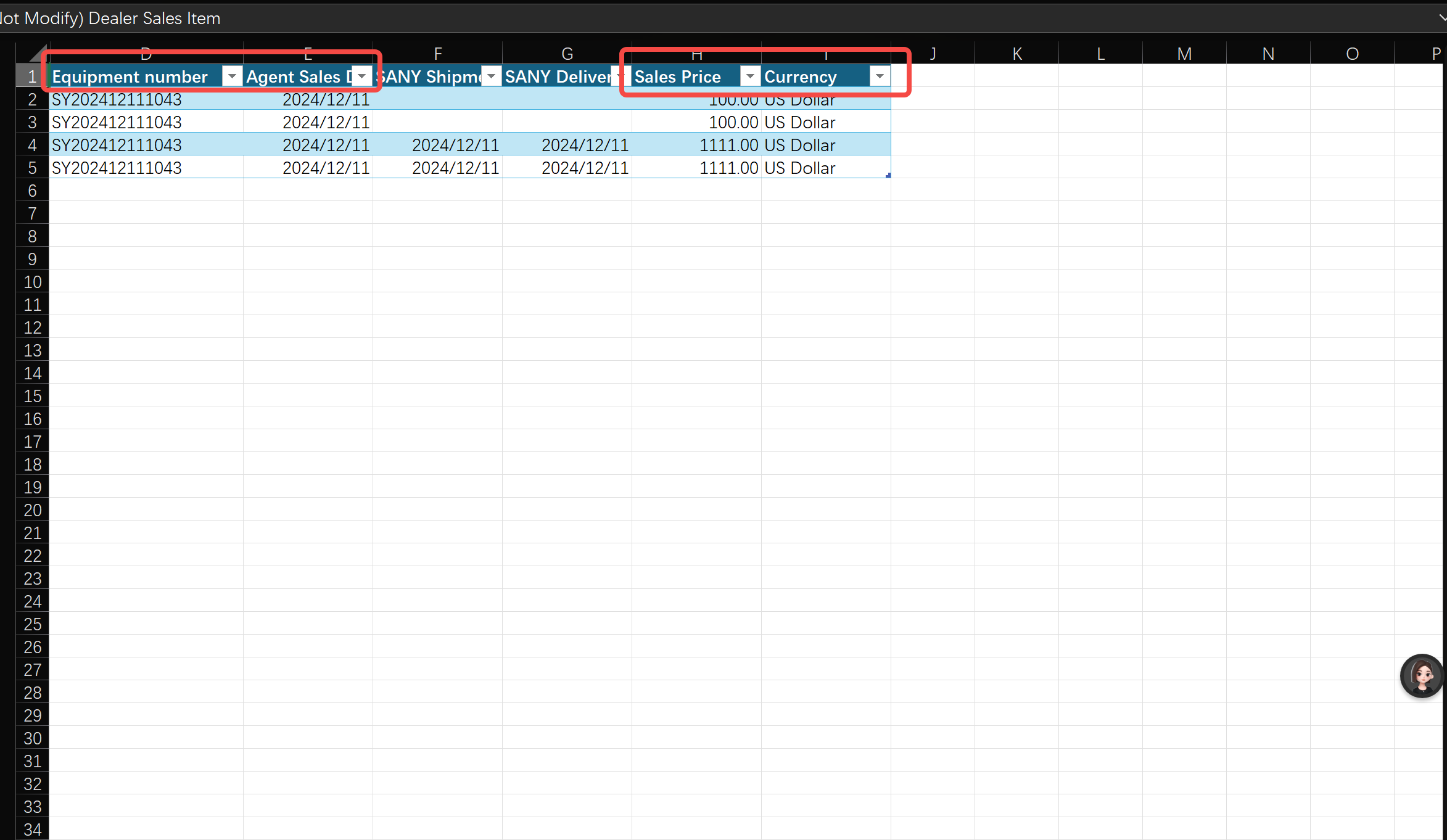
Batch Import: Select the template for download. Fill in the "Equipment Number", "Selling Price", "Currency", and "Agent Sales Date" in the form. Then select the import option.
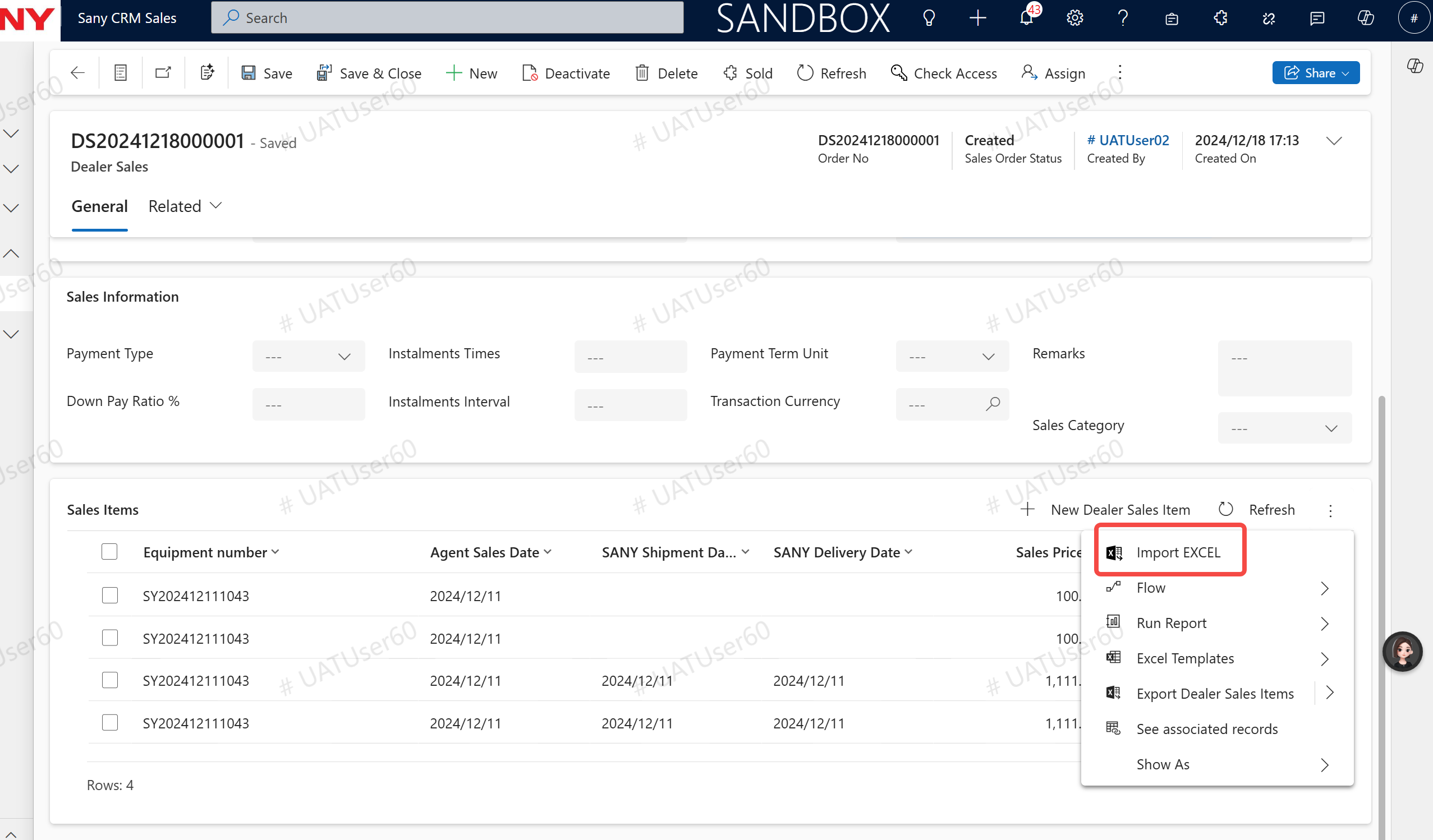
Generate the corresponding order line and click on "Sold".