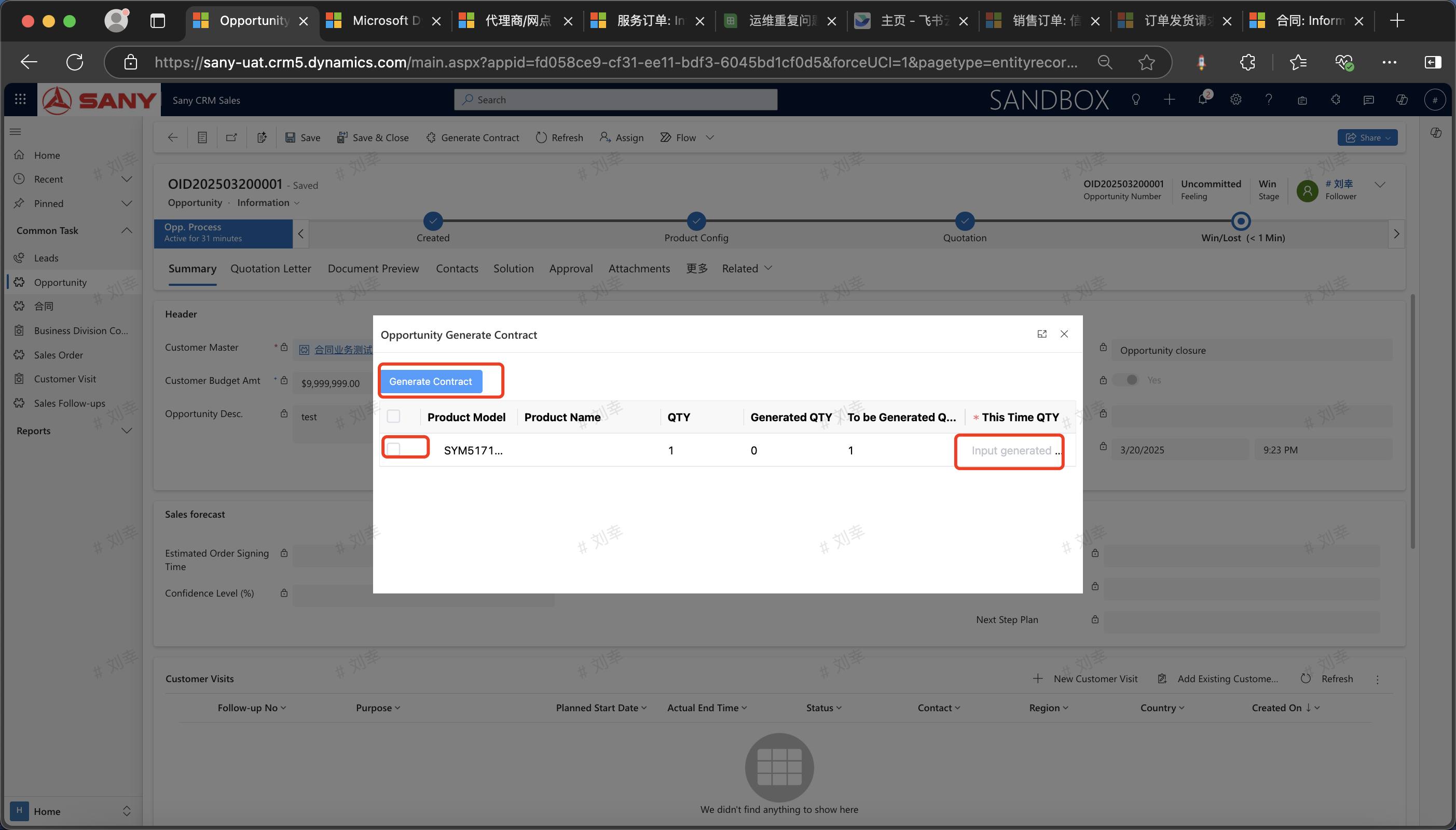
Business Opportunity
Create a Business Opportunity
Entry Path: Open a winning lead -> Click to create a business opportunity -> Enter customer information -> If a quotation is required, click "Quotation?" and change it to "Yes" -> Switch to the quotation letter interface and enter information such as the quotation seller and quotation template -> Add products (quantity, price, etc.) -> Save and submit to BPP -> Wait for the approval to complete the quotation -> Download the electronic quotation letter. Note: If approval exemption is needed, just enable "No approval required".可
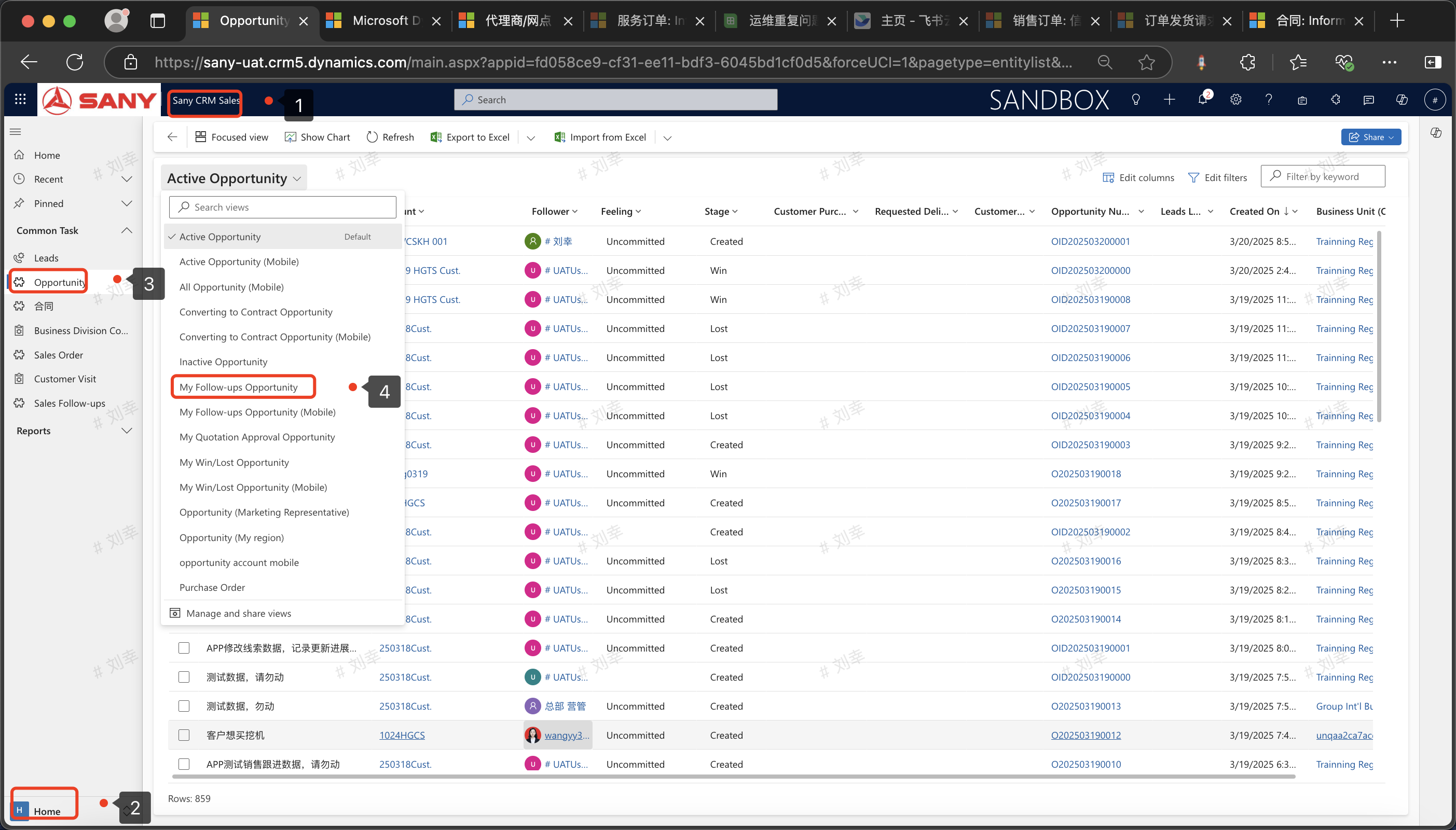
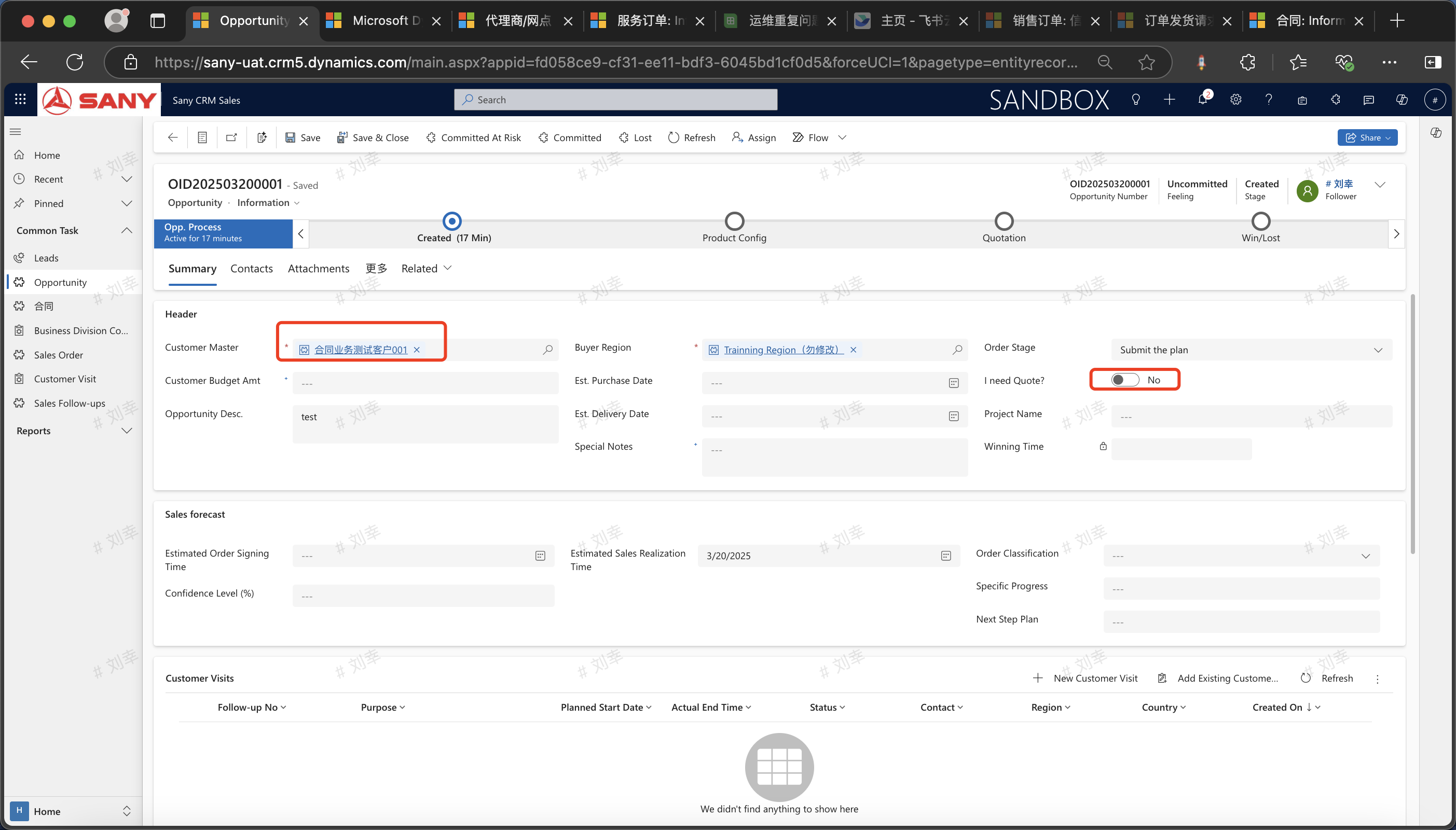
Enter Product Information
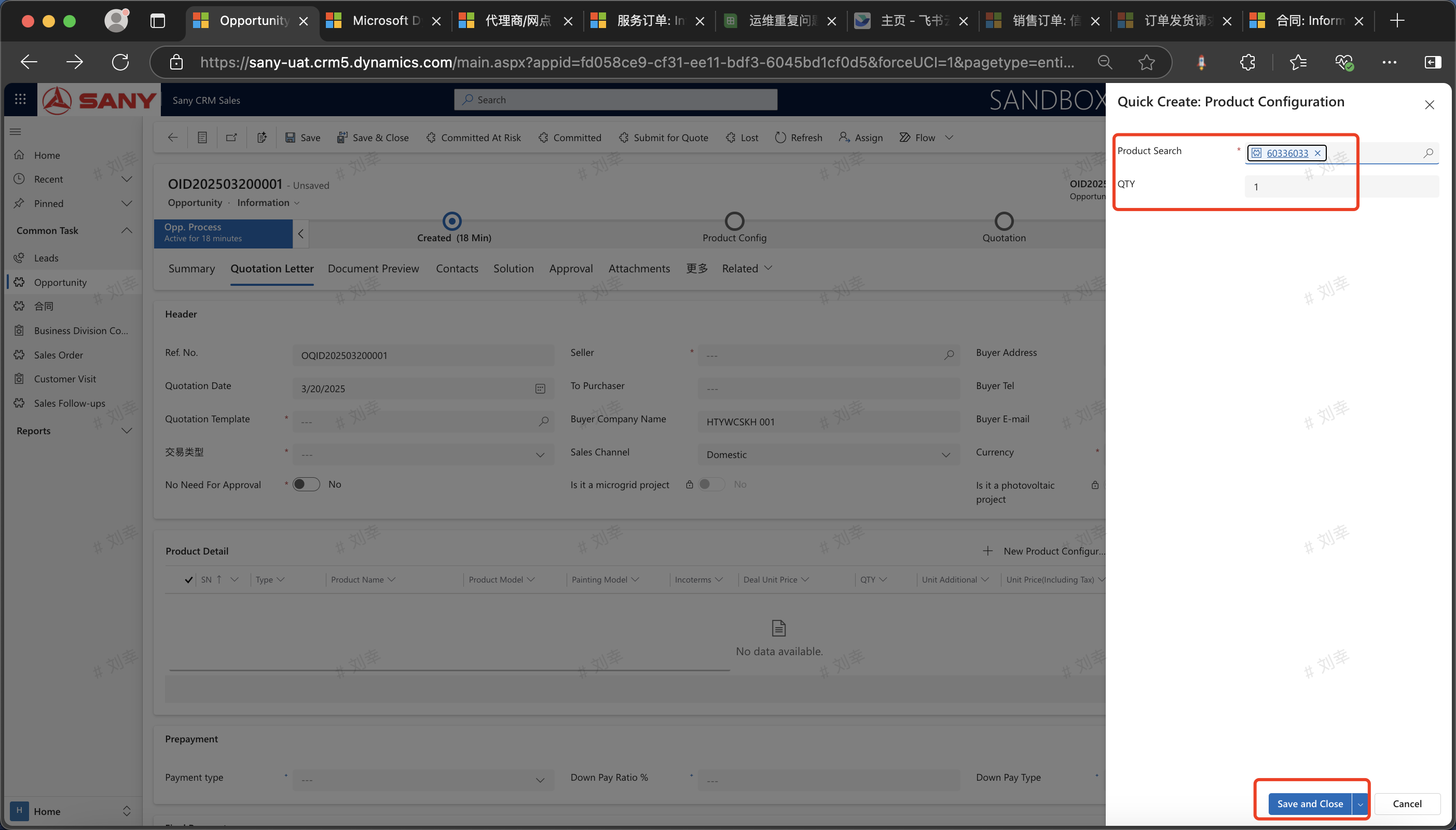
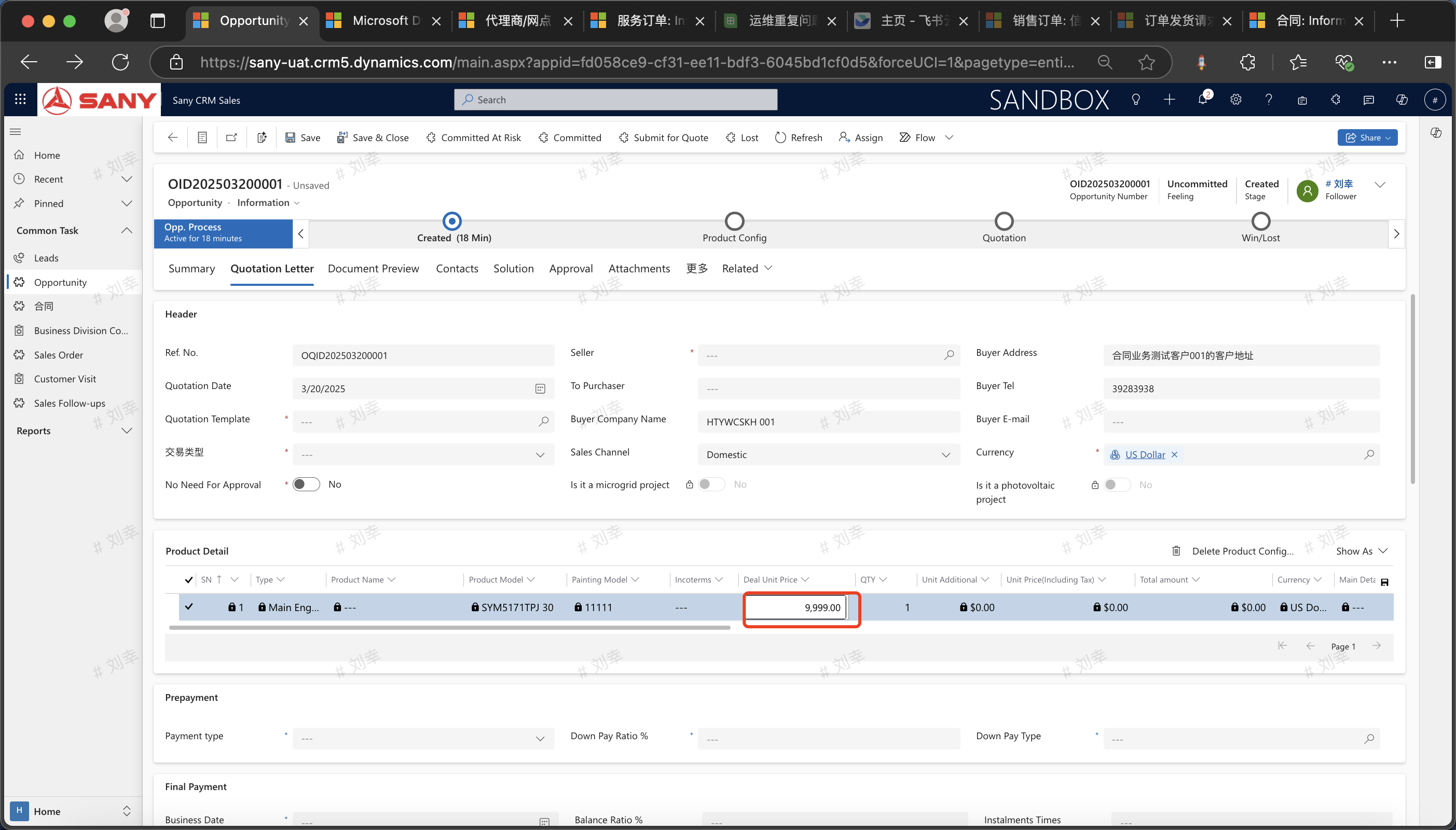
Click on the quotation letter, then click the "Create New Product Configuration" button, add products, and save.
Submit the Quotation for Approval
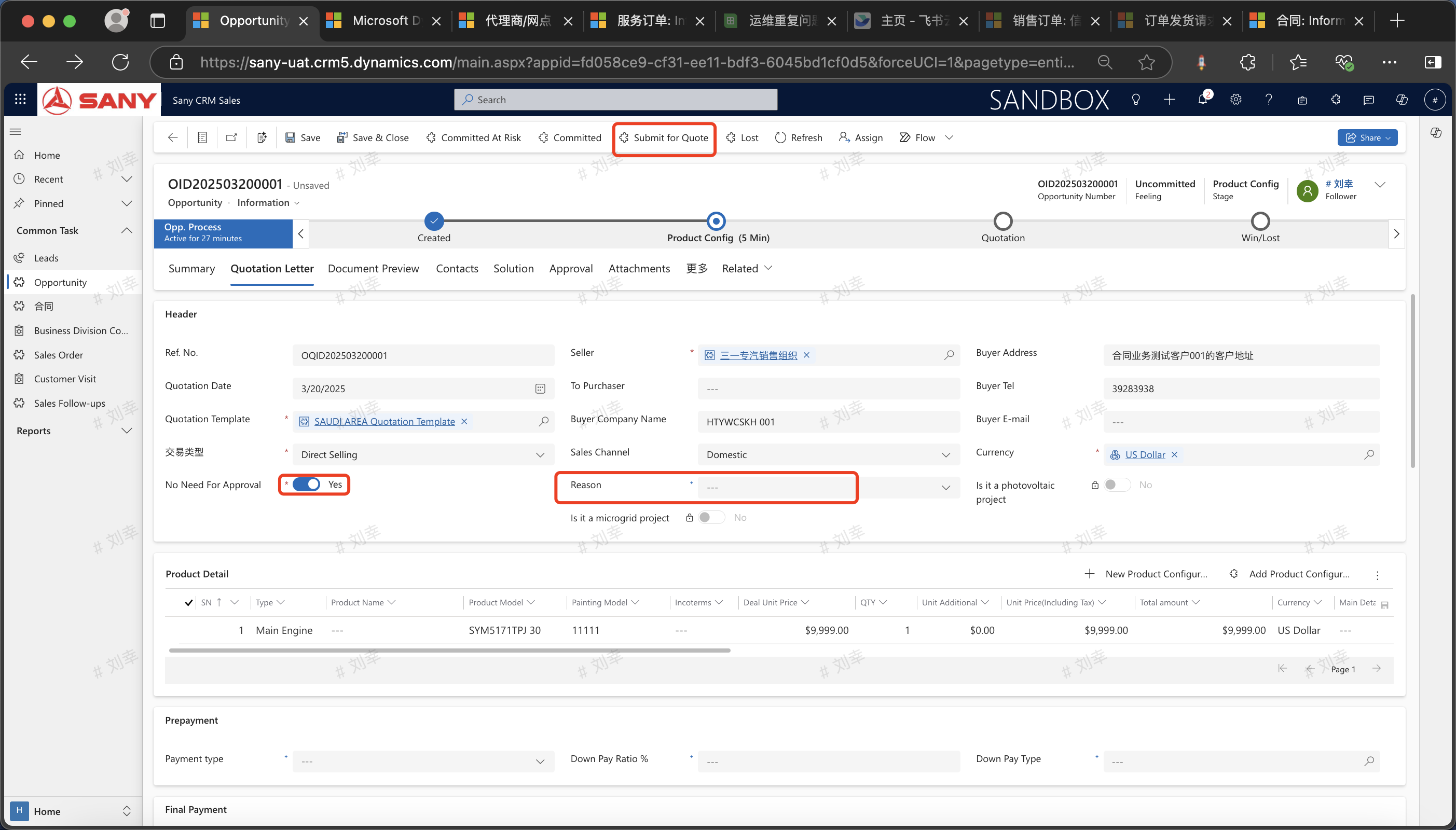
After entering the necessary information, you can click "Submit for Approval". After passing the verification, the business opportunity information will be submitted to the BPP system for the approval process, and the approval result will be updated synchronously. If you check "No approval required" and select the reason, the submission for approval will be automatically approved.
Re - Quotation, Winning the Deal, Losing the Deal
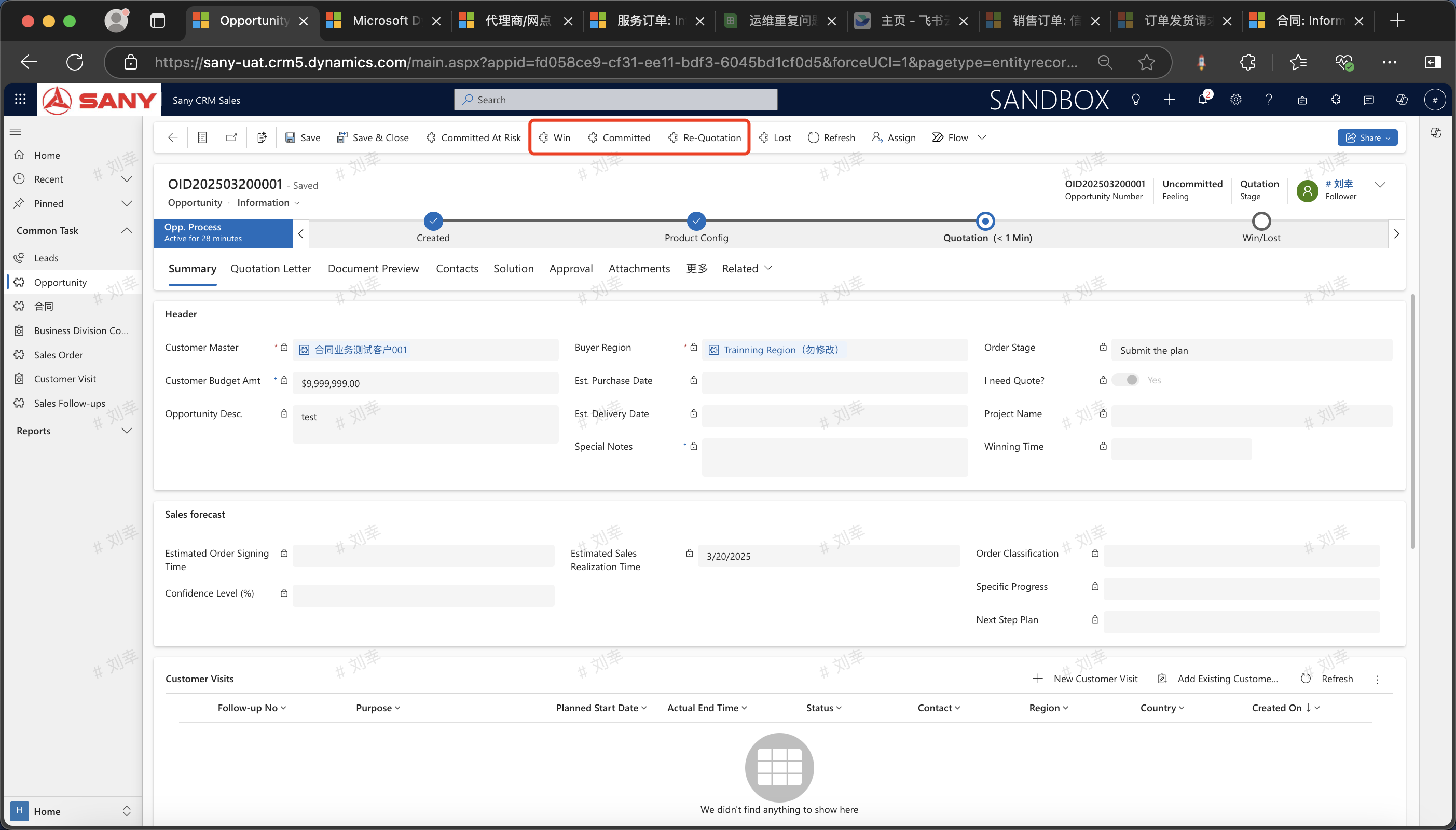
Re - Quotation:For a business opportunity that has passed the approval, you can click "Quotate Again" to restore the business opportunity to its initial creation state and re - enter the relevant information. If a quotation is still required, you need to submit it for approval again.
Winning the Deal: For a business opportunity that has passed the approval, a contract can be generated after clicking "Win the Deal".
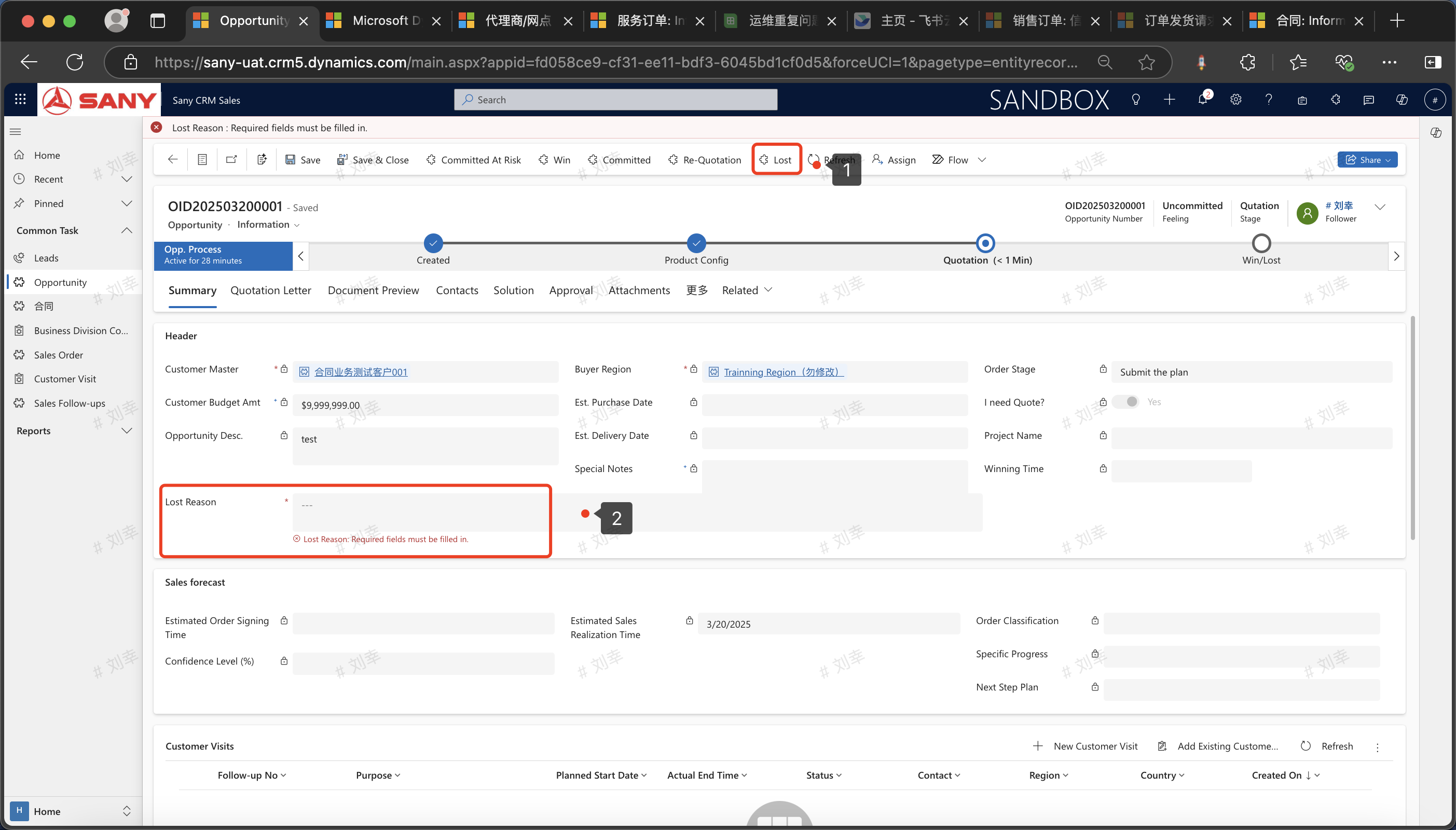
Losing the Deal:After the approval is passed, click "Lose the Deal" to mark the business opportunity as lost. Enter the reason for losing the deal and save. This operation can be performed at any time (except during the approval process).
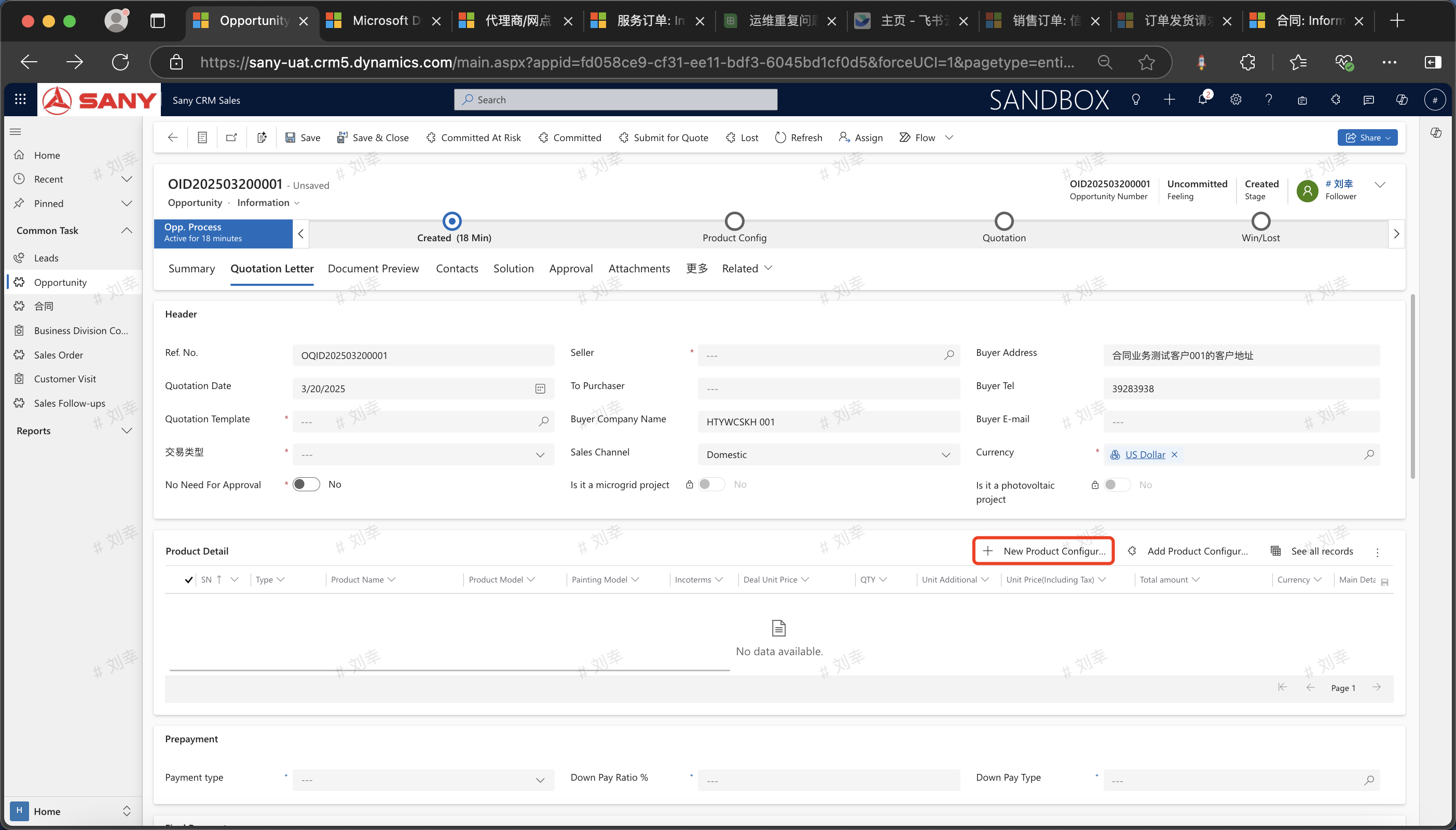
Generate a Contract
After clicking "Win the Deal", you can click "Generate Contract" to create a contract.