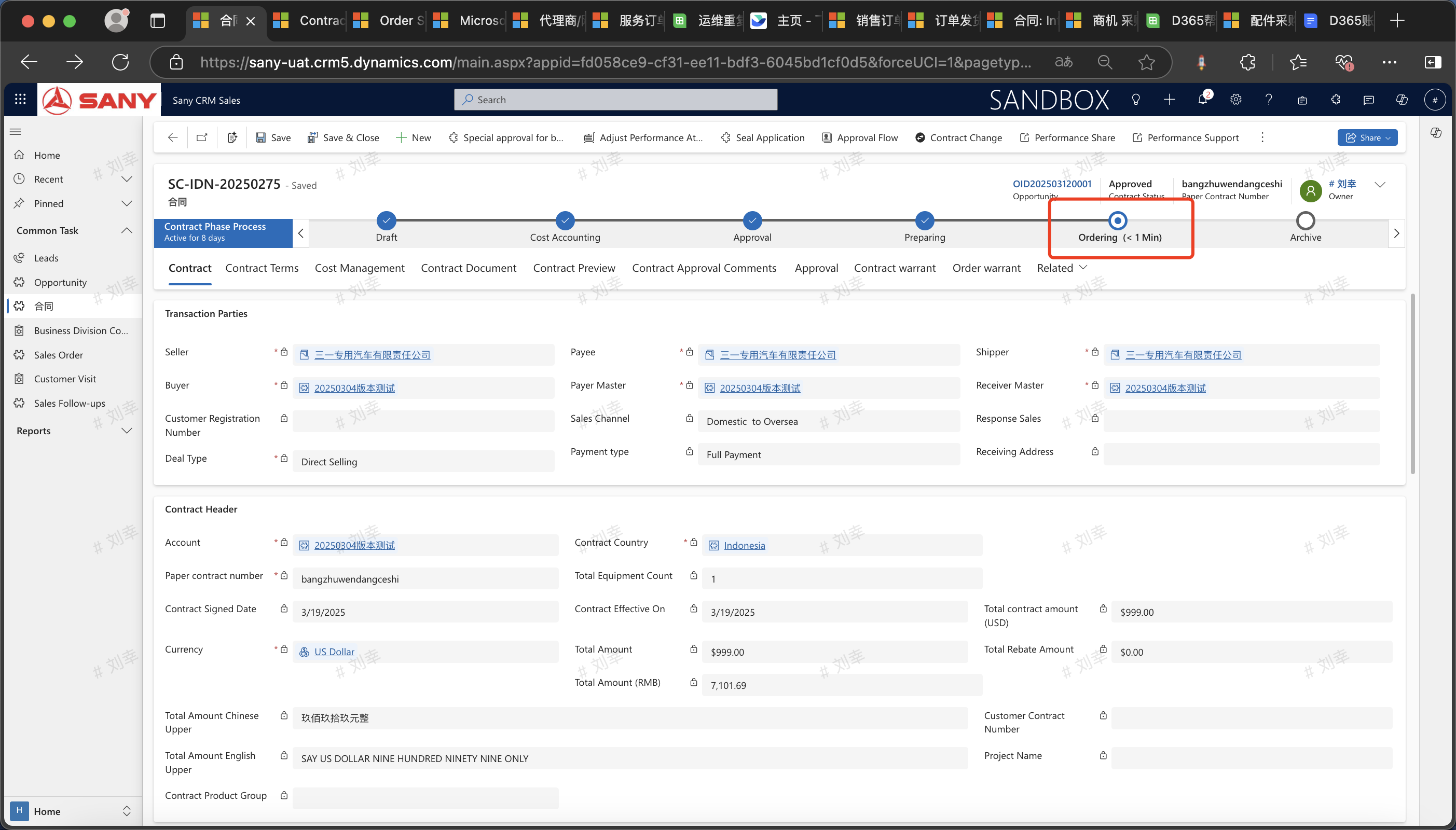
Product Preparation for Contracts
Only direct salesandprototype export contractsrequire a Product preparation application. Entry Path:Open the approved contract -> Click "Product Preparation" -> Fill in the quantity of Product to be prepared and the delivery time -> Submit for approval. Once approved, the Product preparation is completed.
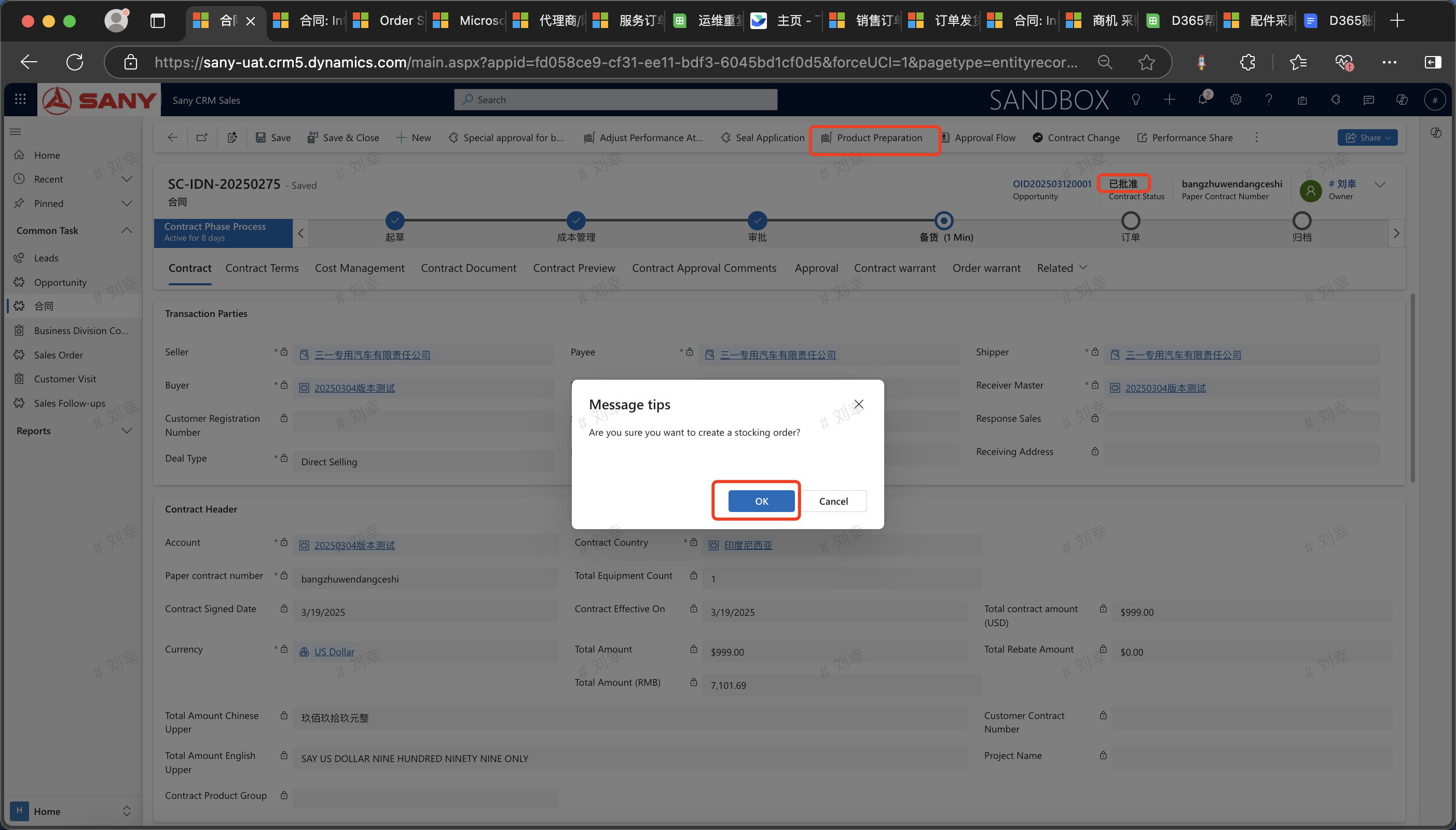
Click "Product Preparation", and the Product preparation form will automatically open upon confirmation.
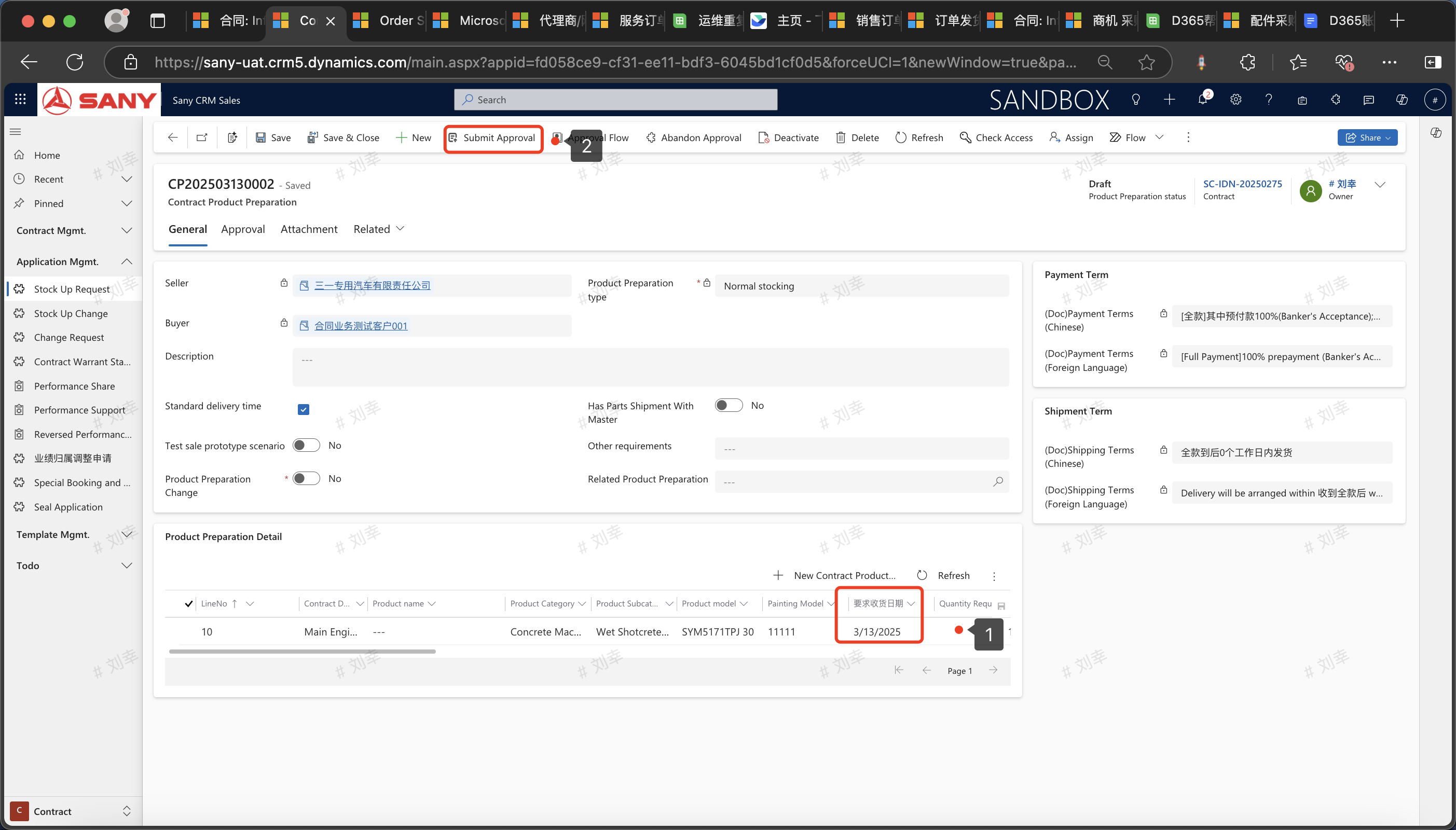
Open the Product preparation application form, enter the "Required Delivery Date" and "Quantity Requirement", then click "Save". After saving, submit it for approval.
After the Product preparation application is approved, check the contract product line. The quantity of Product prepared has been updated, and the status will also change from [Product Preparation] to [Order] status. Then the contract can generate an order.