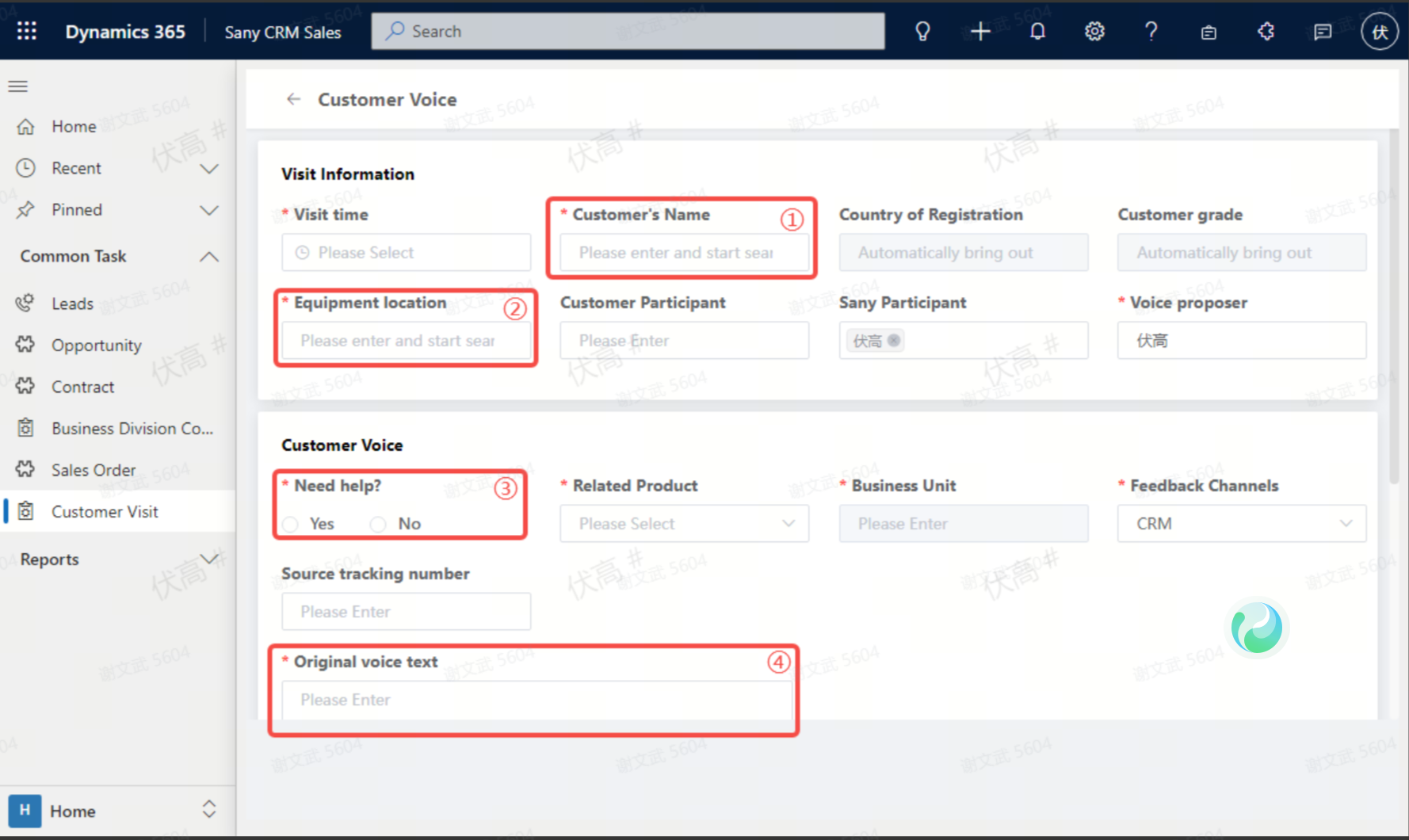
Customer visit, voice recording.
Recording Path
Marketing Module: It shall be uniformly entered into the system by marketing representatives.
① Sany CRM Sales -> Customers -> Customer Management -> Customer Visits -> + New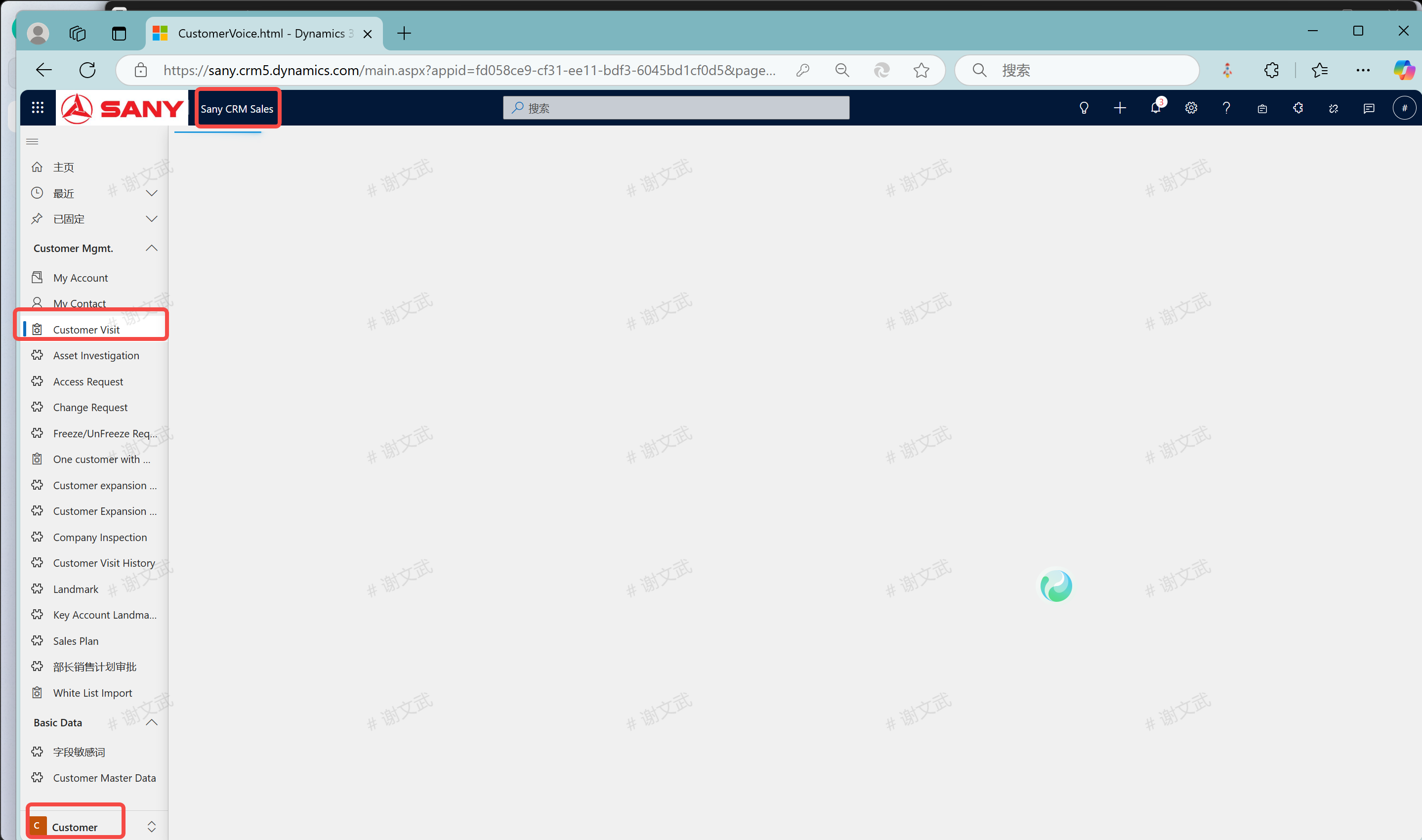
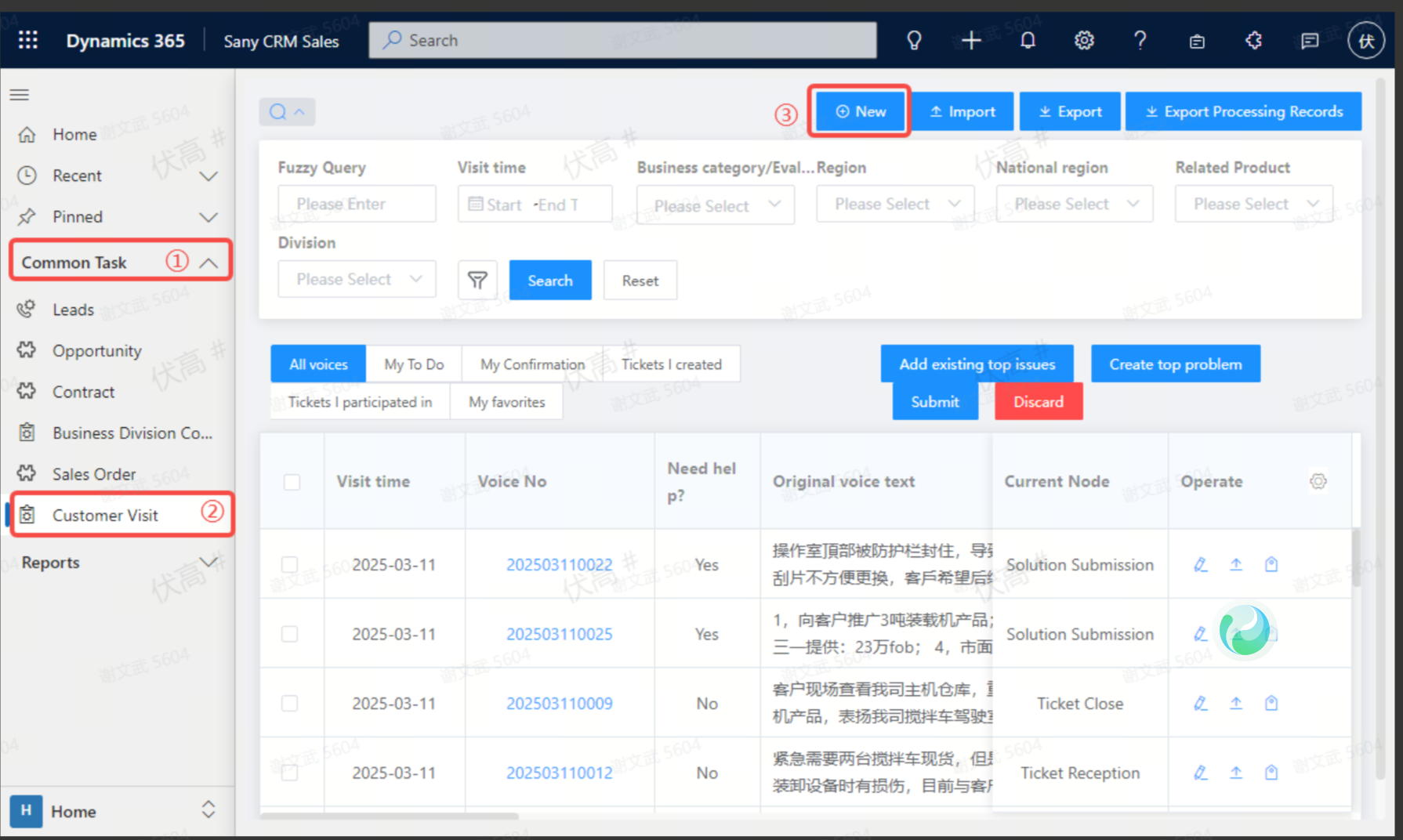
②Sany CRM Sales -> Home Page -> Common Operations -> Customer Visits -> + New
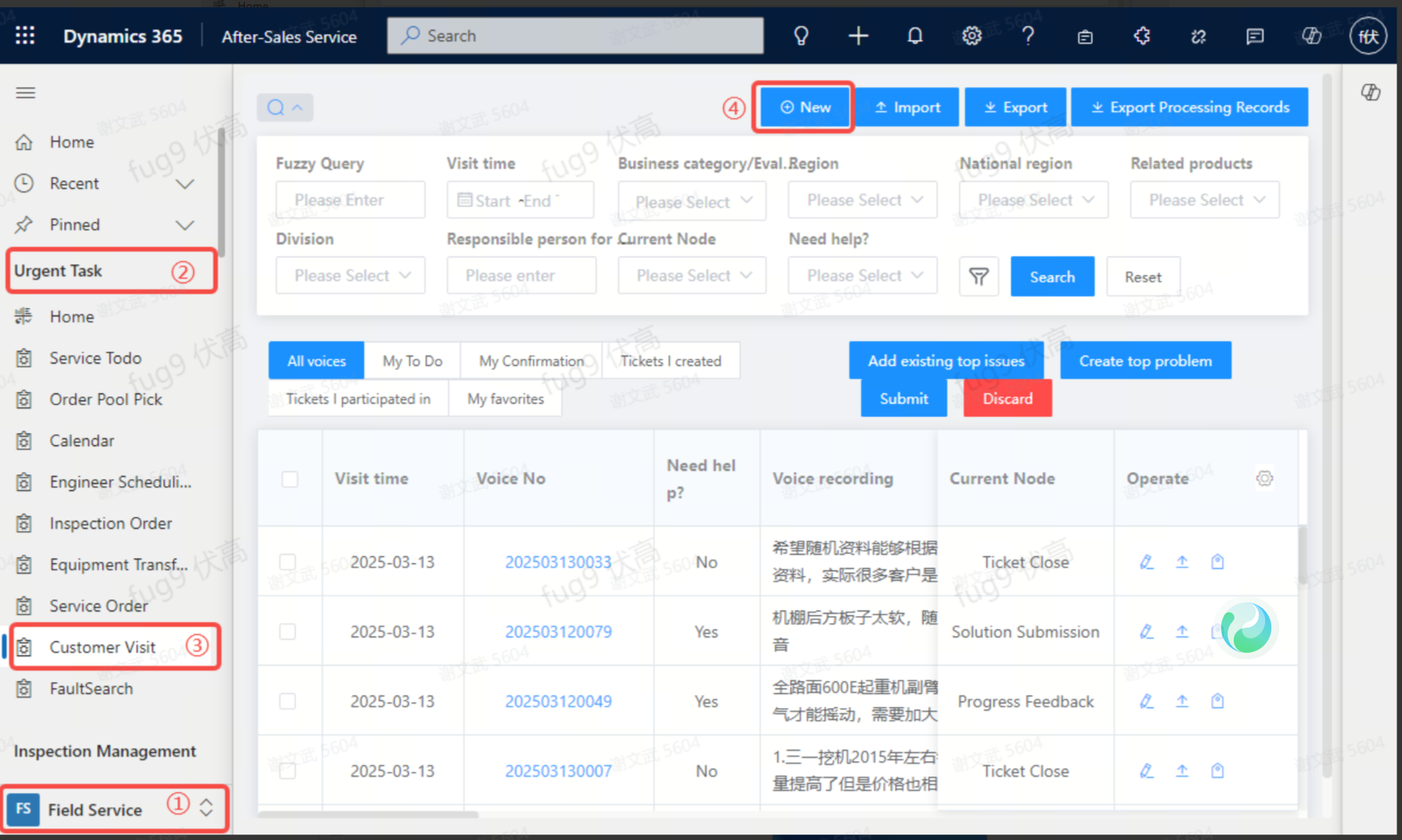
Service Module: It shall be uniformly entered into the system by service engineers: After - Sales Service On - site Service -> Emergency Tasks -> Customer Visits -> + New
Record the sound when creating a new visit entry
1.Customer Name: Support fuzzy query by name and customer code. If the customer cannot be found, please create a new one in customer management. 1.Equipment Usage Location: In which country/region the visited customer uses our equipment. 3.Is There a Request for Help: Select "Yes": The problem has not been solved yet and requires resource support to resolve; Select "No": There is no problem or the problem has been solved, and only record the customer's voice. 4.Content of the Customer's Voice: Record the voice feedback from the customer, not your own work content. 5.Save Draft/Submit: Save as a draft; Only after submission will the voice be correctly recorded. Required Information: All fields marked with * on the page. When saving, the system will verify whether the required information is complete. If there is any missing information, a prompt will be given at the top. Clicking on the corresponding prompt will automatically jump to the missing field for you to fill in the information.