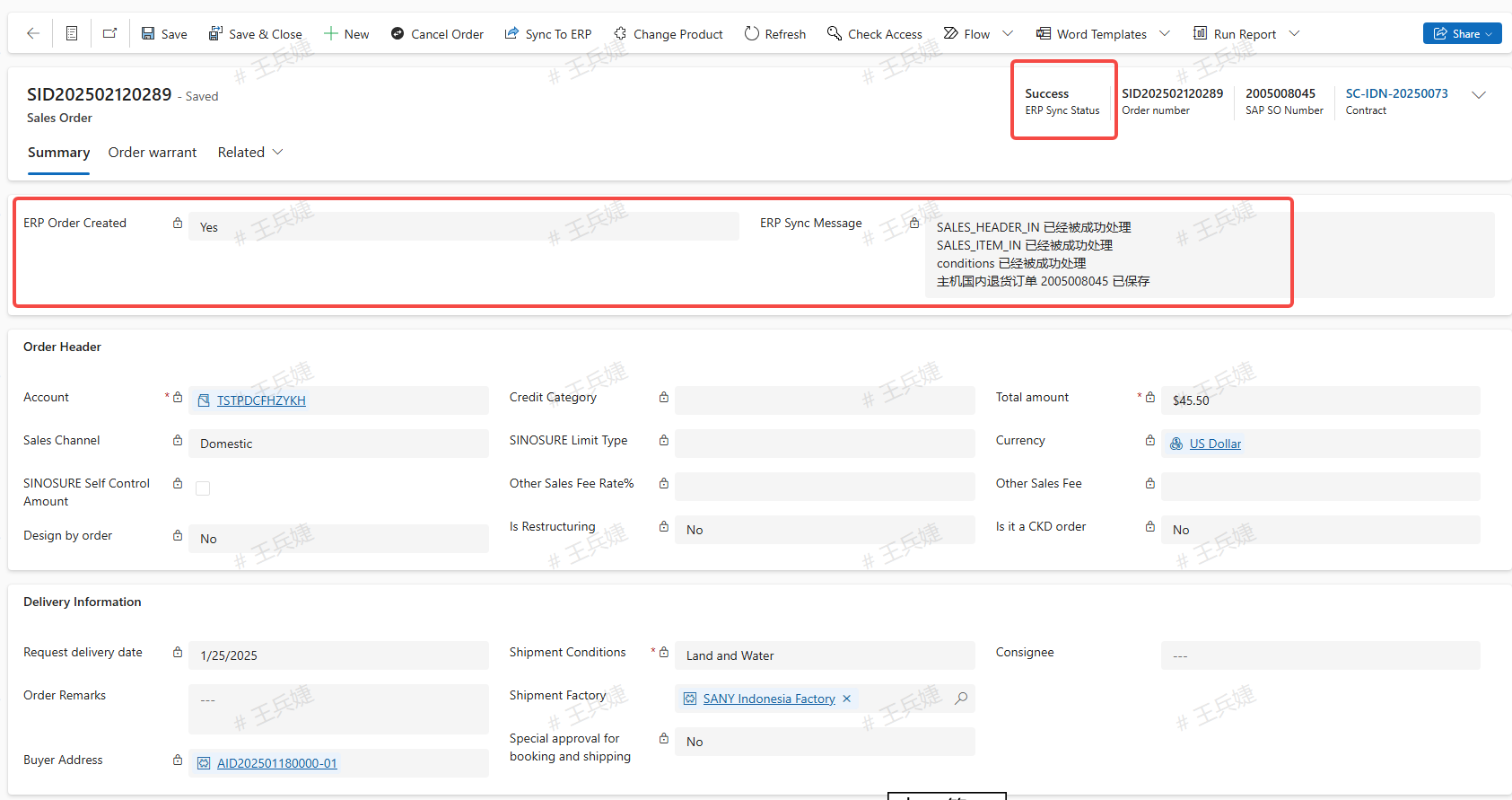
Sales Order
Create a Sales Order
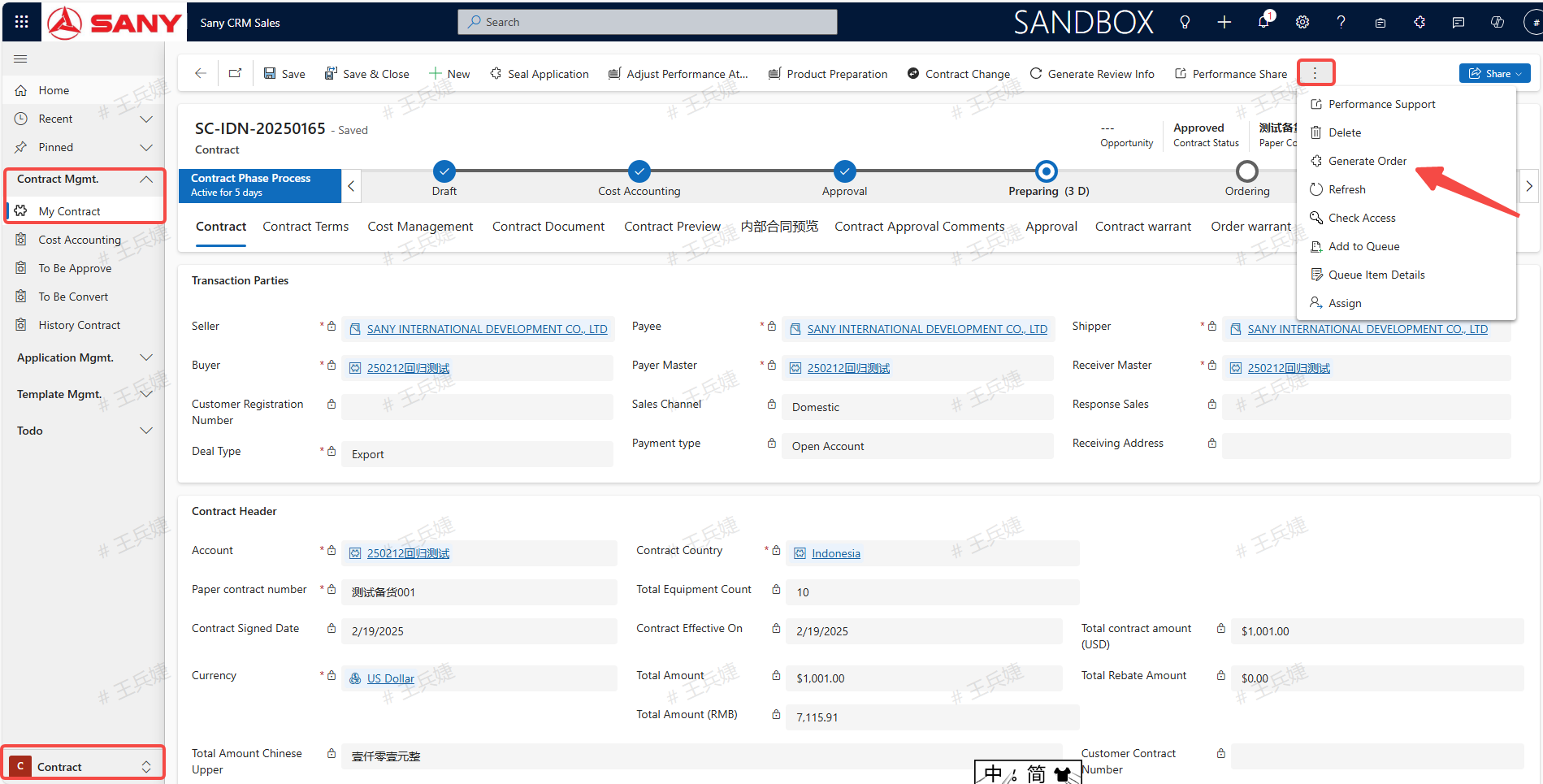
Entry path 1: Sany CRM Sales-> Home -> Contract-> Select the contract need to generate sales order -> Generate Order 
Entry path 2: Sany CRM Sales - > Contract - > Contract Management - > My contract (select the contract need to generate sales order) - > Generate Order
Fill in the Quantity in the "This Time QTY" filed, Select the corresponding line, then click "Generate Order".
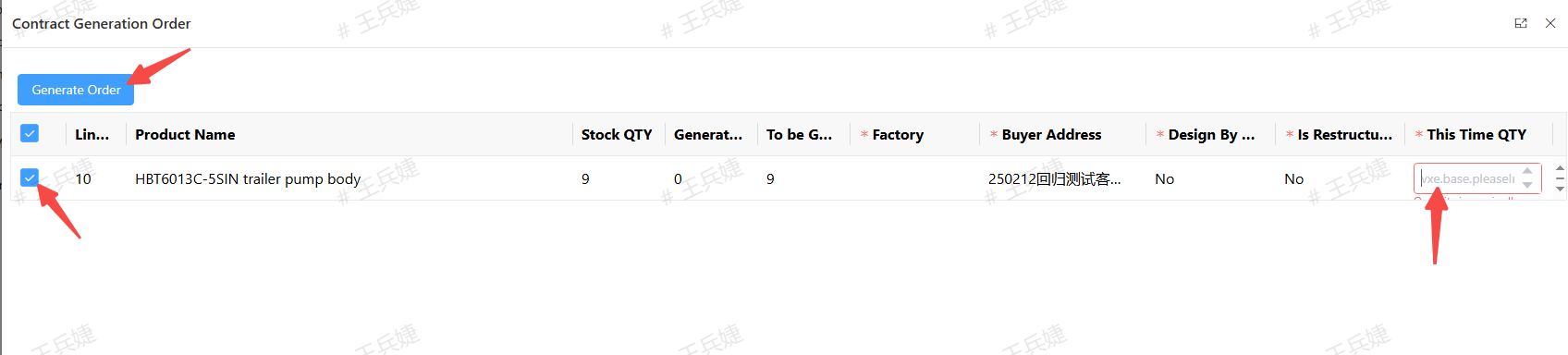
Note 1: For "Direct Selling" and "Export" type of contracts, you can select "Design By Order" to customer machines when generating orders 
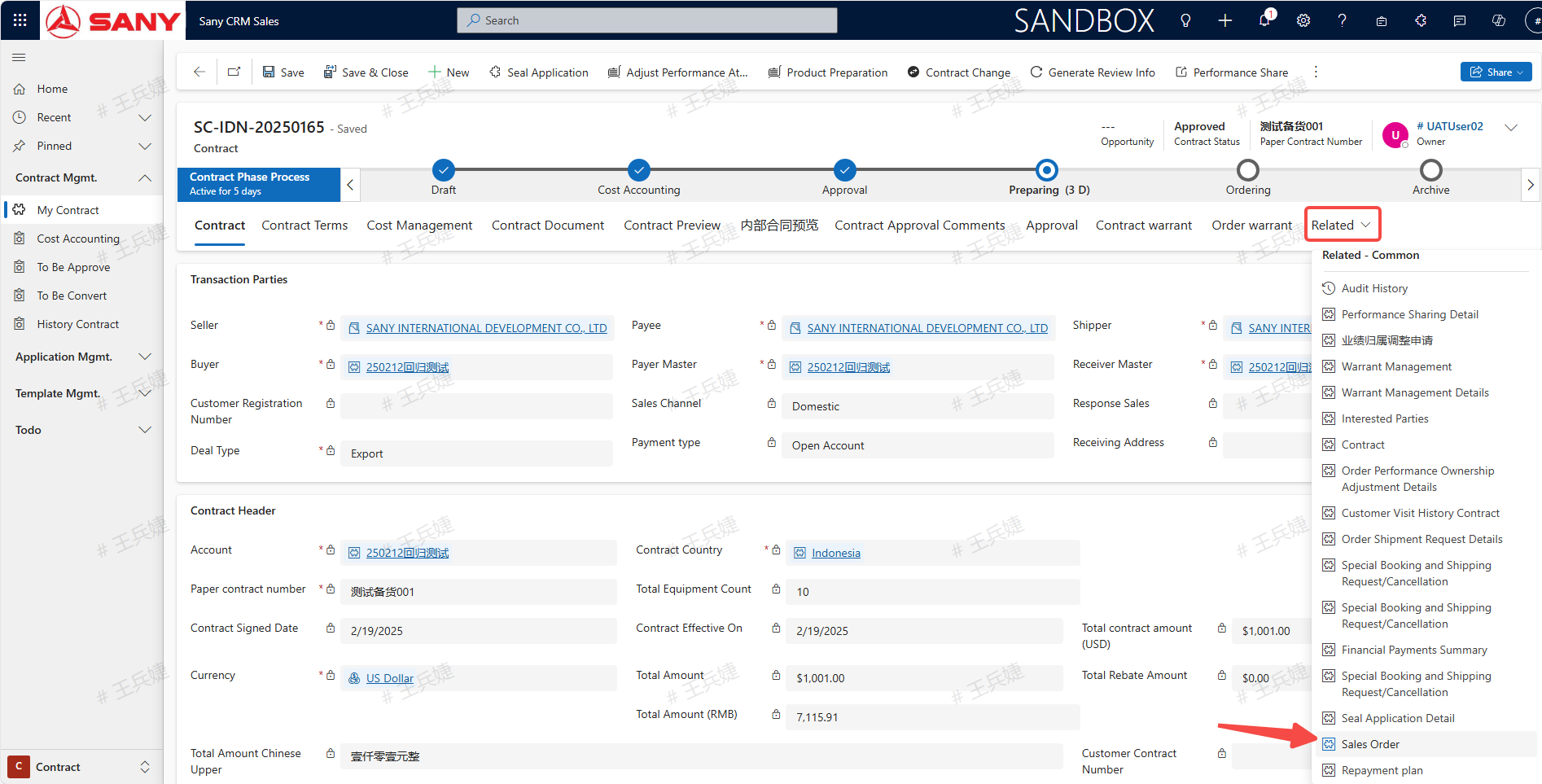
View the sales order in the "Related" of contract interface -> click "Sales Order"
Check the synchronous ERP status in the sales order and wait for "Success" to be displayed.