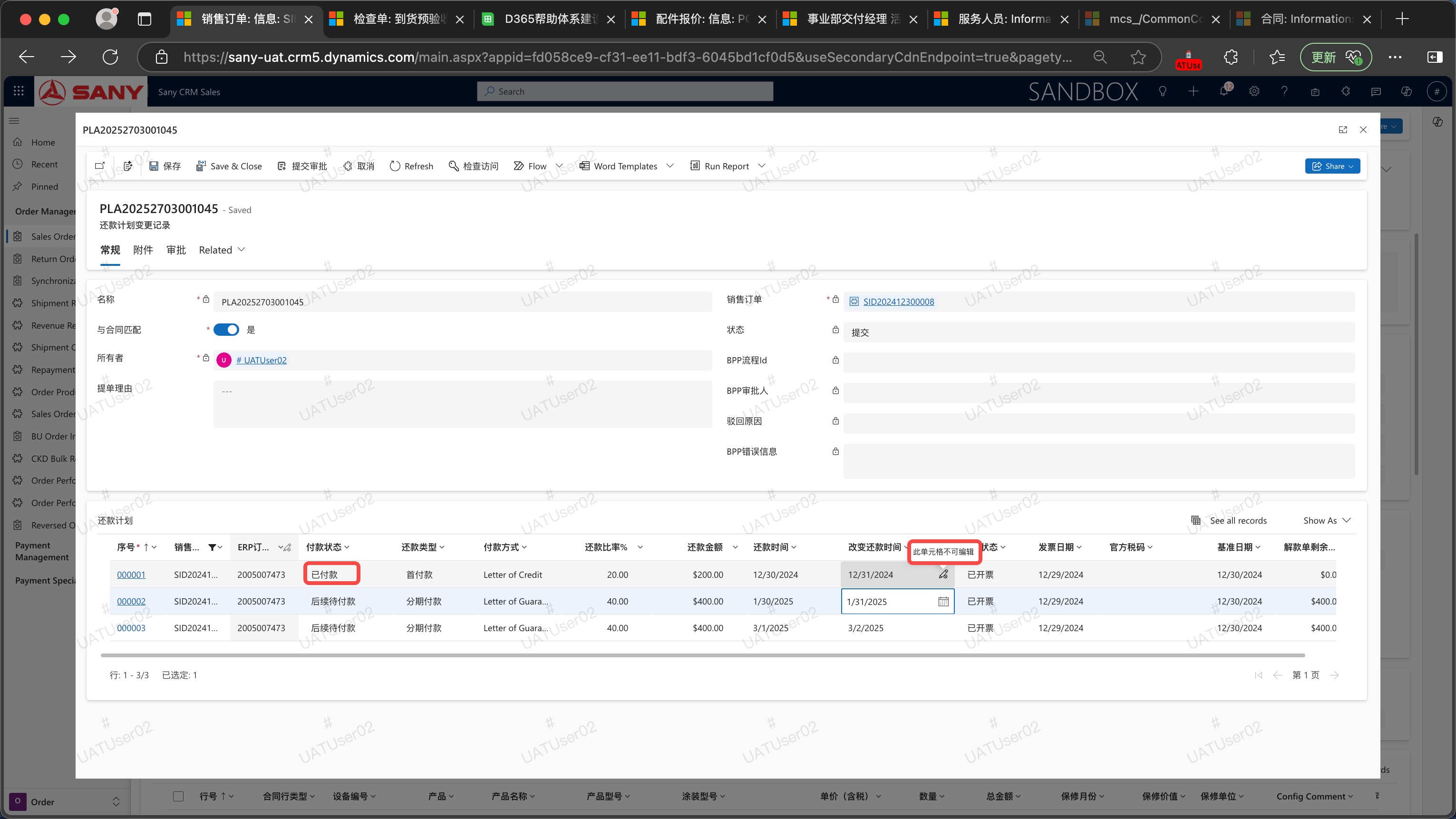
Repayment Plan Change
Create a Repayment Plan Change Form
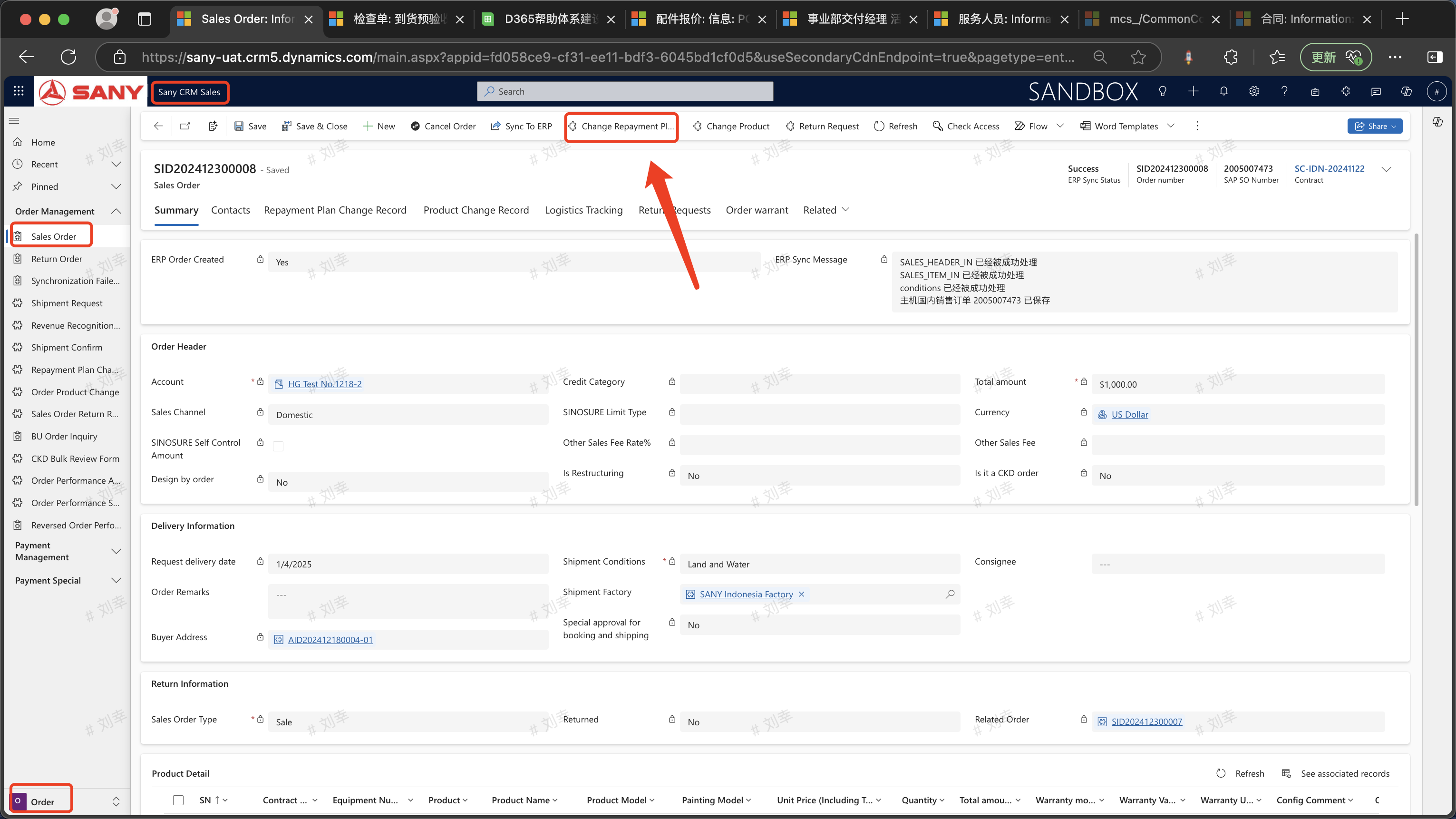
This is applicable when only the repayment date needs to be changed after the invoice is issued. Entry Path:Sany CRM Sales -> Order Execution -> Order Management -> Locate the sales order for which the repayment plan needs to be changed among the orders in delivery.
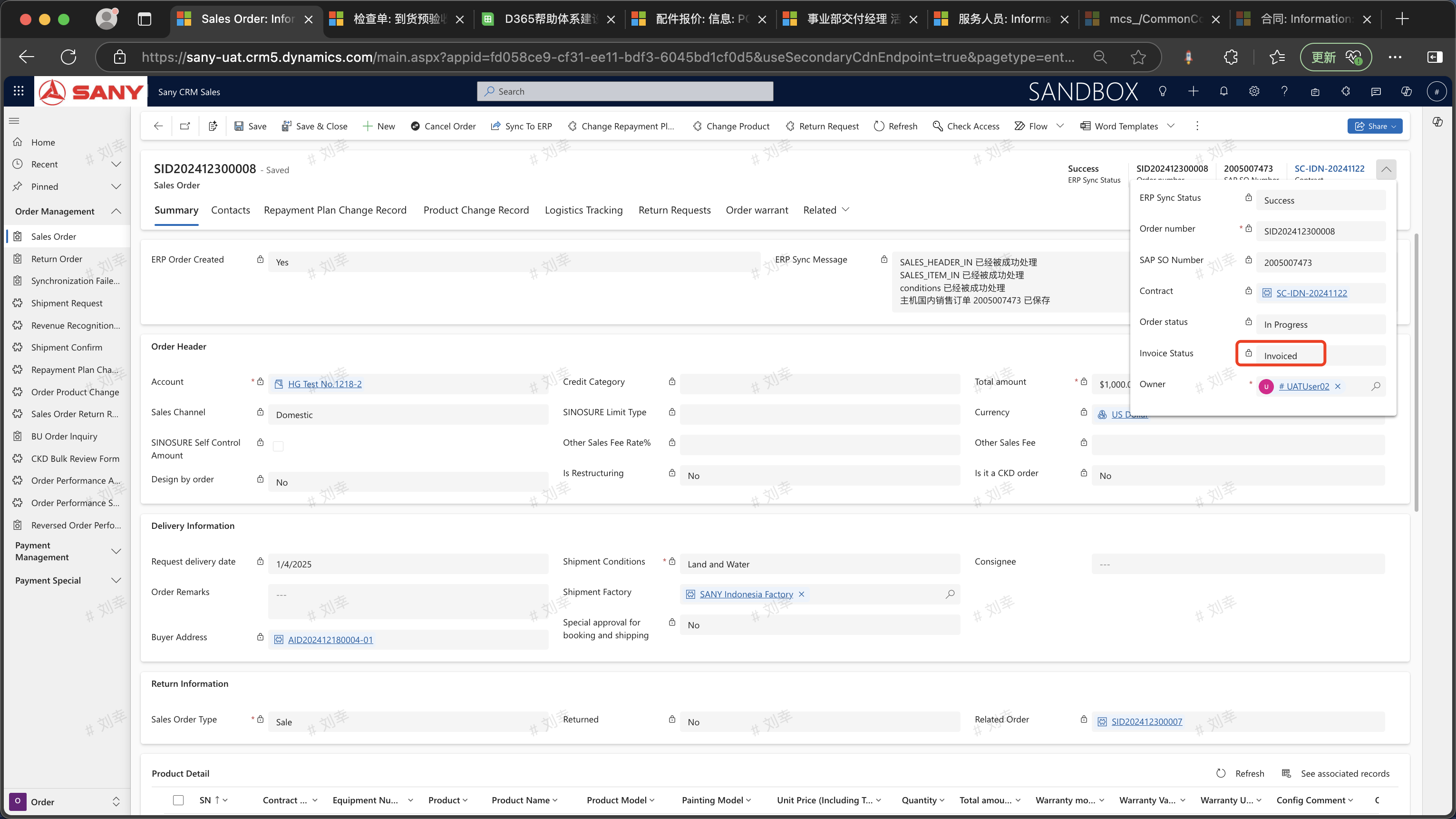
Click on the order number to enter and check whether the order invoice status is "Invoiced" (The prerequisite for changing the repayment plan is that the order must be in the invoiced status).
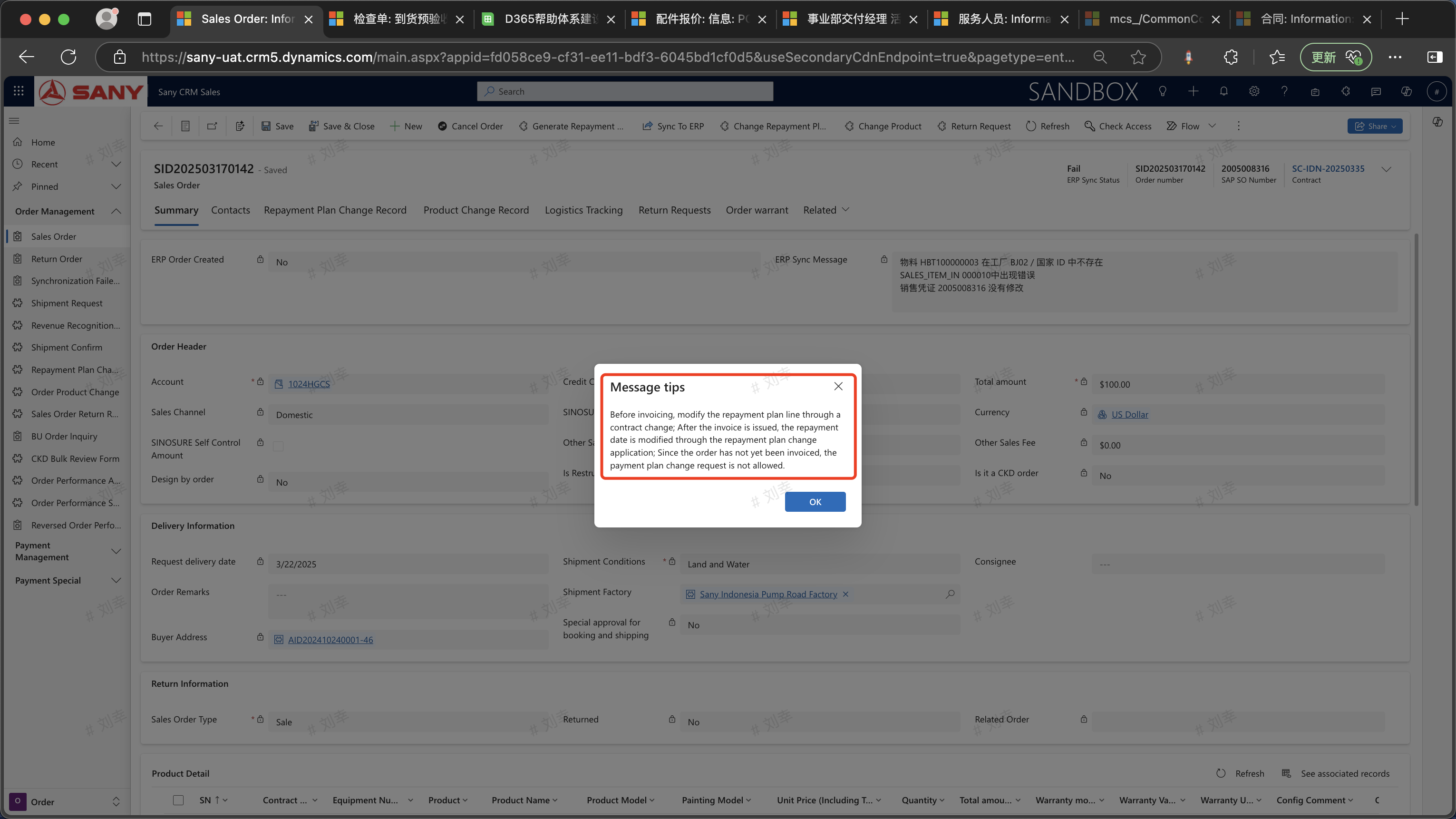
 If it has not been invoiced, please modify the repayment plan line through the [Contract Payment Terms Change].
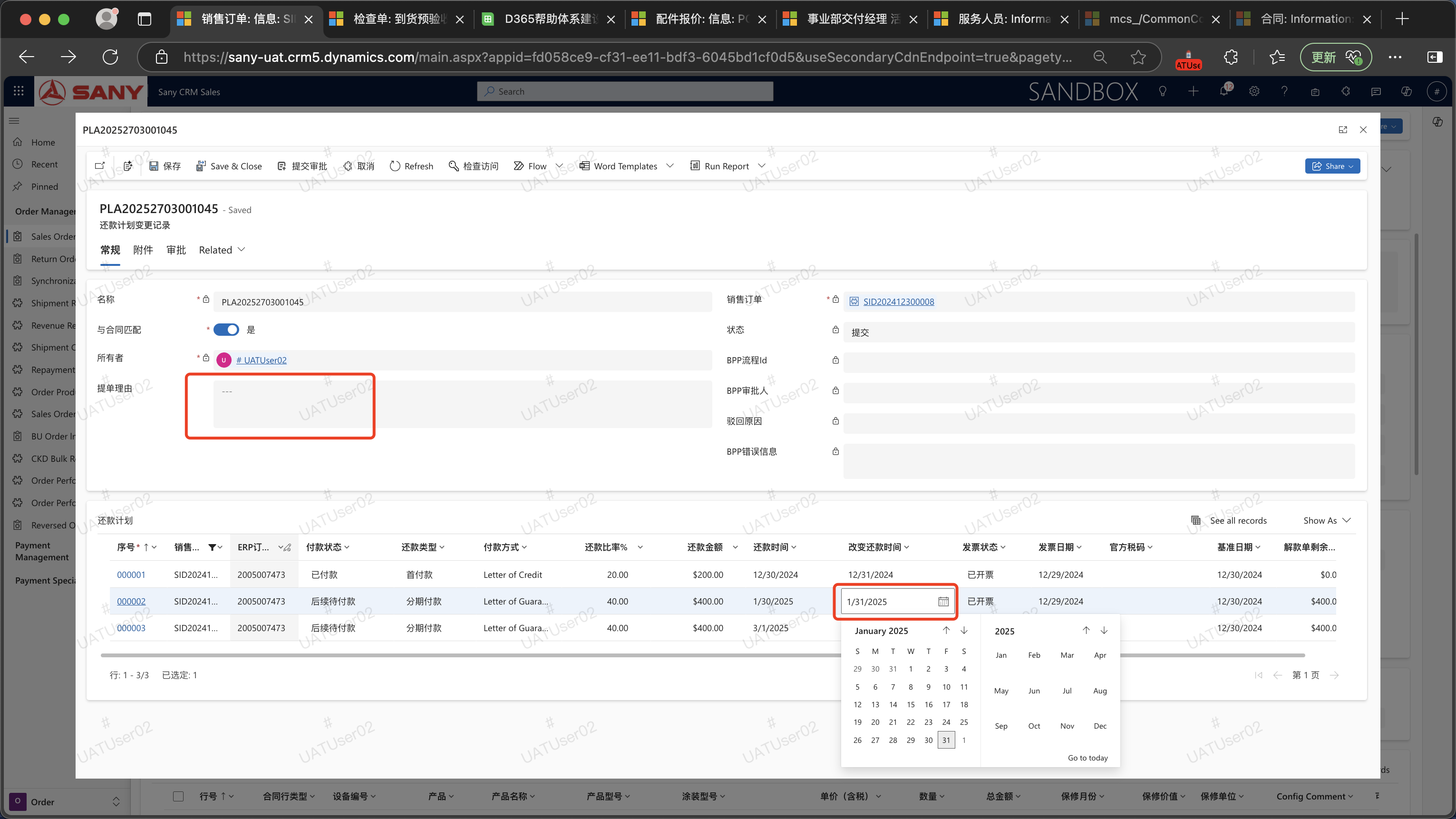
 Click the "Change Repayment Plan" button to pop up the change interface.
 Select the repayment time that needs to be changed, fill in the reason for the change, and submit it for approval after saving.
Demo Video
FAQ
When the down payment has already been settled, how can the repayment plan be changed?
When the down payment has been settled, the repayment time for the down payment cannot be changed. For the installment payments, as long as they have not been settled, the repayment time can be changed normally.