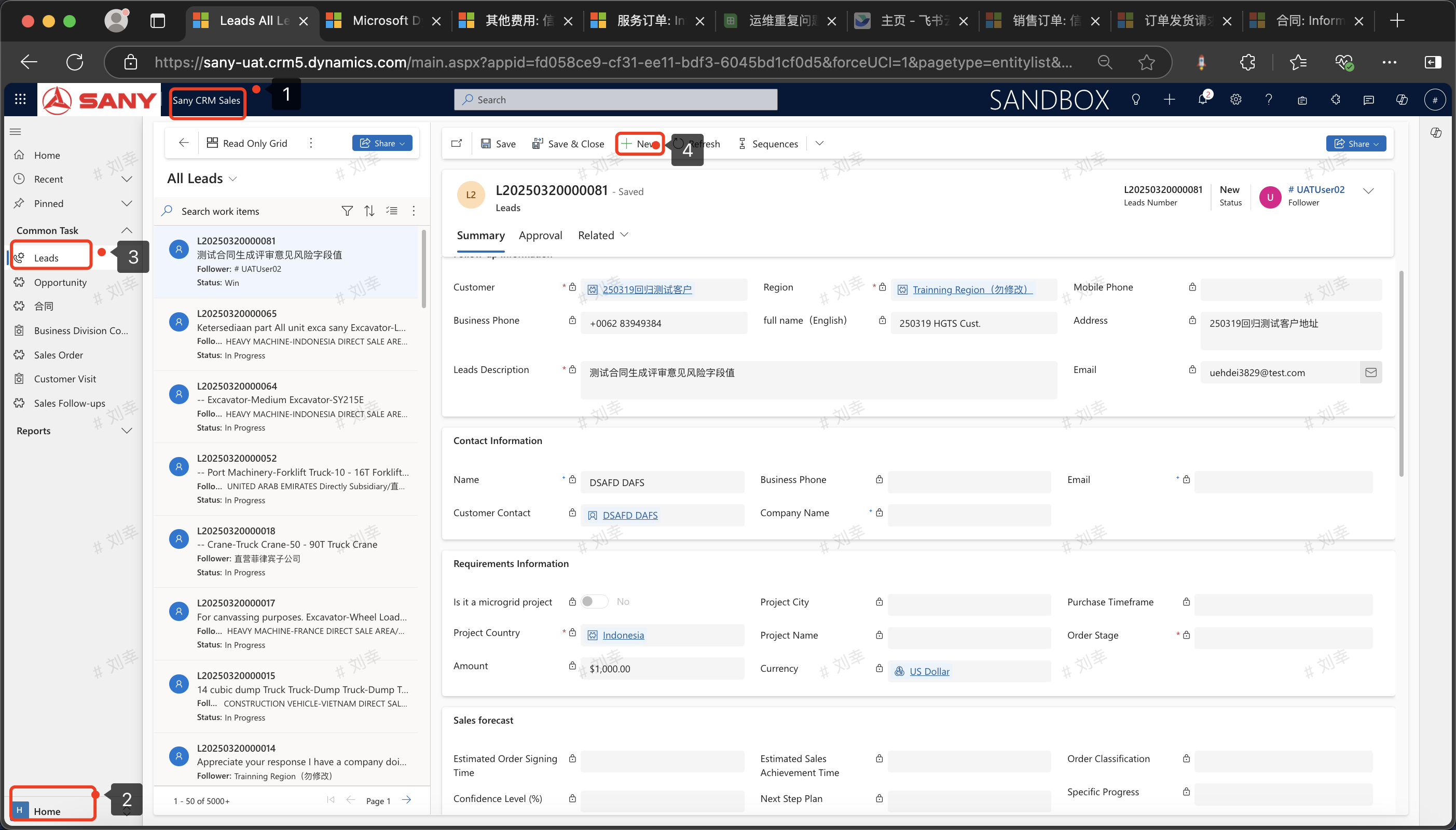
Leads
Entry Path:Sany CRM Sales -> Home Page -> Leads -> New (Second Path: Sany CRM Sales -> Business Opportunity Quotation -> My Leads -> New)
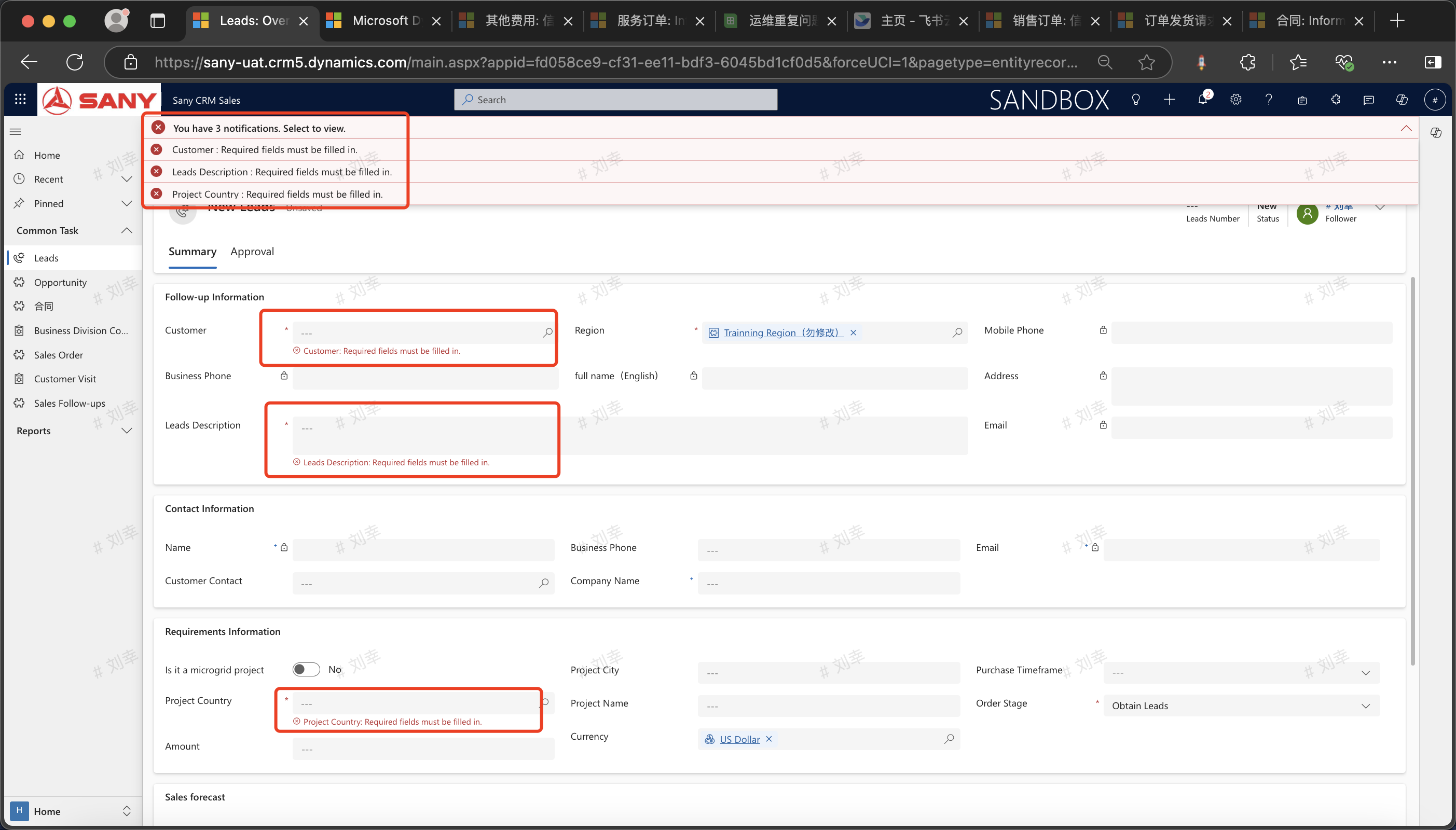
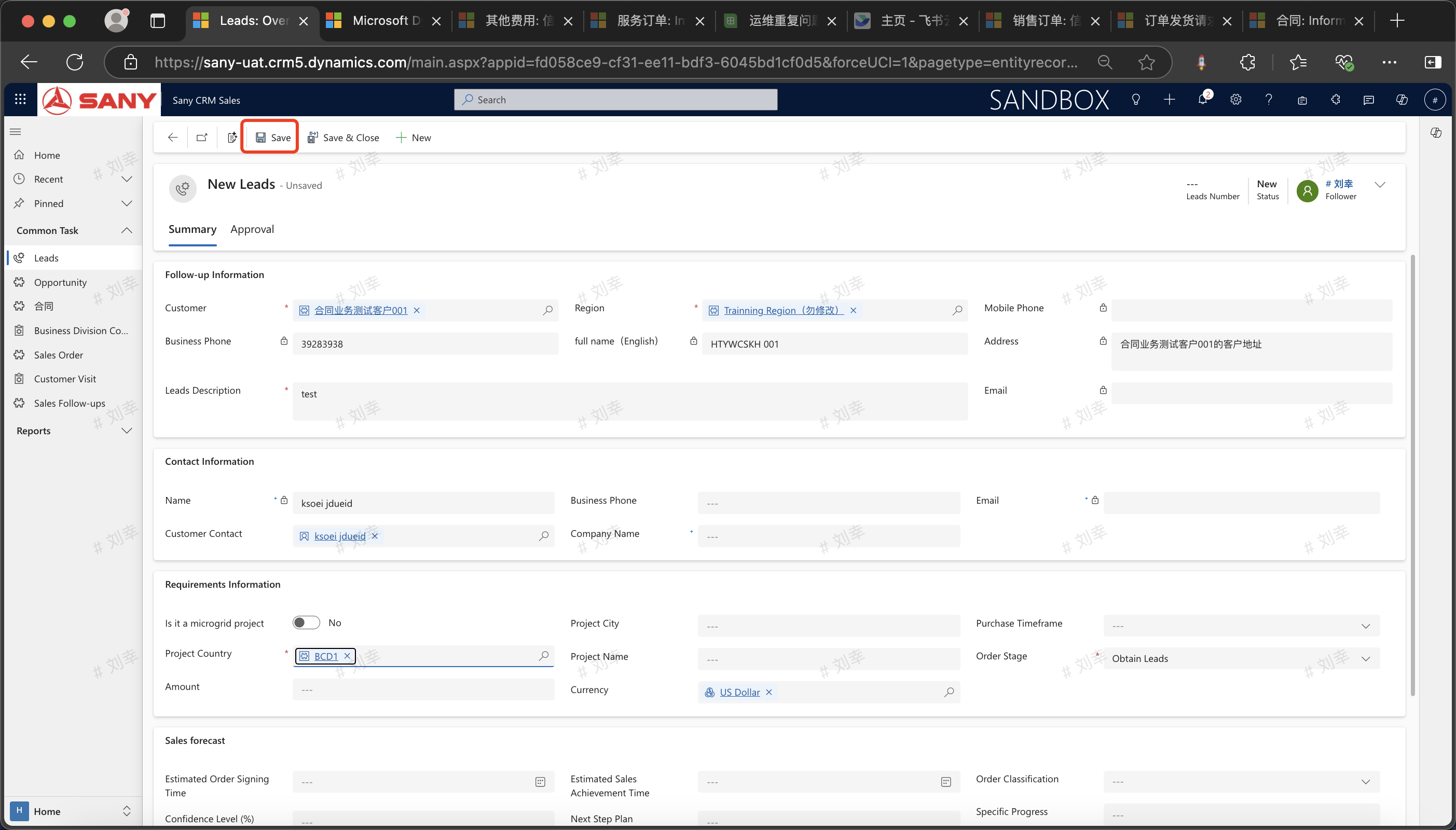
Create New Leads
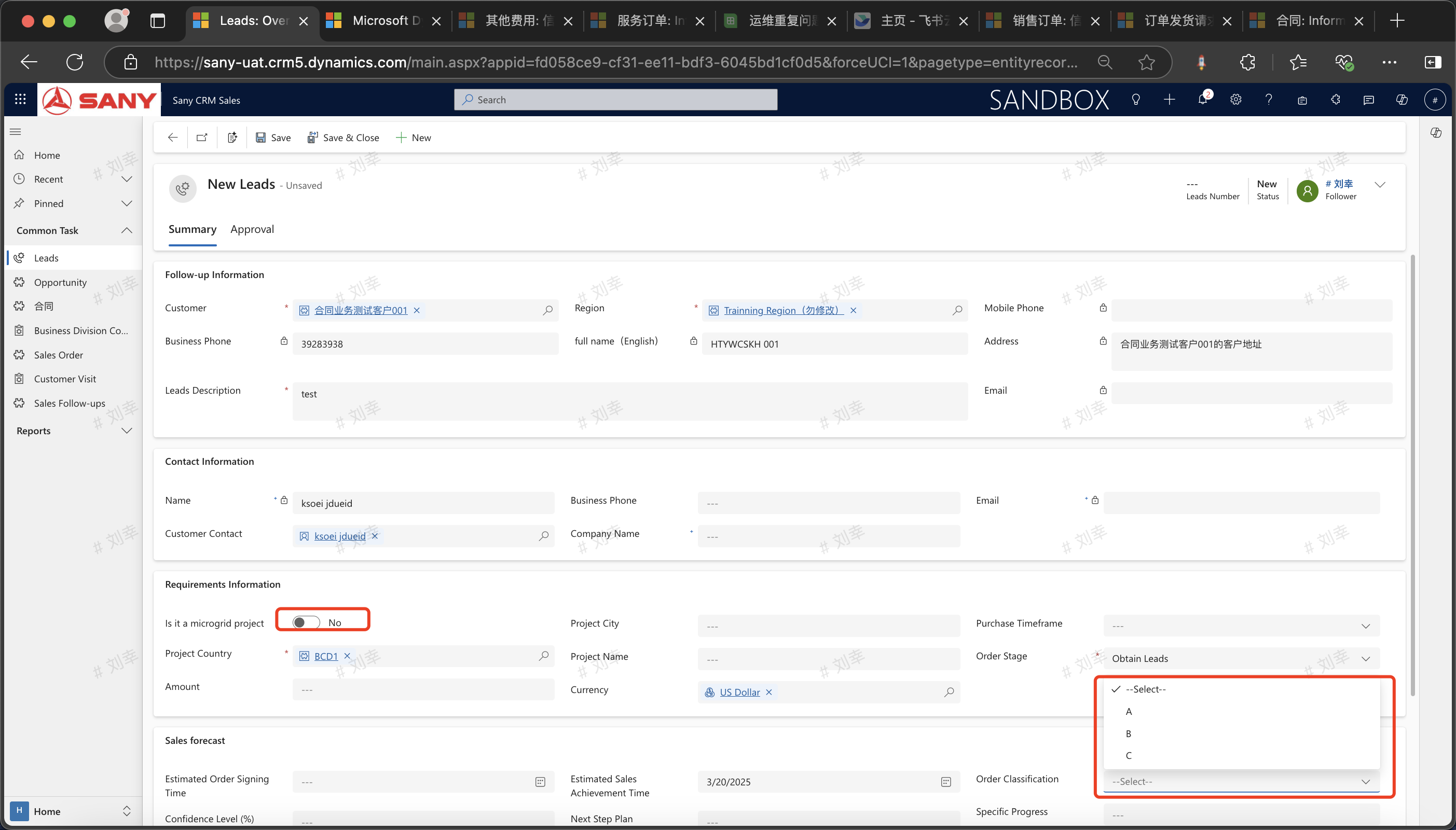
The marketing representative creates new leads, enters the lead information with 3 required fields, and saves it.
Lead Follow-up
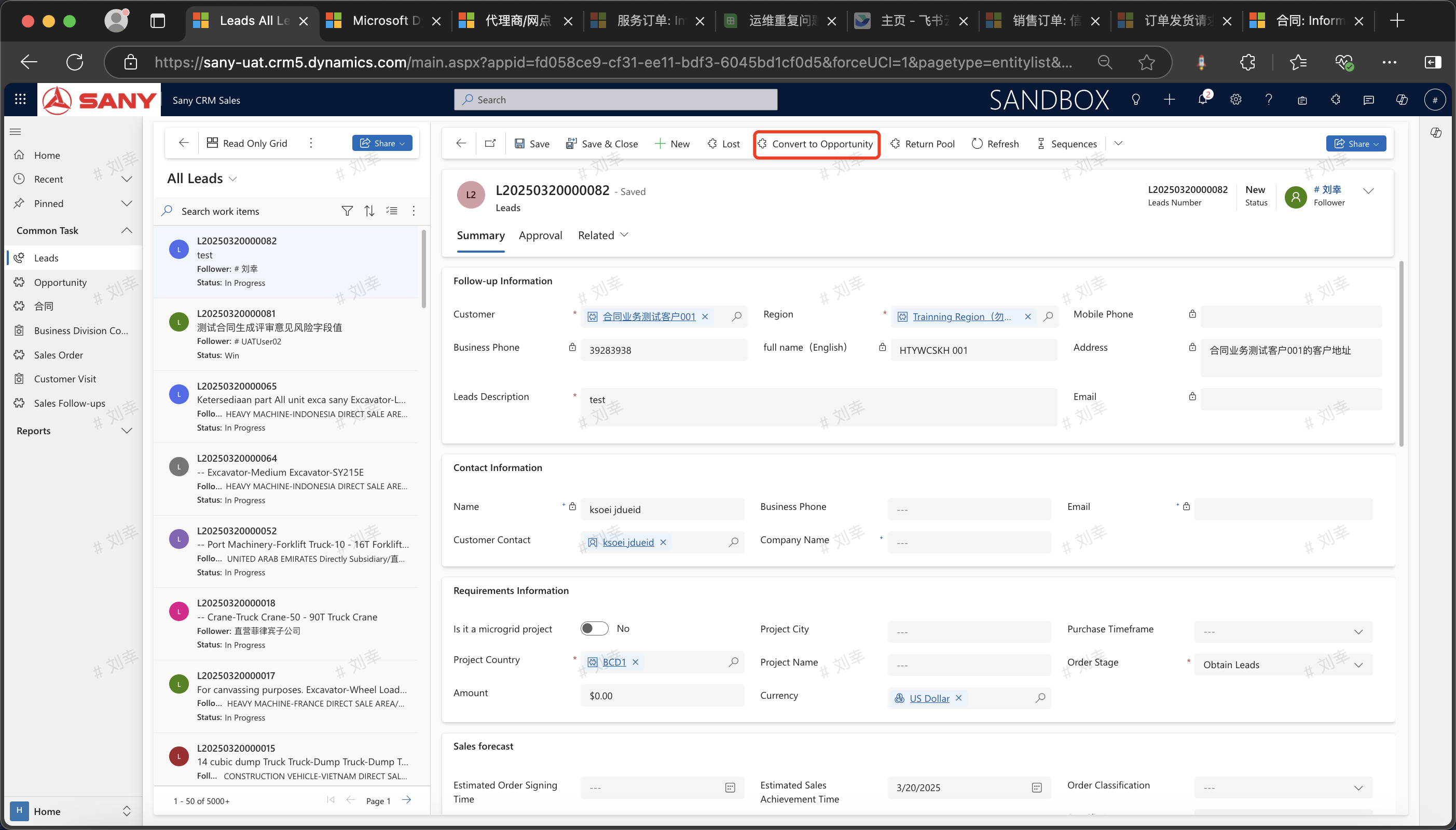
My Leads -> Filter out the leads to be followed up -> Double-click to open, where you can enter the requirement, contact, source, and timeline information obtained from this lead follow-up (all are non-required fields) -> Save
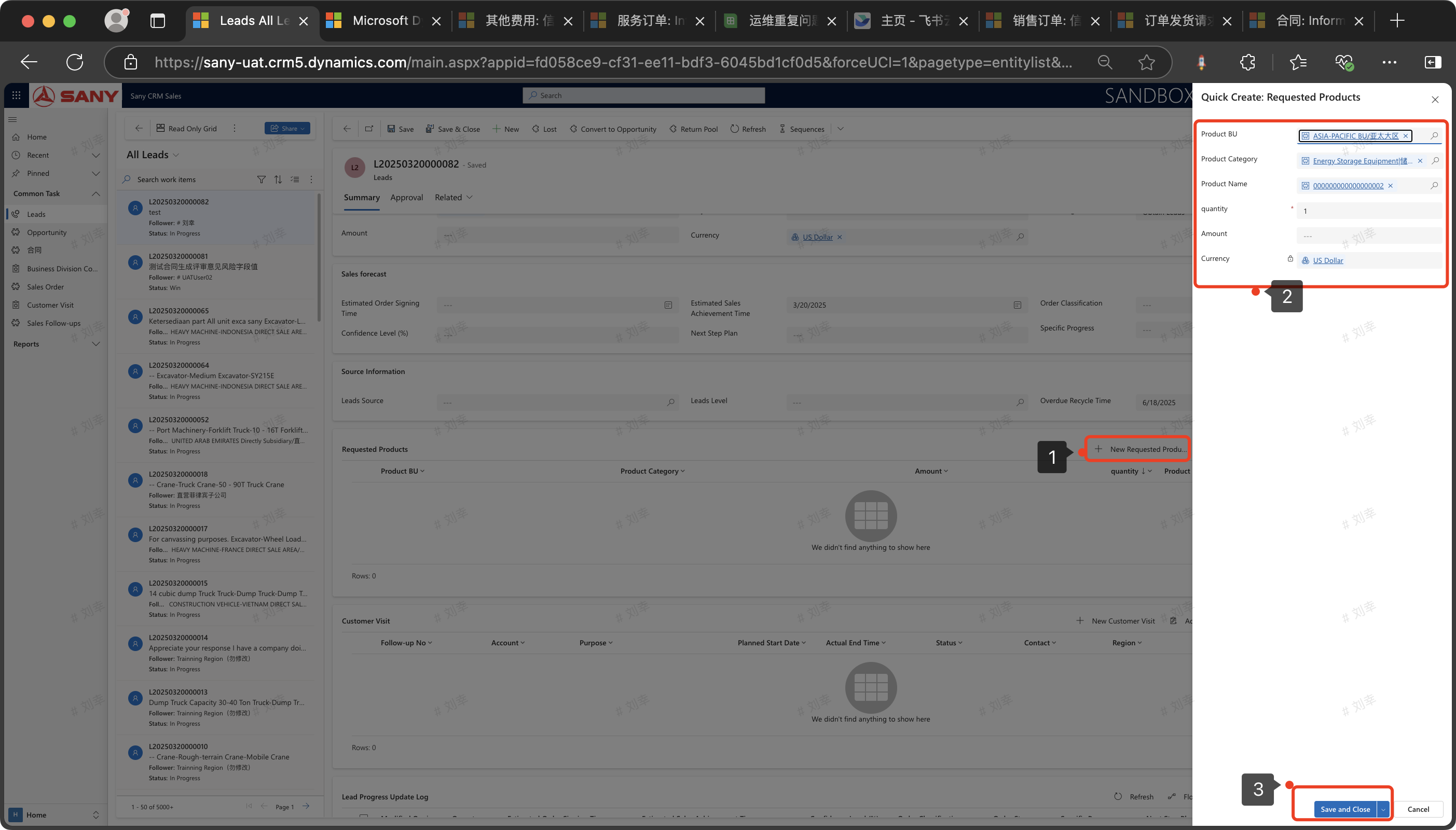
Filter out lost-order leads from "My Leads", double-click to open, then click "Create New Required Product"
As shown in the figure: [Create New Required Product 2] Create a required product
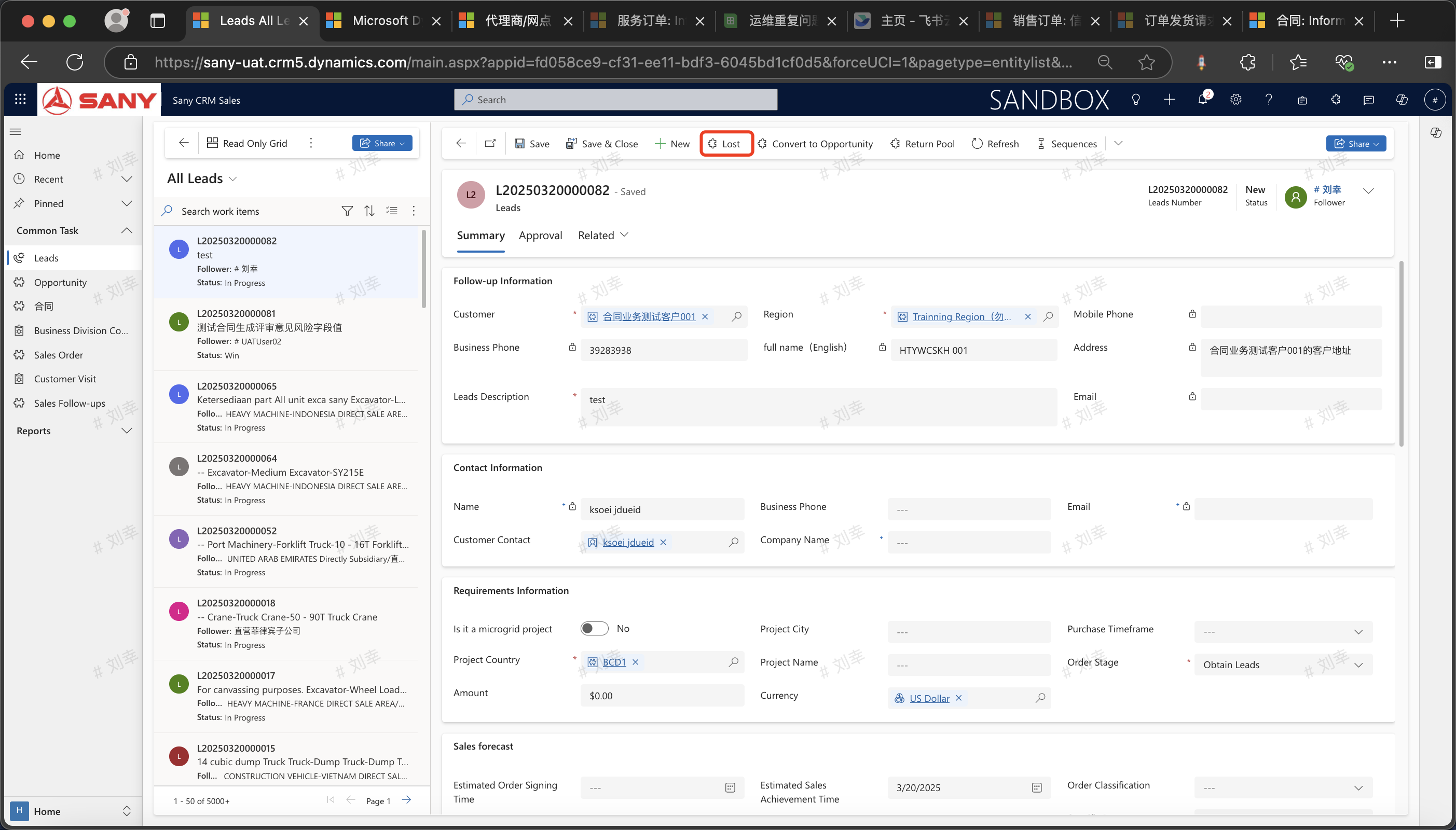
Discarding Lost Leads (Invalidating Lost Leads)
My Leads -> Filter out the lost leads -> Double - click to open -> Click the "Mark as Lost" button -> Confirm the loss of the lead.
Convert Valid Leads into Business Opportunities
My Leads -> Filter the leads -> Double - click to open -> Click the "Convert to Business Opportunity" button -> Confirm the conversion to a business opportunity.