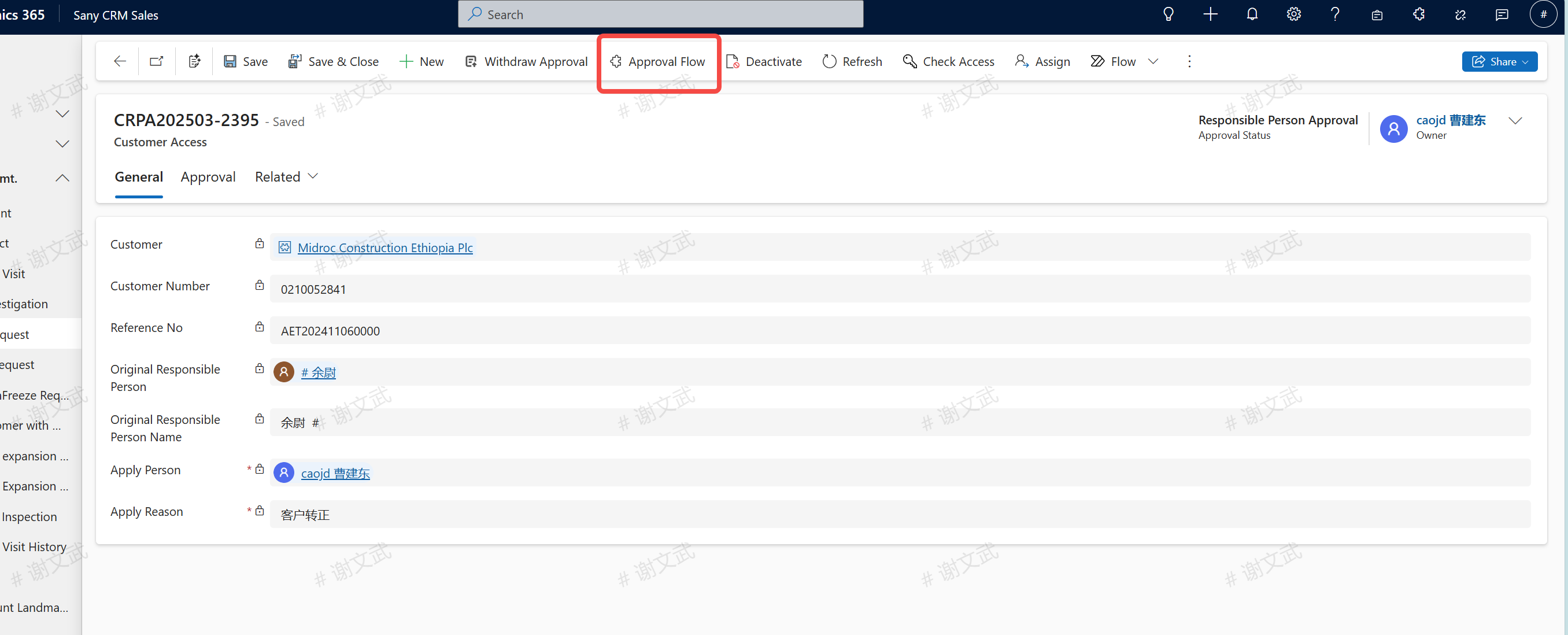
Application for Customer Responsible Person
Enter path: Sany CRM Sales - > Customer - > Customer Management - > Customer Responsible Person Application - > + New
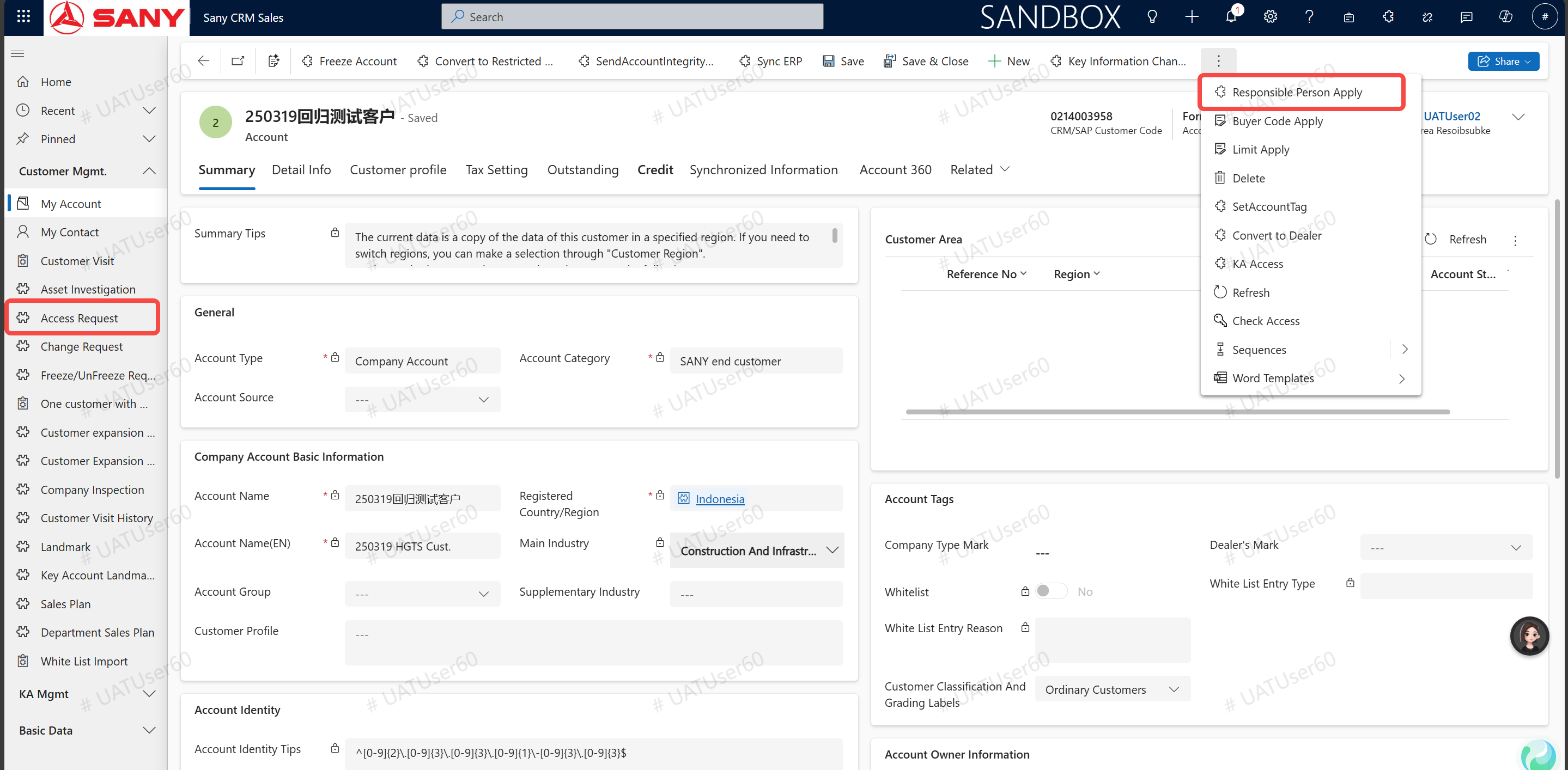
Apply for a New Customer Responsible Person
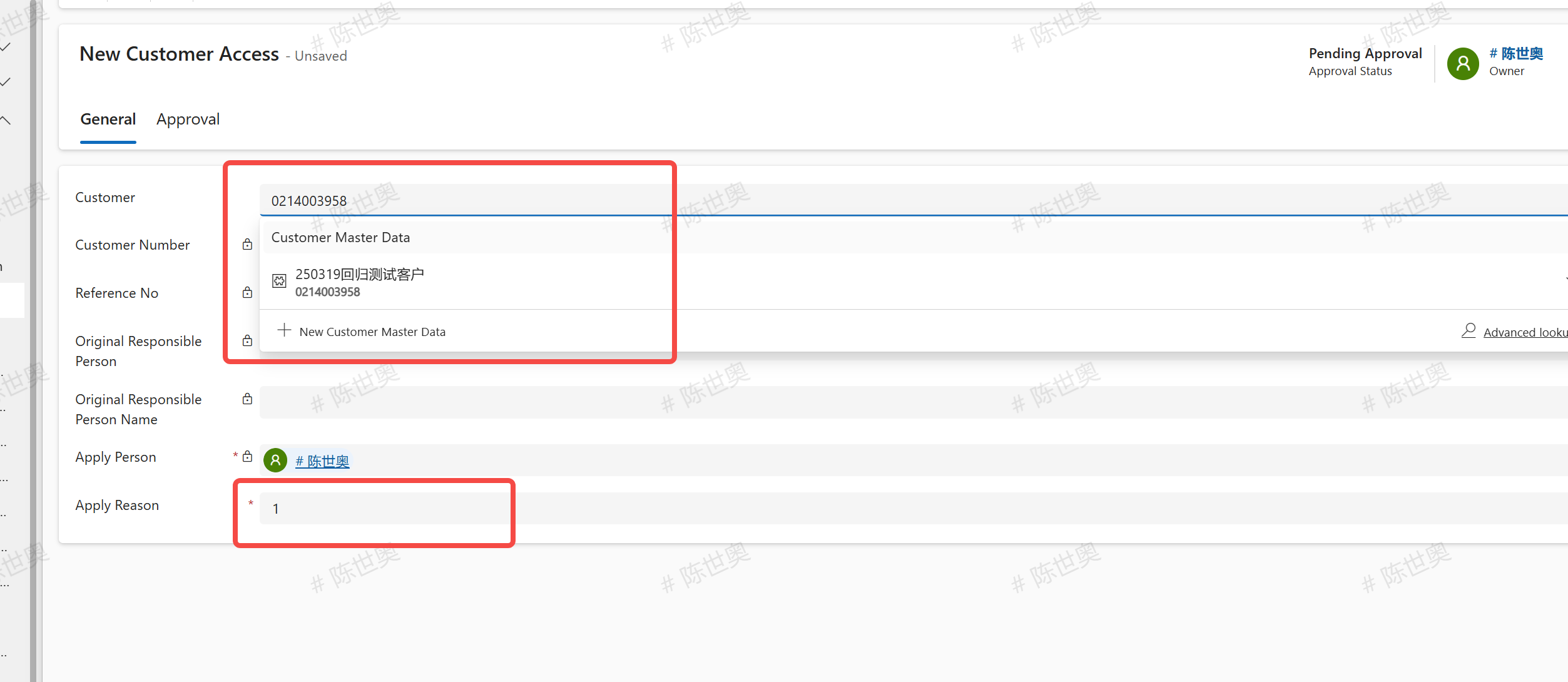
According to the customer number (10 digits are required, if you can't find it, you can add 0 at the beginning), the customer name (you can vaguely inquire by adding\ * in front of it), fill in the application reason and click "Save".
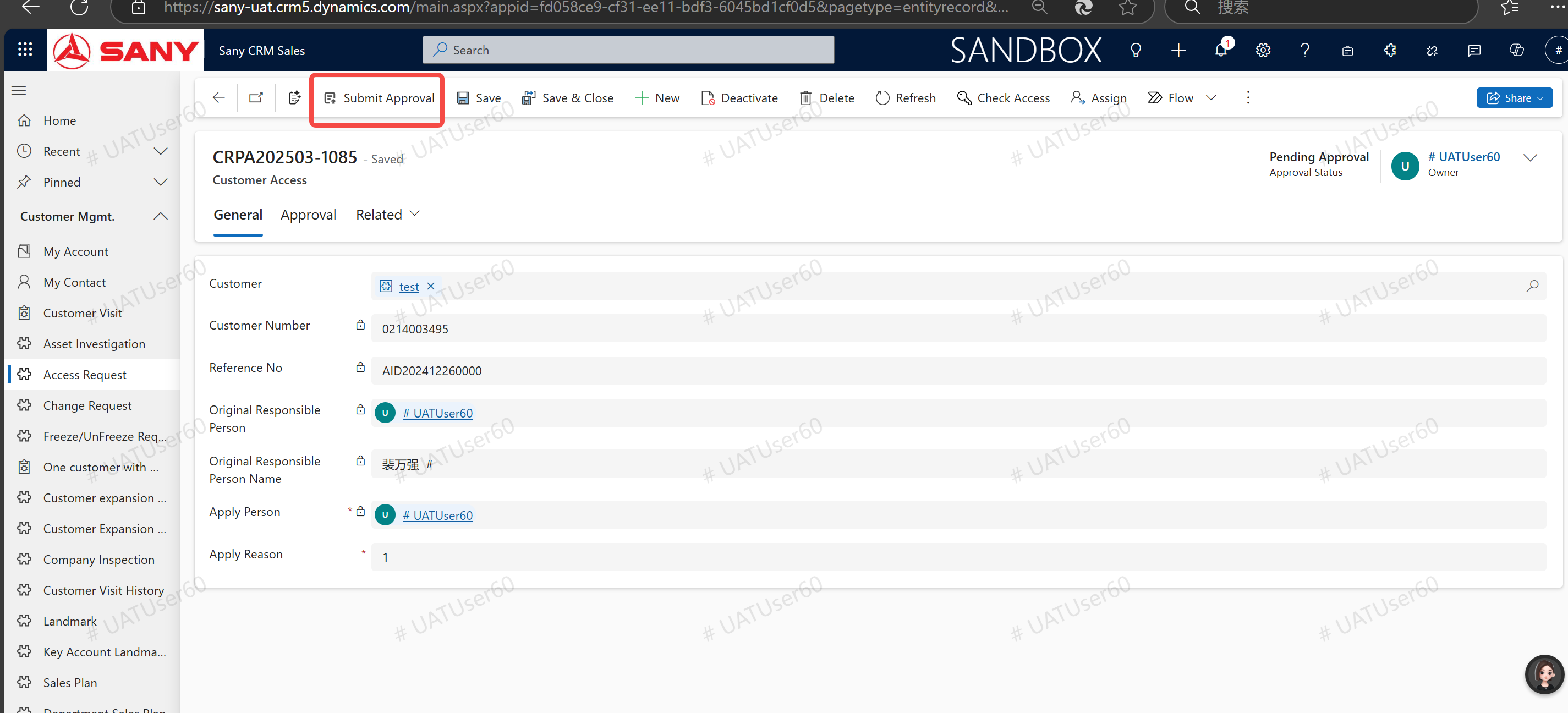
After saving, click "Submit for Approval".
Check the approval process, click the "View BPP Approval" button to jump to the BPP approval process, and then operate the customer after the approval is passed.