Return Ruquest
Create a Return Ruquest Order
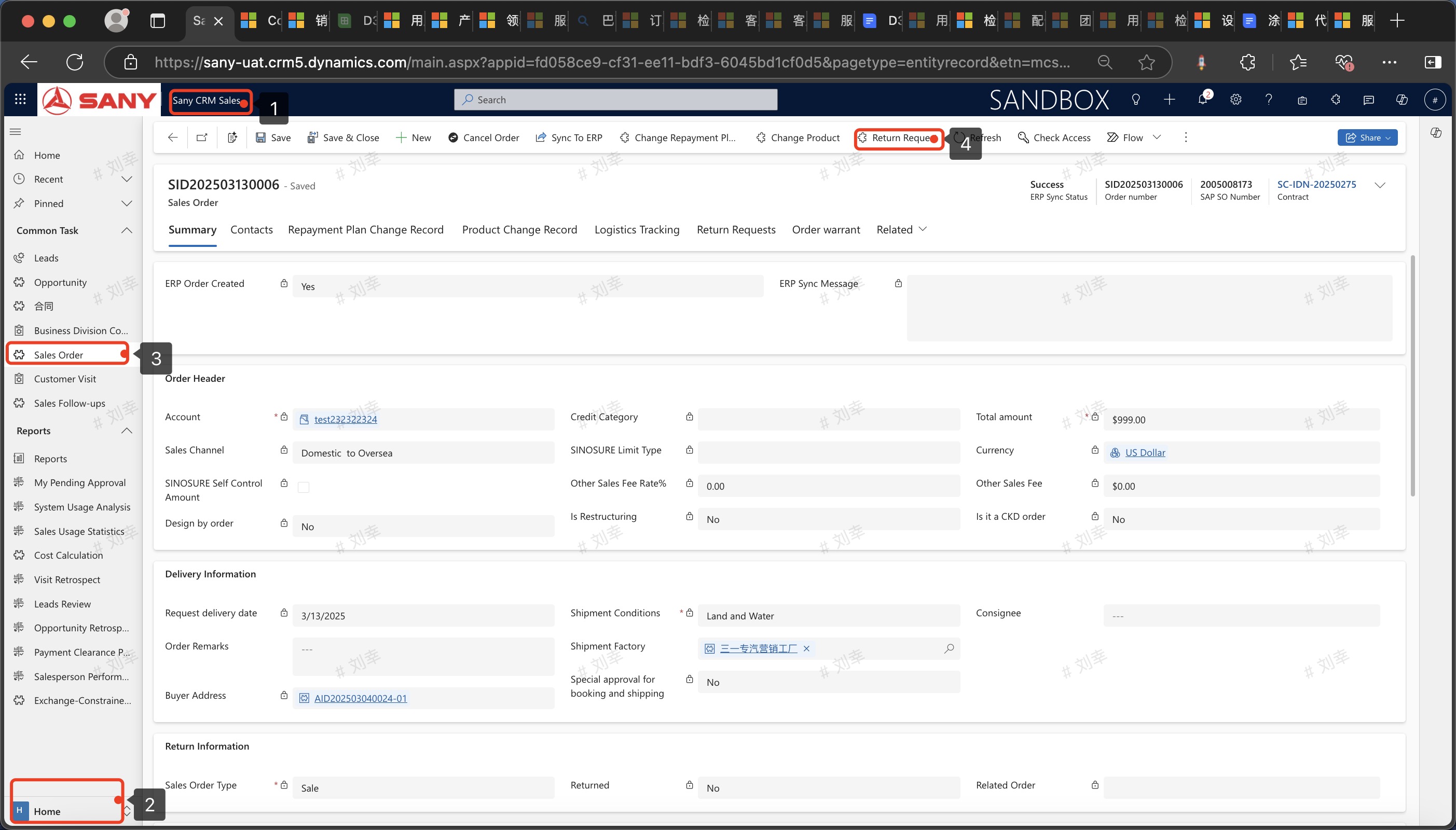
Entry Path: Sany CRM Sales -> Home -> Sales Order -> Return Ruquest
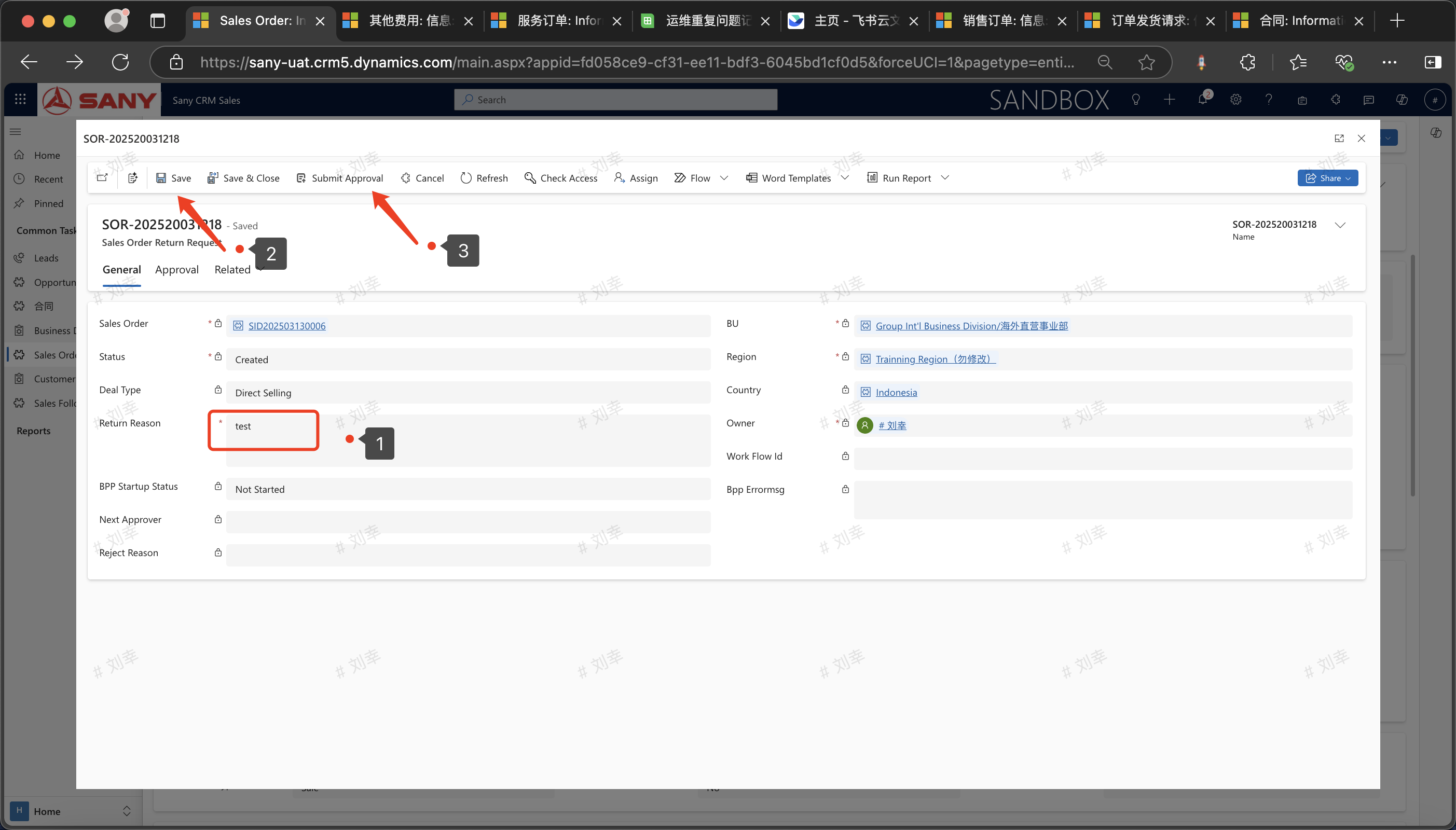
 The page will jump to [Sales Order Goods Return Request]. After the sales order information is automatically populated, fill in the reason for the goods return, click "Save" -> "Submit for Approval".
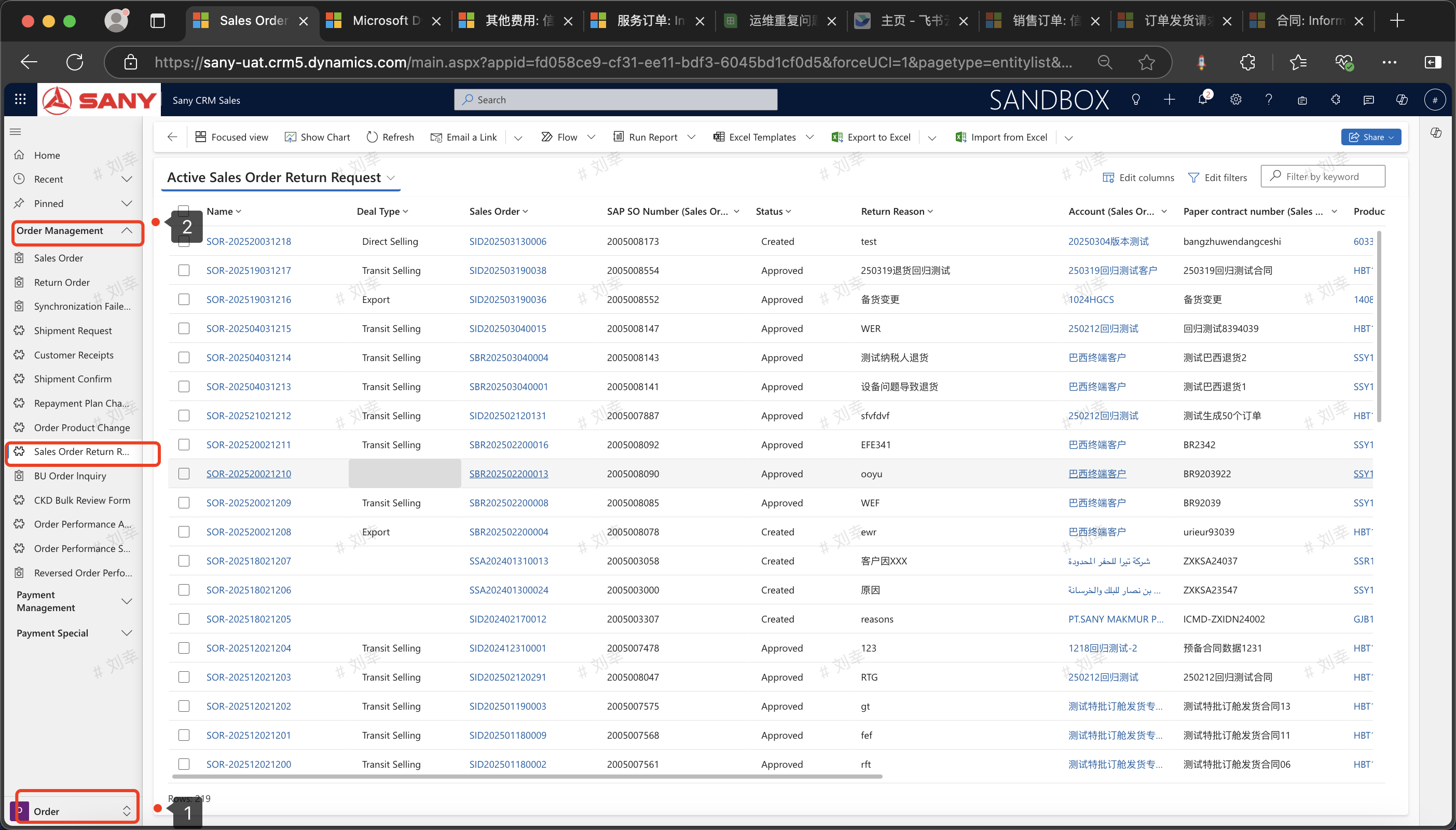
You can check the goods return application form and the approval progress in the records of :Order - Order Management - Sales Order Return Request