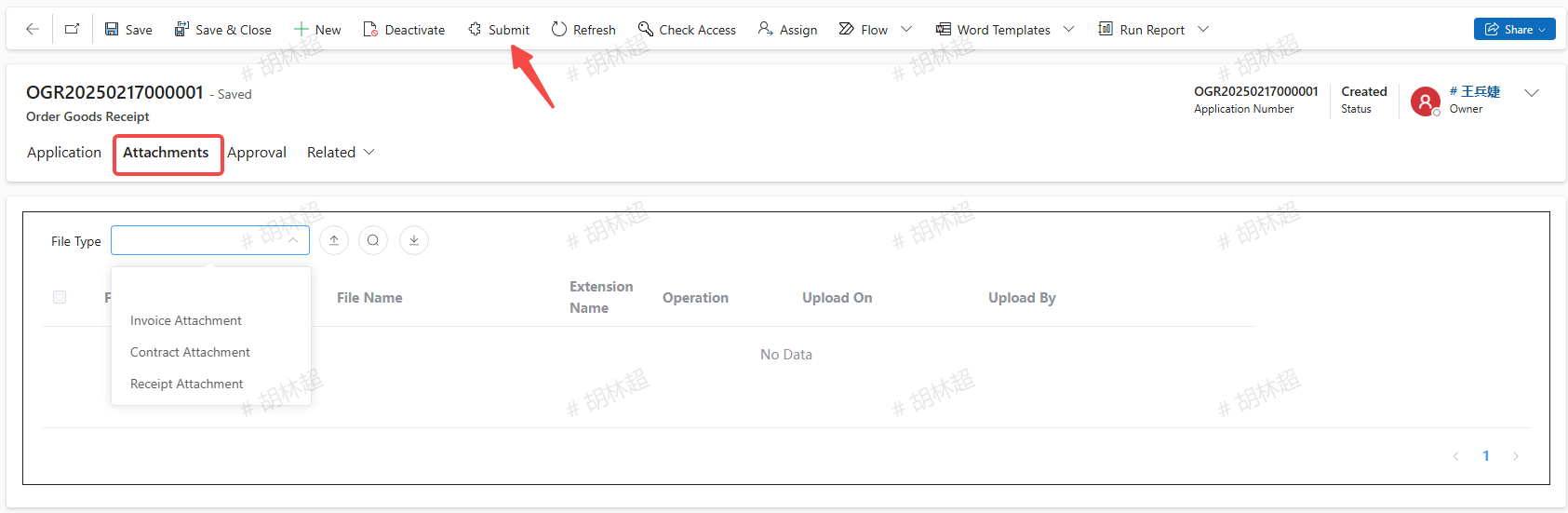
CustomerReceipts
Create CustomerReceipts
Note: Only for orders that have been shipped is it allowed to create a customer receipt slip.
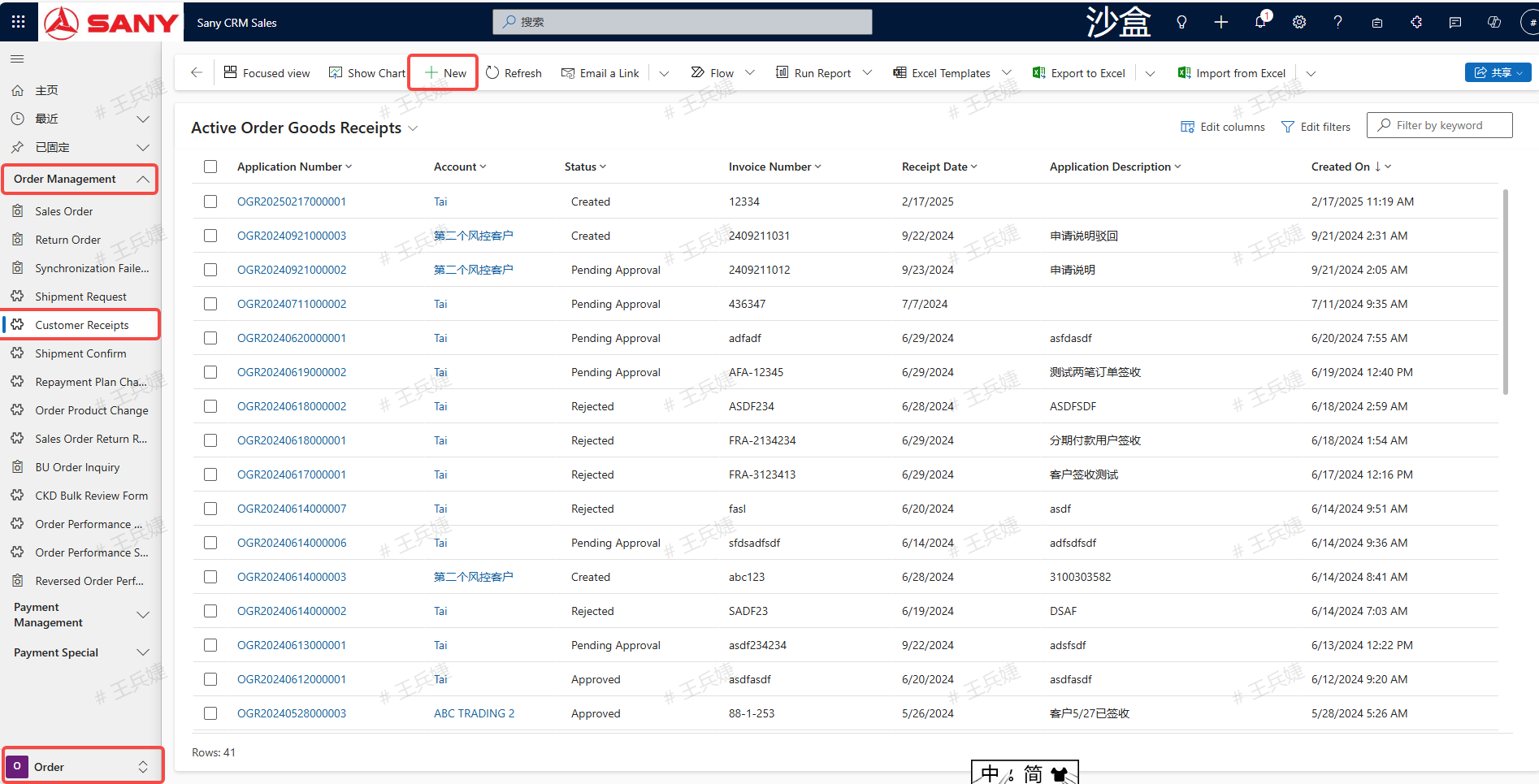
Entry Path: Sany CRM Sales -> Order Execution -> Order Management -> Customer Receipt -> New Creation
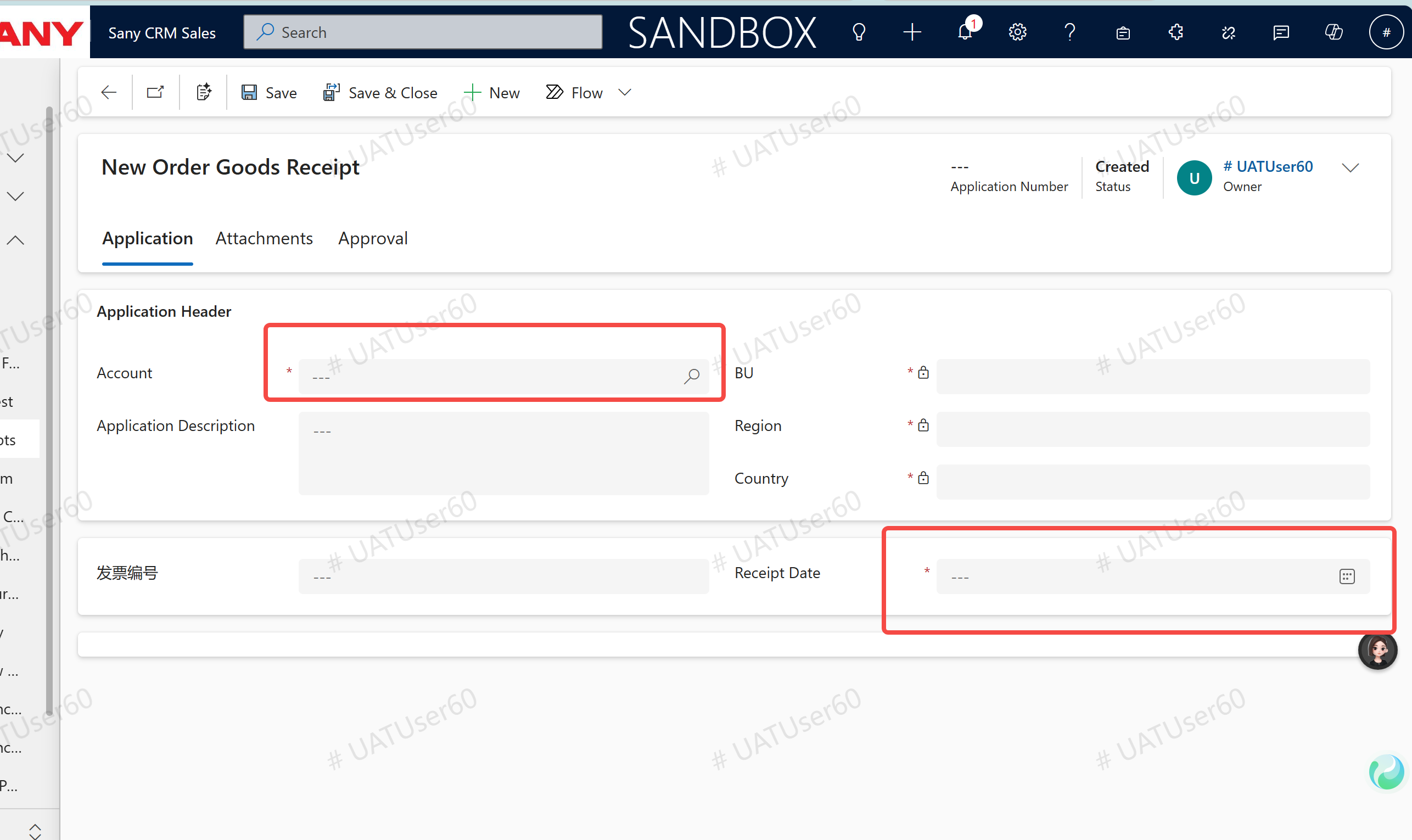
Select the customer, fill in the application description, invoice number, and receipt date, and then click the "Save" button.
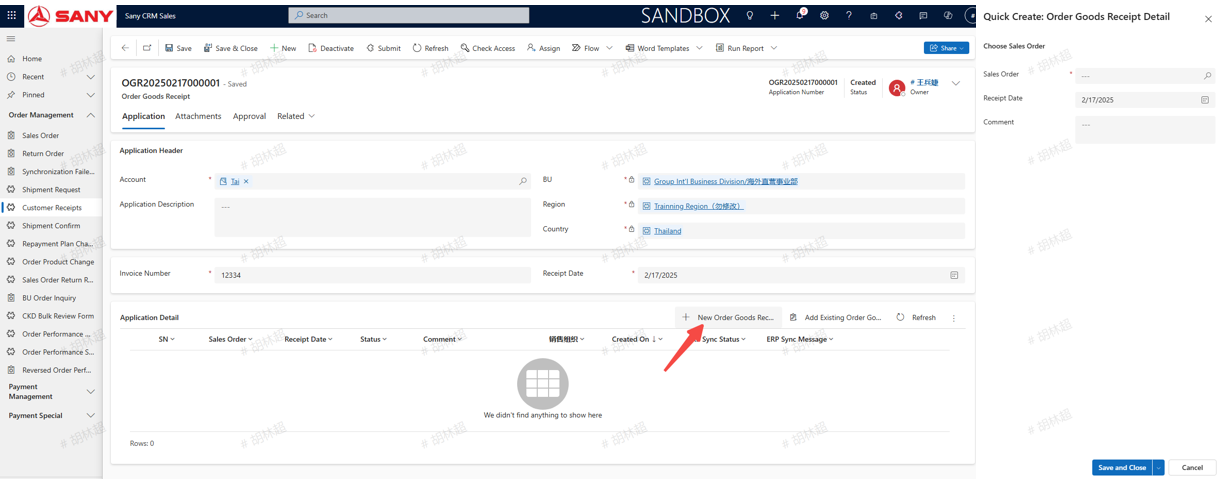
In the "Application Details", click "New Order Receipt Details" in the upper right corner; select the customer's uninvoiced sales order in the pop-up window, and click "Save and Close";
Upload "invoice", "contract", "receipt" and other attachments, and click "Submit". After approval, a delivery order will be automatically created in the ERP.