Change Product
Create Change Product Order
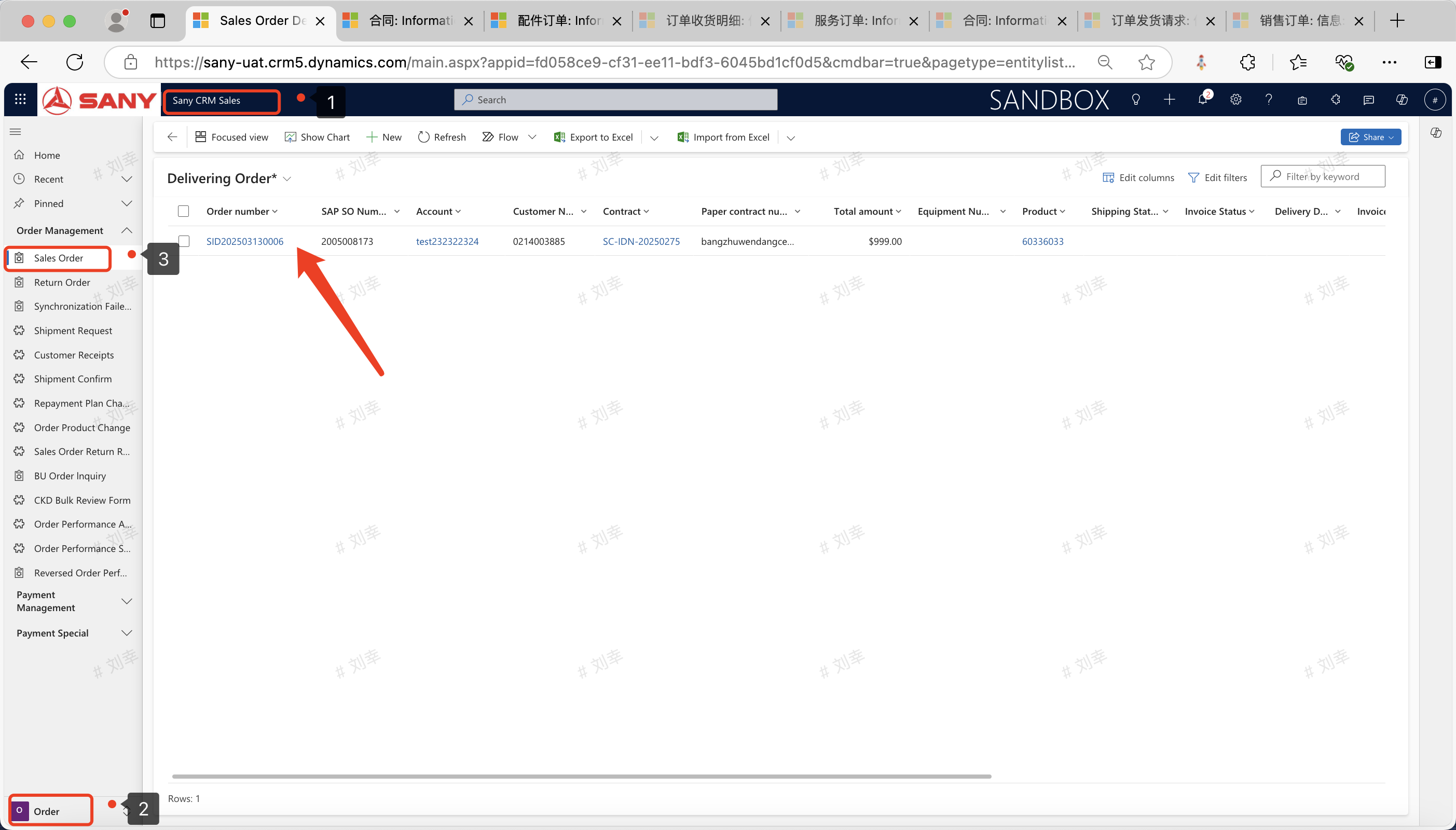
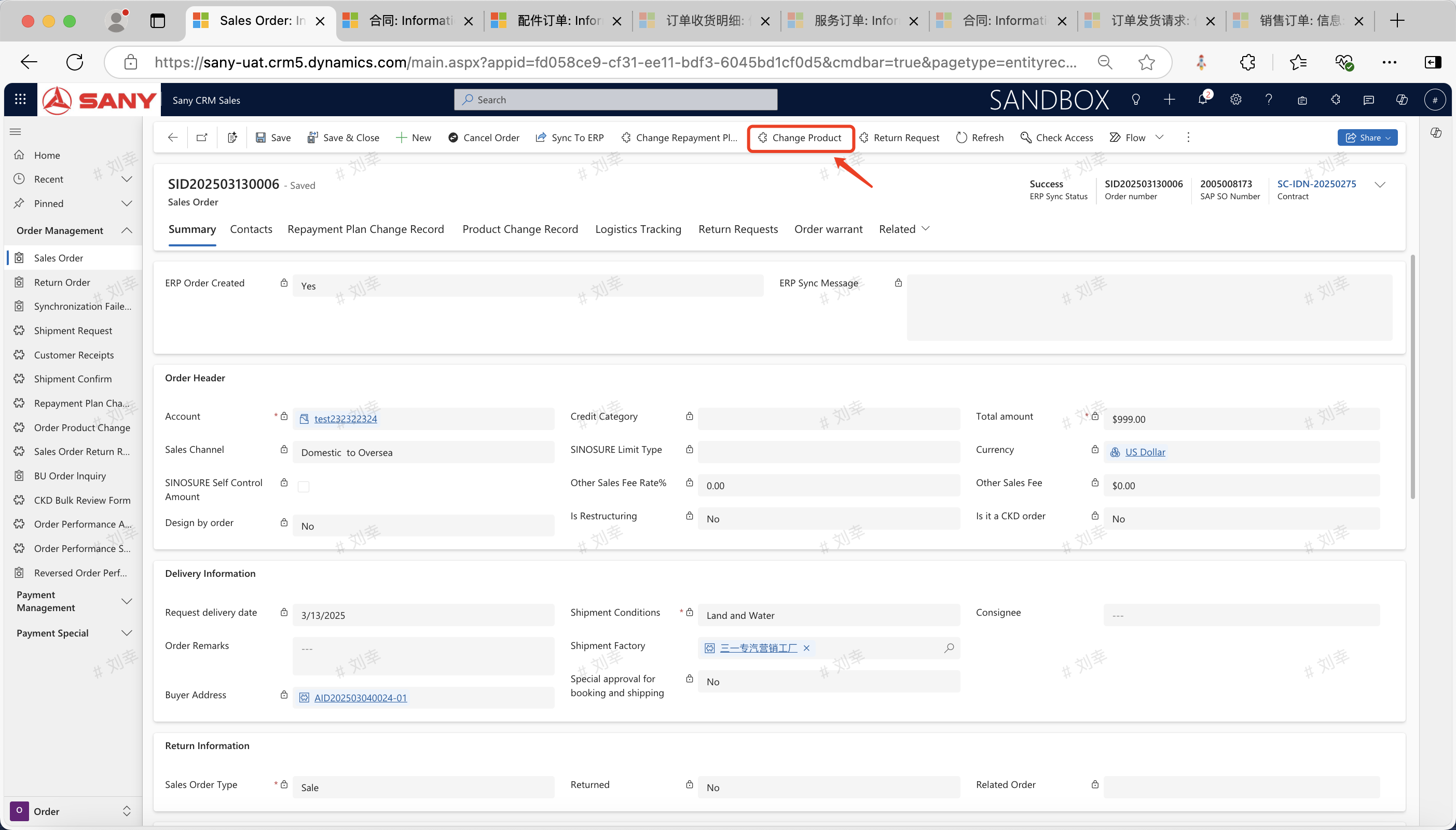
Entry Path: Sany CRM Sales -> Order -> Sales Order -> Locate the sales order with materials to be changed among the orders in delivery -> Change Product
Fill in the material number of the substitute product in the pop-up window (if the equivalent materials for this product have not been maintained, please first maintain them in Product - Product Configuration - Equivalent Materials).
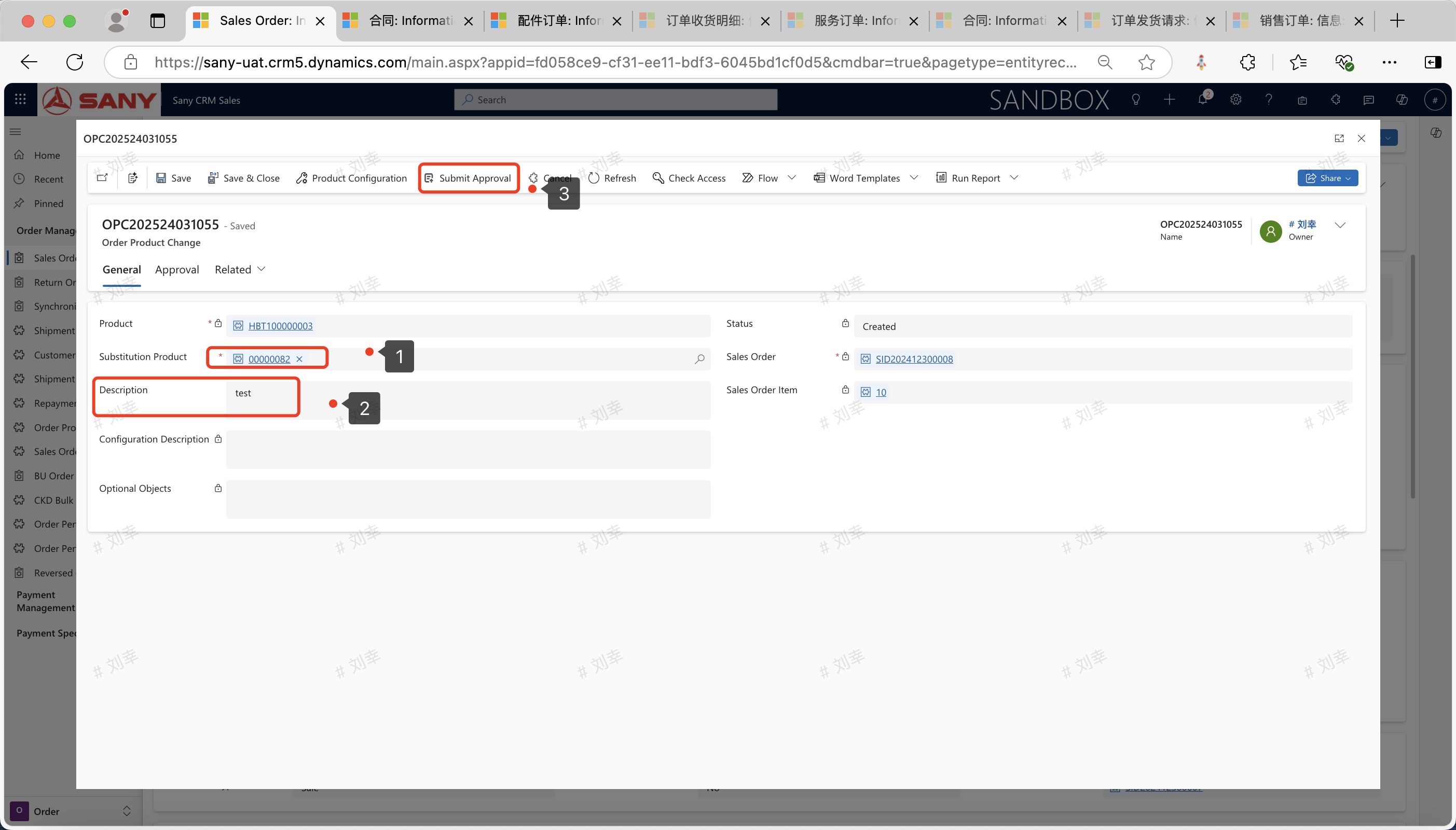
Click "Save" - "Submit for Approval".
Demo Video