Shipment PDI
Shipment PDl
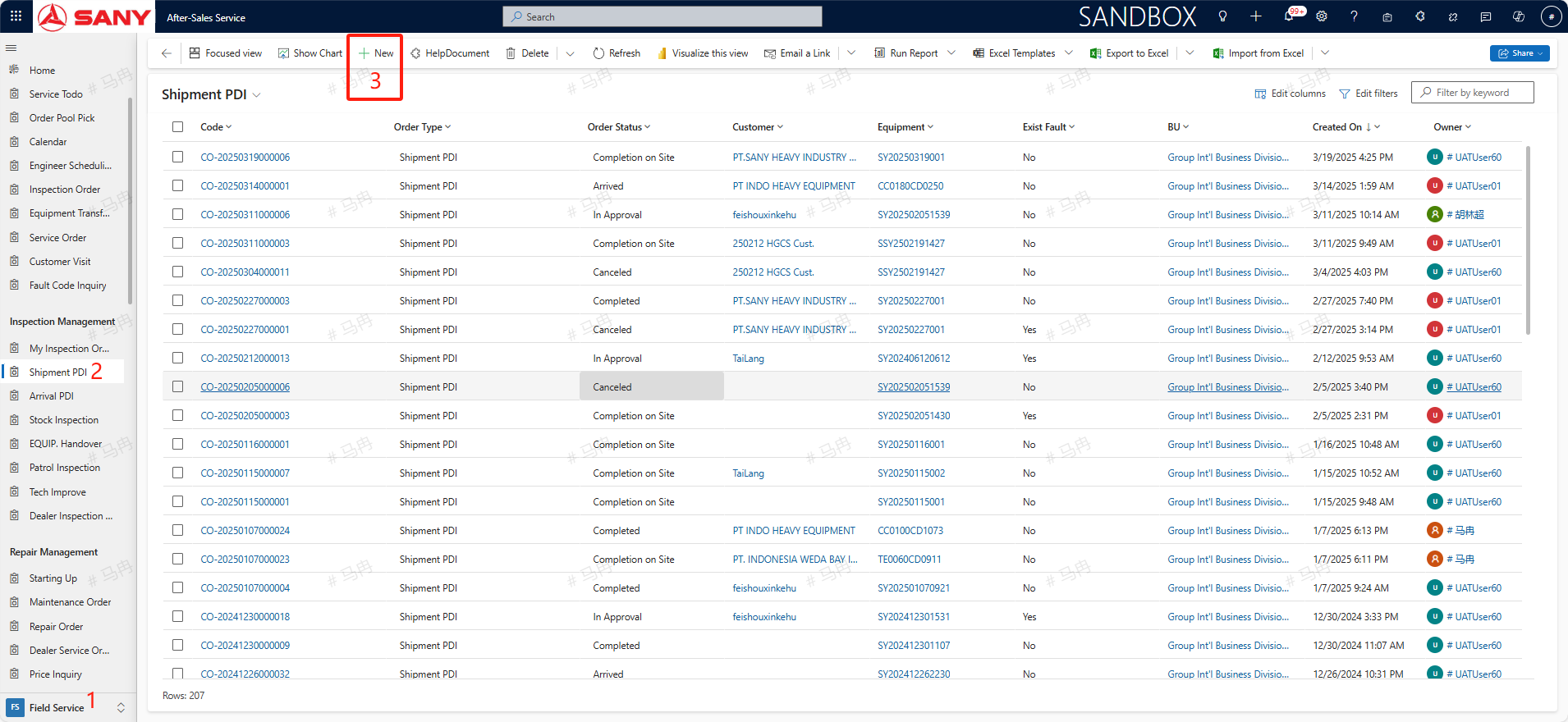
Path: Field Service -> Inspection Management-> Shipment PDl
Create
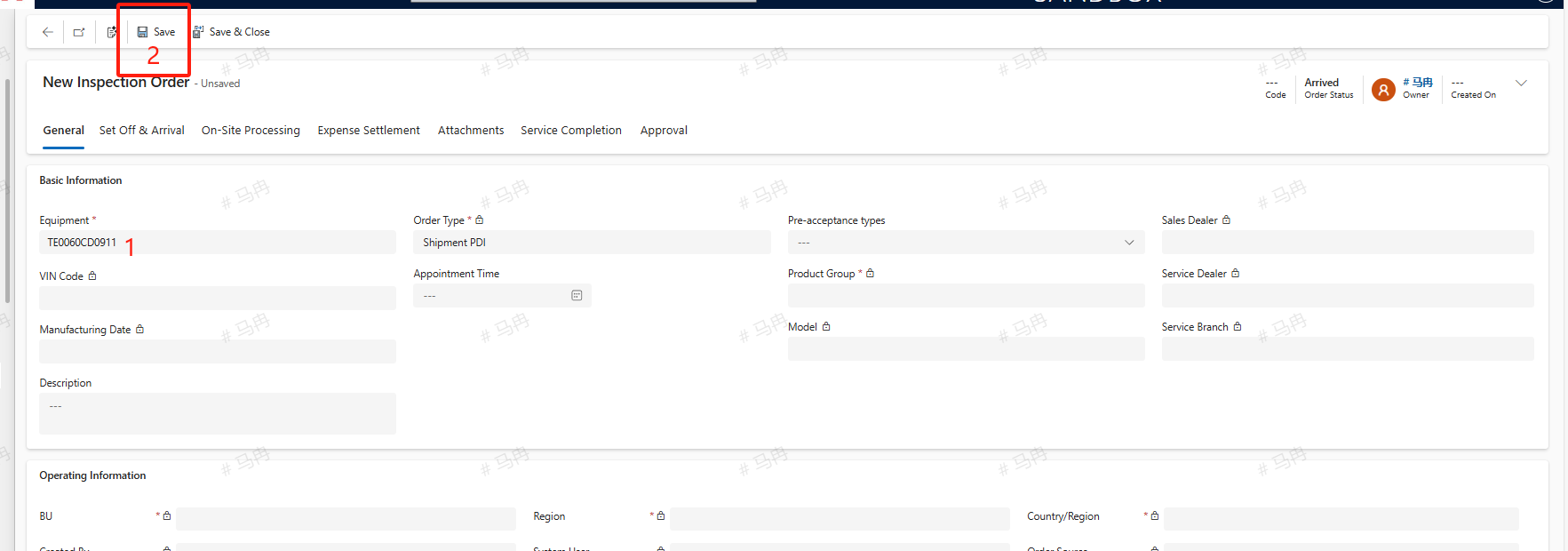
Only industrial vehicles require Shipment PDI to be performed in the system; for all other equipment, Shipment PDI is conducted domestically. After filling in the Equipment number, click save.
On-Site Processing
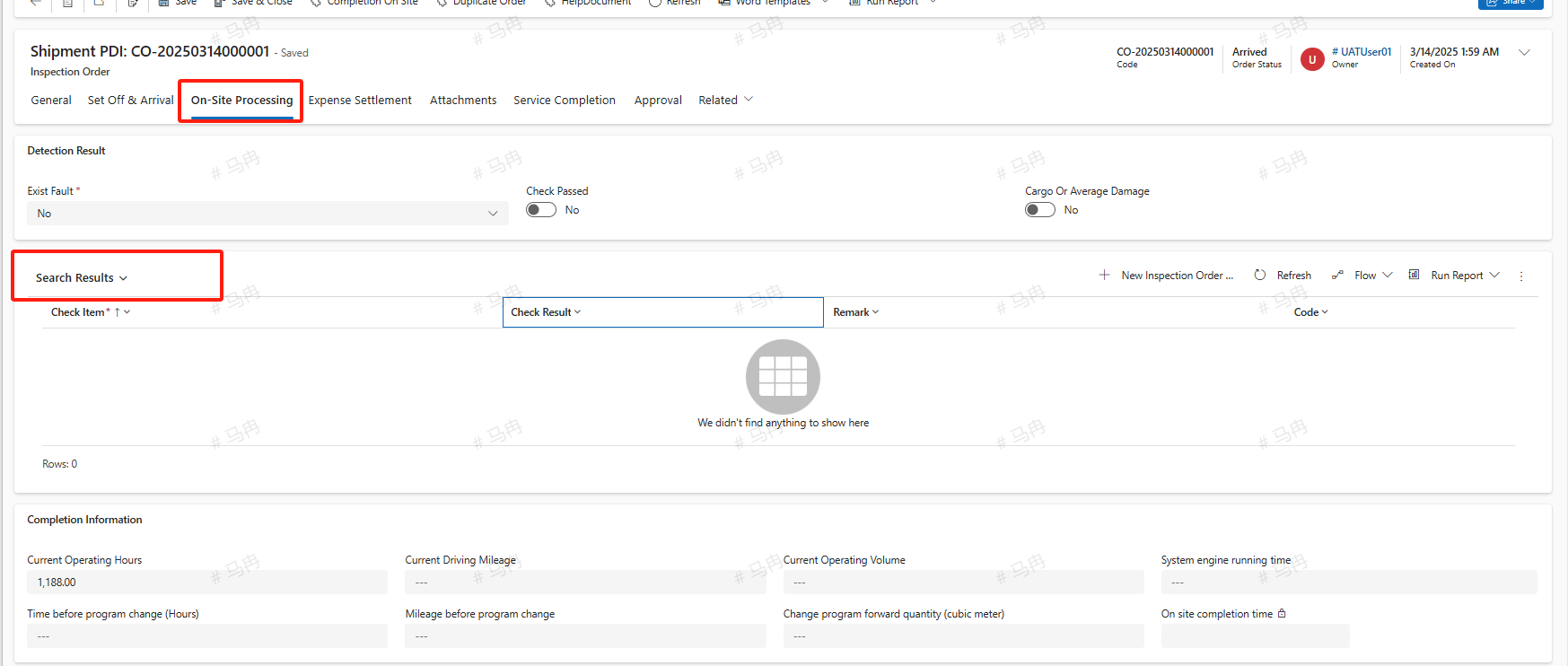
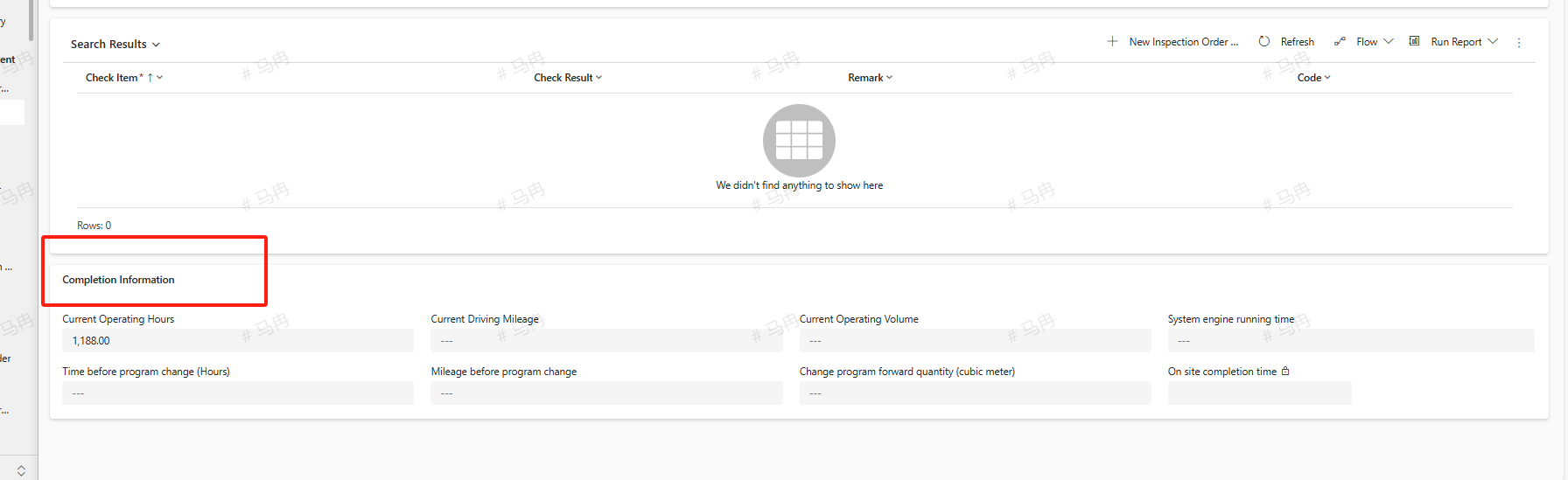
The newly created Shipment PDI is by default in the 'arrived' status. Switch to the On-Site Processing tab and proceed with the inspection according to the Search Results. If there is a need to add new inspection items, click the +New Inspection Order Check Item button to create a new inspection order check item. In the completion information, if there are values for Current Operating Hours, Current Driving Mileage, and Current Operating Volume, fill them in the corresponding entries. After completion, click the SAVE button.
Create Repair Order
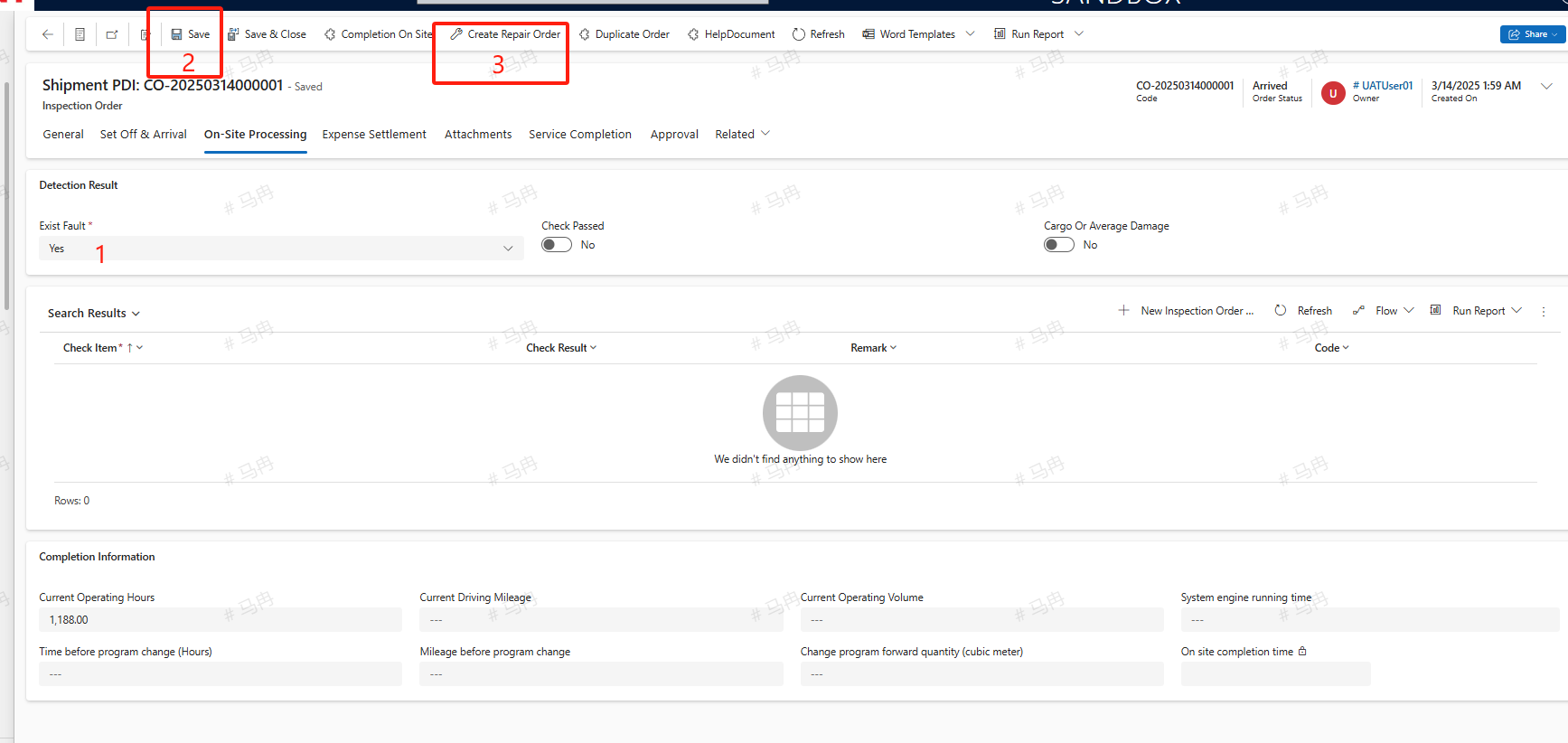
If the shipment equipment is found to be damaged during the pre-acceptance process and requires a Create Repair Order, select 'Yes' for the Exist Fault, then save. You will see the Create Repair Order button, and clicking on it will allow you to create the order. The created repair order will default to 'arrived' status.
Completion On Site
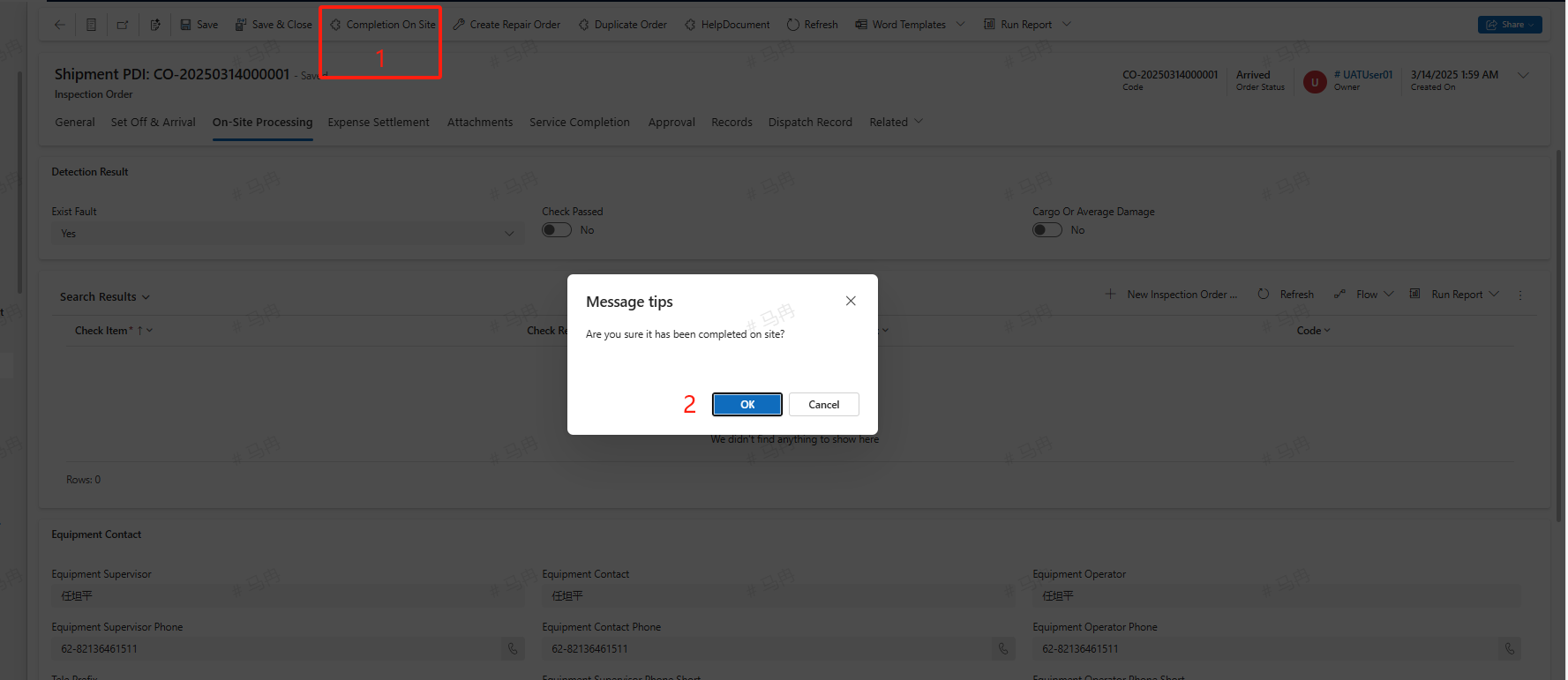
After completing the on-site pre-acceptance work, click the Completion On Site button to finalize the Completion On Site process.
Service Completion
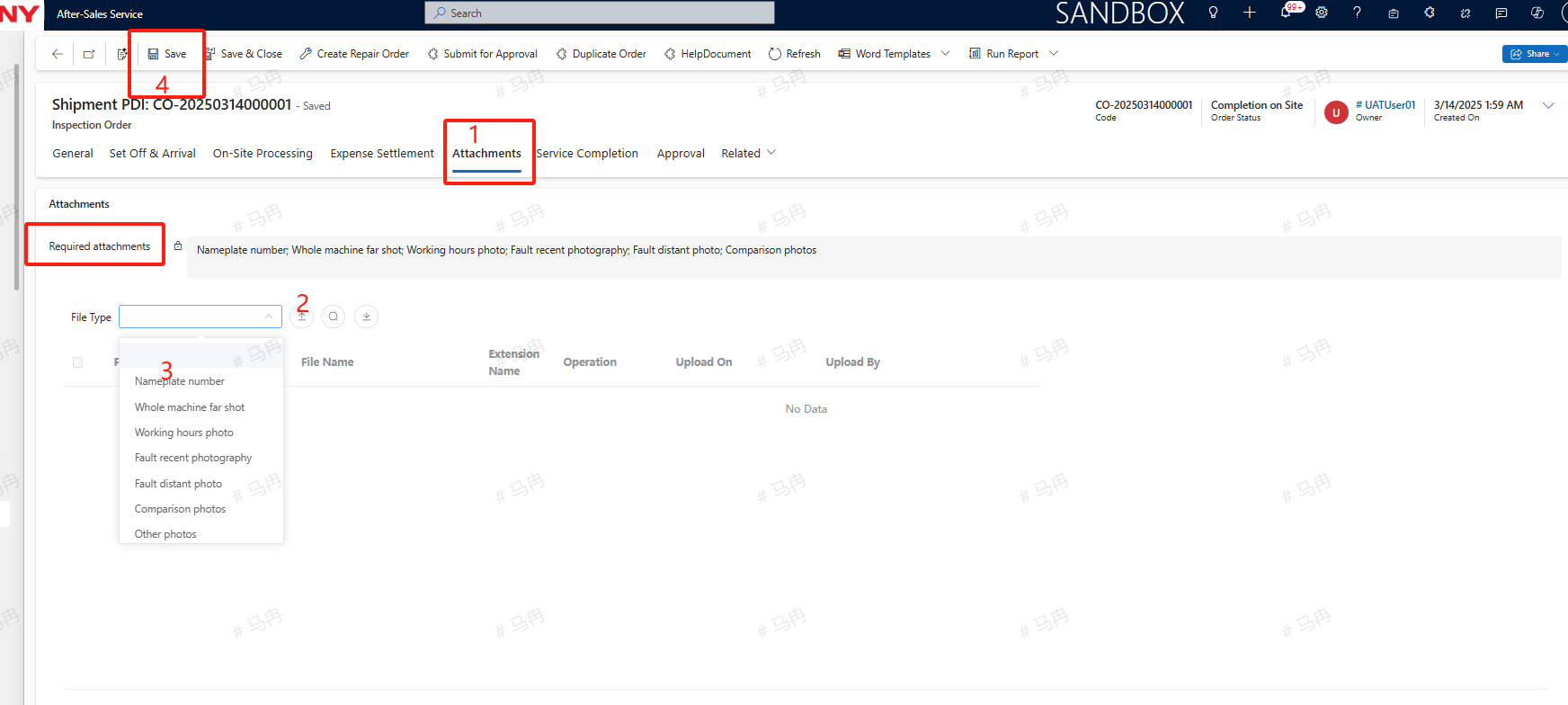
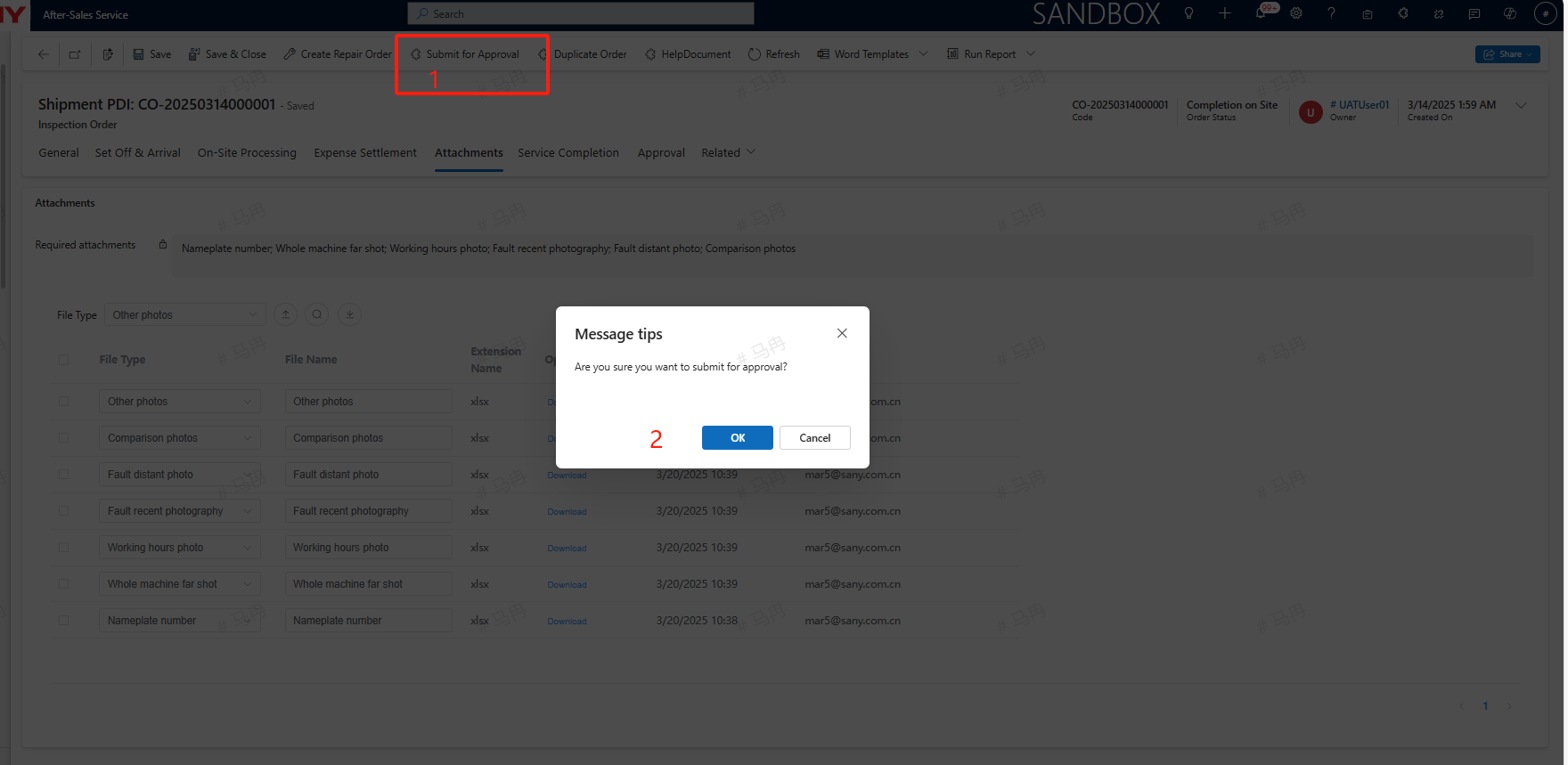
Switch to the Attachments tab and upload the necessary File Type for the shipment pre-acceptance. After uploading, save and click Submit for Approval to submit the Completion of service for approval. If a Create Repair Order has been initiated, it is mandatory to first complete the Repair Order Completion of service before submitting the shipment PDI of service for approval.