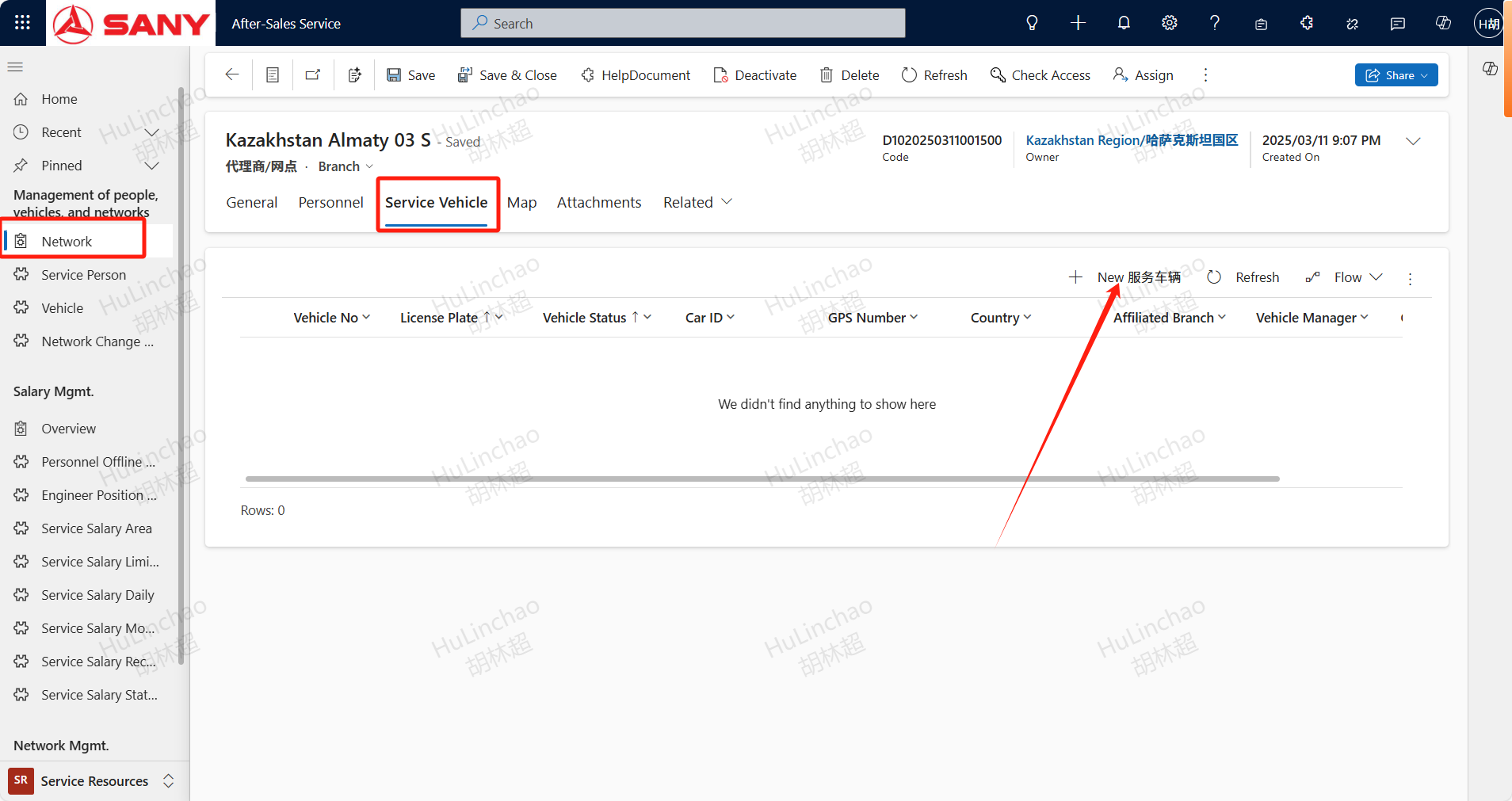
Vehicle
Vehicle
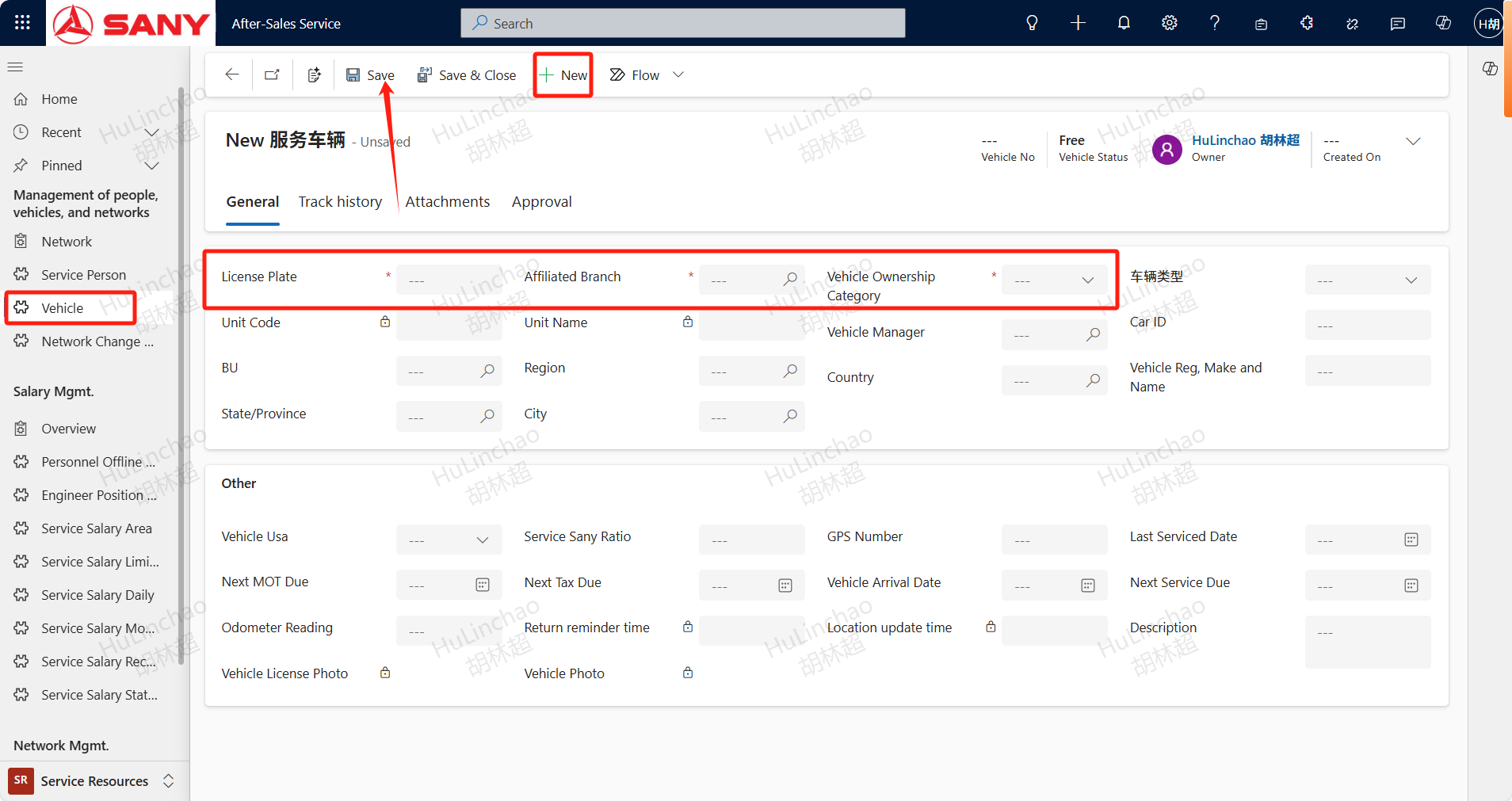
Input : Service Resources -- Management of people,vehicles, and networks -- Vehicle
New Service Vehicle:
Open the vehicle menu,+New,Create a new service vehicle,Enter the license plate number,Affiliated Branch,Vehicle Ownership Category and other needed information then Save.
Associate Network with the vehicle
Open the Network menu, filter the Network that needs to add a vehicle, double-click to open the details, click the "+ New Service Vehicle" button under the Service Vehicles tab, and follow the same steps as above after opening