Parts Write Off
Parts Write Off
Applicable scenarios: For the service order that initiates borrowing materials, after the service order service is completed, the consumed and used accessories need to be verified based on the service order;
Prerequisites: Free spare parts that have been generated and the synchronization ERP is successful and have been shipped without verification;
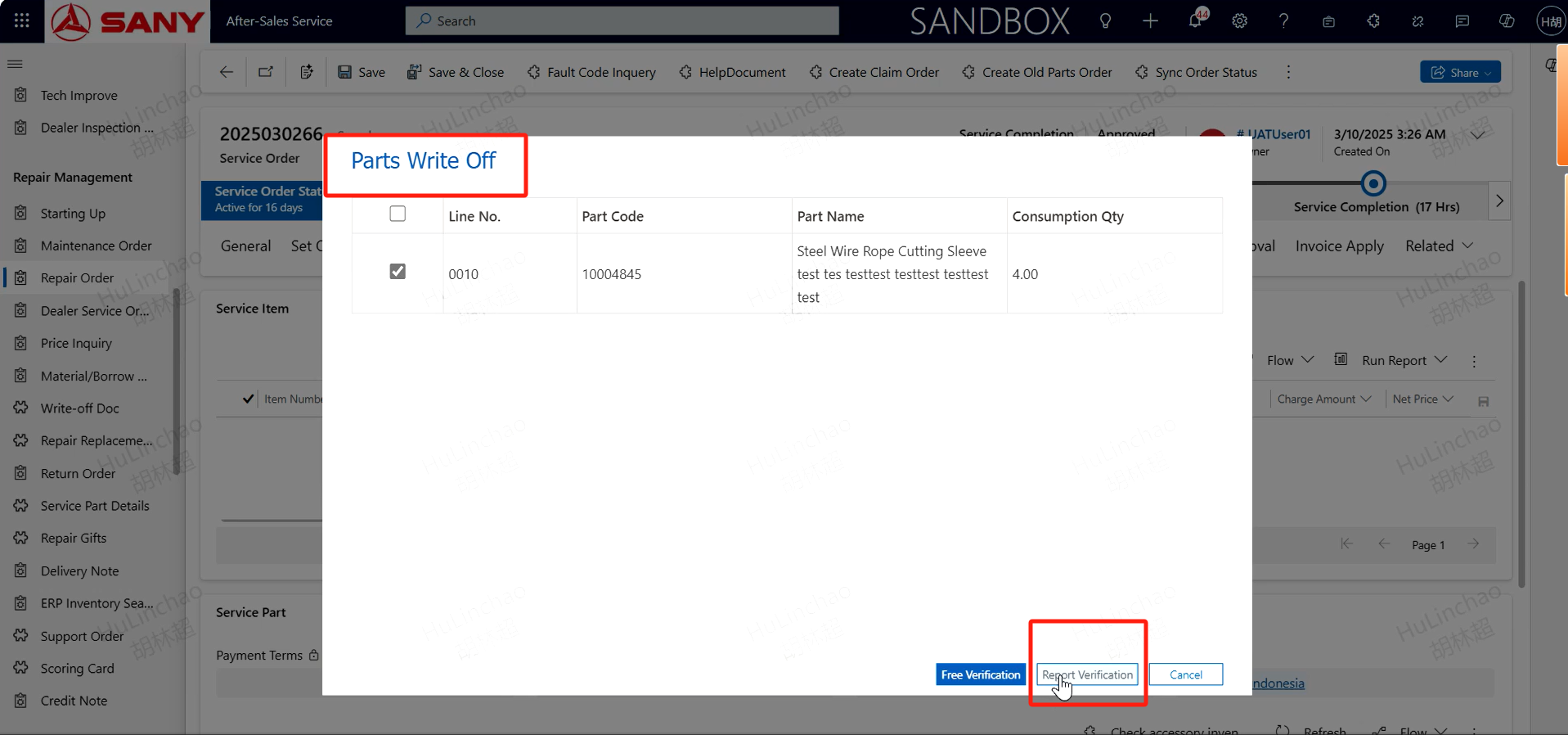
Specific operation: For the service order that meets the verification, after the service is completed, click the spare parts verification button to create the verification
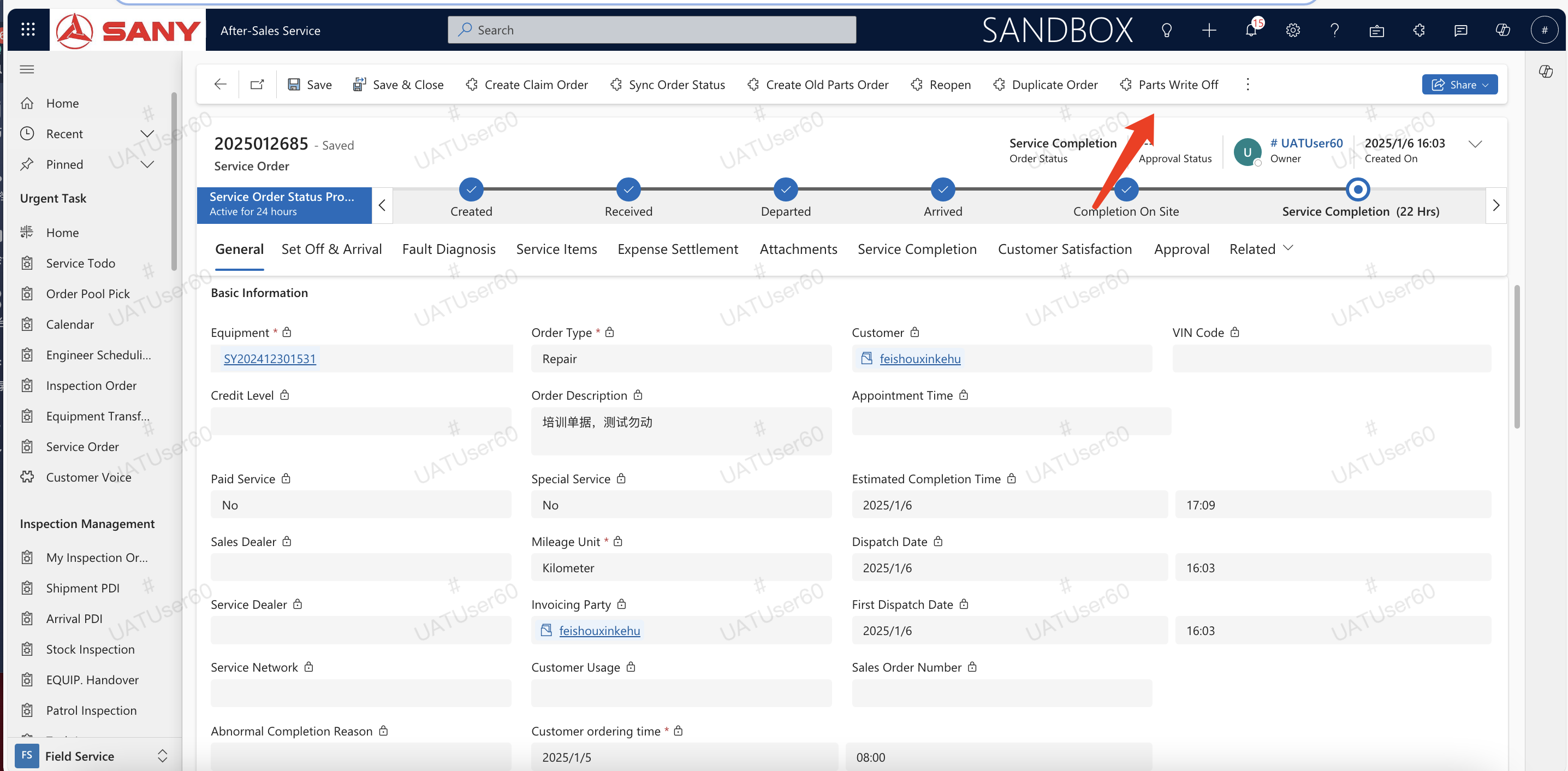
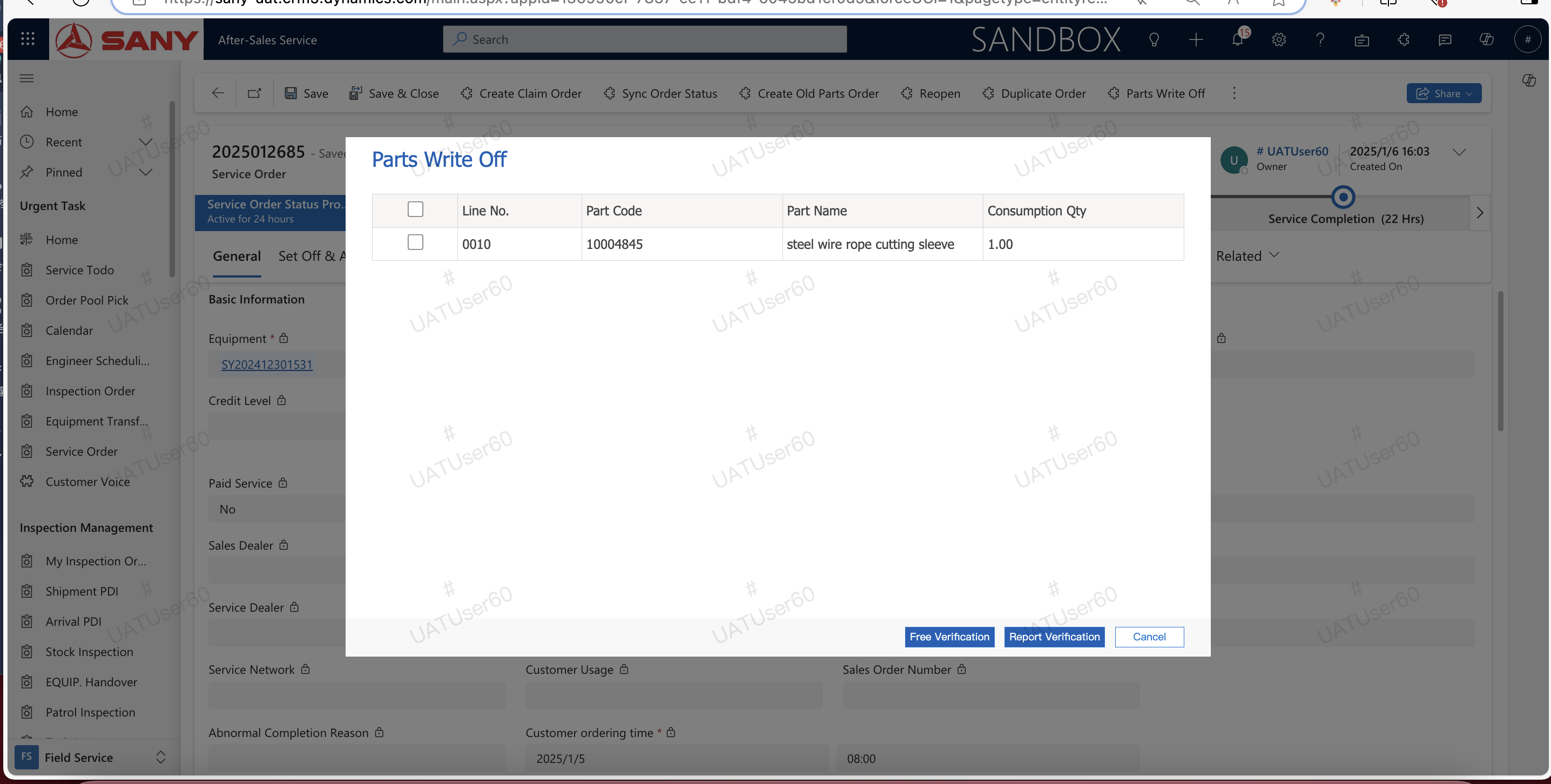
Create Free Verification
Commonly used verification methods, free accessories or Within the Warranty Period;
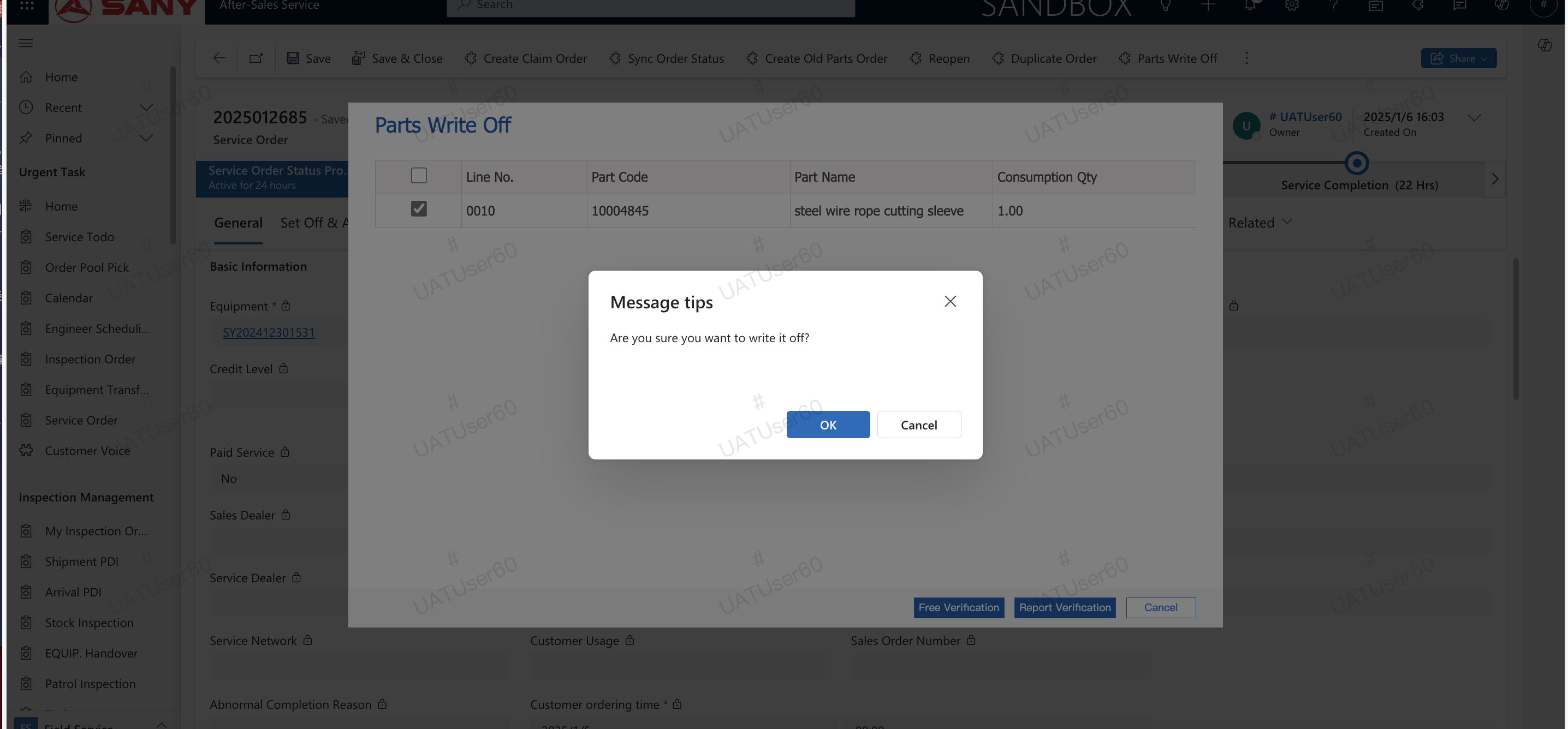
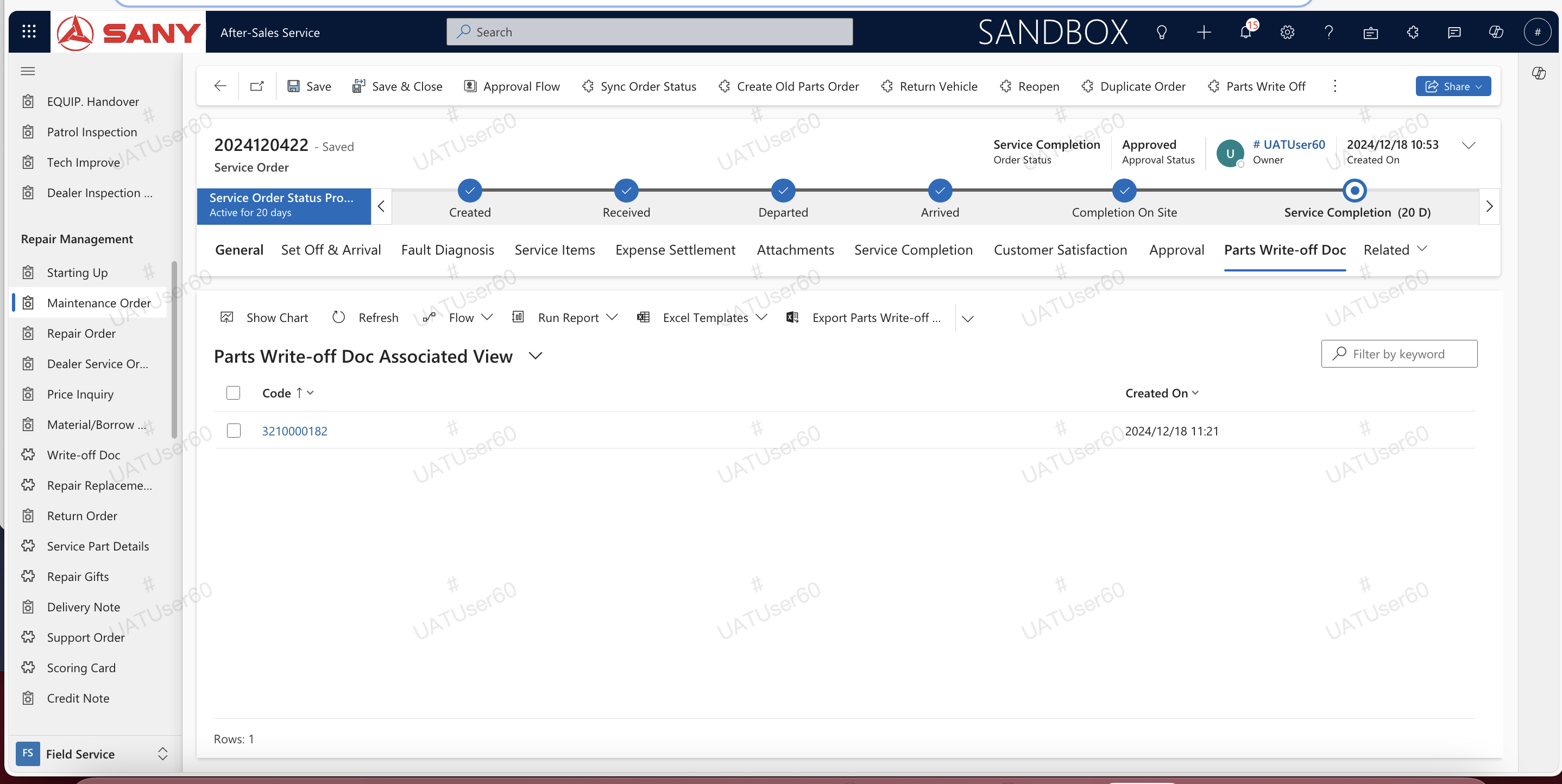
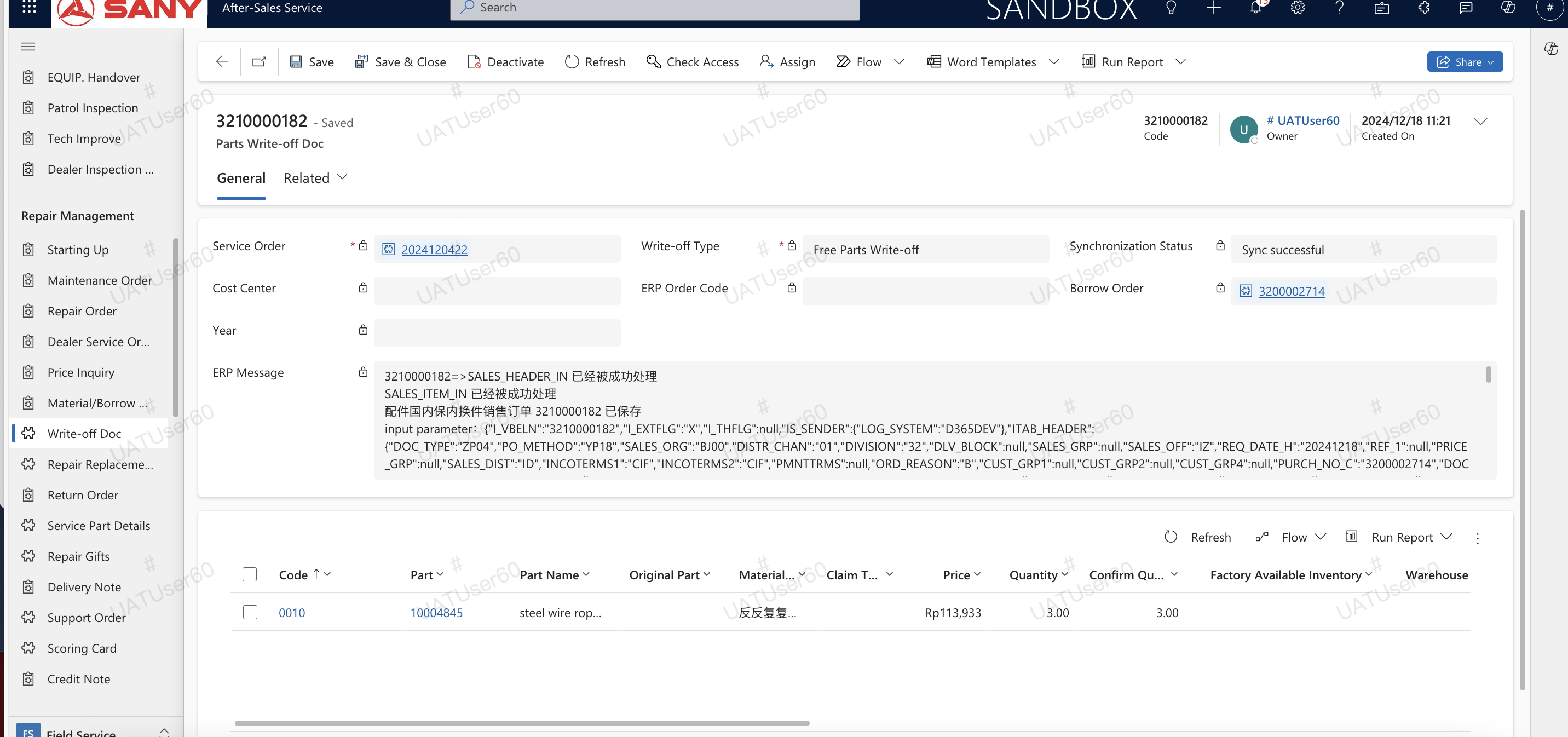
After the creation is successful, you can find the free spare parts verification form created in the service sheet. After the verification sheet is created, the ERP will be automatically synchronized. You can click the verification sheet to view the synchronization status.
Create Report Verification
Report verification is targeted at special scenarios, such as materials that are damaged and cannot be returned, or parts that should have been charged for outside the warranty but are not charged for maintaining customer relations. Therefore, OA needs to be used for report verification.
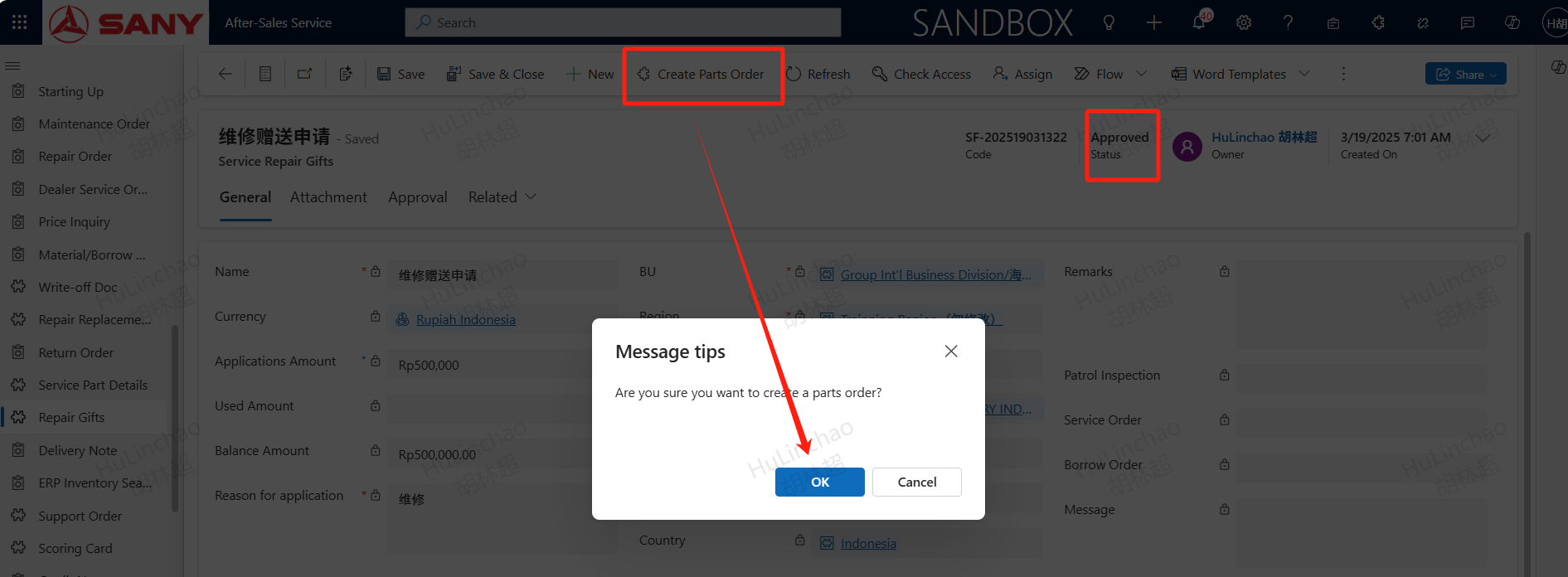
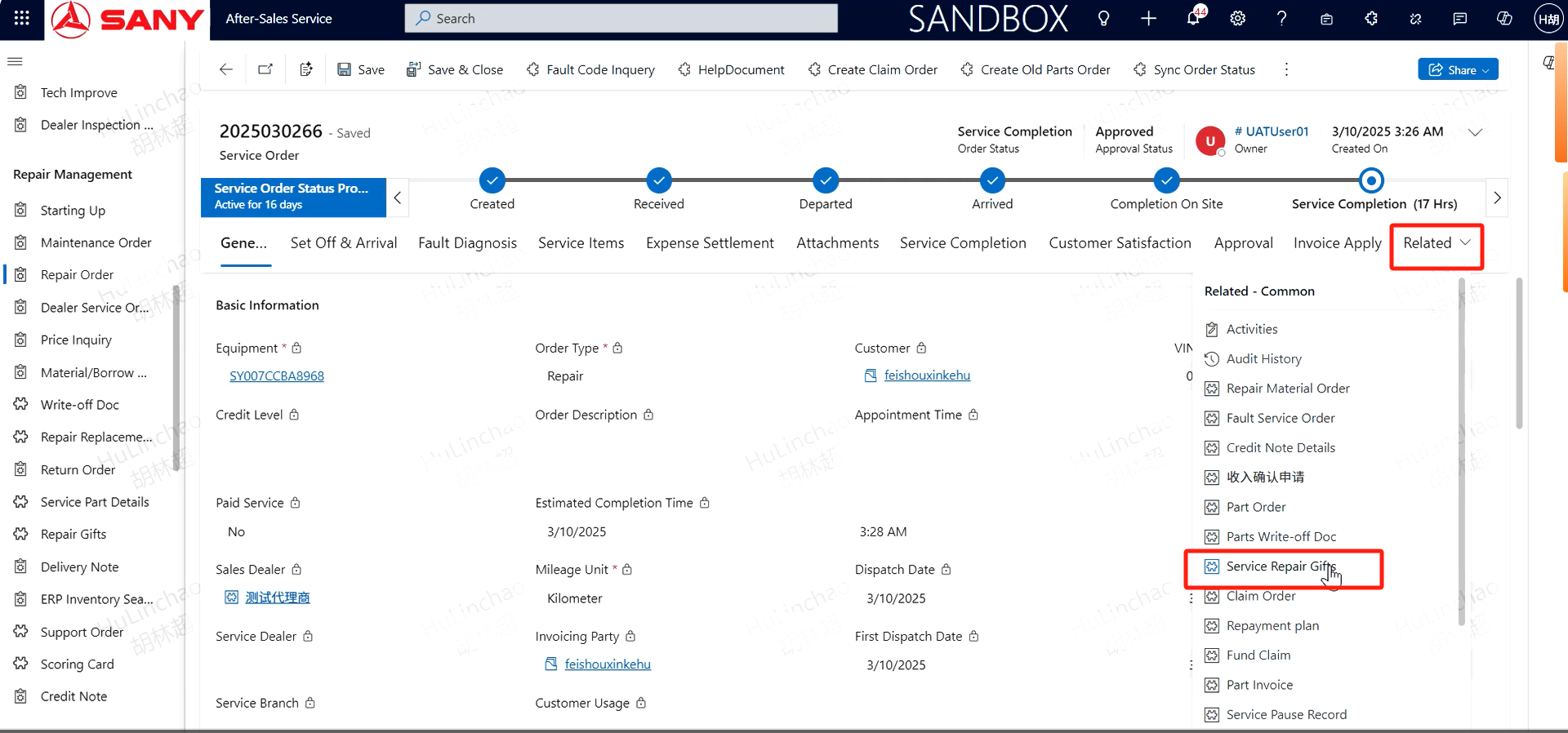
The report verification will generate a free repair gift request, which can be found in the related,Service Repair Gifts. Complete the required information, such as Name, Currency,Reason for application,Factory, etc., and upload the necessary attachments on the attachment page! Then save and submit for approval.
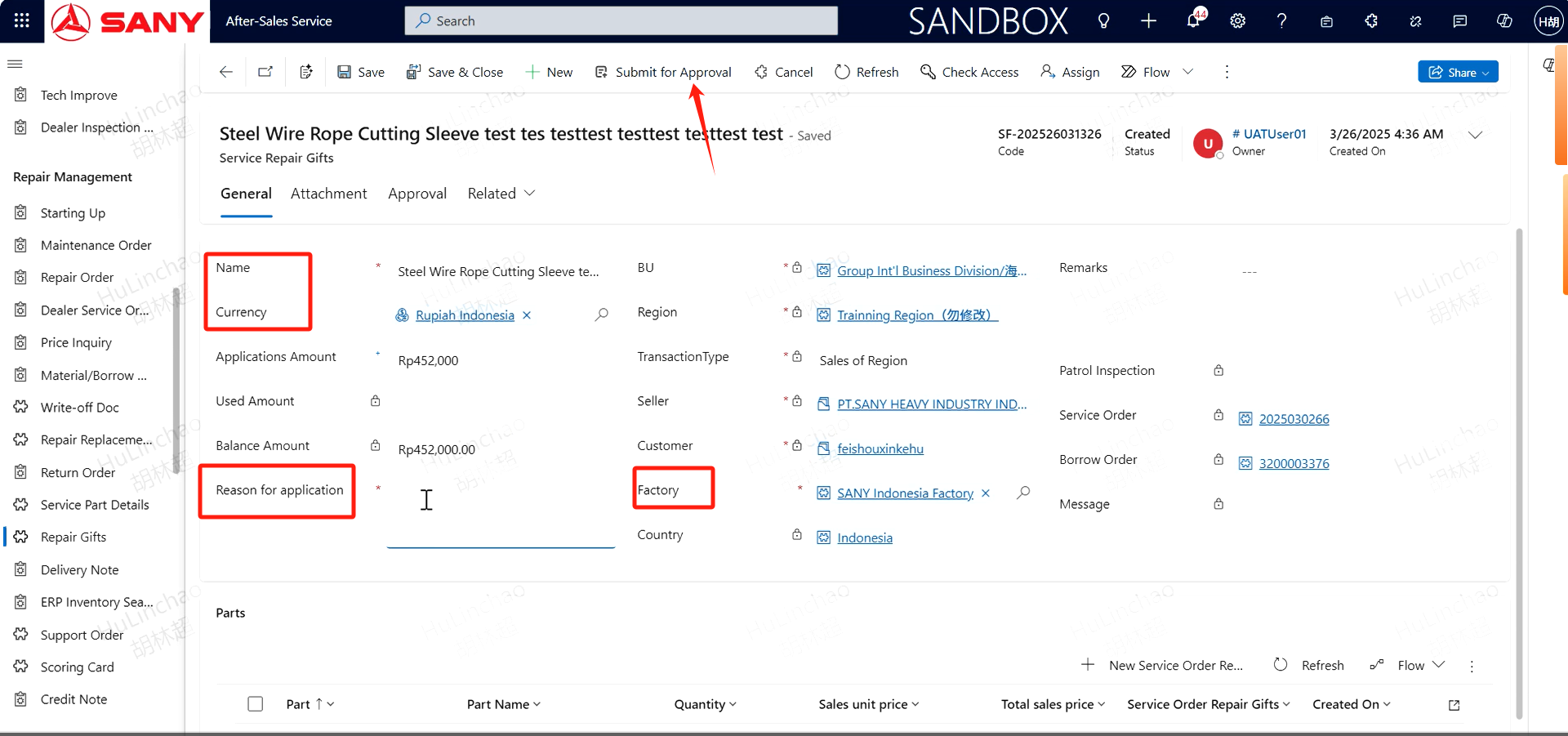
After the application is approved, click the "Create Parts Order" button to submit the accessory order, generate a free accessory order, and finally complete the verification of the accessory through the accessory order.