Negative Feedback Order
Negative Feedback Order
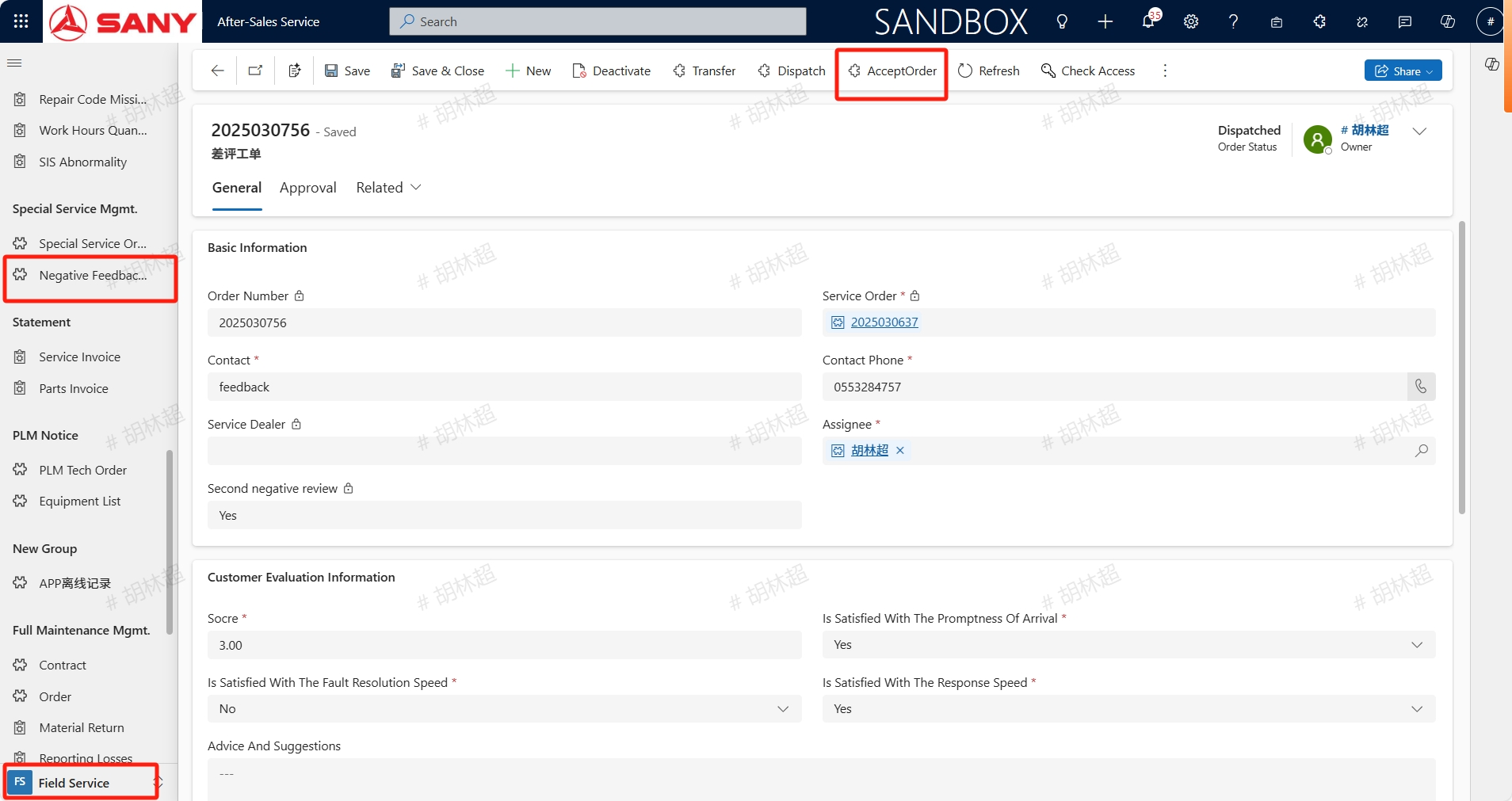
Path: Field Service -> Special Service Mgmt. -> Negative Feedback Order
Create
After service completion of the service order, the customer initiates a review on MySany and return the result back to CRM. If the review is lower than three stars, the system will automatically generate a Negative Feedback Order and assign it to the corresponding service minister in the country.
The service minister AcceptOrder:
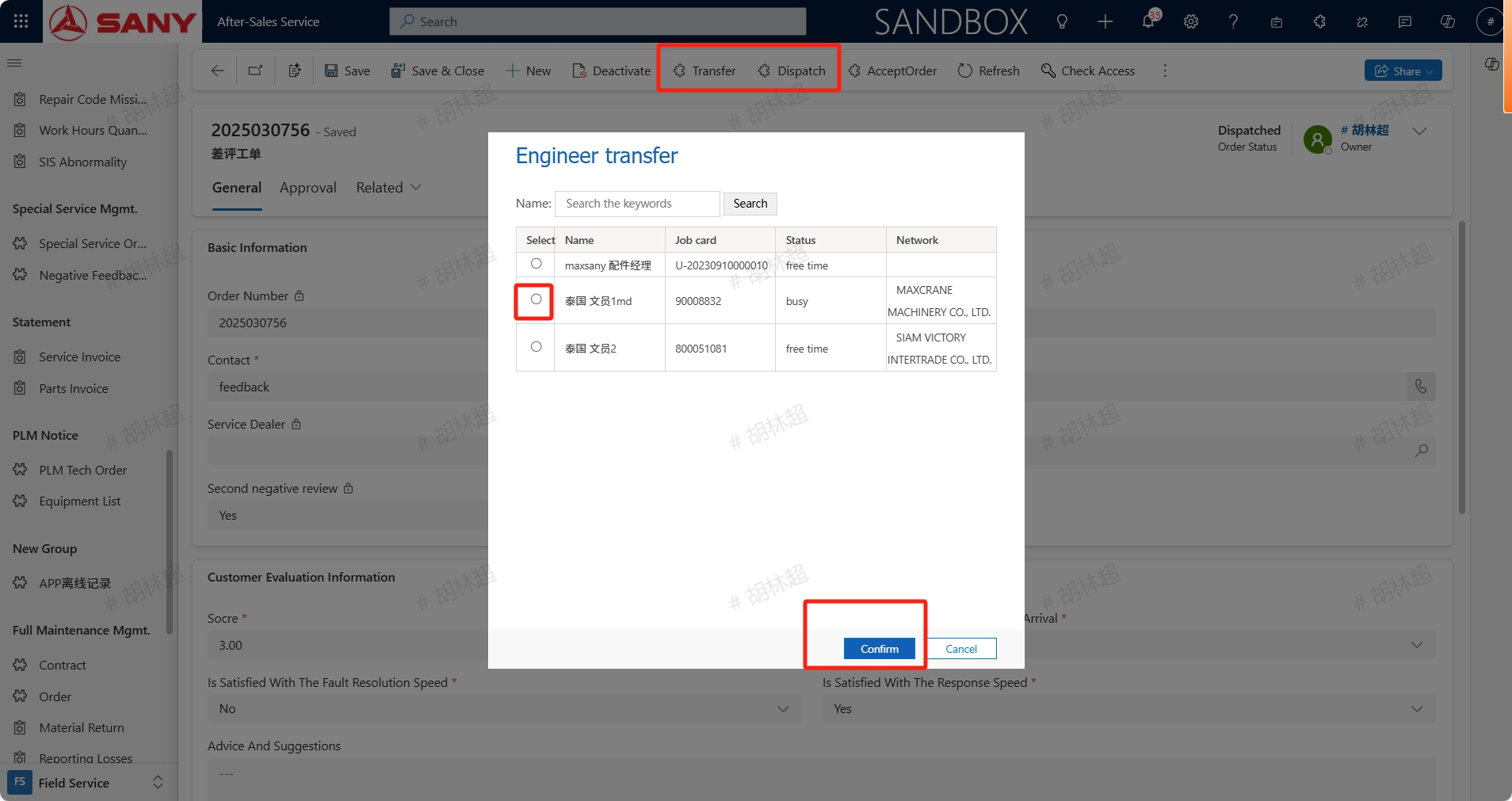
Can also click the Transfer or Dispatch button to transfer the order to the national service engineer for handling:
Handling
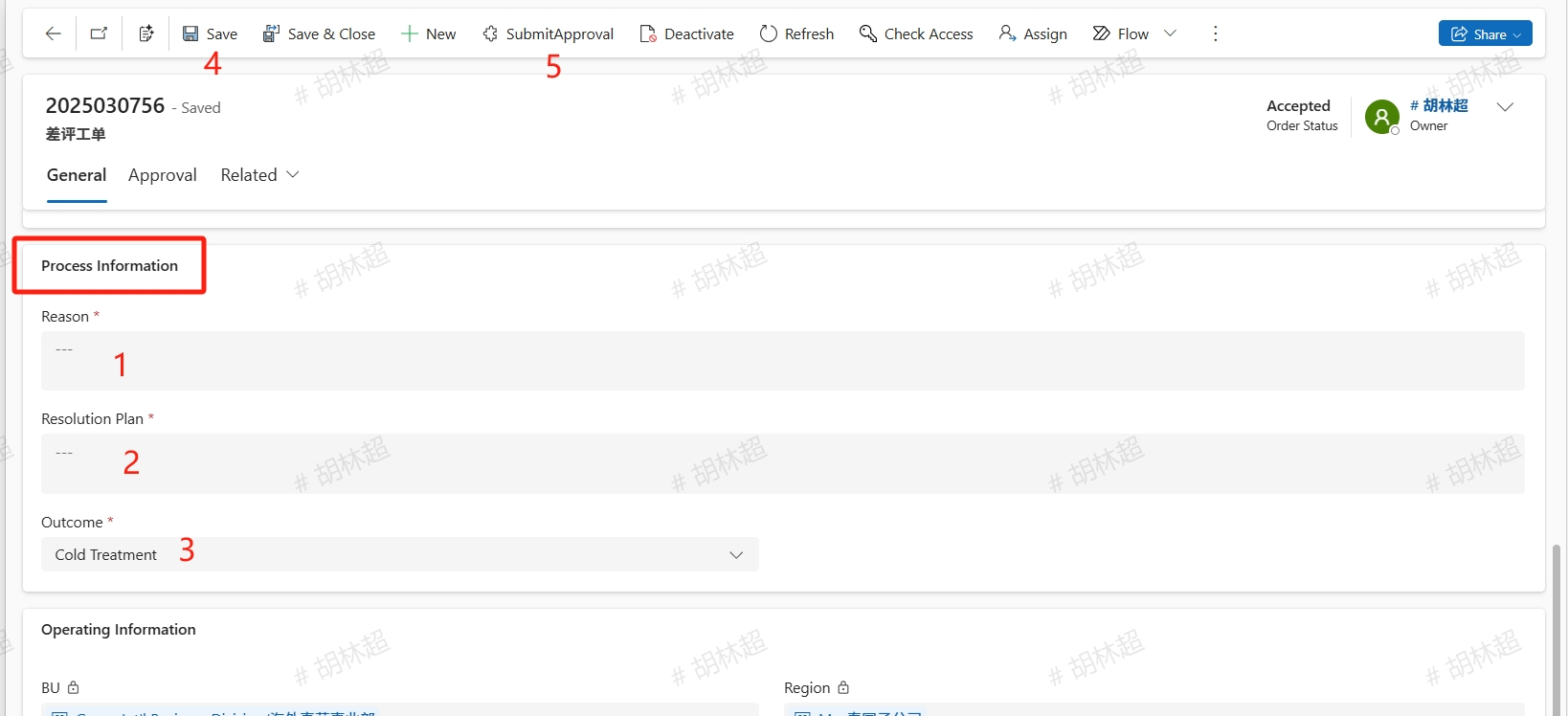
After receiving the order, contact the customer for corresponding processing. After processed, fill in the Reason, Resolution Plan, and Outcome in the Process Information section, then save it, and SubmitApproval. If the processing result chooses Cold Treatment or the Customer Disagreement, an Explanation should be filled in.