MaintenanceSheet
Maintenance list
FieldService->Repair Management-> Maintenance Order
Create and Dispatch
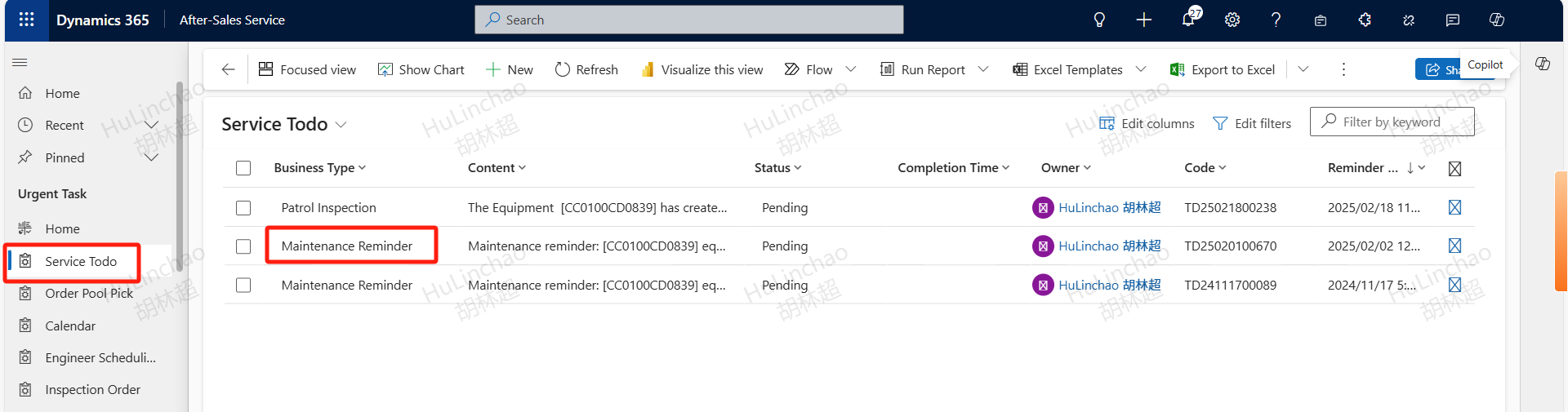
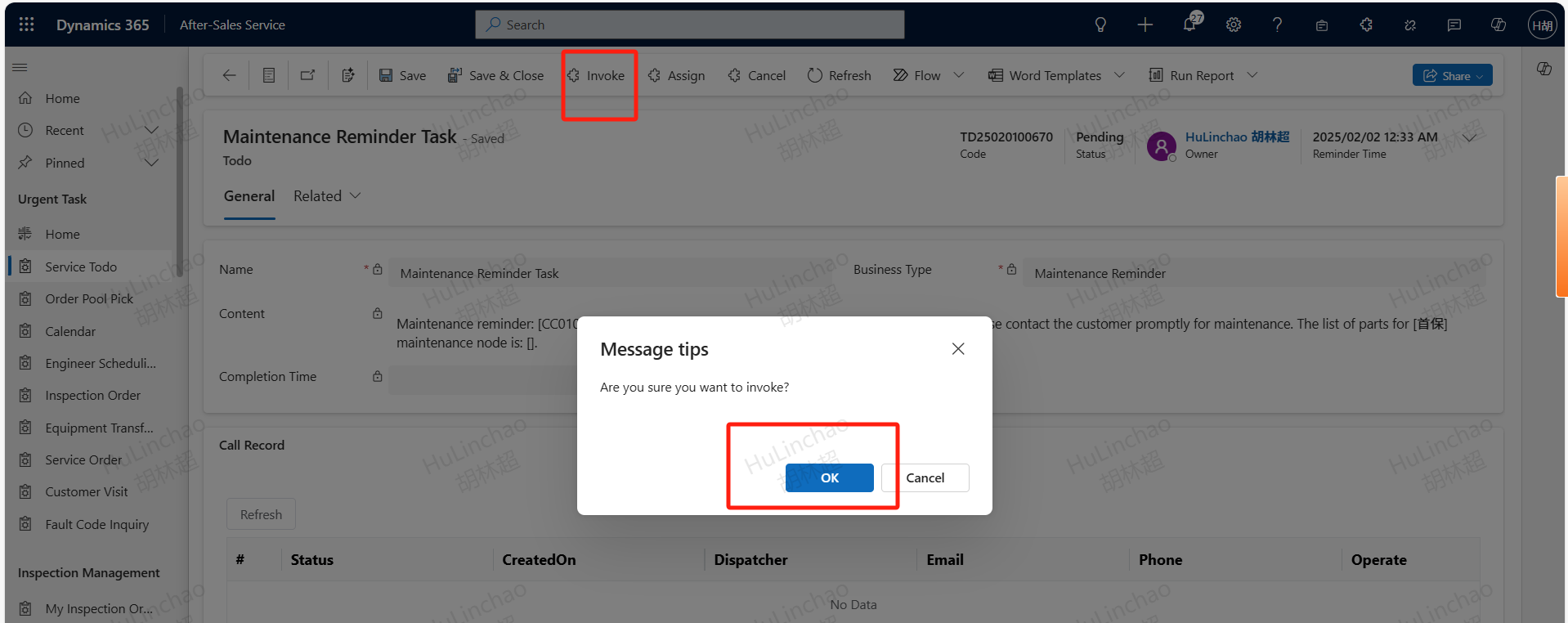
For handover equipment, if there is no service record within 30 days, the system will automatically create a maintenance reminder. The service engineer will find the maintenance reminder and click the Invoke button to generate a maintenance order
Maintenance orders initiated from MySany will be directly assigned to the responsible engineer. If the equipment does not have a responsible engineer, the order will be assigned to the engineer who performed the most recent service. If there is no recent service engineer, the order will be assigned to the service supervisor. Service engineers can also open the maintenance menu, click the +New button, input the equipment code that requires maintenance, the customer's order time, and the maintenance node, and then save.

ADD Collaborate Engineer
Maintenance orders cannot be rejected by clicking the upgrade button. If assistance is needed after accepting the order, an assisting engineer can be added to handle the order.

Cancel/Abnormal Completion
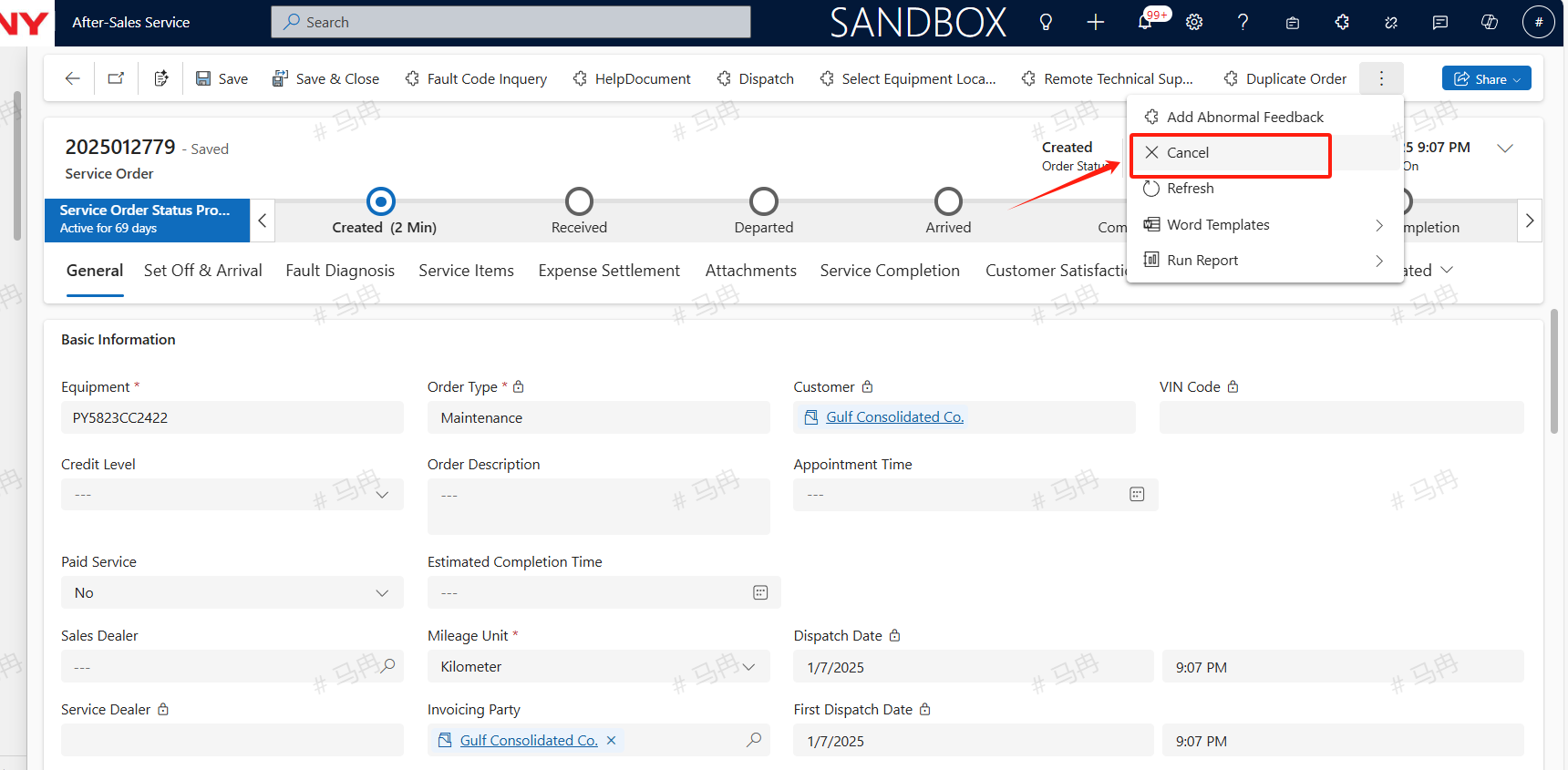
If the customer needs to cancel the current maintenance, the engineer can click the cancel button to cancel the service order after accepting it but before departure. If the cancellation occurs after departure but before on-site completion, the engineer should input the reason for abnormal completion and click the abnormal completion button to end the current service.
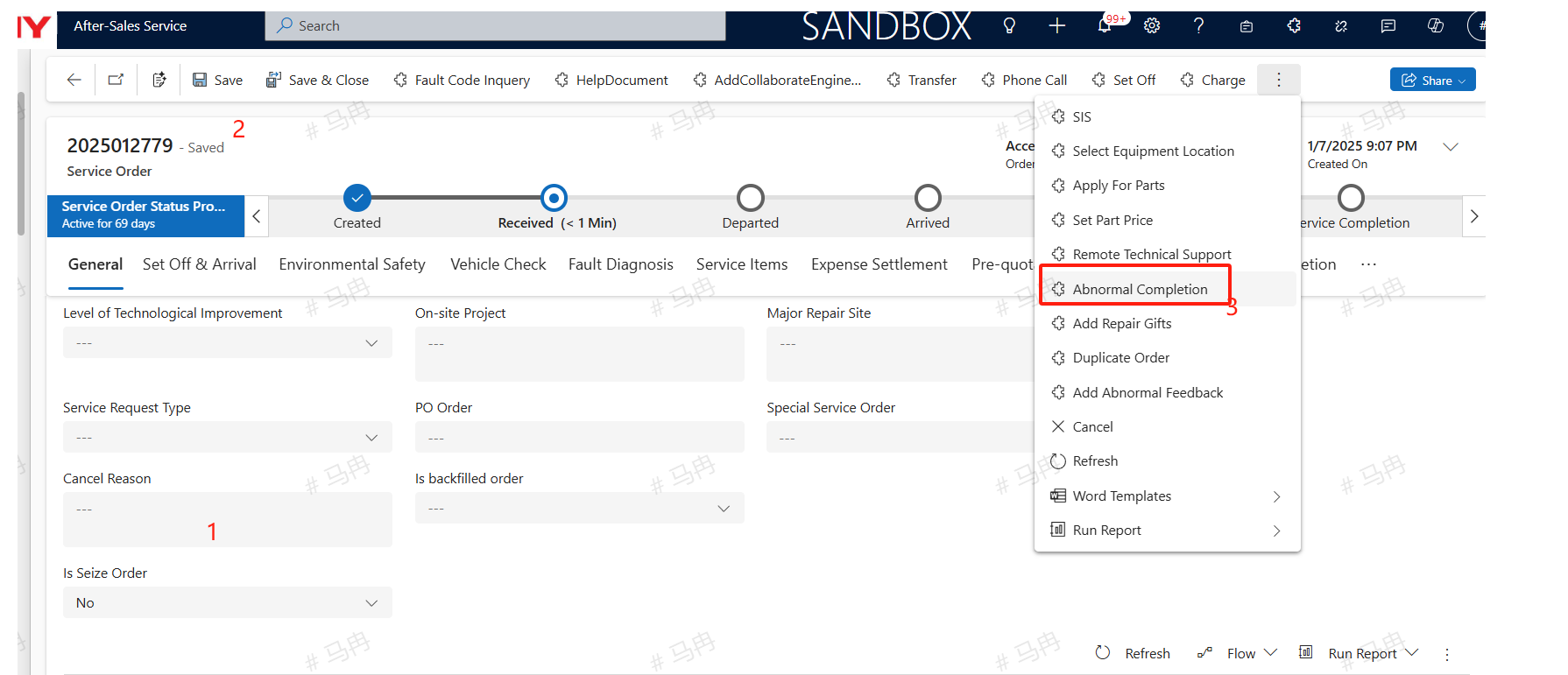
Set Off
Select the location of the equipment , click the Set Off button and depart; Due to the fact that the location resolution on the computer is based on network IP, the obtained location may not be accurate. It is recommended to use the mobile navigation to trigger and arrive for departure and arrival. There are two software available on the mobile side: power apps: Select Field Service App and allow Power Apps to obtain addresses and access photo albums in the phone settings. SANY iCRM: Find the specific order in the service ticket on the homepage, and allow access to the address and photo album in the phone settings. Dealer's equipment need not to departure and arrival
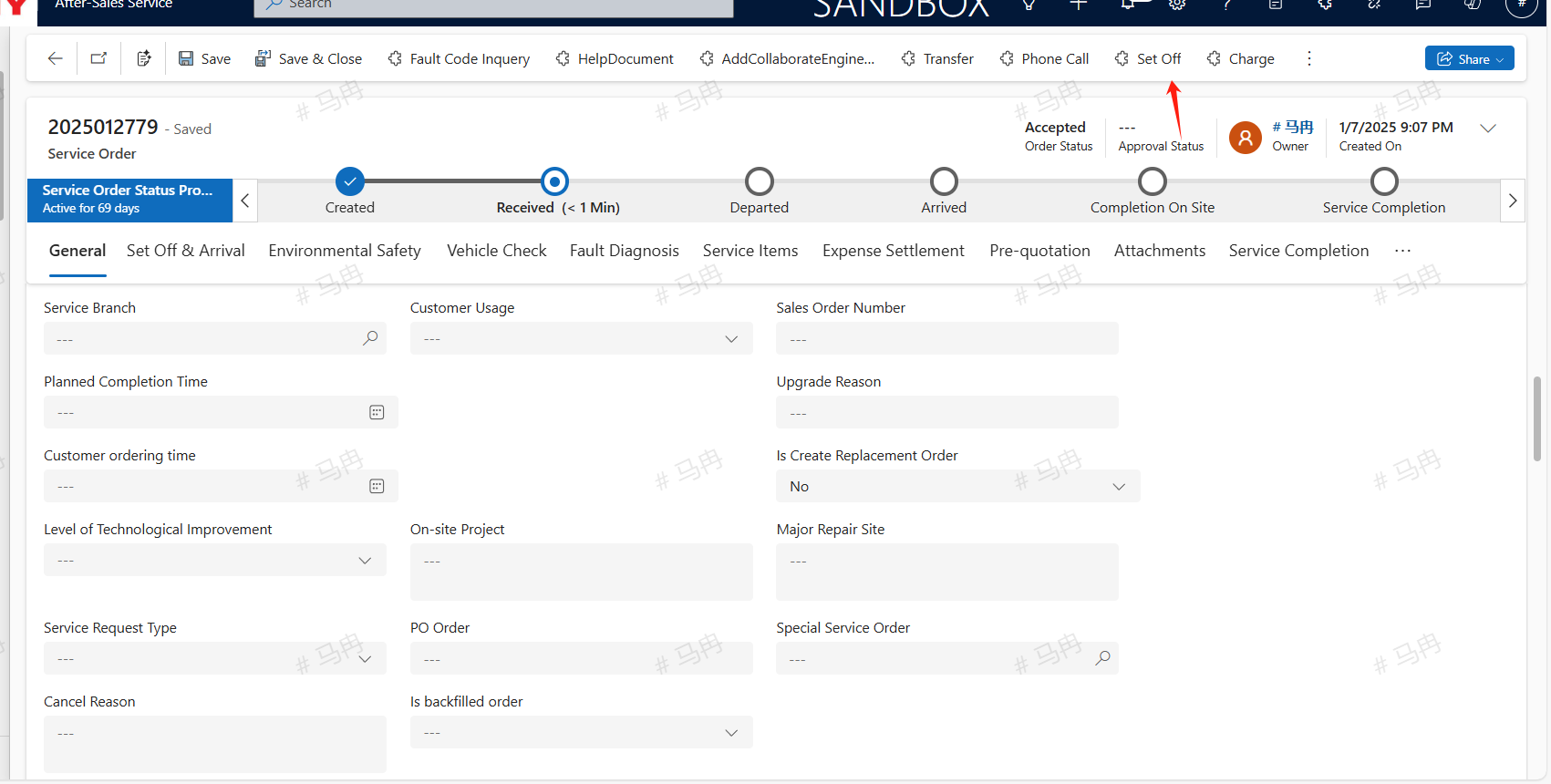
Arrived
Upon arrival at the destination, the engineer should click the navigate arrival button to confirm arrival.
Field Service Complete
Fault Diagnosis
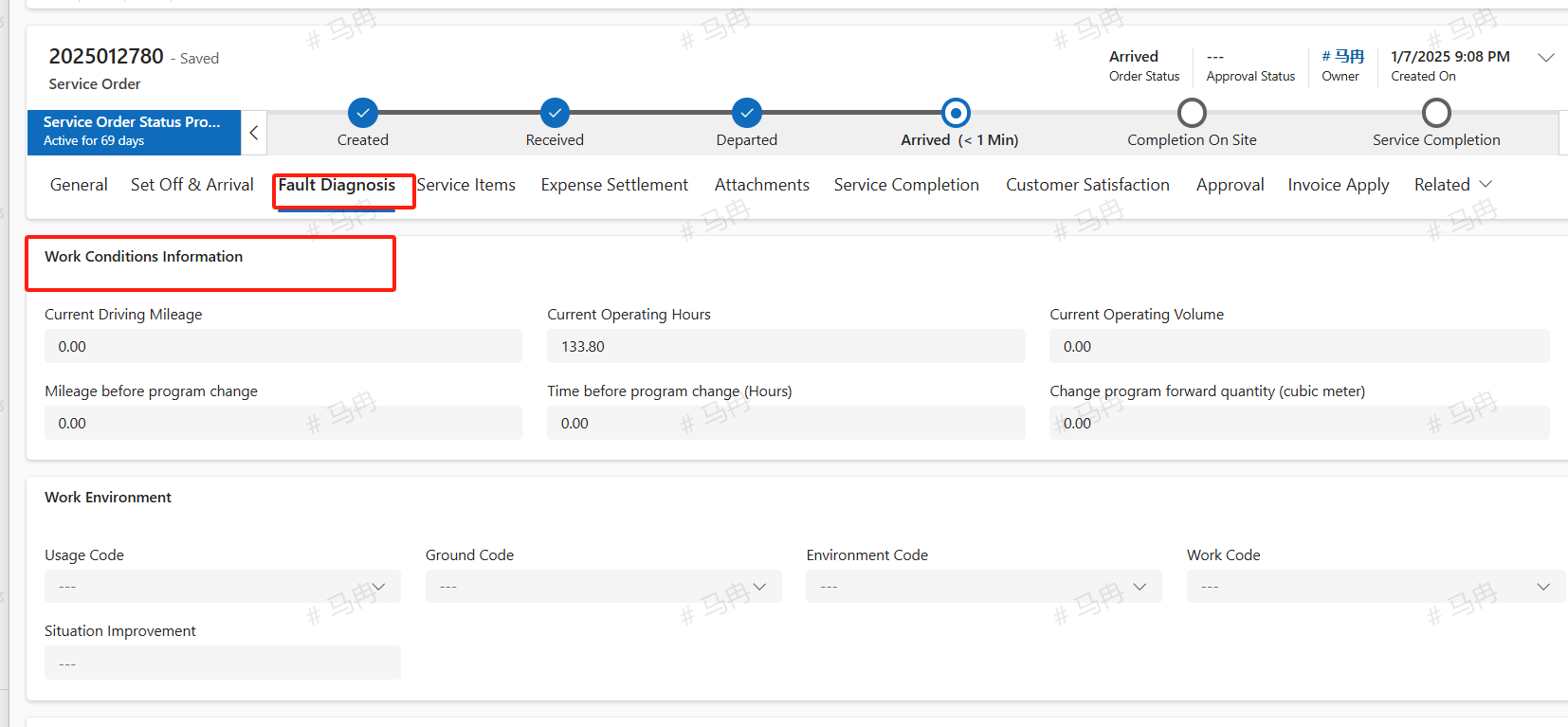
The service engineer arrives on-site to perform maintenance work. Under the fault diagnosis tab, within the work environment information, update the current mileage, current operating hours, current operating volume (cubic meters per tank trip), and other relevant details; fill in other options as needed.
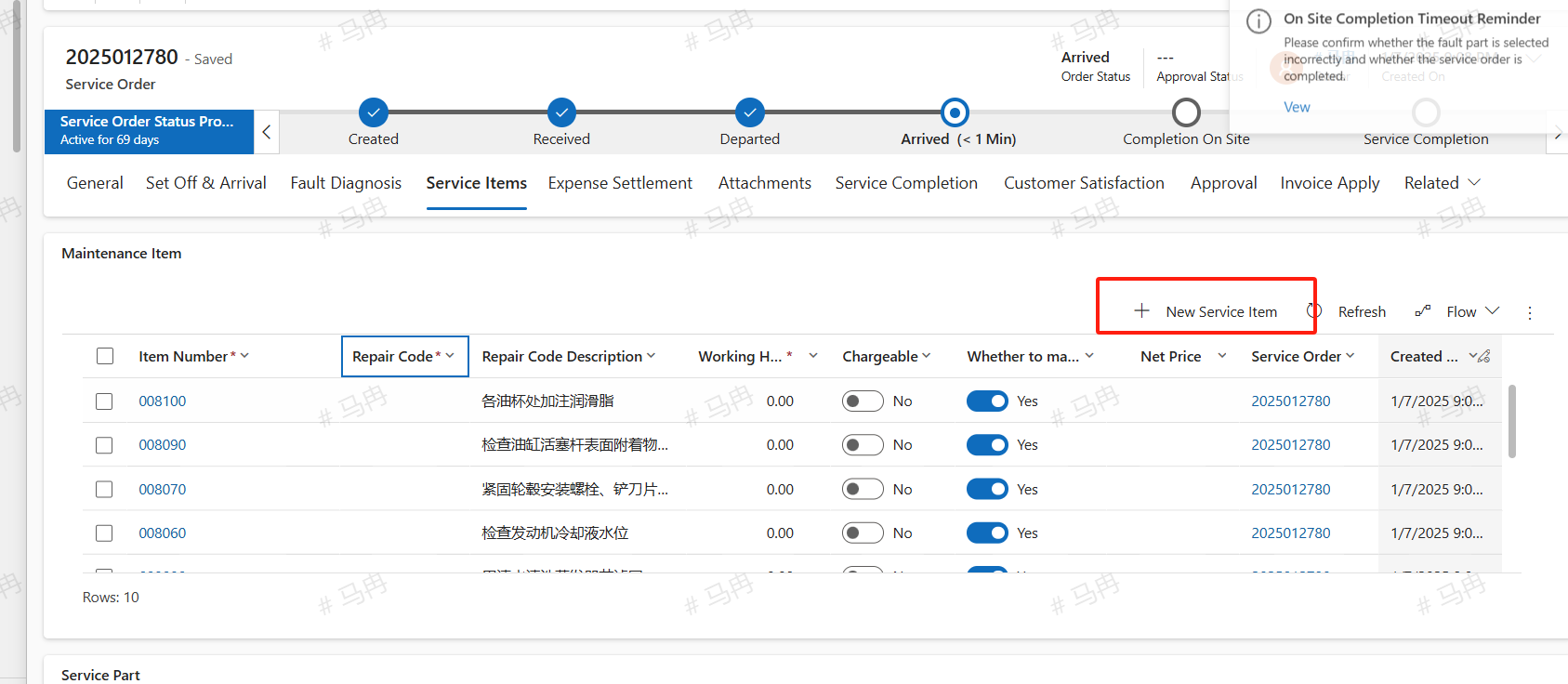
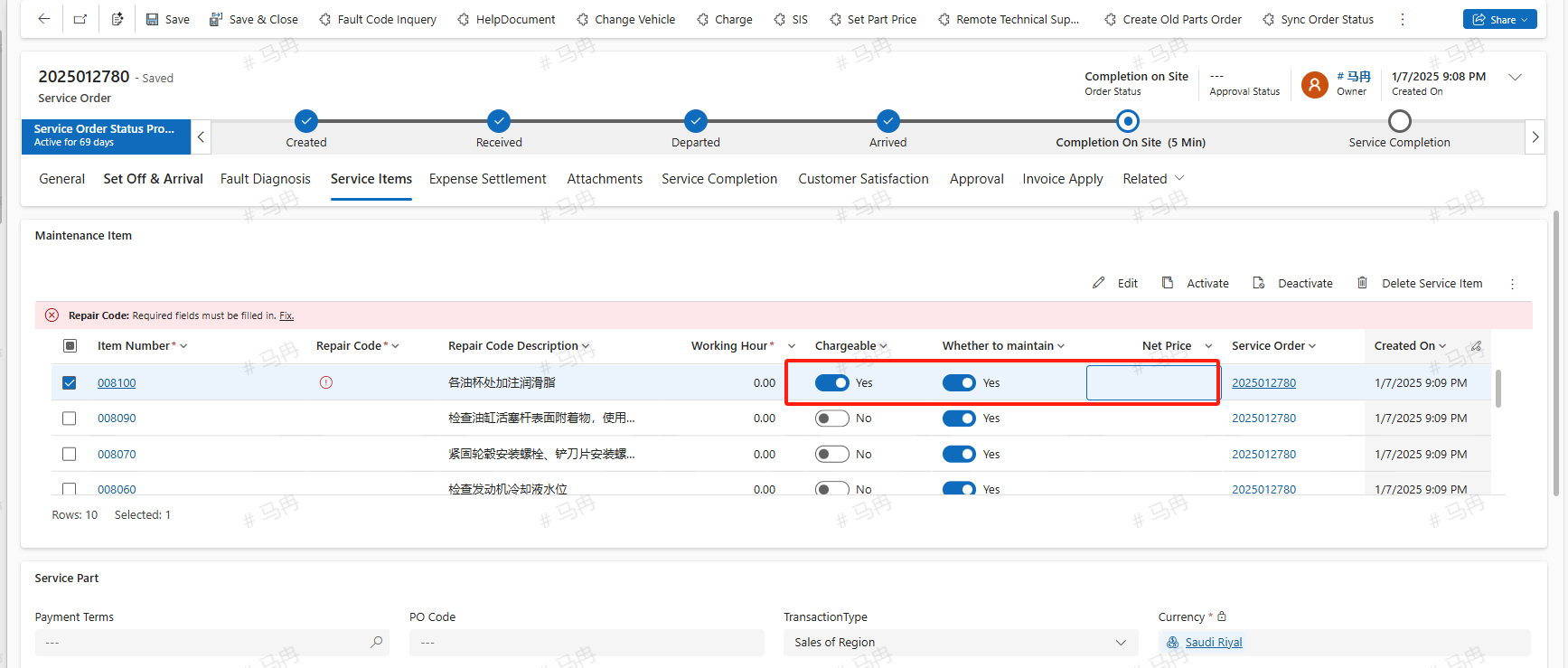
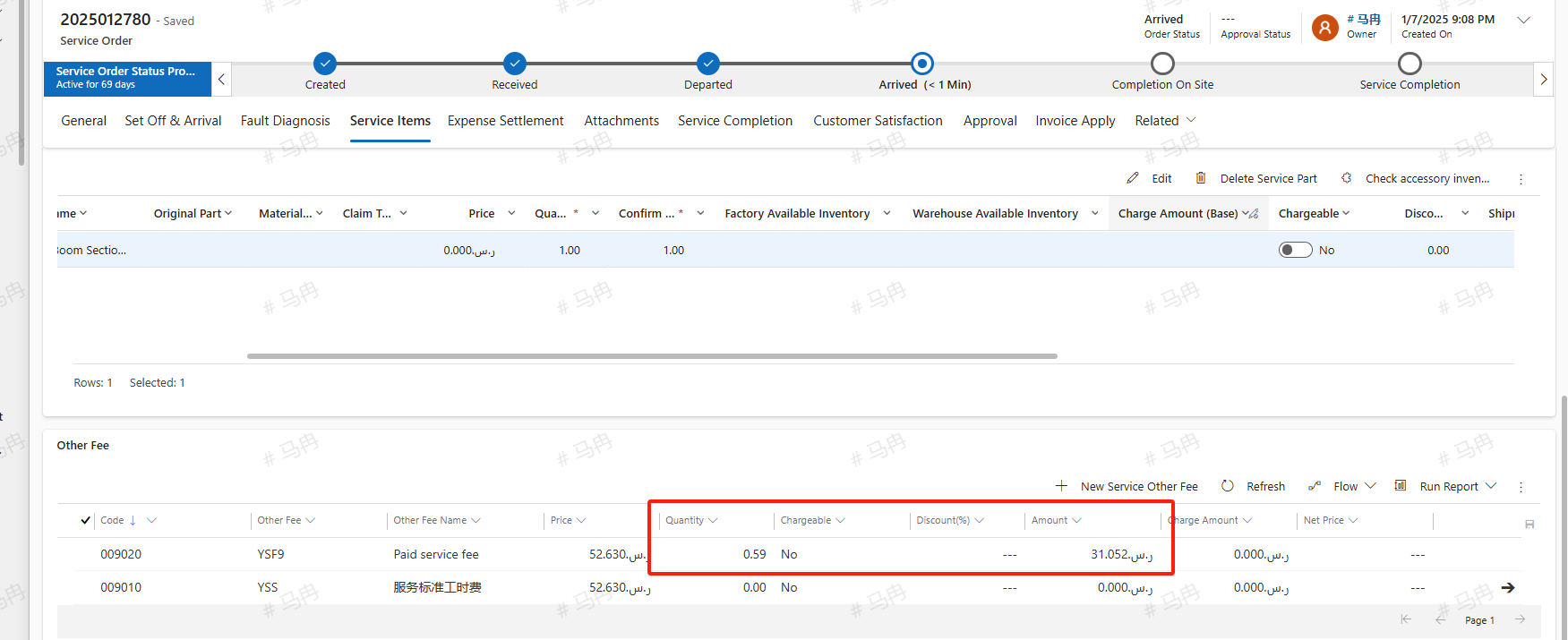
Under the service items tab, add according to the actual situation maintenance items, service parts, other fees, etc.; After adding fees, please verify if there is a need to charge. If there is a charge, please select 'Yes' in the charge field, and the unit price and quantity of all fees can be modified.
Maintenance Item
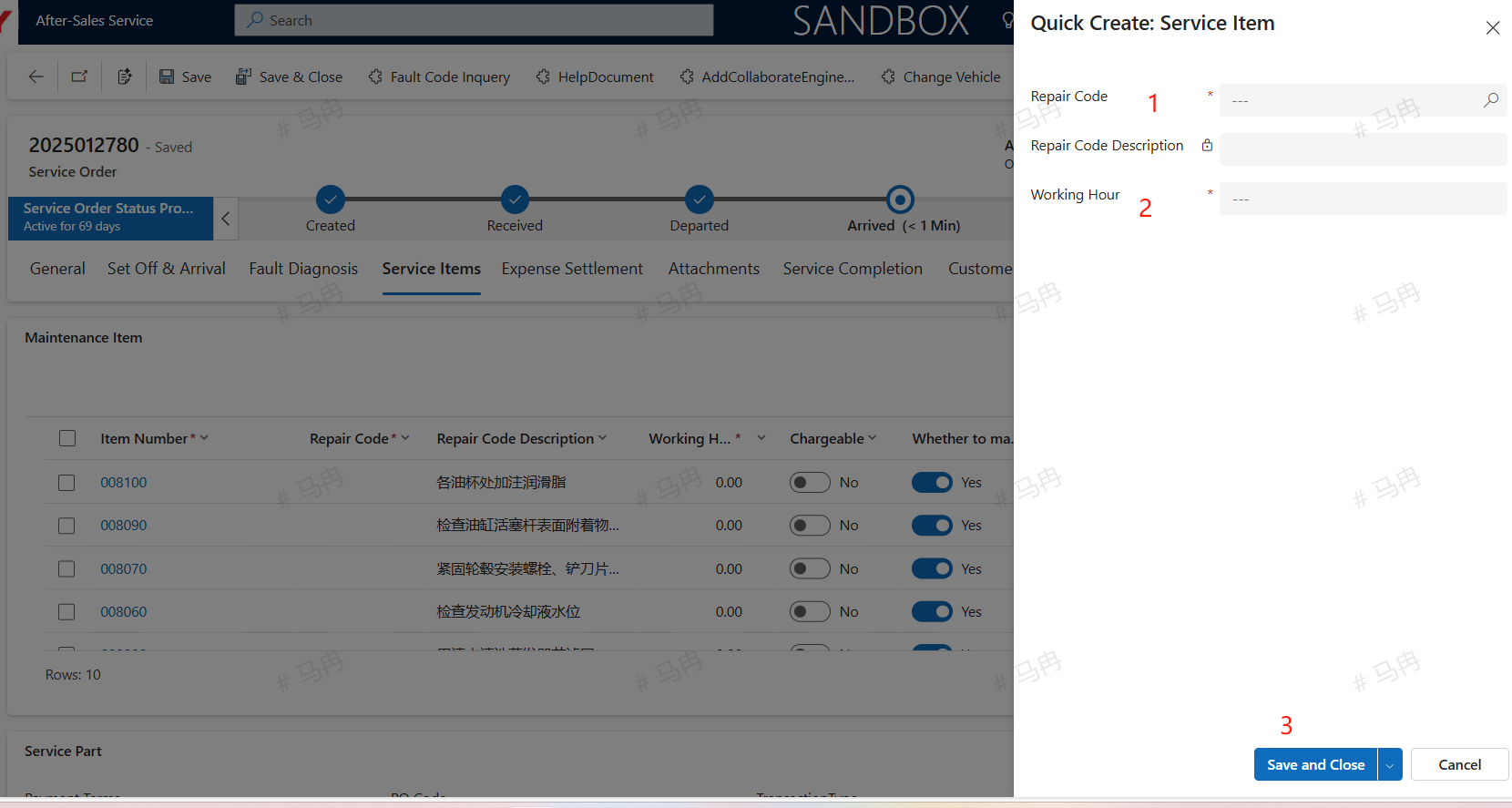
Click +New Service Item, add the repair code, the number of man-hours, then save and close. The repair codes are synchronized domestically based on the equipment's product group. If there is currently no corresponding repair code, other fees can be temporarily used as a substitute.
Service Part
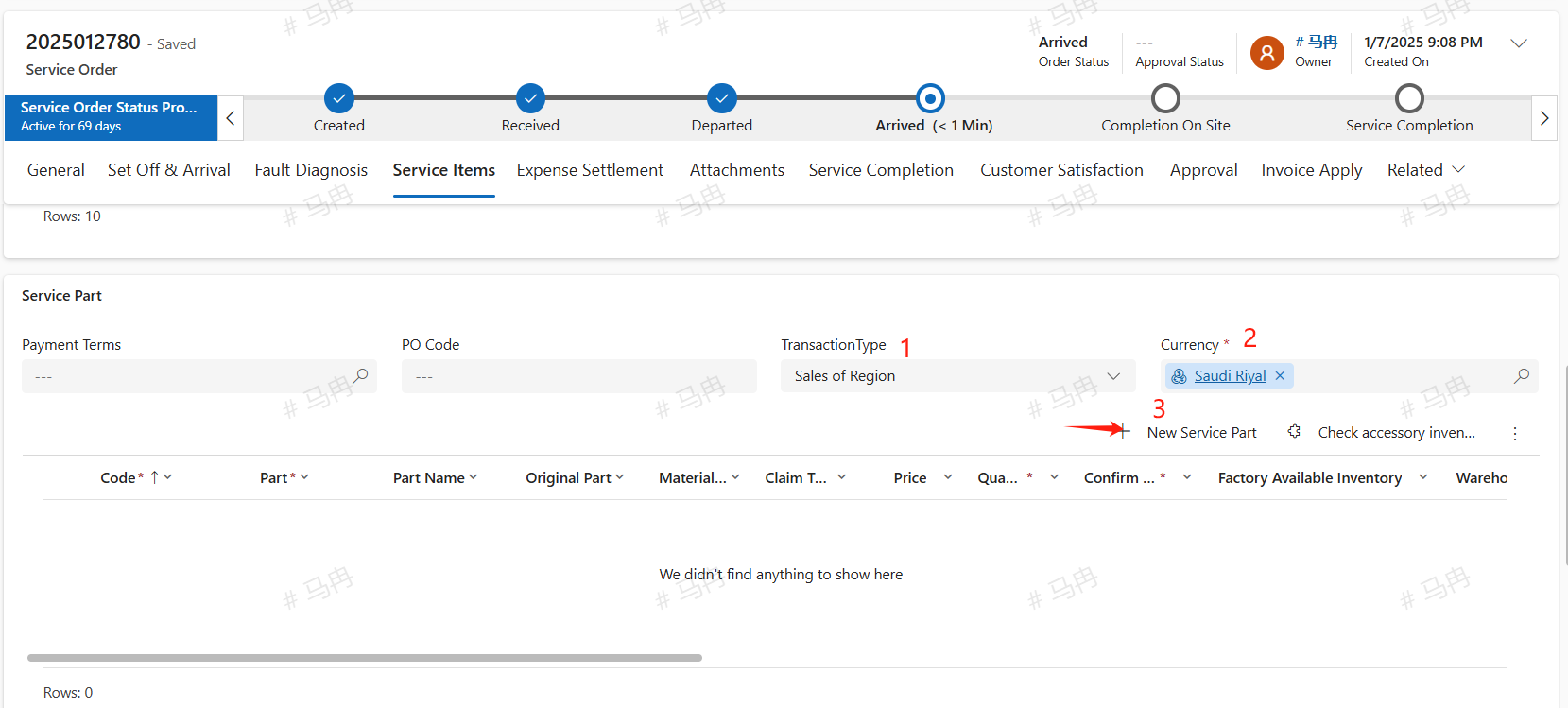
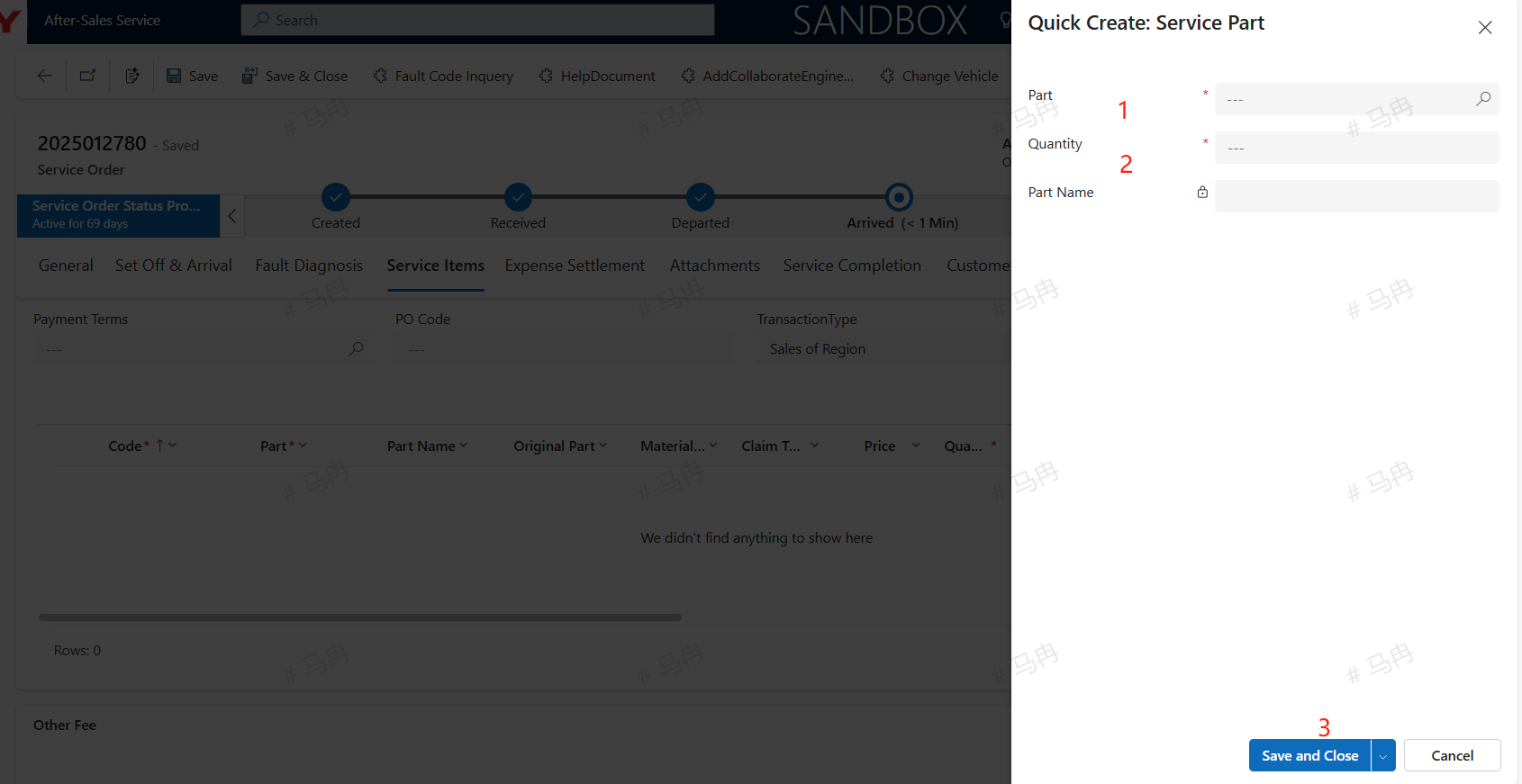
Select the correct transaction method and currency unit, click +New Service Part, enter the part number and quantity, then save and close to add the part.
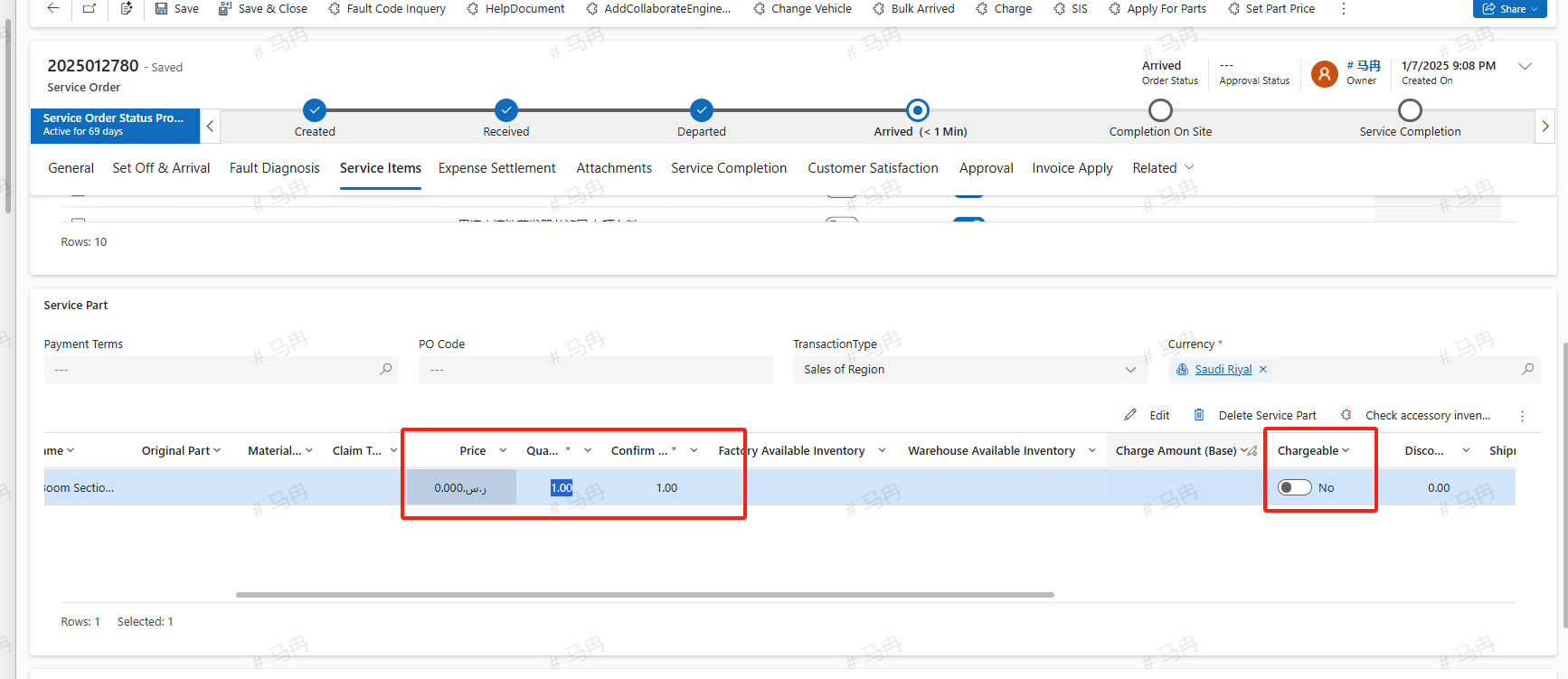
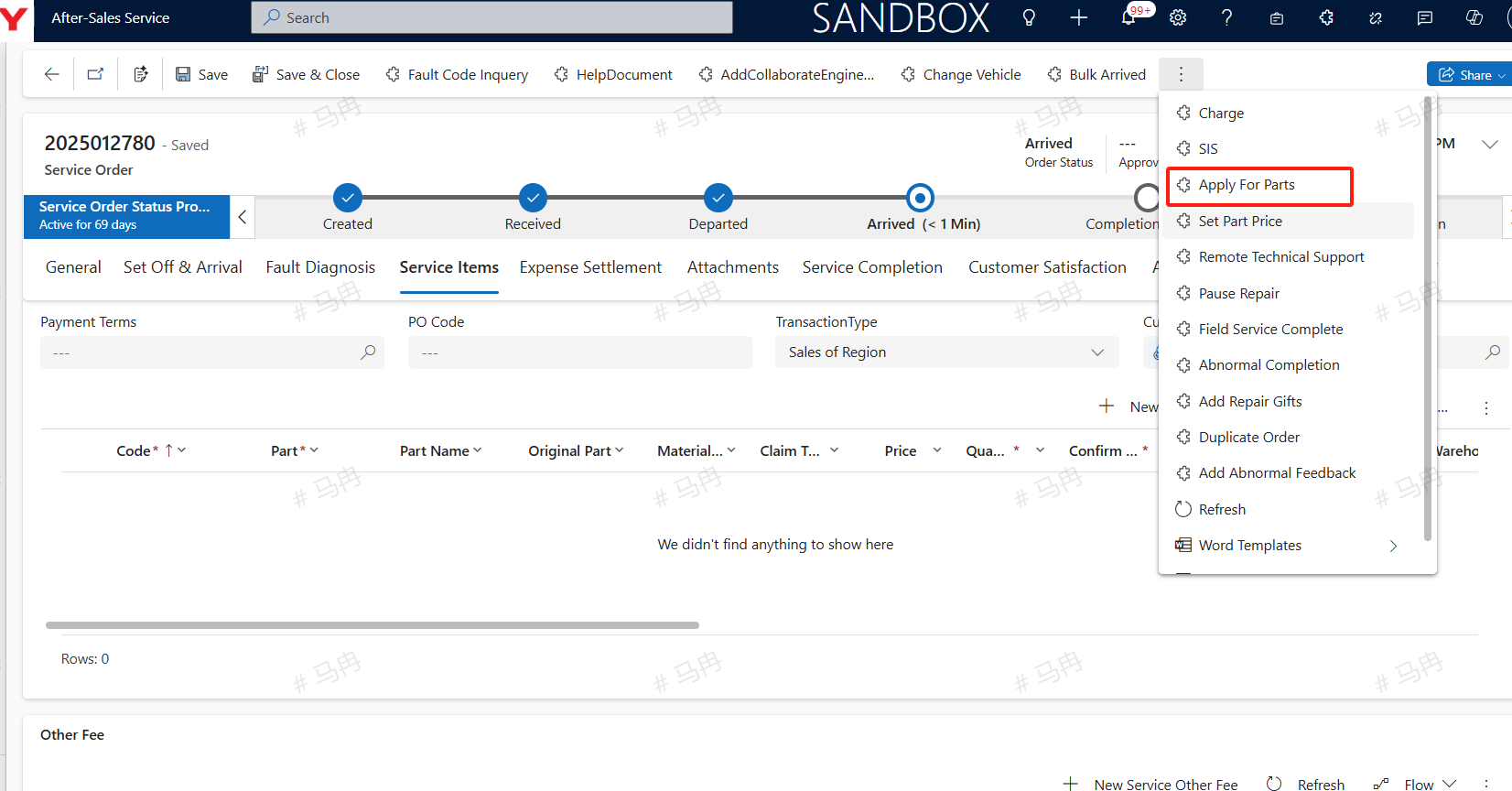
Apply For Parts
After adding all the necessary parts for this service and completing the information such as part prices and quantities, click the 'Request Parts' button to proceed with the material requisition and borrowing operations. Once submitted, you can find the ongoing requisition and borrowing applications in the related section. For details on the requisition and borrowing applications, please refer to the Material Requisition and Borrowing Manual.
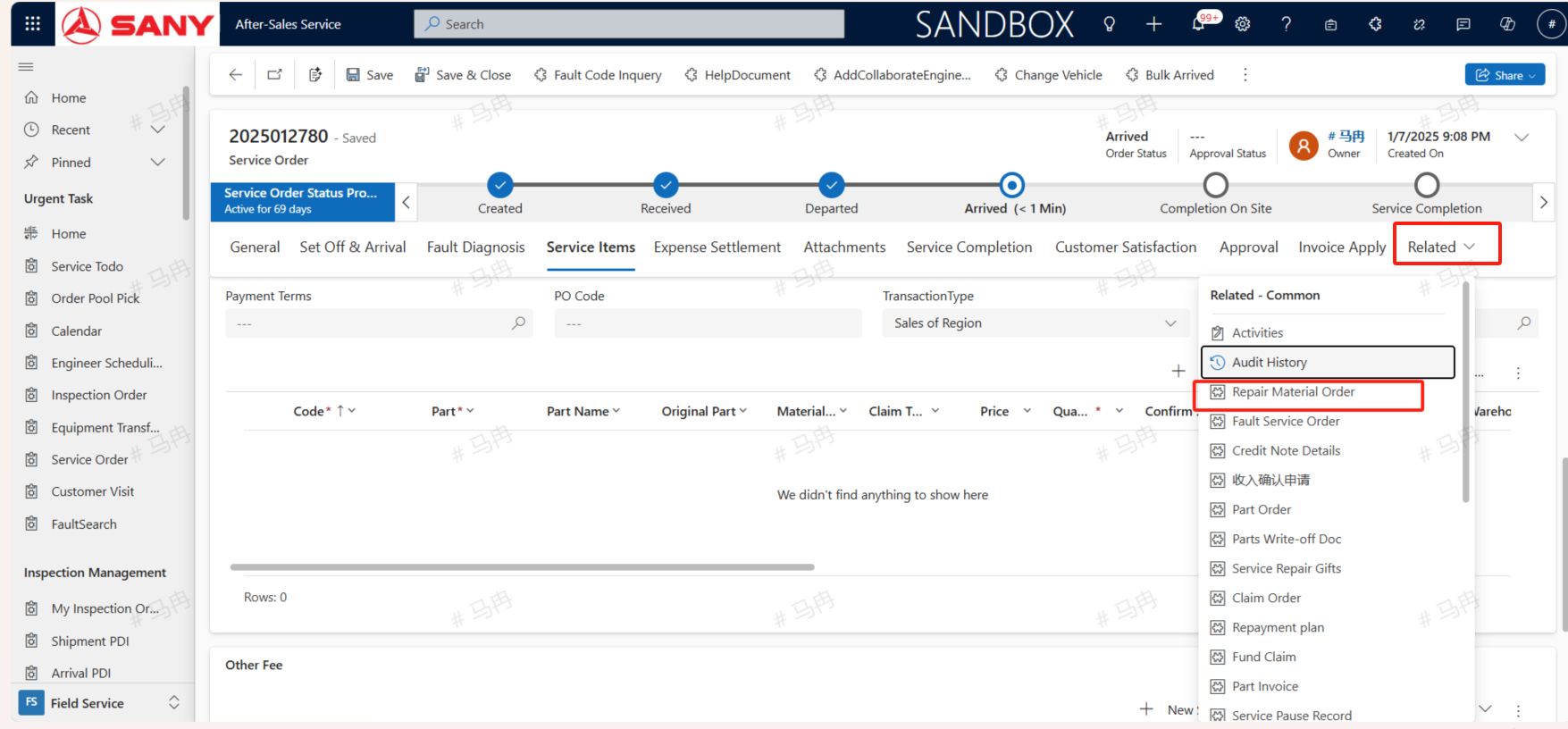
Other Fee
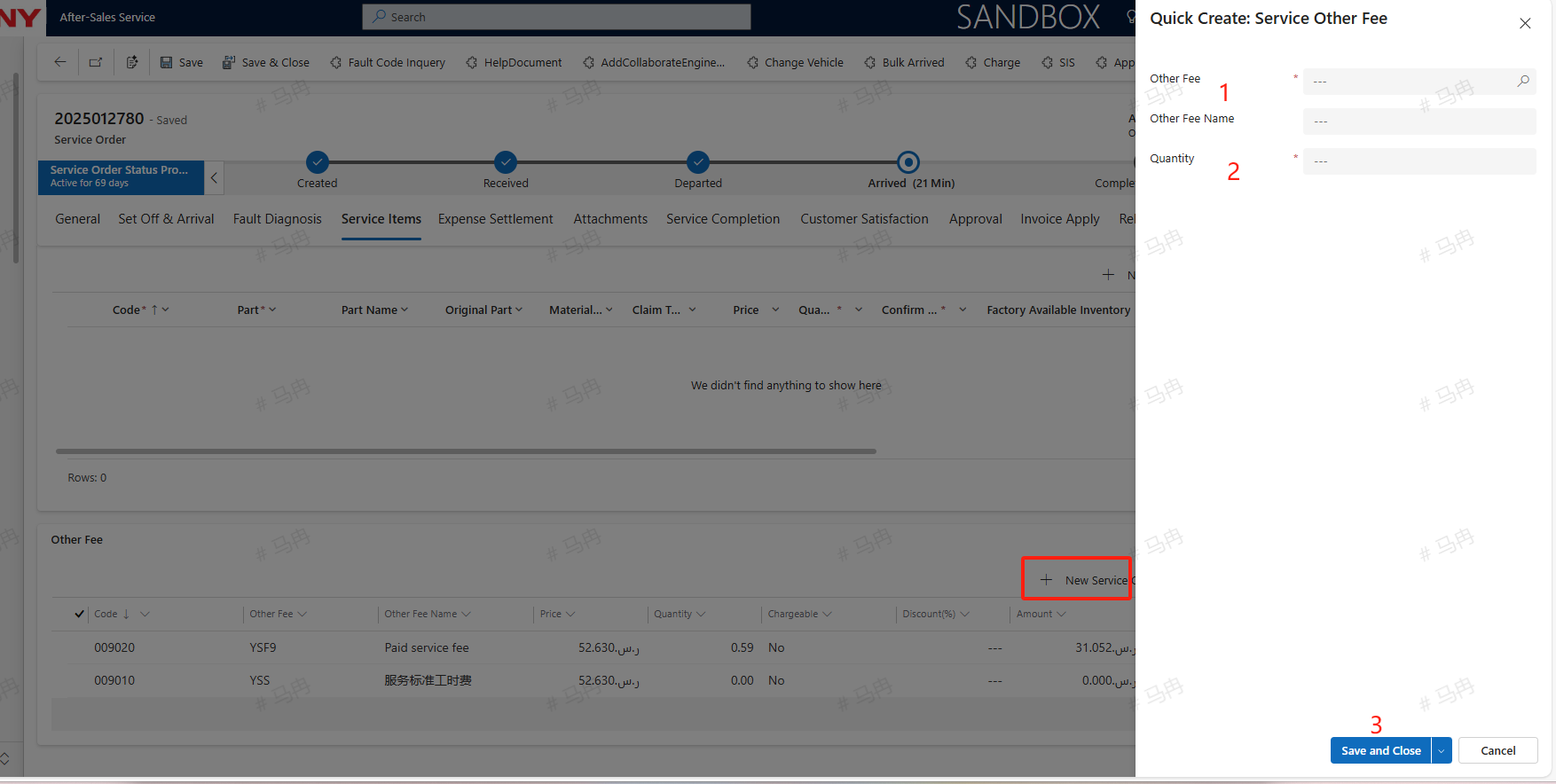
Click +New to add other service fees, input the other fees and quantities, save and close to add other expenses.
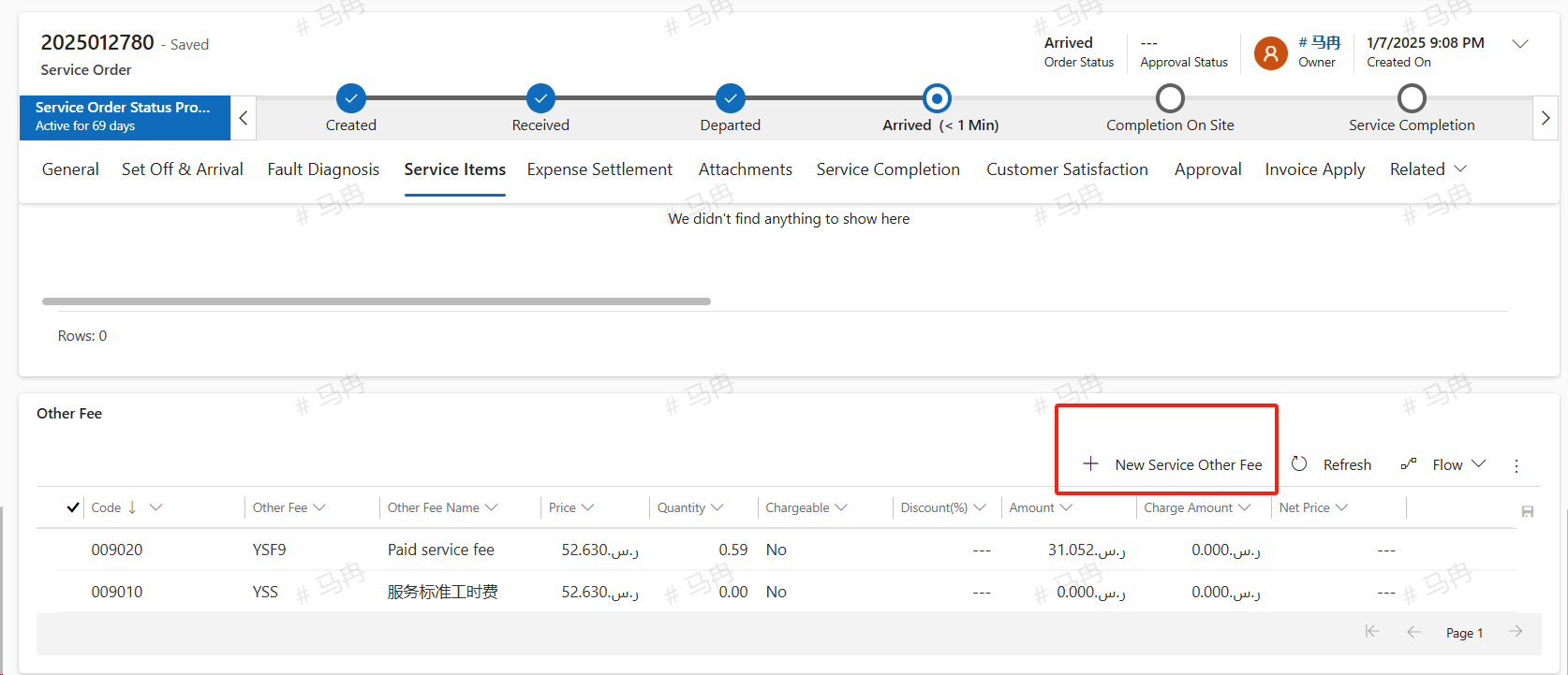
Charge
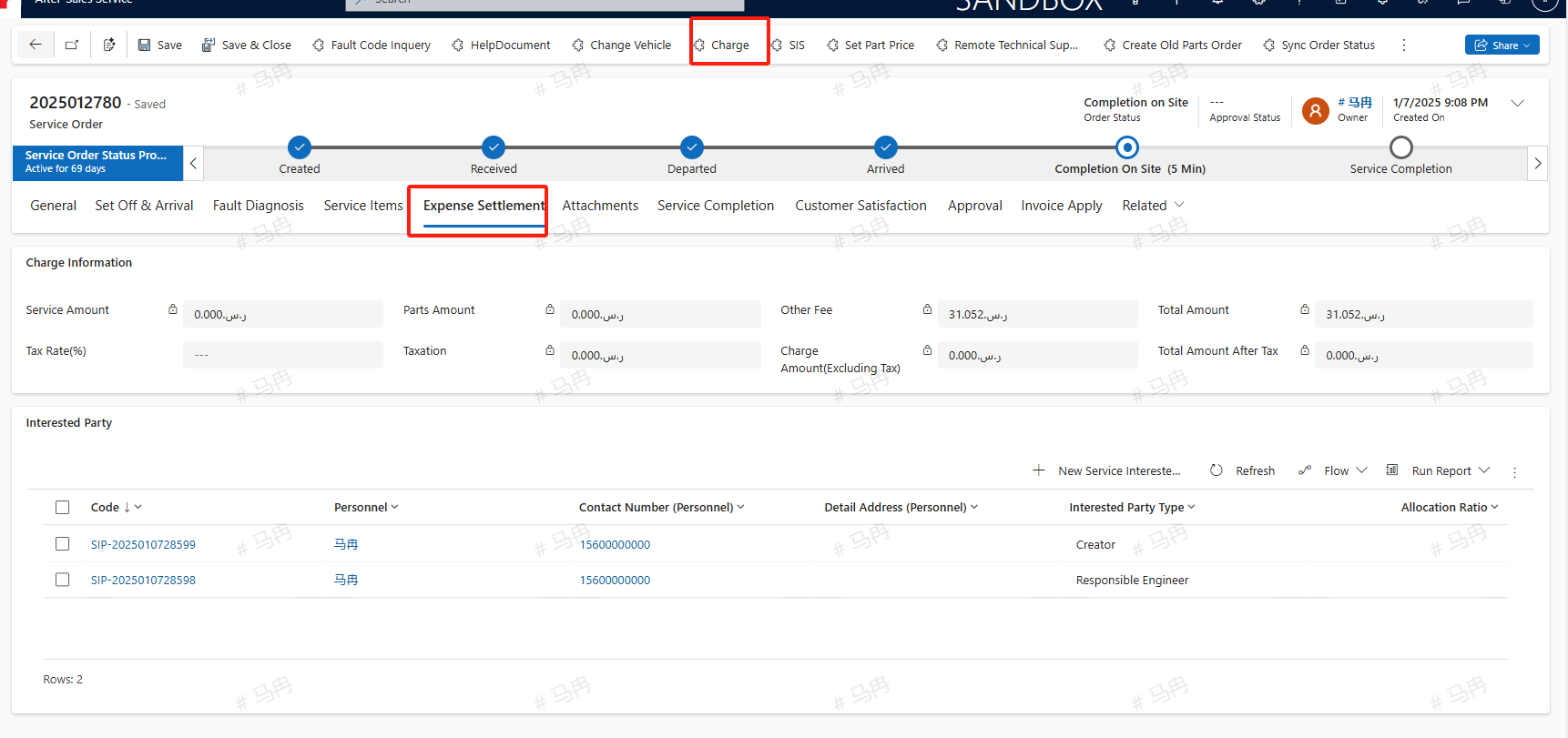
After completing the maintenance items, parts, and other fees, click the 'Calculate Fees' button, and the system will compute the total amount for this service order. For chargeable orders, based on the entered tax rate (%), it will calculate the tax, the receivable amount (excluding tax), and the total amount after tax. However, this is for display purposes only; the actual tax is calculated by the ERP system, and the CRM will only synchronize the total net amount to the ERP.
Add Abnormal Feedback
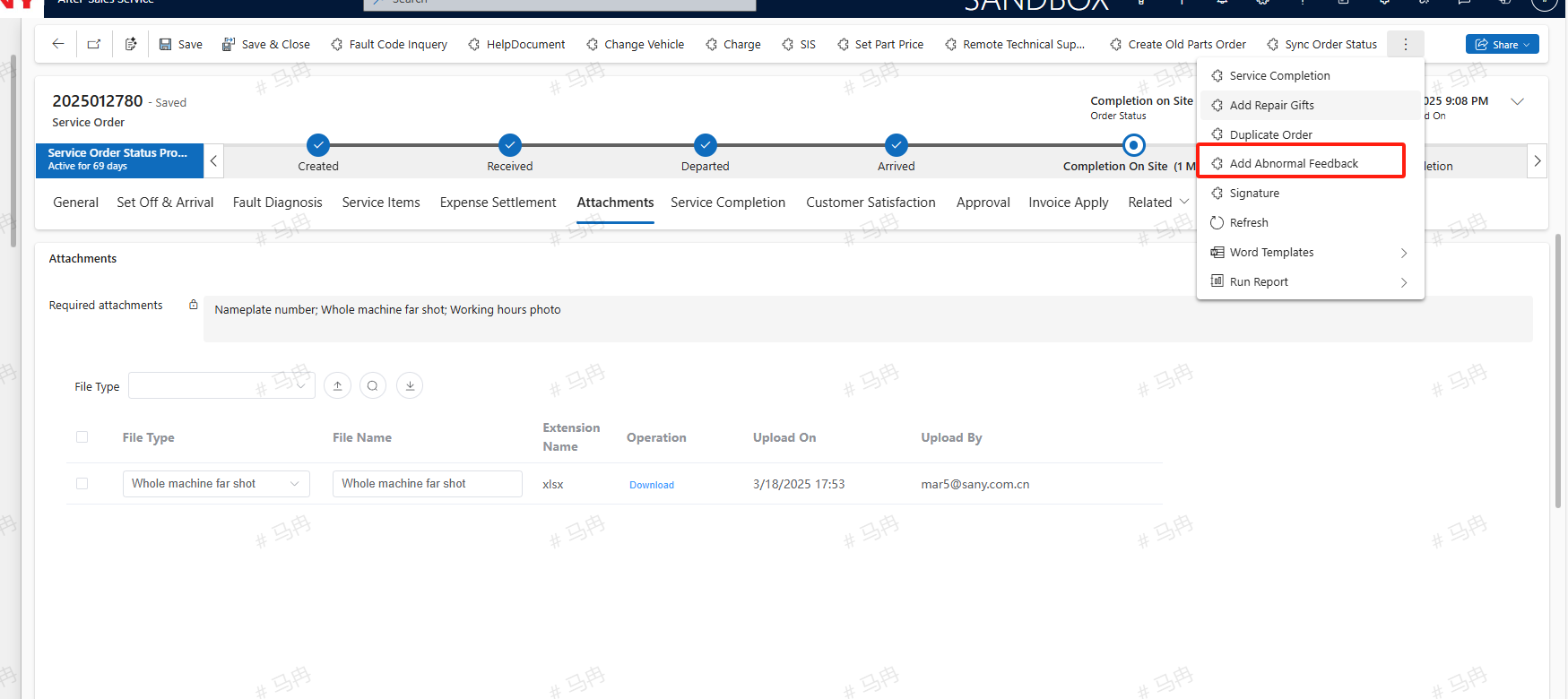
If during the maintenance process, anomalies are found in the system configuration such as repair man-hours, quantities, or SIS diagrams, they can be addressed by creating an anomaly feedback for maintenance. Upon creation, the maintenance order and equipment are automatically imported from the service order. Select the type of document that requires maintenance: missing repair man-hours, adjustment of man-hour quantities, or SIS diagram anomalies. Different types require different information to be maintained. Taking missing repair man-hours as an example, you need to select the type of omission, fault location 1, fault location 2, description of fault location 1, description of fault location 2, fault attribution, and other relevant information. After all information is supplemented and saved, submit the feedback.
Field Service Complete
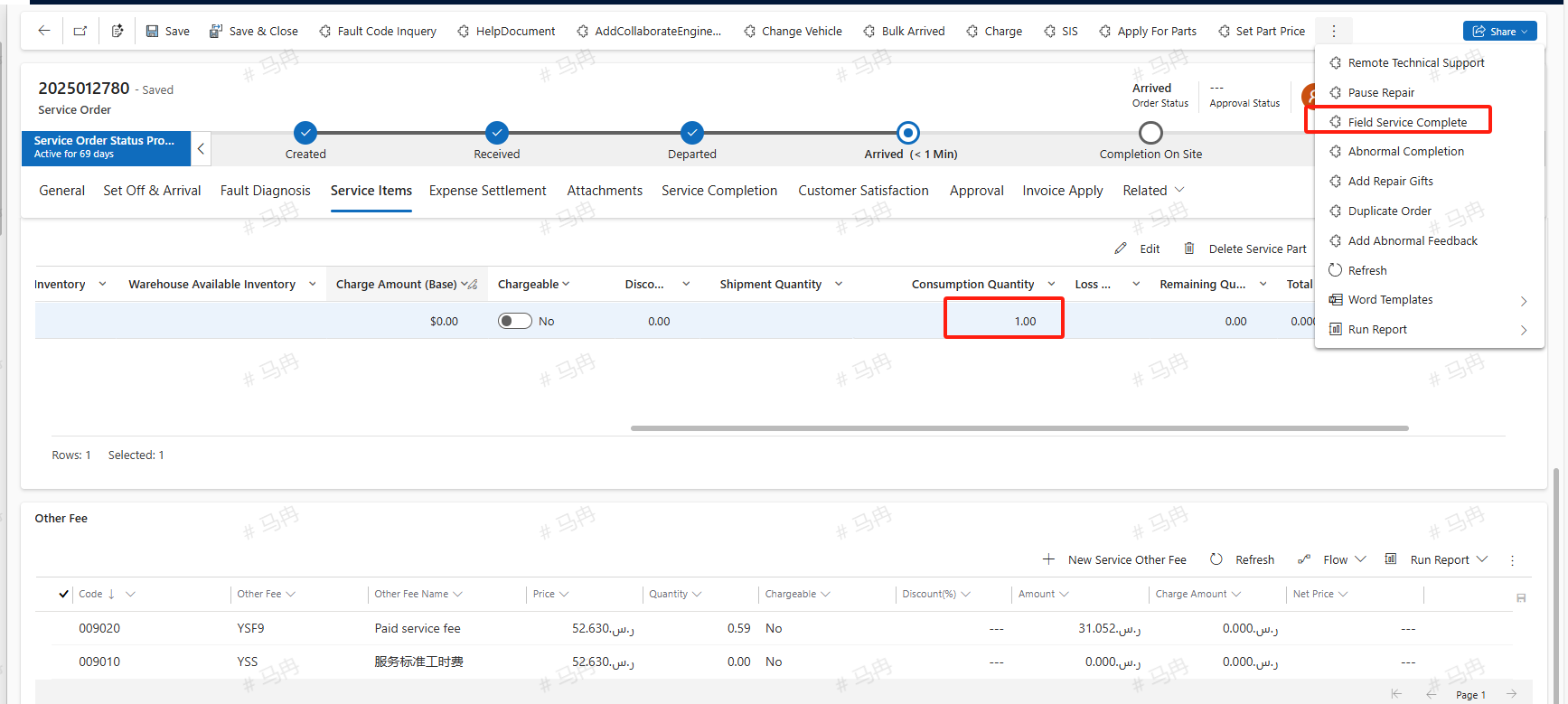
After the on-site service work is completed, fill in the actual quantity of parts consumed, and click the on-site completion button to finalize the on-site work.
Service Completion
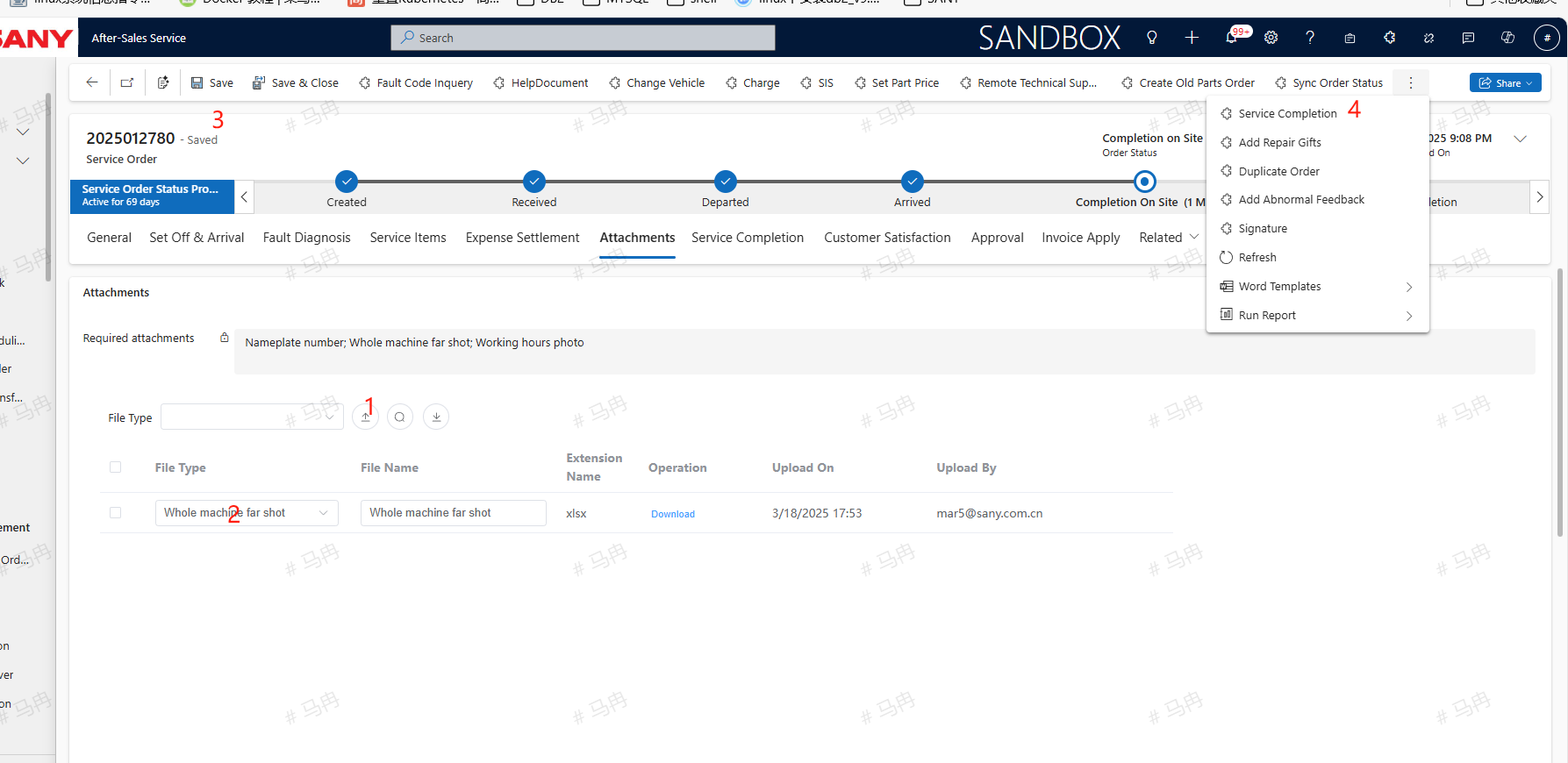
Under the attachments tab, upload the mandatory photos before completion, select the correct file type, save, and then click the service completion button to submit for service completion approval.