WCSR Details
WCSR Details
Path: Claim -> Region Claims/Dealer Claims -> WCSR Details
Create
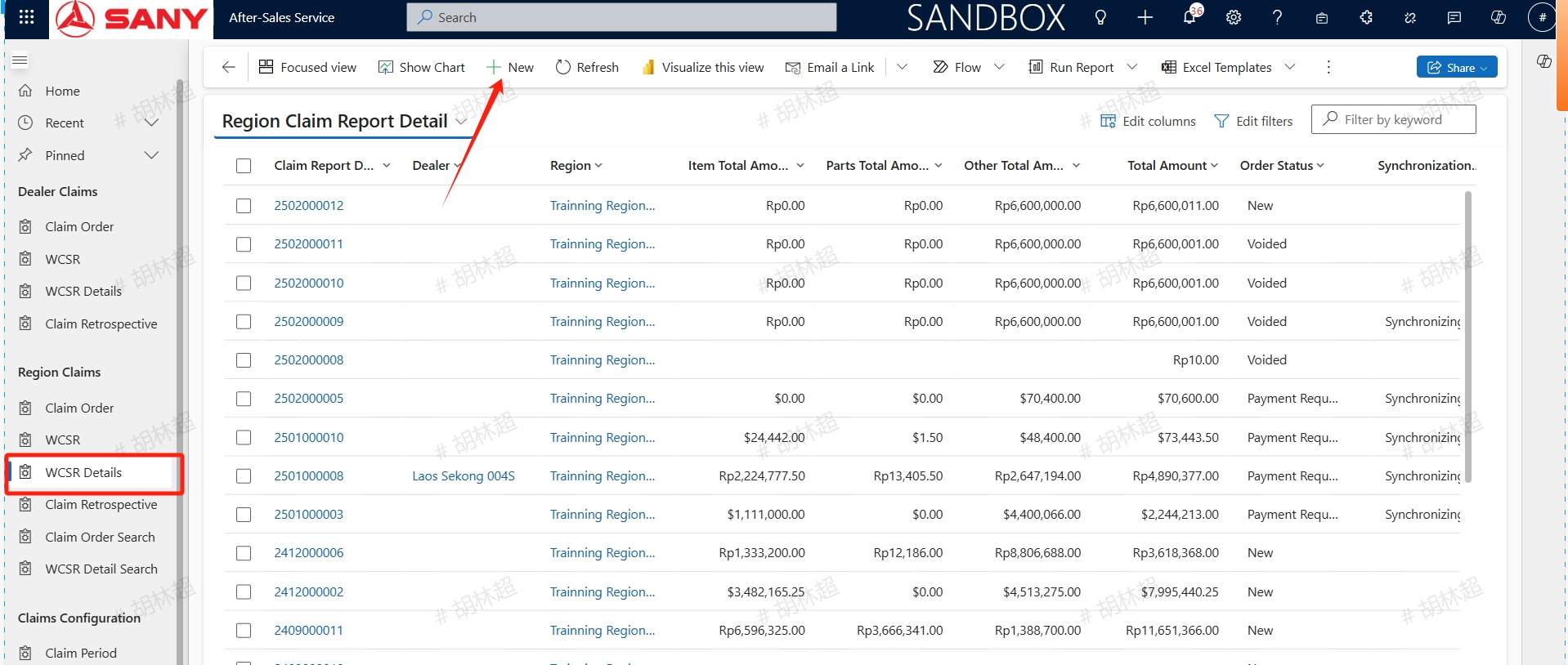
For claims that have not generated this month, service engineers can manually create them. Open the WCSR Details menu, click the +New button, and select Type,Claim Bu,Region,Currency (currency needs to be consistent with the claim order's and service order's),Input Tax,Prepared Cost Center and other needed information. After filling in, click save:
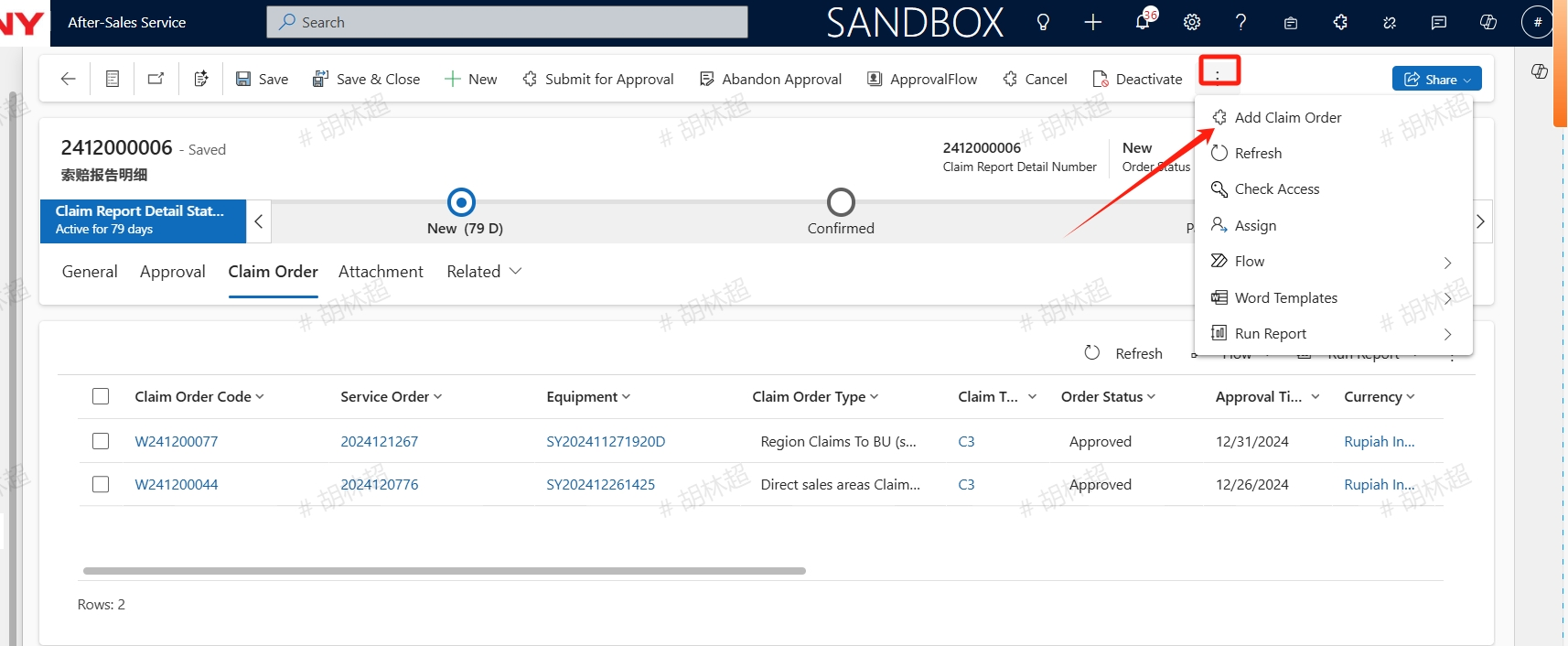
After saving, click the "Add Claim Order" button to add a claim order, which can be viewed in the "Claim Order" tab after added;
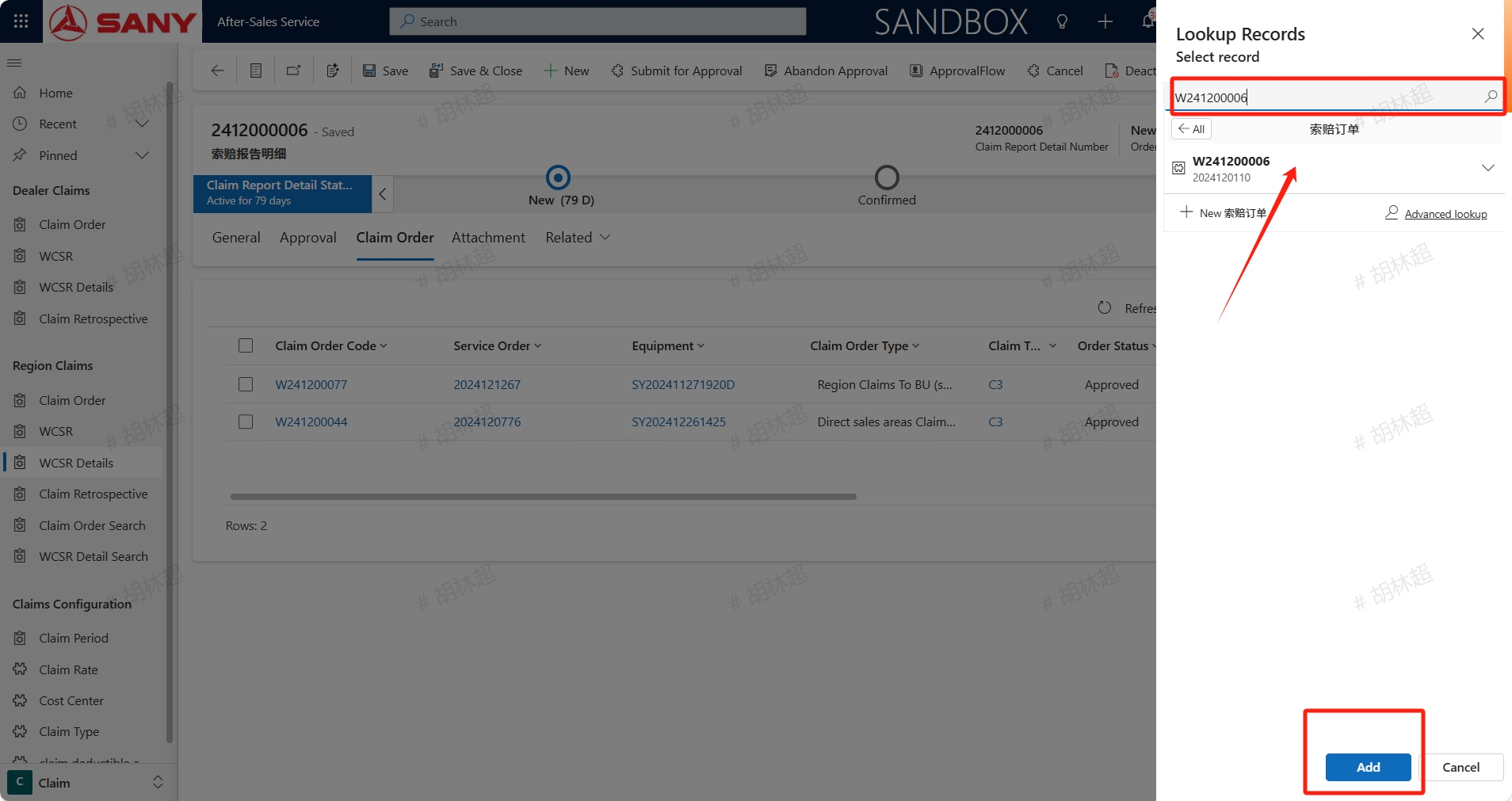
After editing all the information, click the save button to save it, then click Submit for Approval button to submit and wait for it to be approved;
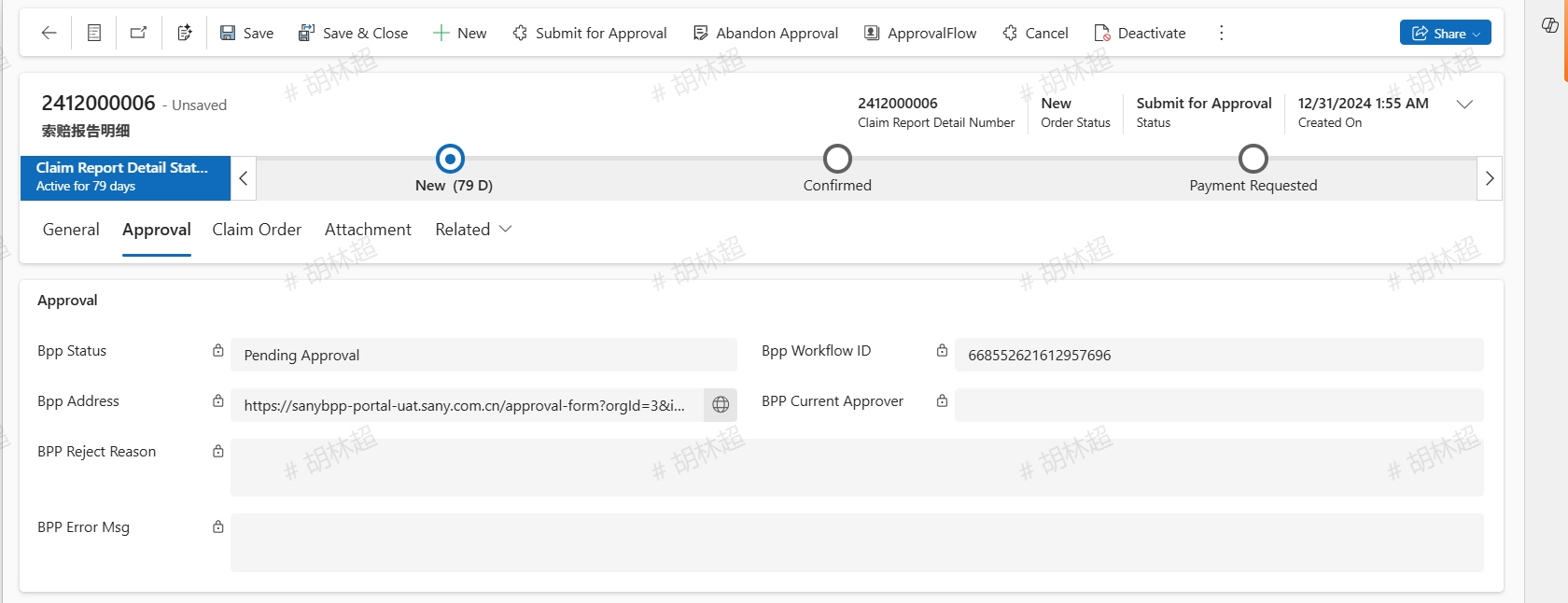
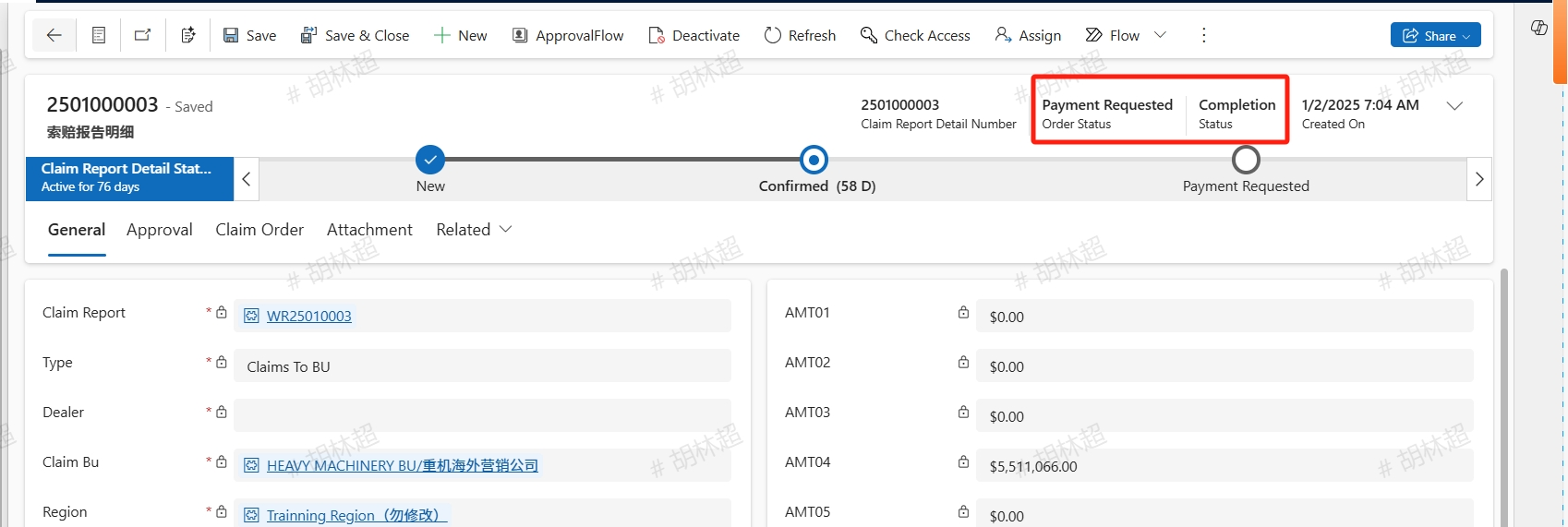
For approved WCSR Details, the system will automatically synchronize the order and notification to ERP, and update the order status to Payment Requested.