Special Service Orders
Special Service Orders
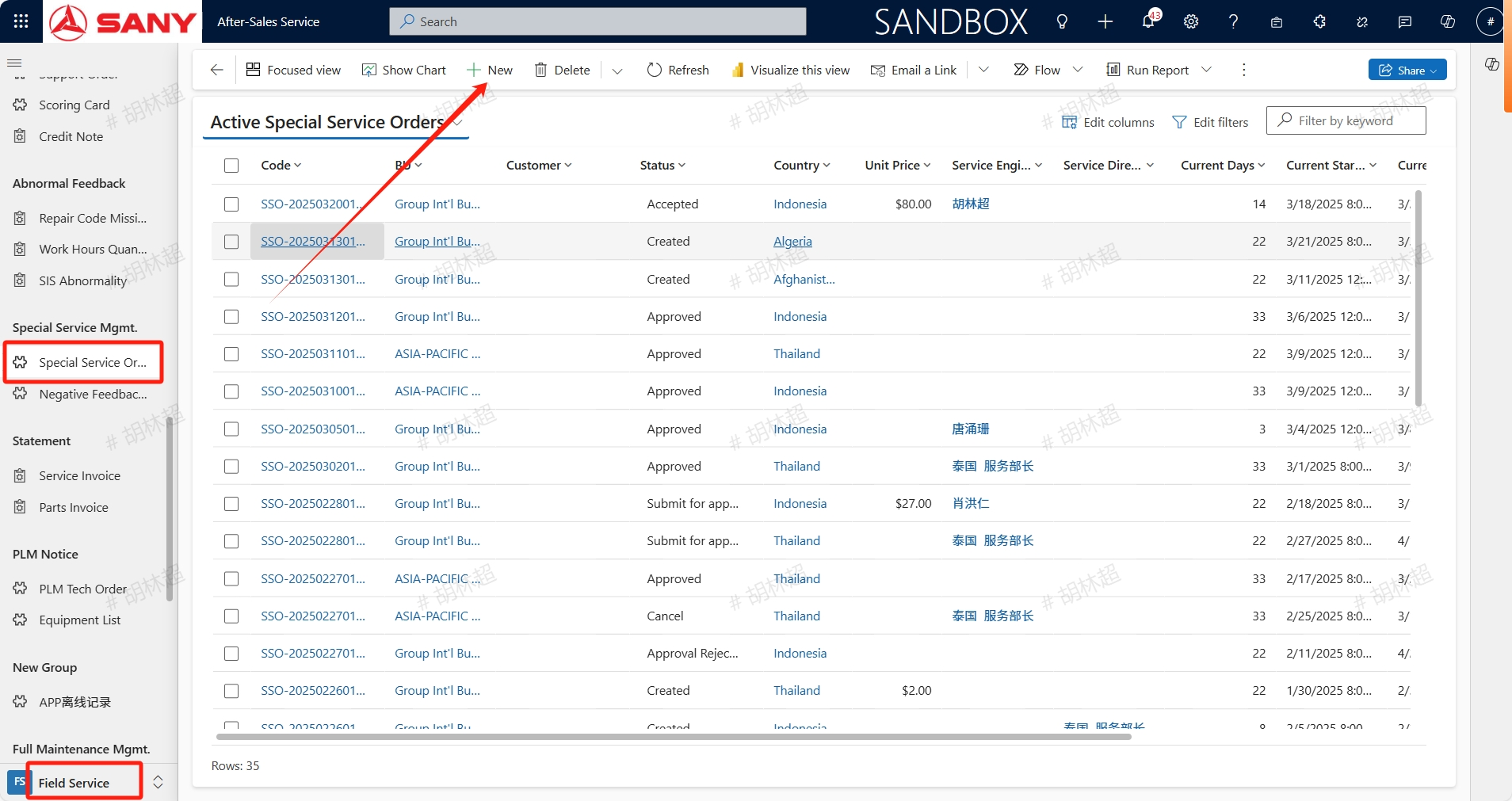
Path:Field Service -> Special Service Mgmt. -> Special Service Orders
Create Special Service Orders
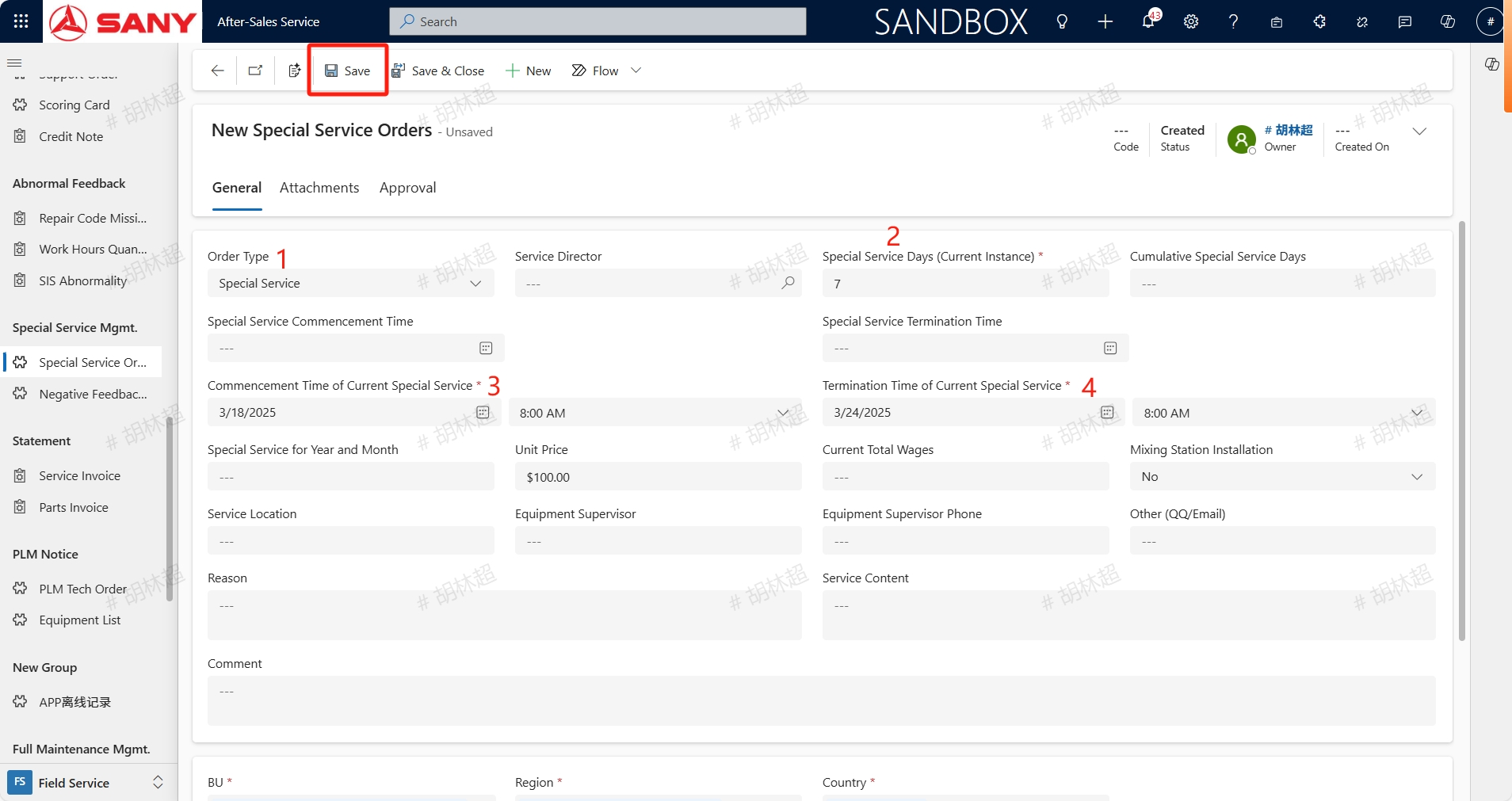
Created by service minister,opens Special Service Orders menu, click the +New button,Order Type select Special Service, input the Special Service Days (Current Instance),Commencement Time of Current Special Service,Termination Time of Current Special Service and other necessary information for this special service, and click the save button to save. The Unit Price for special services is the amount that engineers will receive for each completed special service order.
Create On-site Orders
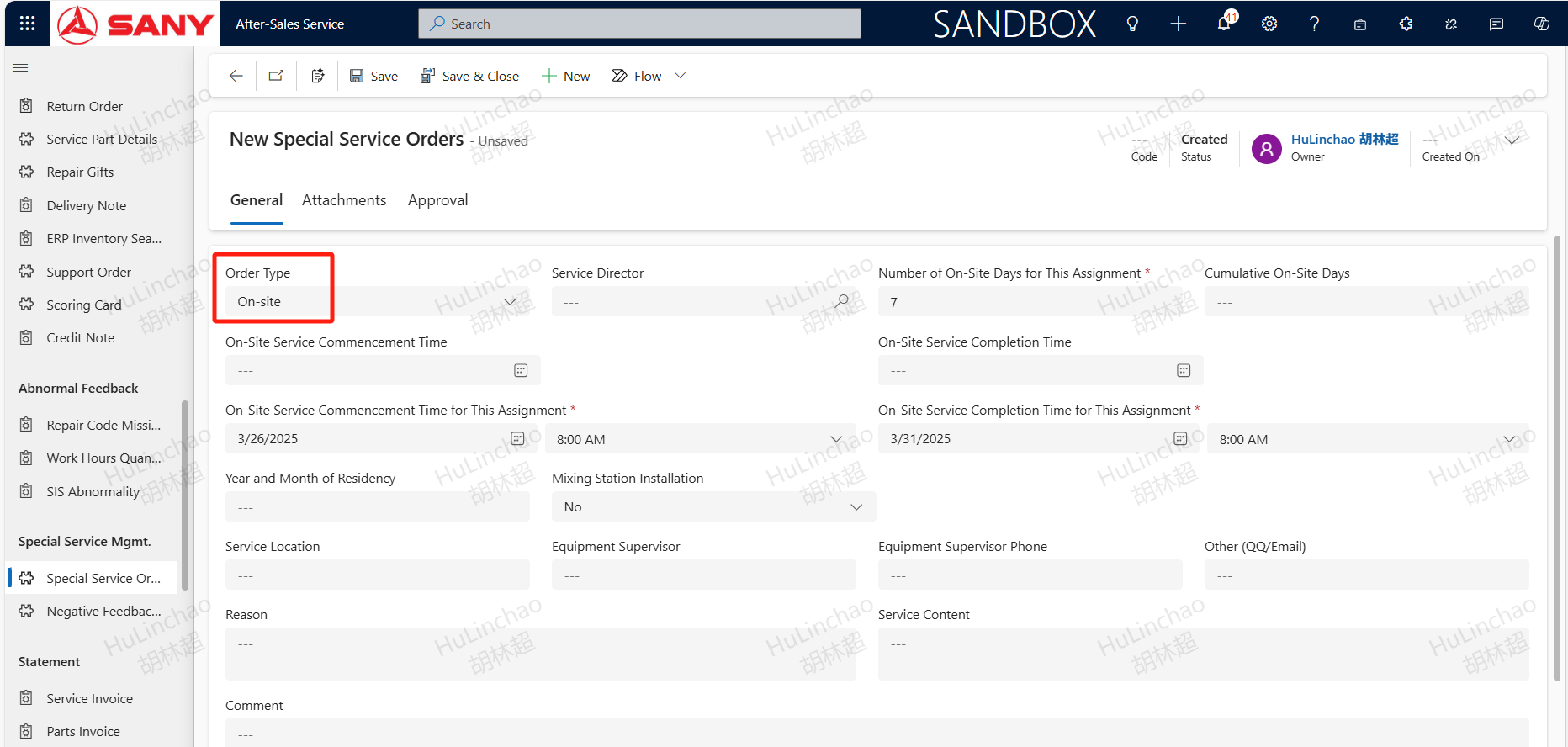
Created by service minister,opens Special Service Orders menu, click the +New button,Order Type select On-site, input the Number of On-Site Days for This Assignment,On-Site Service Commencement Time for This Assignment,On-Site Service Completion Time for This Assignment and other necessary information for this special service, and click the save button to save.
Add Special Service Equipment
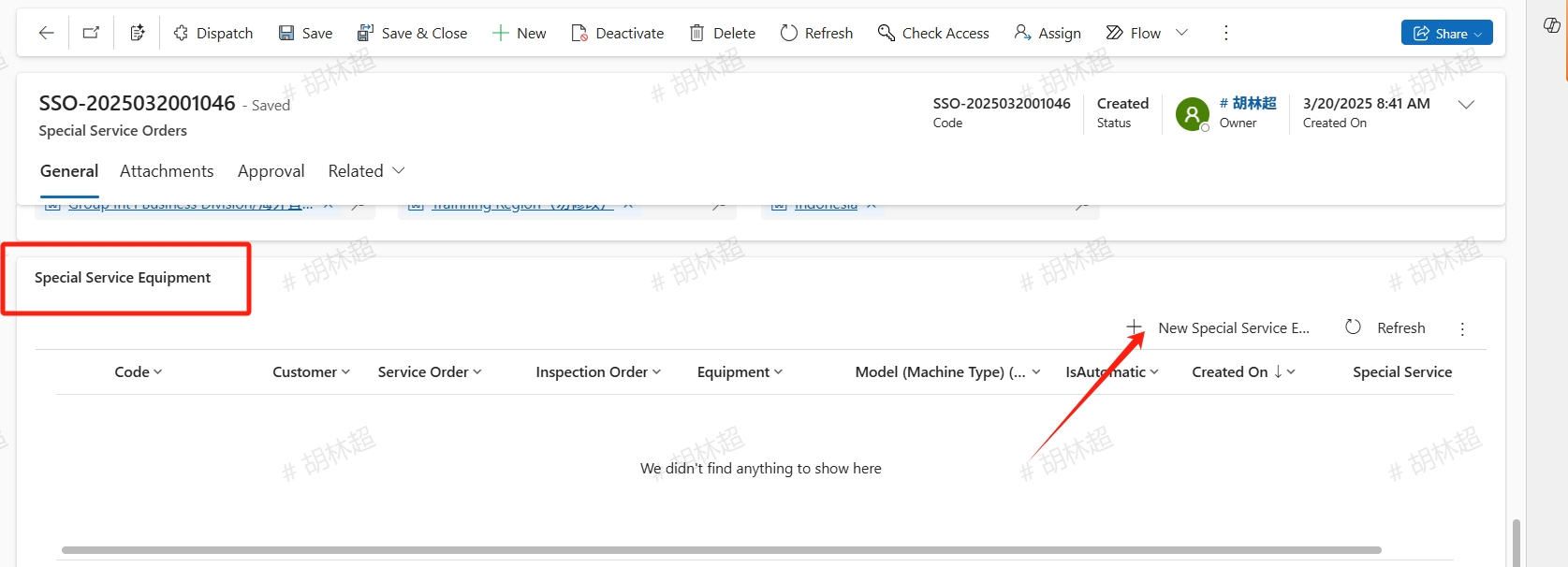
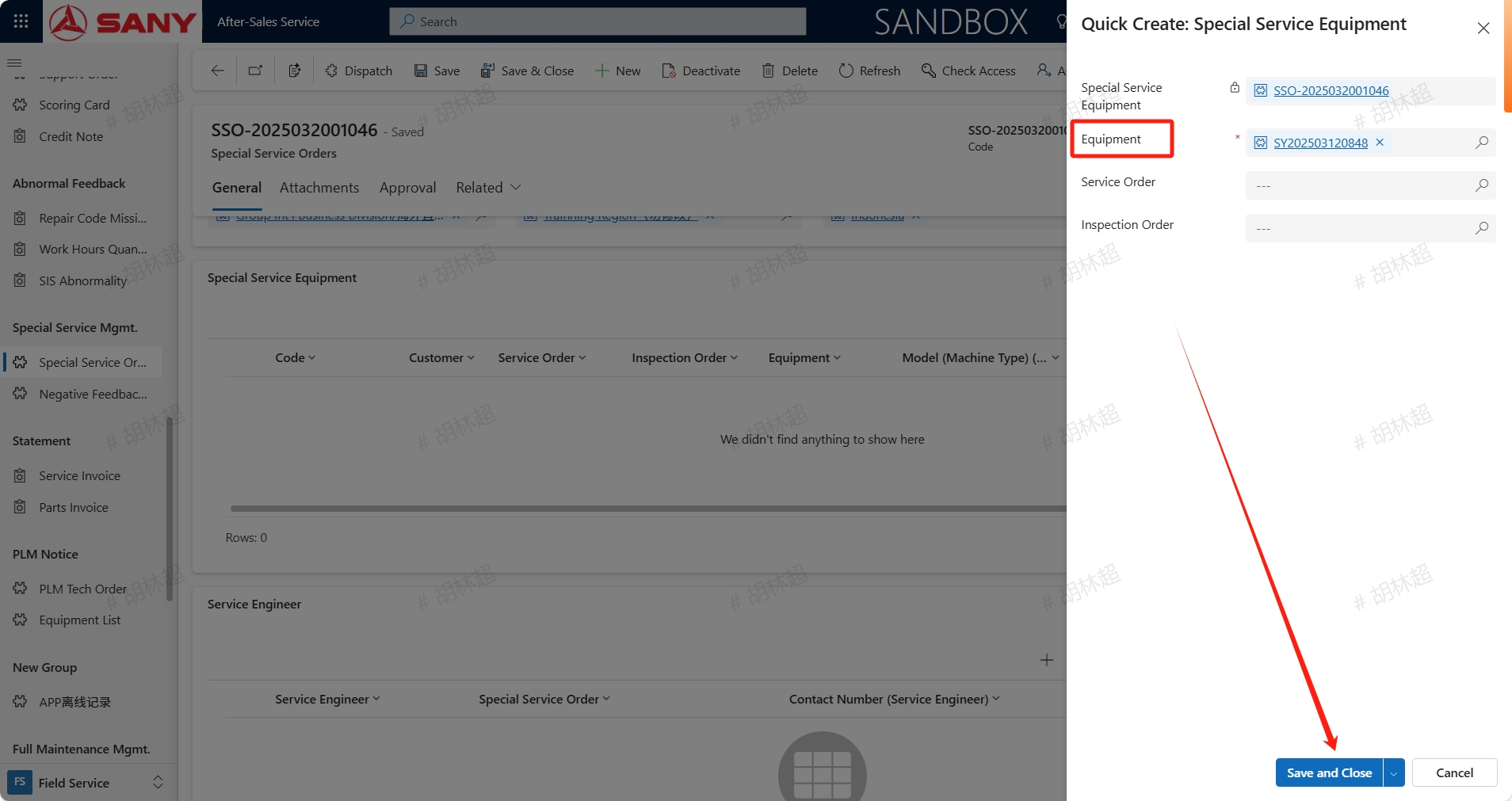
After Special Service/On-site orders saving, in the special service equipment, click the +New Special Service Equipment button, enter the equipment for this special service, save and close.
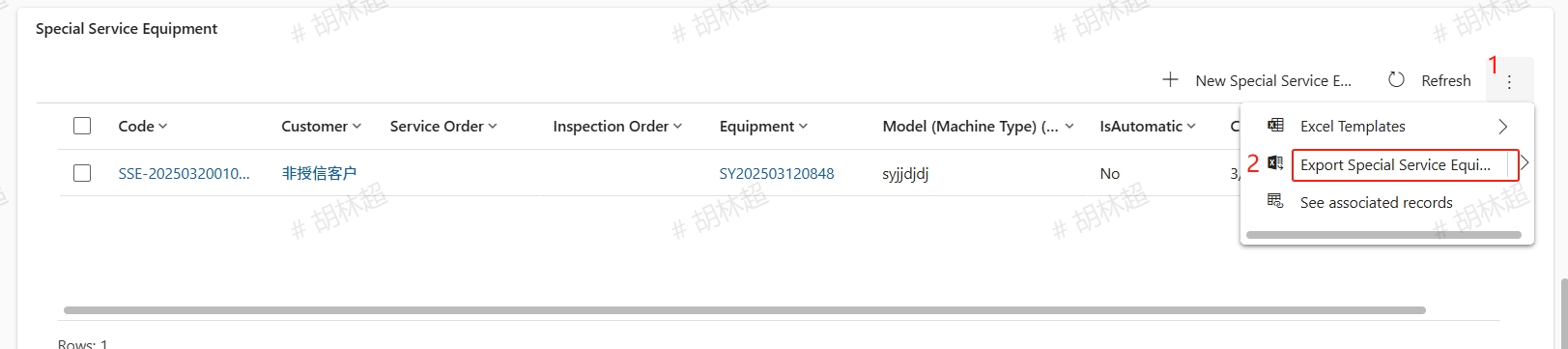
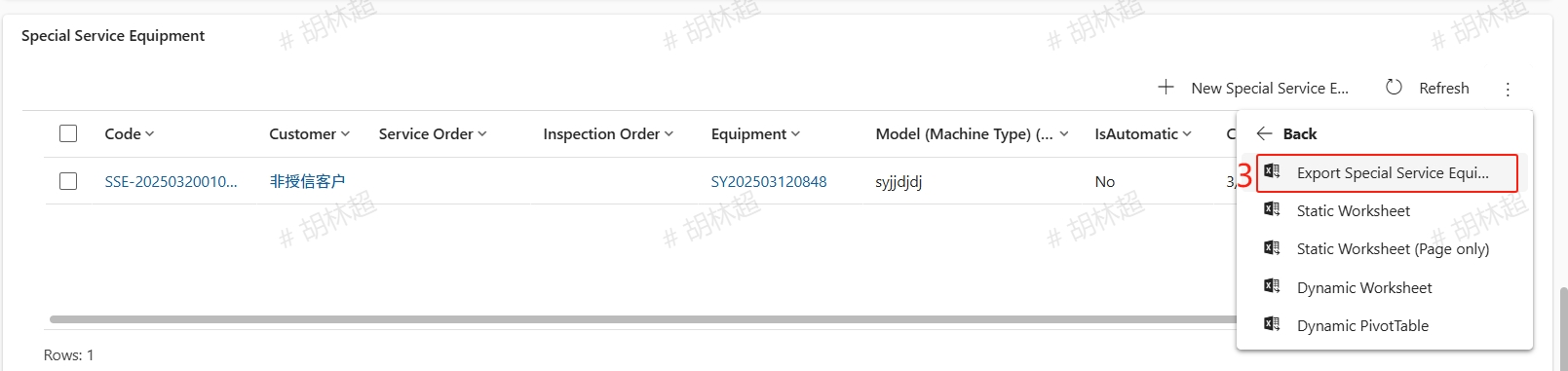
The device supports batch add, and the batch addition method is as follows:
Add Special Service Order Engineer
After adding the special service equipment, click on the +New Special Service Order Service Engineer button in the Service Engineer section to add the engineer for this special service.
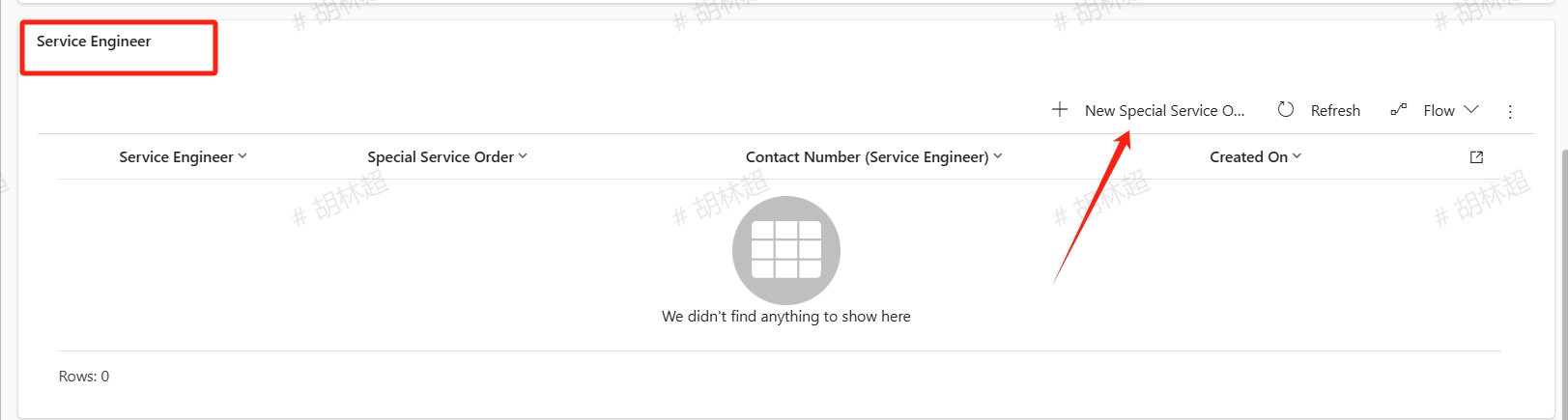
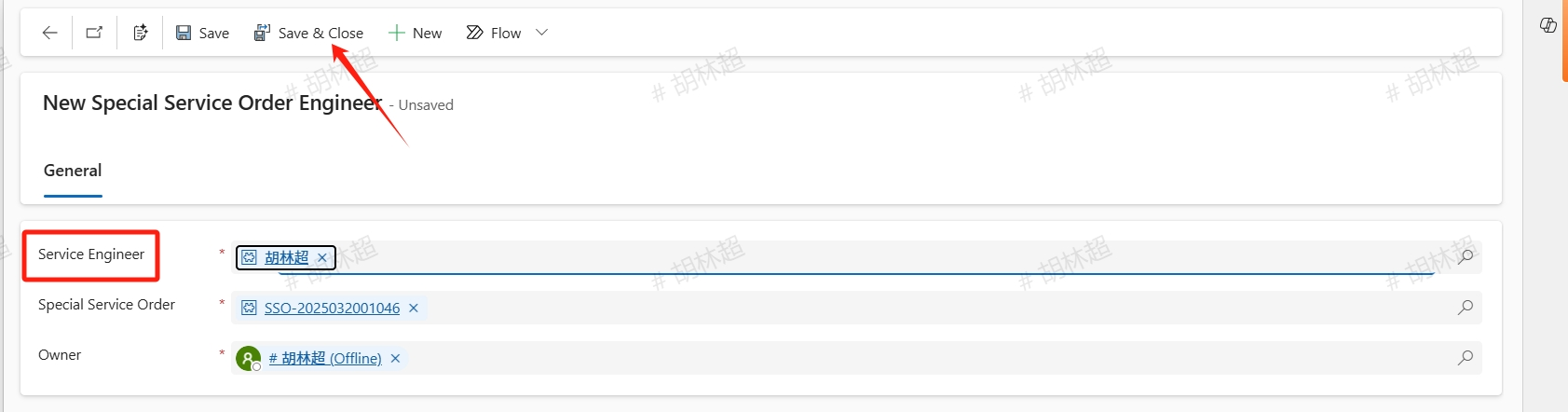
For service engineers added to the special service work order, during the special service period, equipment which not under this special service work order will not be assigned to the service engineer unless assigned by the service minister
Dispatch
After completing filling all the needed information, click Dispatch button and assign it to the local service engineer for processing.
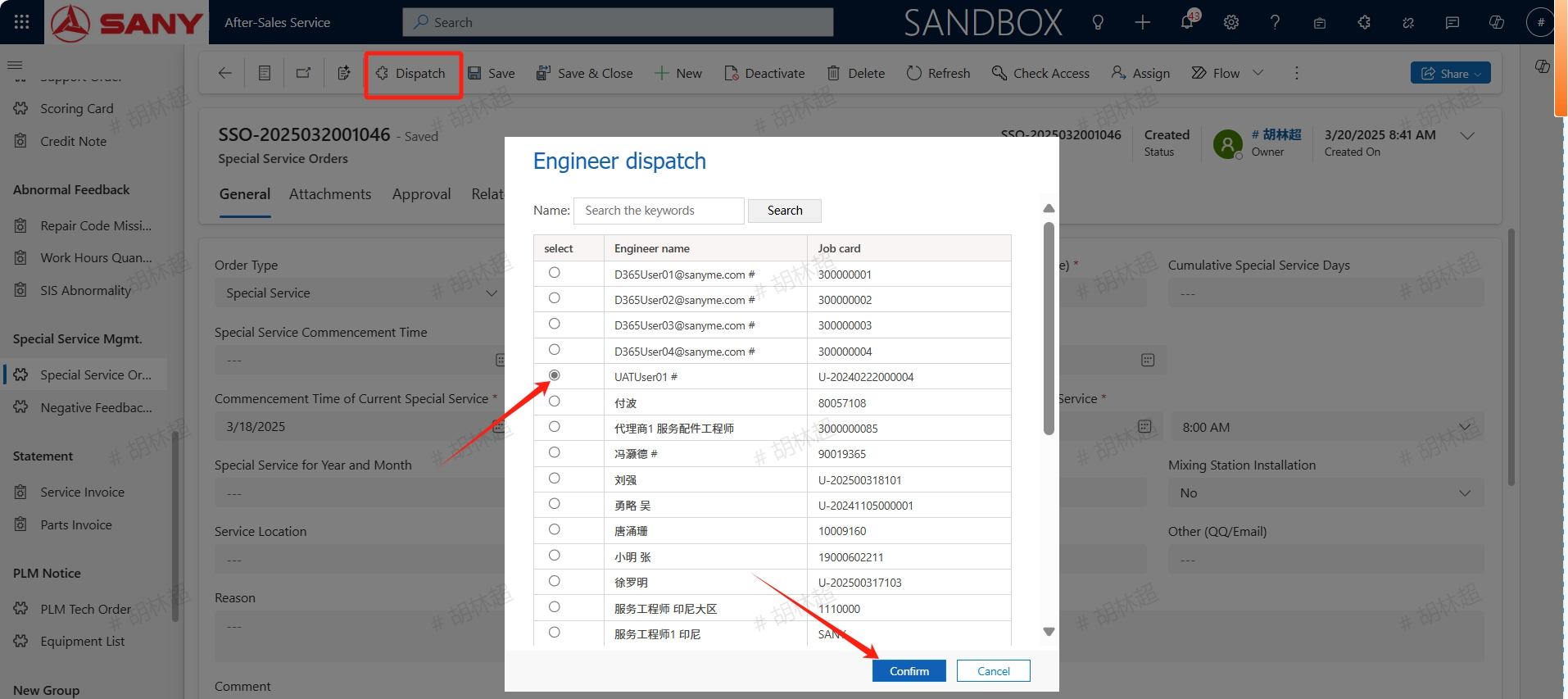
Accept or Reject
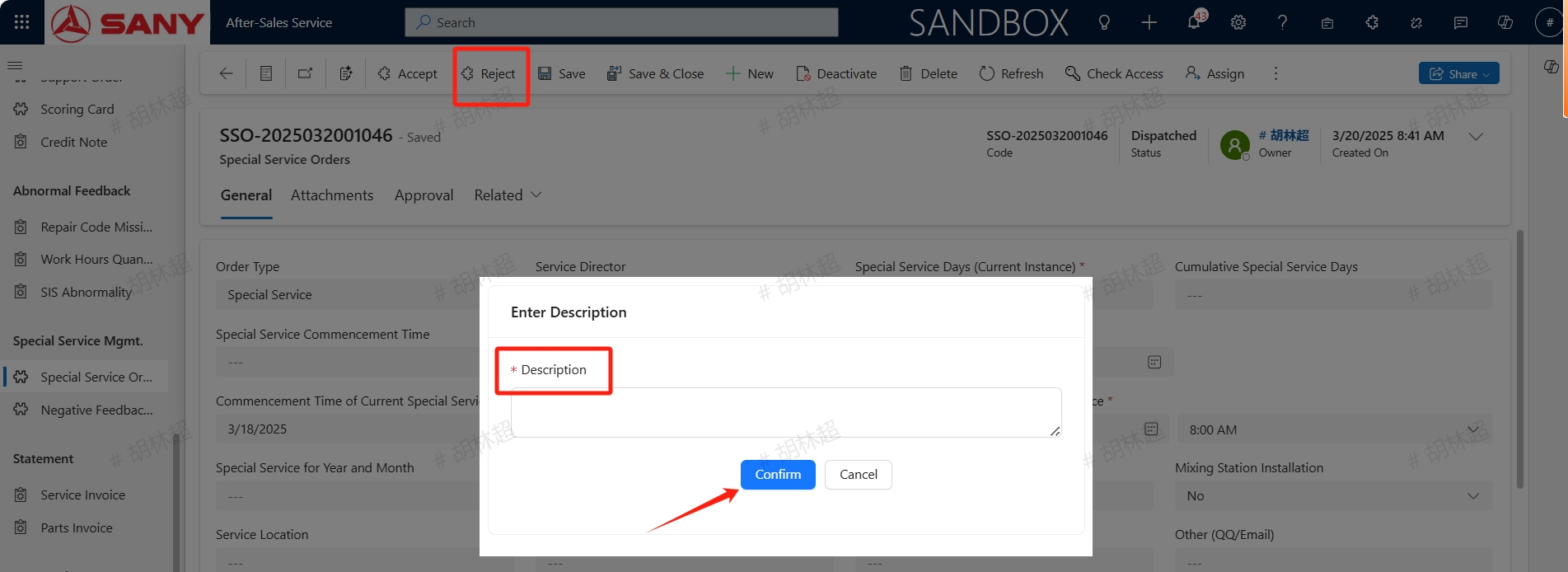
The assigned service engineer can click the accept button to accept the order. After received the order,the engineer can edit the special service work order and proceed with subsequent processing;
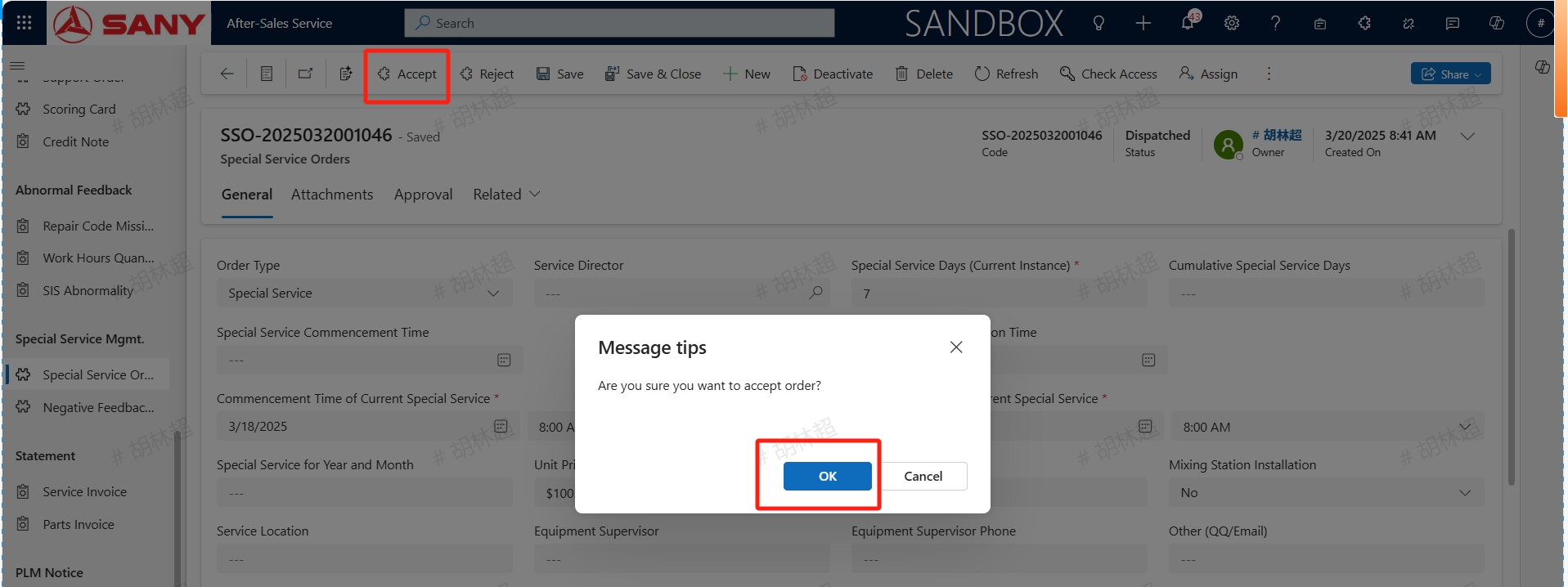
If the reject button is clicked and a Description is entered, the work order will be returned to the service minister who can reassign it.
Submit for Approval
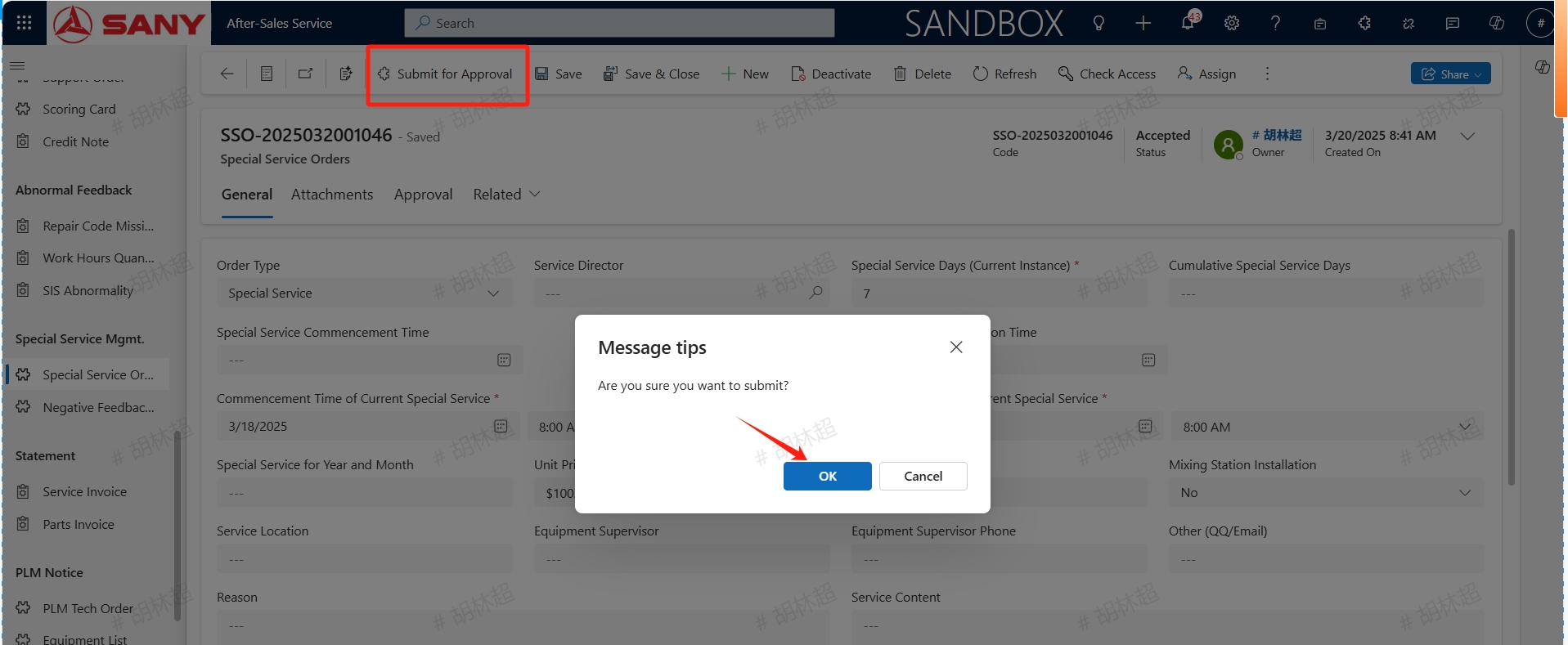
After received the order, if necessary, service enginner can continue to add equipments for this special service or maintain necessary information. After confirming that all information is correct, click the Submit for Approval button to submit it. Once approved, this special service work order will take effect.
Relationship with Service Orders
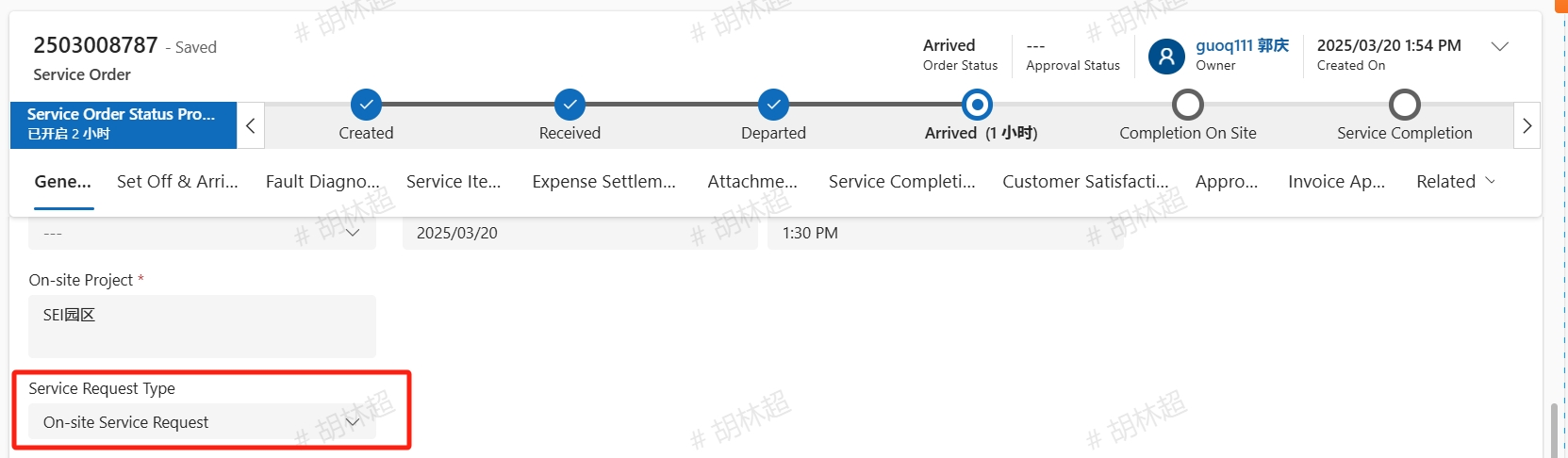
For effective Special Service Orders, during the period, Special Service Orders which created from MySany or the U-desk will be automatically assigned to the special service service engineer and labeled as special service in the Service Request Type.