Claim Order
Claim Order
Path1:Field Service -> Repair Management -> Repair Order Path2:Claim -> Region Claims/Dealer Claims -> Claim Order
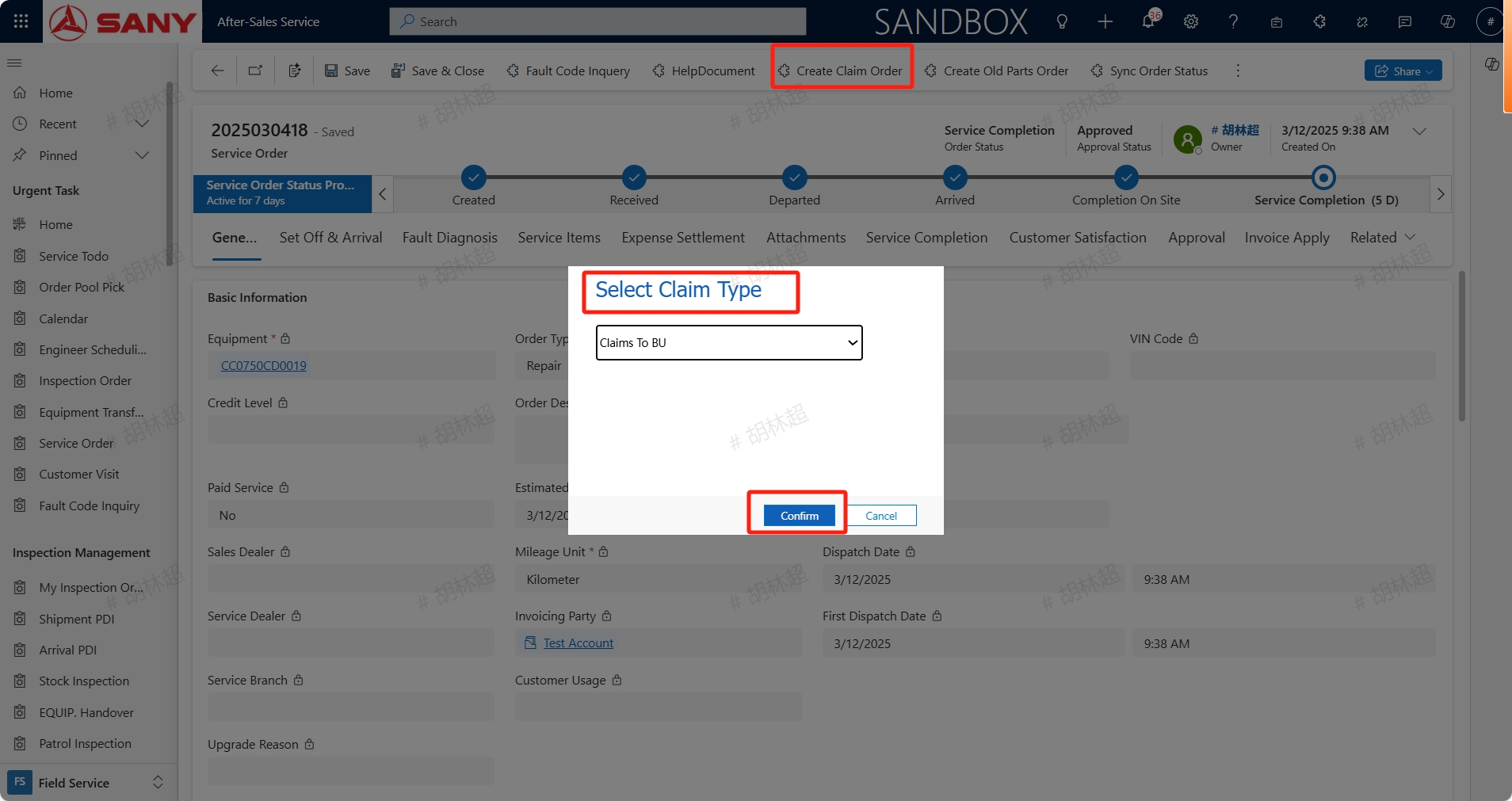
Create Claim Order
For service completion orders, if a claim needs to be initiated, click the "Create Claim Order" button to create a claim order,Select Claim Type. For service orders from national subsidiaries, claim to BU, and dealer Claims To Region;
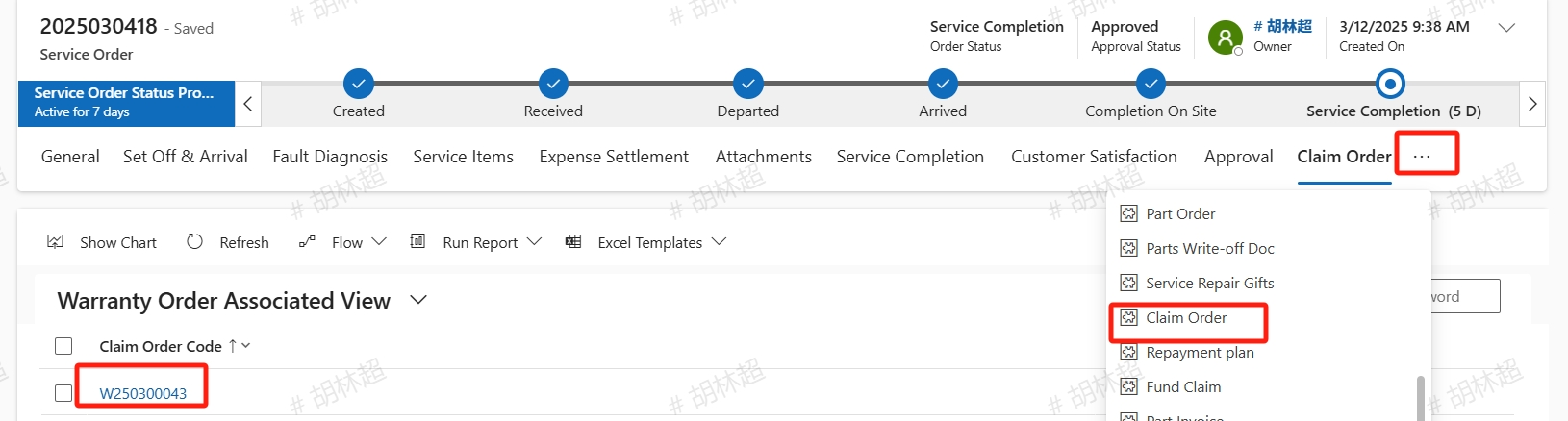
The information after creating a claim order are all carried over from the service order. Find the created claim order in the related section and click to open it.
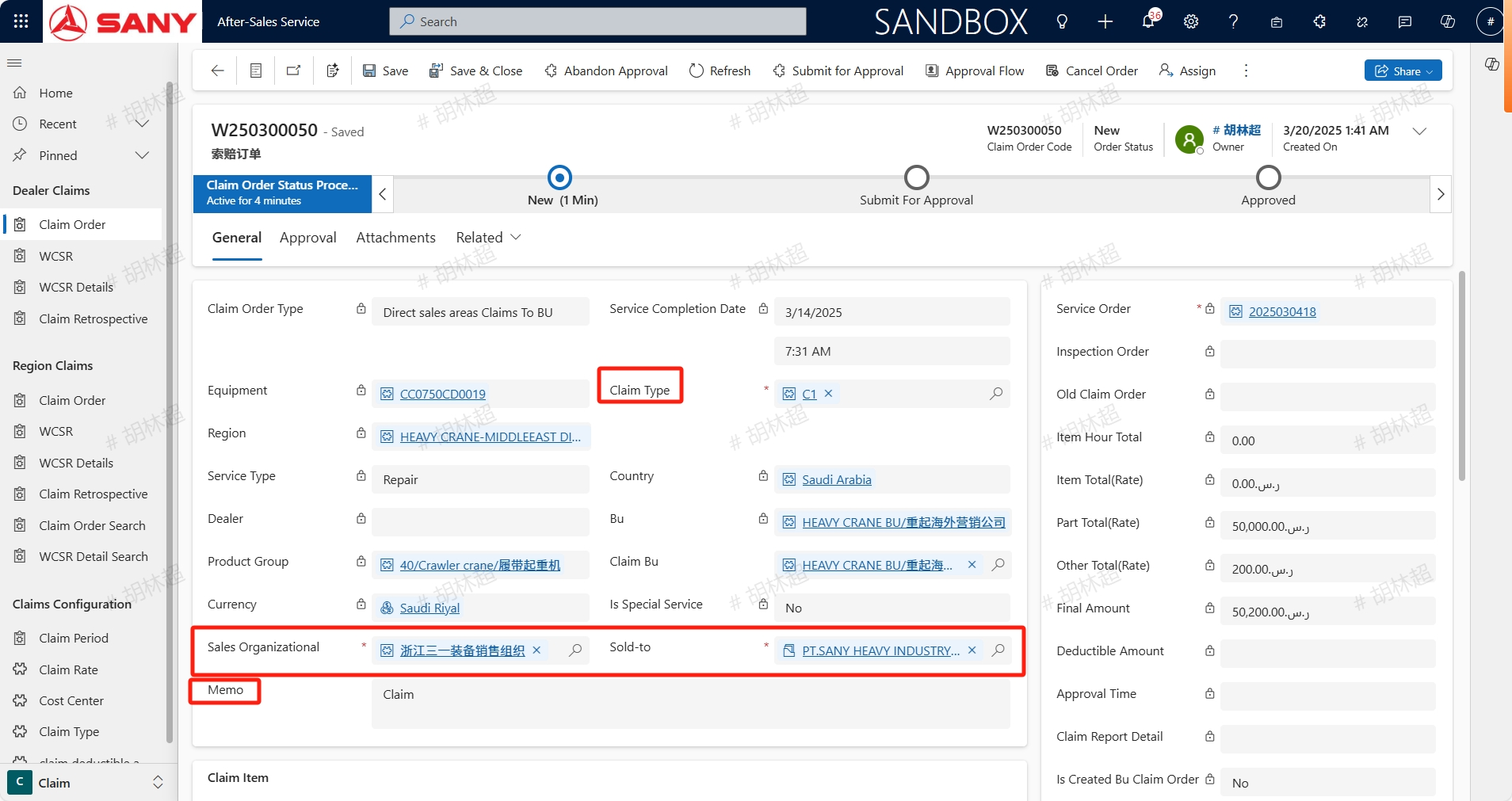
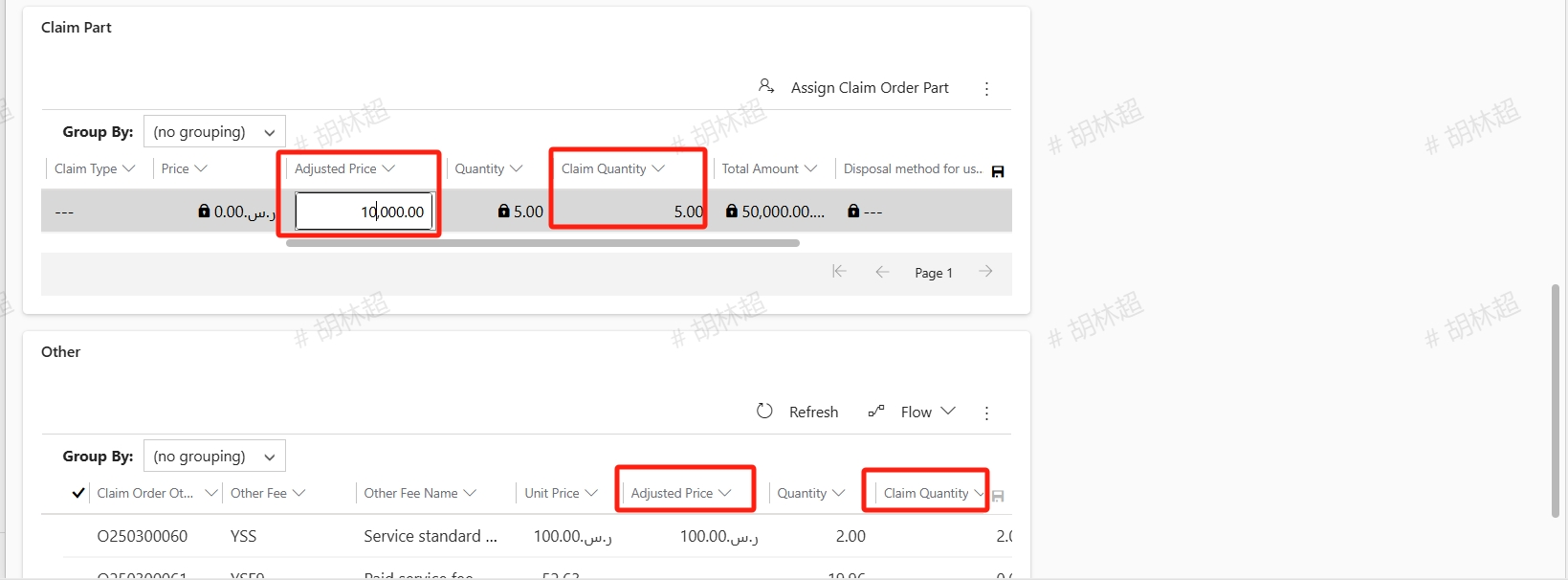
Select the Claim Type, check the Sales Organizational and Sold-to. the Sold-to here is the party applying for the claim. If the system has configured it, it will automatically bring it out. If there is no configuration, it can be manually selected; For projects that require claims, enter the Adjusted Price (i.e. claim price) and Claim Quantity, confirm that all claim information is correct then click Submit for Approval button to submit it.s
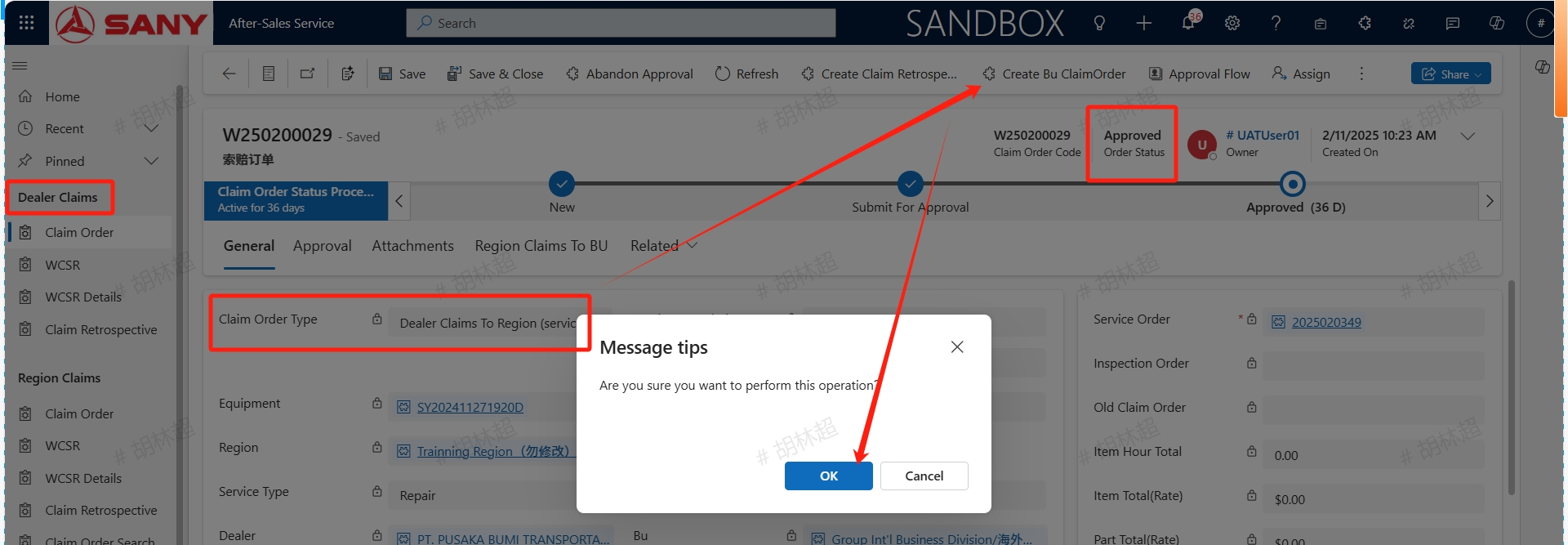
After the dealer completes the claim from the subsidiary, they can initiate a claim to BU by clicking Create Bu ClaimOrder button.
Claim Policy
agent claims from the subsidiary
Regions with subsidiaries will be the quoted price (sales price) of the subsidiary *1.0;
Regions with no subsidiaries will be Hong Kong, China quoted price *1.5 (already configured as per the country configuration table)
Direct Sales Region claims from the BU
As per the country region’s domestic settlement price of the BU and subsidiaries *1.5;
Country regions with no domestic settlement price will be BU cost *1.1*1.5;
subsidiary claims to the BU
Obtain the product’s factory price according to the claiming BU and product group;
As per the country region’s domestic settlement price of the BU and subsidiaries *1.5;
Country regions with no domestic settlement price will be BU cost *1.1*1.5;